
Beschrijving
ErrorLyze is a powerful WordPress plugin that automatically detects PHP errors on your site and provides AI-powered analysis and fix recommendations.
Key Features:
- Automatic Error Detection – Captures all PHP errors, warnings, and notices automatically
- AI-Powered Analysis – Get detailed fix instructions powered by AI
- Dashboard Widget – Monitor error statistics directly from your WordPress dashboard
- Email Alerts – Get notified immediately when critical errors occur
- Smart Filtering – Filter errors by severity, category, or search terms
- Export Functionality – Export error logs in CSV or JSON format
- Automatic Cleanup – Automatically delete old resolved errors
- Show Resolved – Toggle visibility of resolved errors
- Copy to Clipboard – Easily copy error messages for research
Perfect For:
- Developers debugging WordPress sites
- Site administrators monitoring site health
- Agencies managing multiple client sites
- Anyone wanting to keep their WordPress site error-free
How It Works:
- The plugin automatically captures errors as they occur
- View errors in a clean, organized dashboard
- Click “Get AI Analysis” for intelligent fix recommendations
- Mark errors as resolved to track your progress
- Get email alerts for critical errors (optional)
External Services
Deze plugin is afhankelijk van een externe API-dienst voor AI-aangedreven foutanalyse:
Service: ErrorLyze AI Analysis API
Provider: api.errly.nl (owned and operated by the plugin author)
Purpose: Provides AI-powered analysis and fix recommendations for WordPress PHP errors
Data Sent:
- Error message text
- File path (sanitized, relative paths only)
- Line number
- Site URL (for rate limiting)
- Unique site key (randomly generated, for rate limiting)
When Data is Sent:
- Only when the user manually clicks the “Get AI Analysis” button
- Never automatically
- Service availability may vary
Data NOT Sent:
- No passwords or credentials
- No user personal information
- No database credentials
- No API keys or secrets
- No email addresses
- No full file contents
Privacy & Security:
- All communication via HTTPS encryption
- No personal data collected or stored on external servers
- Only error messages are analyzed
- GDPR compliant — no tracking, no cookies
Service Terms:
- Service provided free of charge
- No account registration required
- No data retention beyond analysis processing
- Data processed in real-time and not stored
Legal Information:
- Terms of Service: https://api.errly.nl/errorlyze-terms.html
- Privacy Policy: https://api.errly.nl/errorlyze-privacy.html
For questions about data handling, contact via the WordPress.org support forum.
Ondersteuning
For support, please visit the WordPress.org support forum for this plugin.
Schermafbeeldingen
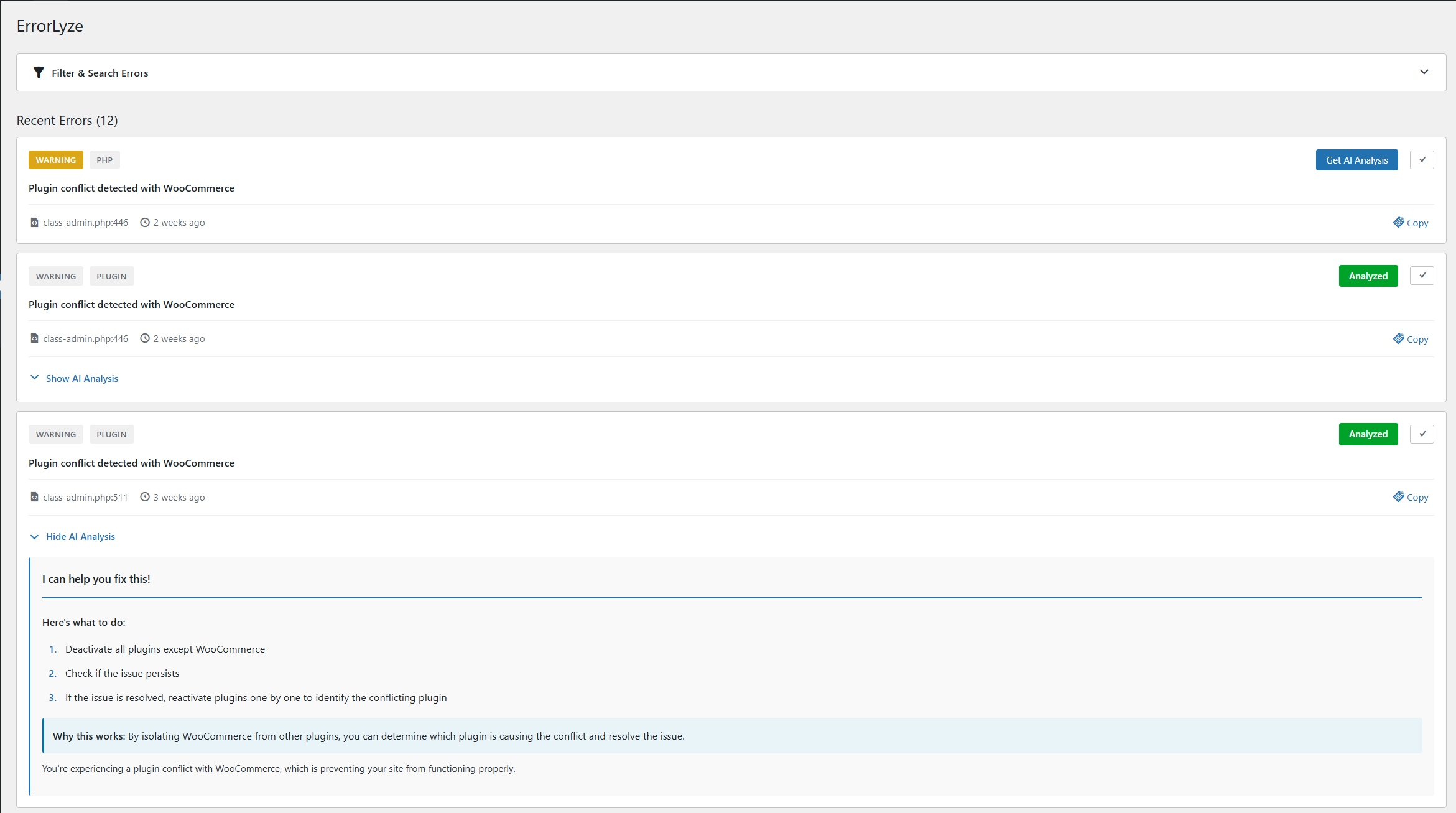
Dashboard with error list and filtering options 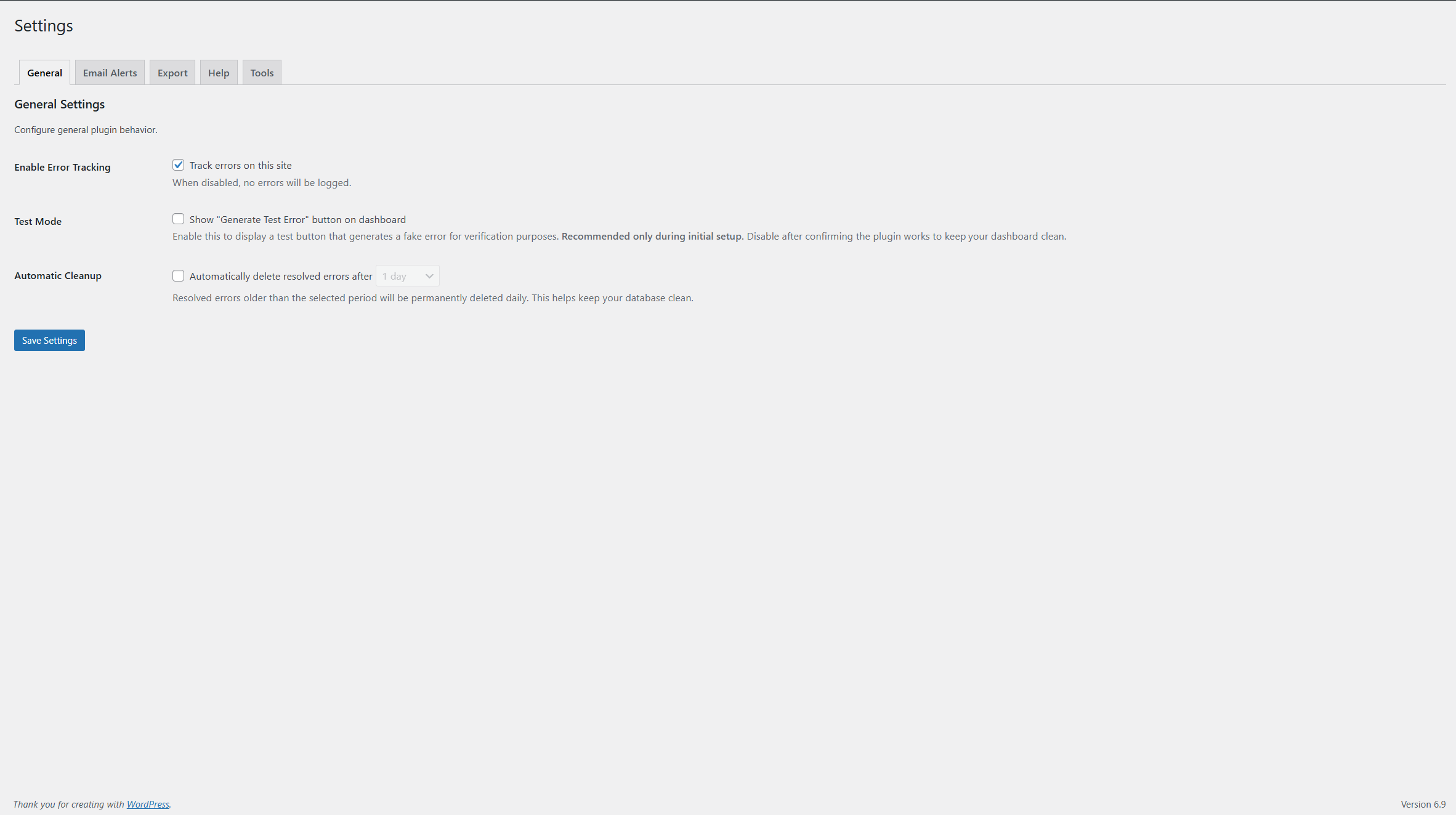
AI-powered error analysis with detailed fix recommendations 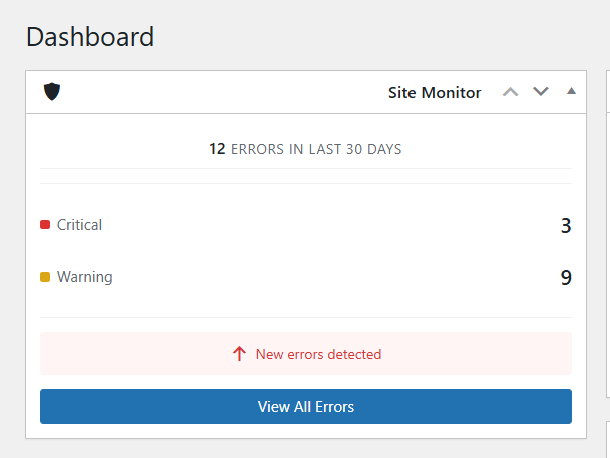
Dashboard widget showing real-time error statistics


Installatie
Automatic Installation:
- Log in to your WordPress admin panel
- Go to Plugins > Add New
- Search for “ErrorLyze”
- Click “Install Now” and then “Activate”
Manual Installation:
- Download the plugin ZIP file
- Log in to your WordPress admin panel
- Go to Plugins > Add New > Upload Plugin
- Choose the ZIP file and click “Install Now”
- Activate the plugin
After Activation:
- Visit ErrorLyze in your WordPress admin menu
- Configure settings under Settings > General and Email Alerts
- The plugin will immediately start monitoring errors
FAQ
-
Will this plugin slow down my site?
-
No. The plugin only logs errors locally. AI analysis is optional and triggered manually.
-
How does AI analysis work?
-
De plugin verbindt zich met een externe AI dienst (api.errly.nl) om fouten te analyseren en oplossingsaanbevelingen te bieden. Deze dienst wordt gratis aangeboden met beperkte beschikbaarheid.
-
If the service is temporarily at capacity, you can still view and manage all error logs locally. All core features (error logging, dashboard, export, email alerts) work independently of the AI service.
-
Can I use this on multiple sites?
-
Yes! Each site tracks its errors independently.
-
Is my data secure?
-
Yes. All error data is stored in your WordPress database. Only error messages (no sensitive data) are sent for AI analysis via encrypted HTTPS connection. See External Services for details.
-
Do I need to configure anything?
-
No. The plugin works out of the box. However, you can customize email alerts, auto-cleanup, and other settings.
-
Can I export error logs?
-
Yes! You can export errors in CSV (for Excel) or JSON format from the Export tab in Settings.
-
How do email alerts work?
-
Enable email alerts in Settings > Email Alerts. You’ll receive HTML-formatted emails when errors occur, based on your severity threshold.
-
What is auto-cleanup?
-
Auto-cleanup automatically deletes old resolved errors to keep your database clean. You can set the retention period (1, 7, 30, or 180 days).
-
Can I test the plugin?
-
Yes! Enable Test Mode in Settings > General, then click “Generate Test Error” on the dashboard to create a test error and see how the plugin works.
Beoordelingen
Er zijn geen beoordelingen voor deze plugin.
Bijdragers & ontwikkelaars
“ErrorLyze” is open source software. De volgende personen hebben bijgedragen aan deze plugin.
Bijdragers
“ErrorLyze” is vertaald in 1 locale. Dank voor de vertalers voor hun bijdragen.
Vertaal “ErrorLyze” in je eigen taal.
Interesse in ontwikkeling?
Bekijk de code, haal de SVN repository op, of abonneer je op het ontwikkellog via RSS.
Changelog
1.0.0
- Initial release
- Automatic error detection and logging
- AI-powered error analysis
- Dashboard widget with statistics
- Email alerts for critical errors
- Export to CSV and JSON
- Automatic cleanup of old errors
- Show/hide resolved errors
- Search and filter functionality
- Copy error messages to clipboard
