

The Widgets are probably one of the most flexible features of WordPress and is well know that most plugins include their own widgets as it allows you to include some functions easily in any place of the website.
What is a Widget?
Essentially the widgets are blocks of contents that performs a specific function that can be included in any sidebar area of the theme.
On early steps of WordPress to make changes in the sidebar, you had to get your hands dirty and mucking around with a theme’s PHP code.
But this changes with the WordPress widget as they start allowing users to easily change the sidebar with drag & drop interface.

How to add Widgets to Menu?
As you already know, widgets are a really powerful feature. Unfortunately the default WordPress Menu behavior doesn’t allow you to include widgets in the menu items.
To accomplish this task you have to install a mega menu plugin like QuadMenu. This mega menu offers a very easy to use drag & drop interface that allows you to include all available widgets inside a mega menu, tab menu or carousel menu.
Install QuadMenu
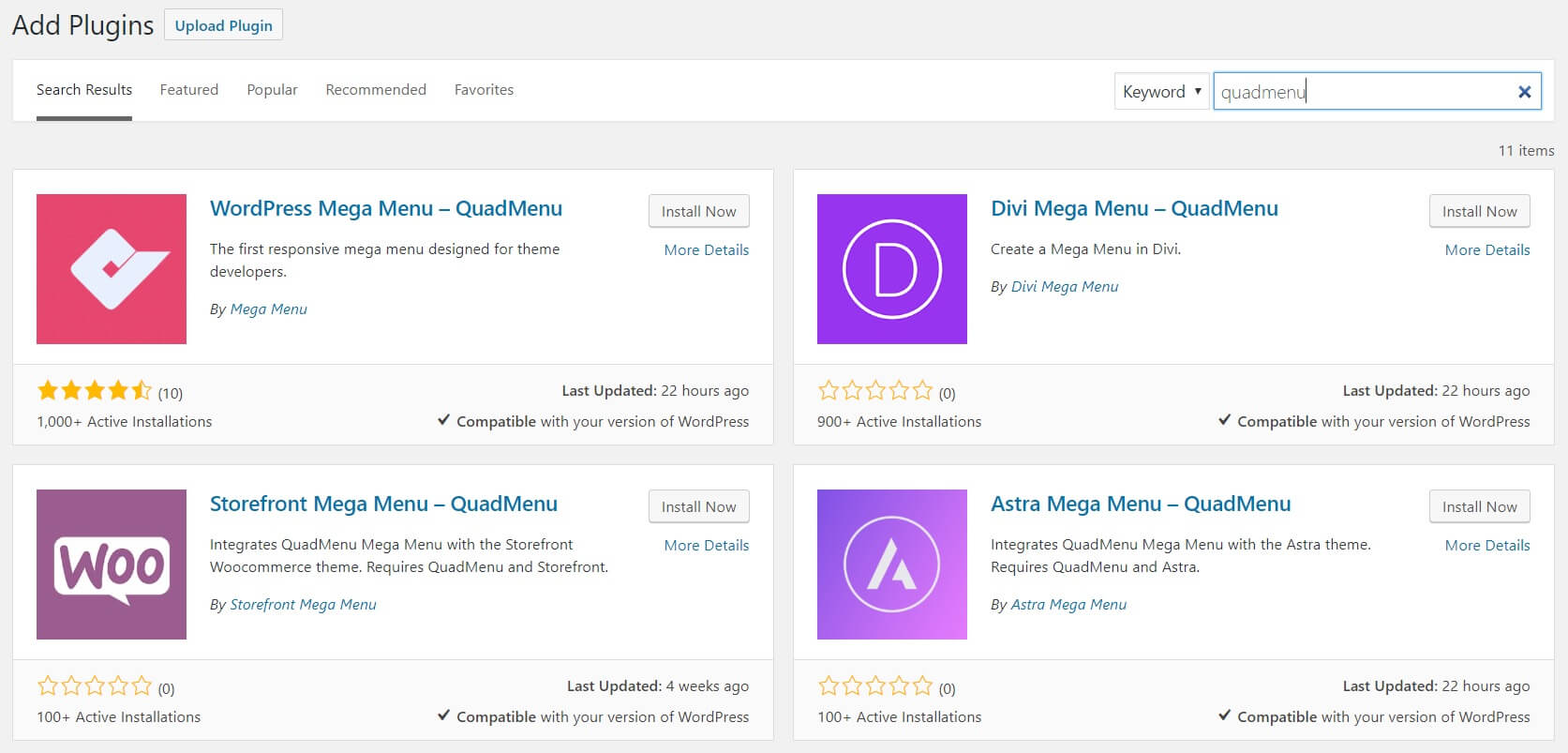
1. In the WP dashboard go to Plugins > Add New.
2: Click on the Search Plugins field and search for “quadmenu”
3: Click the Install Now button and then Activate in the WordPress Mega Menu plugin
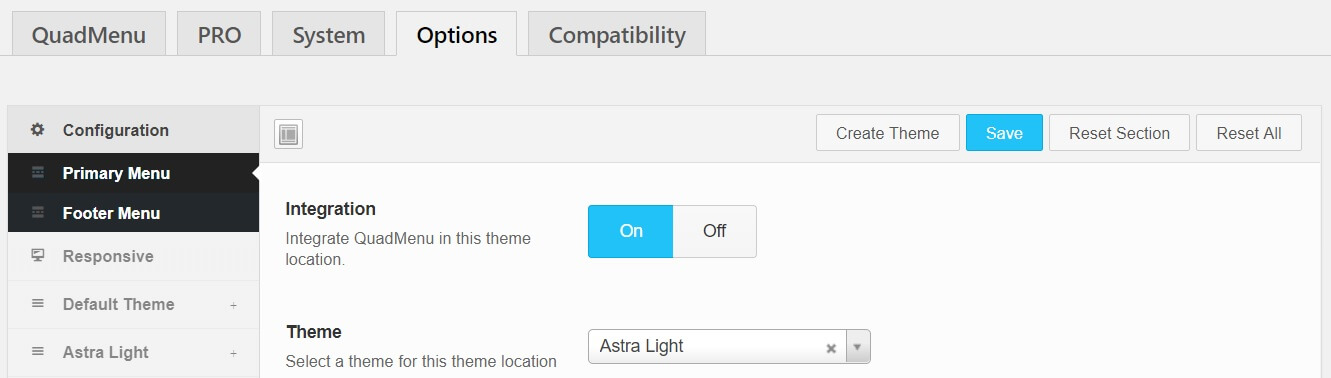
After activating the QuadMenu you’ll be redirected to the options page where you’ll see all the menu locations available in your theme. You have to click the integration button and select the theme of that menu location.
Creating a Menu
1. On your WordPress dashboard go to Appearances > Menus
2. Create a new menu
3. Select the active menu location
4. Click on Save Menu
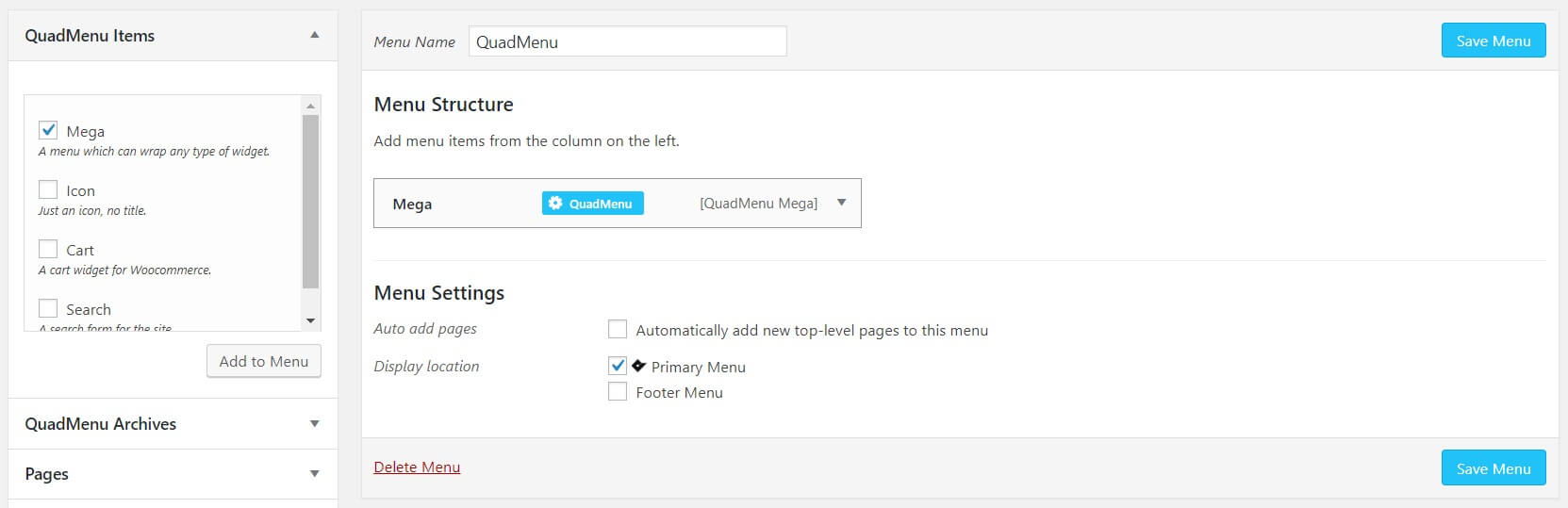
After create and select the menu location of your menu, see a new metabox called QuadMenu Items where are available all menu elements.
Creating Mega Menu
1. Go to QuadMenu Items and select Mega
2. Press the button Add to Menu
3. Click on the QuadMenu button that you’ll see on the new mega menu item
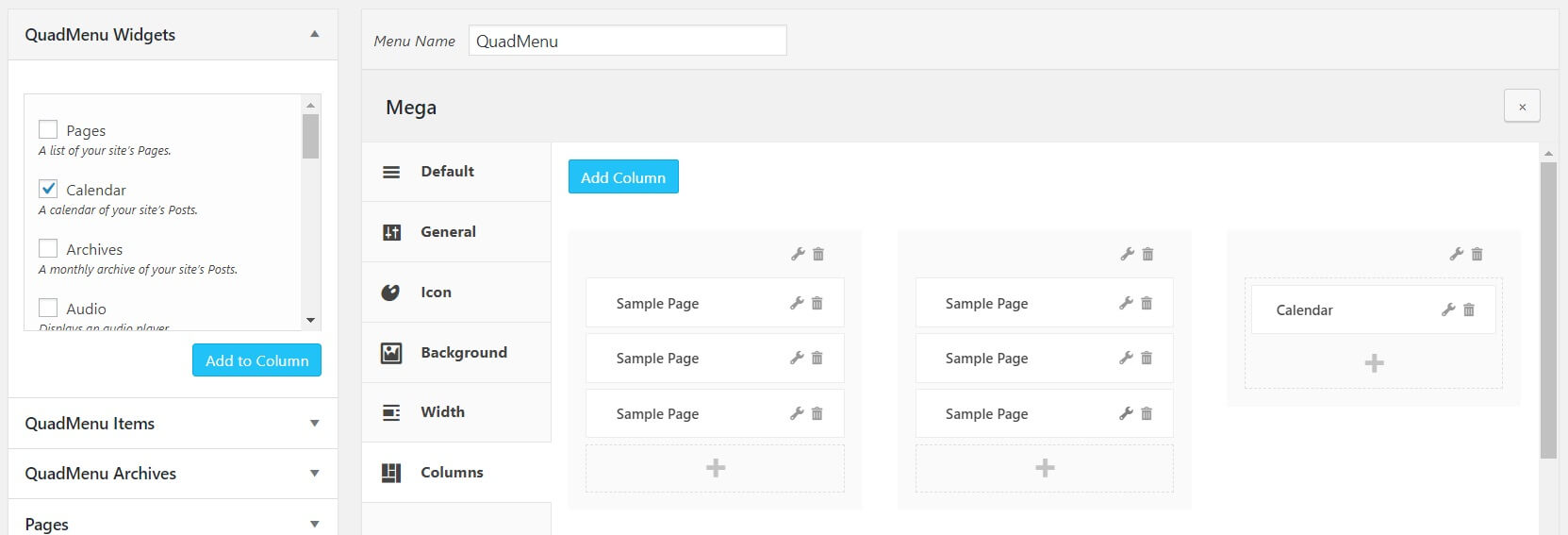
4. Go to the Columns tabs and press the Add Column button
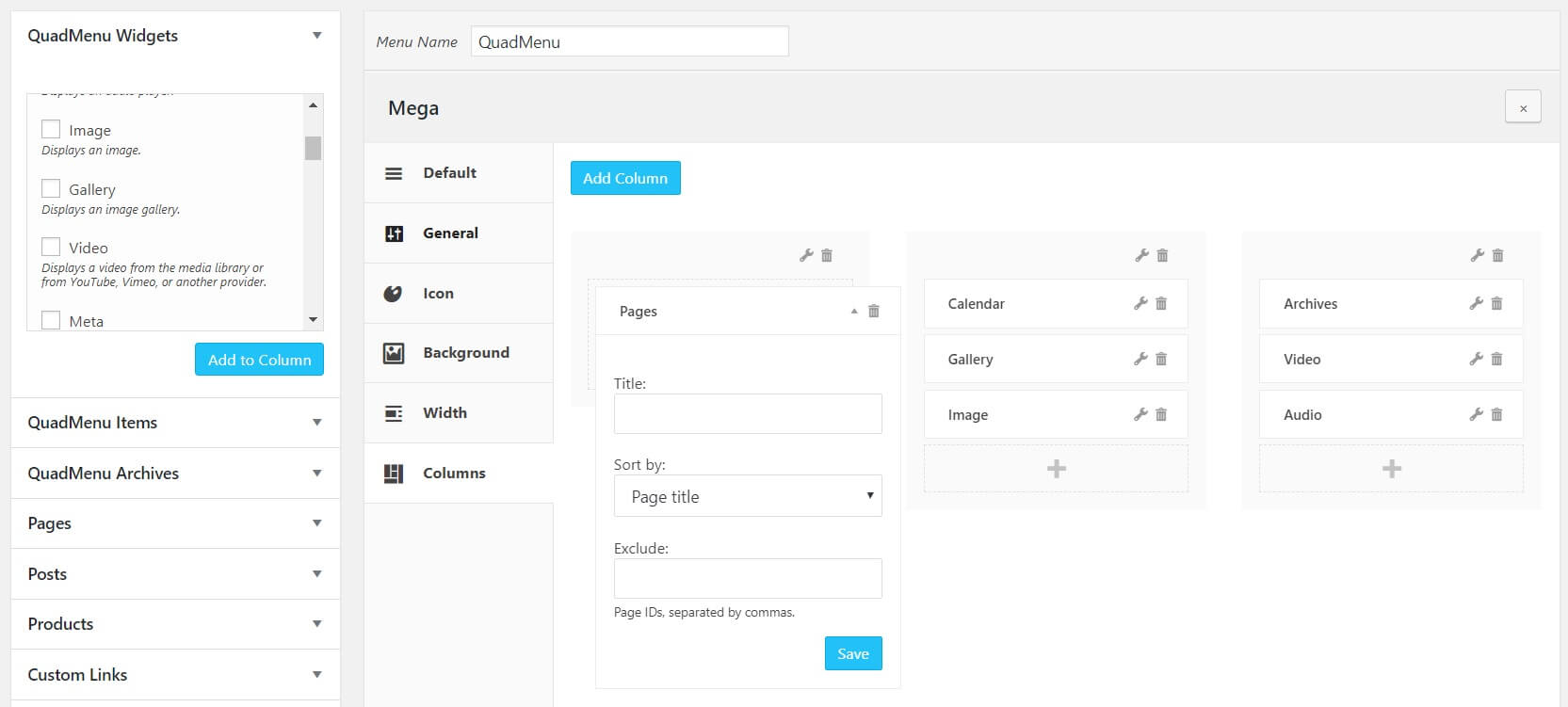
Add Widgets to Column
1. Press the plus button inside the column
2. A new metabox called QuadMenu Widgets will be included
3. Select the widget by pressing the checkbox
4. Press the Add to Column button

11 comments
Harold Chang
I have activated the Widgets option but I no longer see the QuadMenu Widgets option in the menu editing page, just QuadMenu Items and QuadMenu Archives. How do I fix this?
Mustajab Festoon
Are some of these posts fake ? Looks like it to me. What isnt fake is my comment, and I like quadmenu, it is very powerful. I think some things could have been done better. But maybe for a future version. Hopefully more effort can be made in the documentation. It is not really comprehensive enough.
Deanna Key
What themes does this work with? I’m not able to get it to work with my free theme from ThemeForest.
Usman
Excellent work. I am using it on my website.
Developers studio
it’s quite good… I have a question about how to design full width megamenu through quadmenu pro?
Kundan Singh
Nice post, By following this guide I have successfully added the widgets on my website menu. Thanks a lot for sharing this.
Start A Blog
Excellent and well-explained post. I truly appreciate your work and glad to say that you have done fabulous work here.
REe
How to add contact and map widget, they are not there
master batch
Hi, I would like to add some text to the menu widget. For example Compound(Superscript)new. How can I do it in my website? Thank you!
Dave Garner
The “Text Widget” does not appear in the list of Quadmenu Widgets. How can I get that to show up?
jiswan
am not able to add map and conatct box to the mega menu can u able to help me out to solve the issue