

Açıklama
E-posta pazarlama kampanyalarınızı oluşturmak, göndermek, yönetmek ve büyütmek için MailPoet’u kullanın – hem de WordPress panelinizden çıkmadan.
Bülten oluşturucumuz WordPress ile mükemmel bir şekilde entegre olur, böylece web sitesi sahipleri sıfırdan güzel görünümlü e-postalar oluşturabilir veya tüm cihazlarda kusursuz bir şekilde görüntülenen responsif şablonlarımızı kullanabilir.
Yalnızca birkaç tıklamayla, bültenlerinizi hemen gönderin, planlayın veya otomatik olarak göndermek için yeni blog gönderisi bildirimlerini ayarlayın.
Trusted by 500,000 WordPress websites since 2011.
Başlamak için ücretsiz bir plan ve gelişmiş işlevselliğe sahip ücretli planları ölçeklendiren MailPoet, hem yeni başlayanlar hem de yetkin e-posta pazarlamacıları için uygun bir e-posta pazarlama çözümüdür.
Paketler ve fiyatlandırma hakkında daha fazla bilgi için web sitemizi ziyaret edin
Tüm özellikler
- Web siteniziçin bülten abonelik formu oluşturun ve sitenize ekleyin
- Abonelerinizi ve abone listelerinizi WordPress içinden yönetin
- WordPress ile bültenler oluşturup gönderin
- Yeni yazı bildirimleri için otomatik e-postalar oluşturun
- Otomatik karşılama e-postaları gönder
- Davranış ve ilgi alanına dayalı abone segmentasyon seçenekleri
- Önceden oluşturulmuş ve özelleştirilebilir e-posta ve abonelik formu şablonları
- Birden fazla abonelik formu yerleşimi: sayfaların altında, sabit çubuk, açılır pencere, kayarak açılan, kısa kod, çıkış niyeti fark edildiğinde
- WooCommerce emails: abandoned cart, first purchase, specific product, product category, order status change, review added
- WooCommerce işlem e-postalarını özelleştirme
- Automate subscriber management (add/remove from list, add/remove tags, update subscriber data) (paid plan required)
- Create custom automation triggers and actions (paid plan required)
- Branch your automations with if/else conditions to improve engagement (paid plan required)
- MailPoet Gönderme Hizmeti ile güvenilir e-posta teslimatı (ücretsiz olarak kullanılabilir – paket gereklidir)
- Temel etkileşim istatistikleri (ücretsiz olarak kullanılabilir) ve ayrıntılı etkileşim istatistikleri (ücretli paket gereklidir)
- Çok koşullu segmentasyon (ücretli paket gereklidir)
- Google Analytics entegrasyonu (ücretli paket gereklidir)
- Bilgi Bankası, Topluluk Forumlarımız (ücretsiz olarak kullanılabilir) ve Öncelikli Müşteri Desteği (ücretli paket gereklidir) aracılığıyla destek.
Neden MailPoet seçmeli
- Kolay kullanımlı WordPress bülten oluşturucu
- Tüm cihazlarda mükemmel çalışan güzel şablonlar
- Yapılandırma gerekmiyor: kutudan çıktığı gibi çalışıyor
- Her şeyi WordPress paneliniz içinden yönetin
- MailPoet Gönderme Hizmeti ile daha yüksek teslimat oranları
- KVKK uyumlu
- Küçük gönderiler veya yeni başlayanlar için ücretsiz paket
- Büyümeyi sağlamaya yardımcı olmak için gelişmiş işlevler.
WooCommerce e-postaları
MailPoet’un WooCommerce özellikleriyle işletmenizi tanıtın, daha fazla ürün satın ve müşteri hizmetlerinizi geliştirin.
Otomatik e-posta seçeneklerini kullanarak:
- Yeni müşterilerinize ilk alışverişlerinden sonra bir karşılama gönderin
- Belirli bir ürünü veya belirli bir ürün kategorisinden herhangi bir ürünü satın alan müşterilere e-posta göndererek yükseltme satışı yapın
- Convert more customers by sending a series of abandoned cart emails
- Re-engage customers who haven’t made a purchase in a while with personalized offers (paid plan required)
- Follow up with customers who left a review to encourage more engagement (paid plan required).
And with WooCommerce-specific segmentation options, you’ll be able to send targeted emails to your customers based on criteria such as their country, the number of orders they’ve placed, how much they’ve spent, and if they have an active product subscription (powered by WooCommerce Subscriptions) or membership (powered by WooCommerce Memberships).
Ayrıca WooCommerce işlem e-postalarınızı özelleştirerek marka bilinirliğinizi artırabileceksiniz. E-postalarınızda kullanılan düzeni, renkleri ve yazı tiplerini değiştirerek ve bunlara istediğiniz resim veya ek bilgileri ekleyerek bütünleşik bir marka deneyimi oluşturun.
MailPoet Sending Service (Gönderim servisi)
MailPoet gönderim hizmeti, yalnızca birkaç aboneniz varsa ücretsizdir ve bundan sonra ölçeklendirilmiş planları mevcuttur. Daha fazlasını okuyun.
Web barındırıcınızla e-posta ve bülten göndermek iyi bir fikir değildir. Gönderme hızı sınırlamalarıyla karşılaşabilir ve e-postalarınızın istenmeyen posta kutularına düştüğünü görebilirsiniz.
Gönderimlerinizin aksamadan gitmesi için WordPress’e özel gelişmiş bir teslimat altyapısı oluşturduk. Teknolojimizin size sağladıkları:
- İstenmeyen posta kutularına değil gelen kutularına ulaşın
- E-postalarınızı süper hızlı gönderin (saatte 50.000 e-postaya kadar)
- Otomatik geri dönme ve şikayet yönetimi ile gönderici itibarınızı koruyun ve etkileşim düzeylerini iyileştirin. Teslim edilemeyen ve şikayetçi adreslere gönderimi otomatik olarak durdurun.
- Teslim edilebilirliği artırmak ve istenmeyen posta kutularından kaçınmak için e-postalarınızın kimliğini doğrulayın (SPF ve DKIM ile).
MailPoet Gönderme Hizmeti’nin kurulumu çok kolaydır, WordPress panelinize bir anahtar girmeniz yeterlidir ve her şey hazır olacaktır!
MailPoet paketleri ve fiyatlandırması
MailPoet ücretsiz olarak indirilebilir. Ücretsiz indirmemiz, yukarıda listelenen tüm özellikleri (paket gereksinimini olduğunu belirtenler hariç) aşağıdaki kriterler dahilinde içerir:
- 1.000 aboneye kadar
- E-postalarda MailPoet markalaması
- E-postaları kendi gönderme yönteminizle (sunucu, SendGrid, Amazon SES vb.) gönderin.
Veya bir MailPoet paketi seçerseniz, MailPoet Gönderme Hizmeti’ne erişeceksiniz.
Birkaç abone ile başlamak ve MailPoet gönderim hizmetini kullanmak isteyenler için ücretsiz bir plan mevcuttur. Ve ücretli planlarımız, e-posta pazarlamasını kullanarak işlerini büyütmek isteyen daha büyük listelere sahip olanlar için özellikler ve işlevler sunar.
Her bir plana nelerin dahil olduğuna dair tüm ayrıntılar için fiyatlandırma sayfamıza göz atın.
Yüklemeden önce
Lütfen unutmayın:
- Çoklu site desteği sınırlıdır
- Minimum gereksinimlerimizi gözden geçirin.
Çeviriler
- Arnavutça
- Arapça
- Katalanca
- Çekçe
- Danca
- Flemenkçe
- Dutch (Formal)
- French (Canada)
- French (France)
- Almanca
- German (Switzerland)
- German (Formal)
- Yunanca
- Hindi
- İtalyanca
- Japonca
- Lehçe
- Portuguese (Brazil)
- Portuguese (Portugal)
- Romence
- Rusça
- Sırpça
- Slovak
- Spanish (Mexico)
- Spanish (Spain)
- İsveççe
- Türkçe
- Ukraynaca
Deneyimli çevirmenleri, çeviri için doğrudan Transifex projemize davet ediyoruz. “Translating WordPress” web sitesi aracılığıyla gönderilen çevirilerin dikkate alınmayacağını lütfen unutmayın.
Güvenlik
Depomuz GitHub’da herkese açıktır.
Bize bir sorunuz mu var? security@ alan adımız ‘dan bize ulaşın veya Bug Bounty programımıza güvenlik sorunlarını bildirin.
3. taraf hizmetlerin kullanımı
MailPoet, tam işlevselliği için gerekli olan aşağıdaki hizmetleri kullanır:
- Translate WordPress.com – eklentinin çevirilerini indirmek için kullanılır.
Kullanıcı deneyimini geliştirmek için, MailPoet 3. taraf kitaplıklarını yükle ayarı etkinse aşağıdaki 3. taraf kitaplıklarını kullanabilir:
-
Google Fonts – formlarınızı özelleştirmek için kullanabileceğiniz form düzenleyicide ve e-postaları şekillendirmek için e-posta düzenleyicide kullanılır. Bu, bir filtre ile ayrı ayrı devre dışı bırakılabilir. Kullanım şartları ve Gizlilik politikası
-
WordPress.com – used for searching in Knowledge Base with the help of AI.
-
Mixpanel – kullanım verilerini bizimle paylaşmayı kabul ettiğinizde MailPoet eklentisinin kullanımı hakkında veri göndermek için kullanılır. Kullanım şartları ve Gizlilik politikası
-
Satismetre – geri bildirim istemek için kullanılır. Kullanım şartları ve Gizlilik politikası
-
Crowdsignal – eklentimizi geliştirmek adına devre dışı bırakma anketimizi yüklemek için kullanılır. Kullanım şartları ve Gizlilik politikası
Tüm bu kitaplıkların yüklenmesi varsayılan olarak devre dışıdır. Bu seçenek, MailPoet ayarları > Gelişmiş > 3. taraf kitaplıkları bölümünden etkinleştirilebilir.
Ekran Görüntüleri

Örnek bültenler 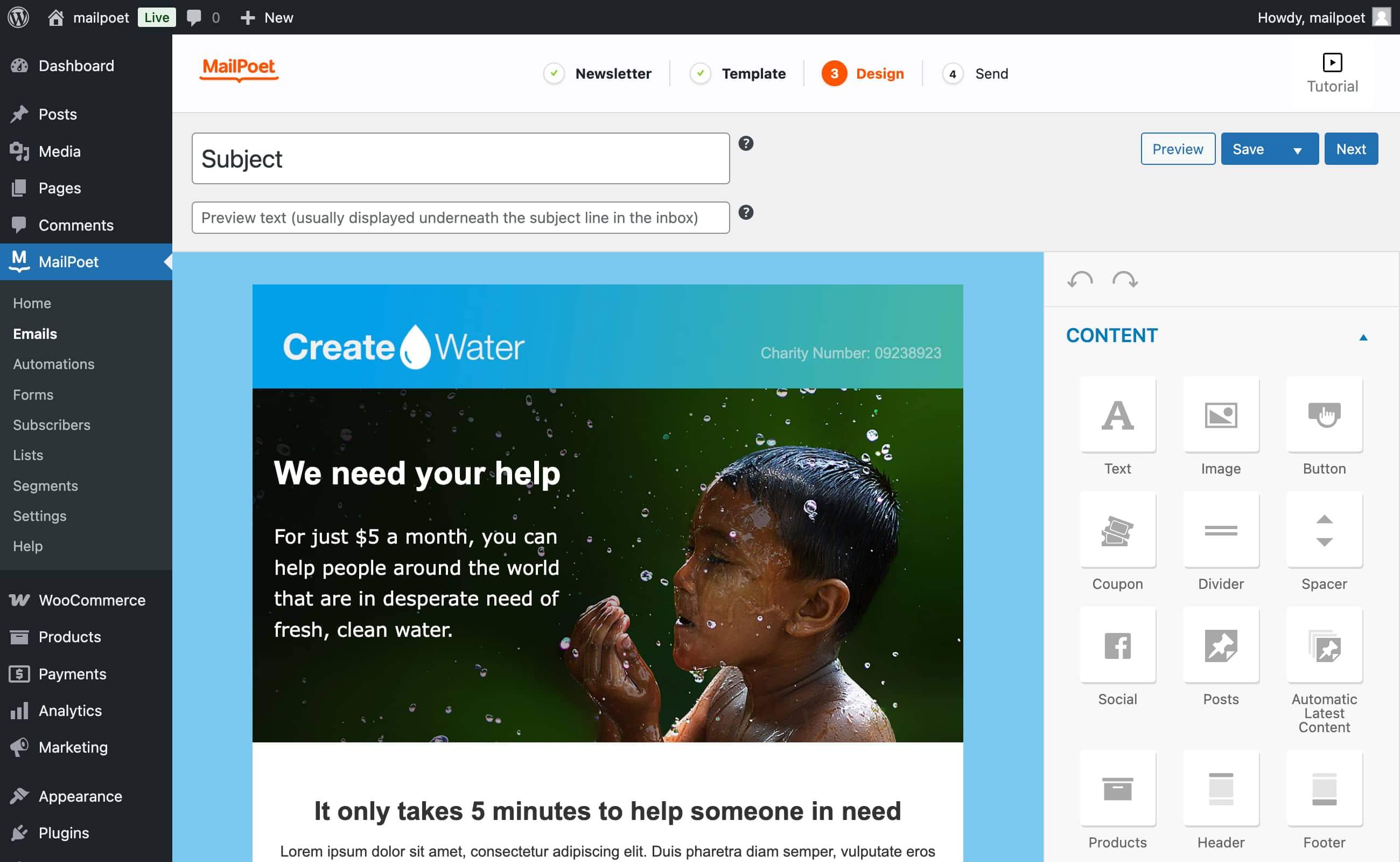
Sürükle-bırak e-posta tasarımcısı 
MailPoet e-posta türleri 
Bülten istatistikleri (Premium) 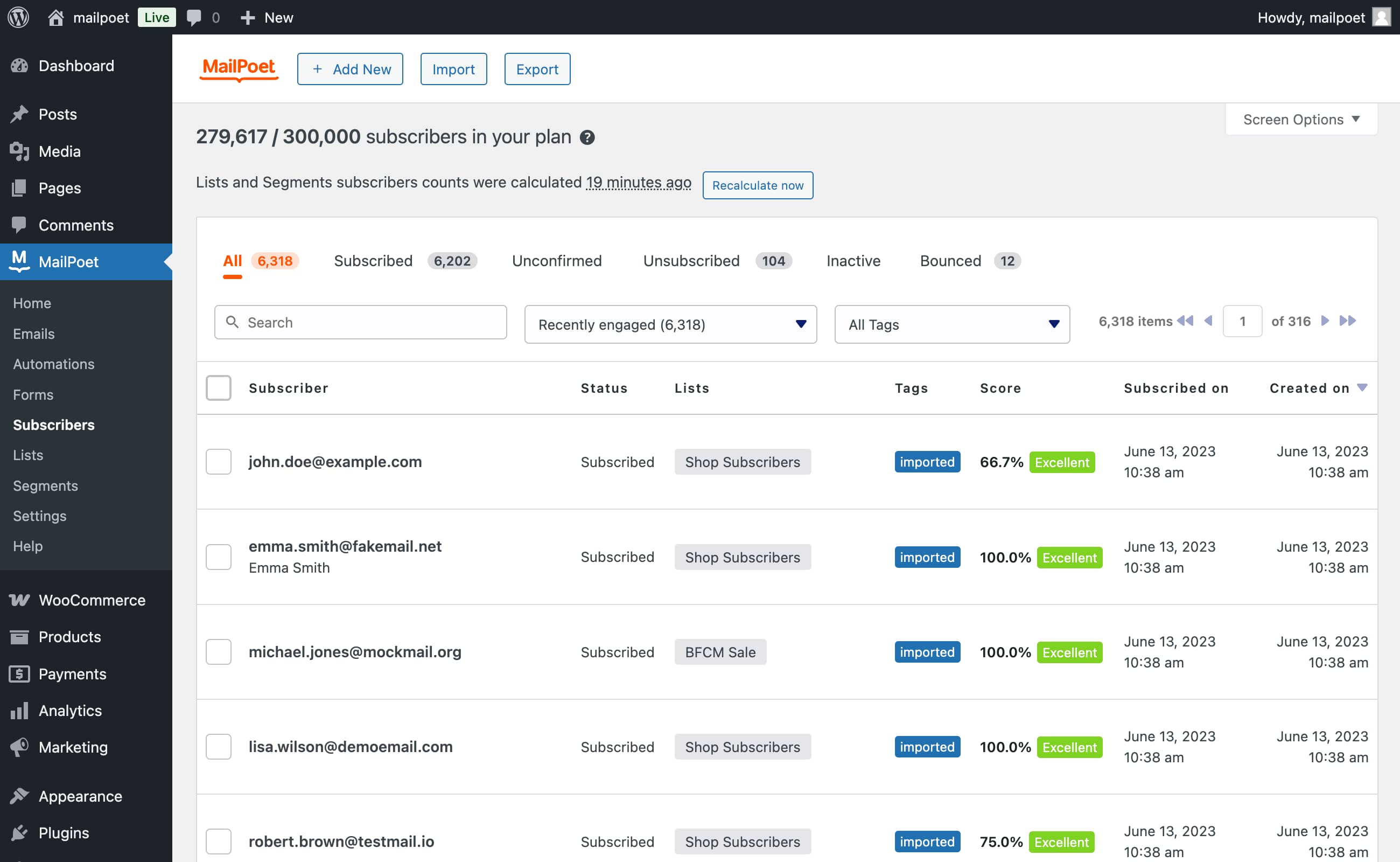
Abone içeri aktarma (CSV dosyası ya da MailChimp’ten direkt olarak) 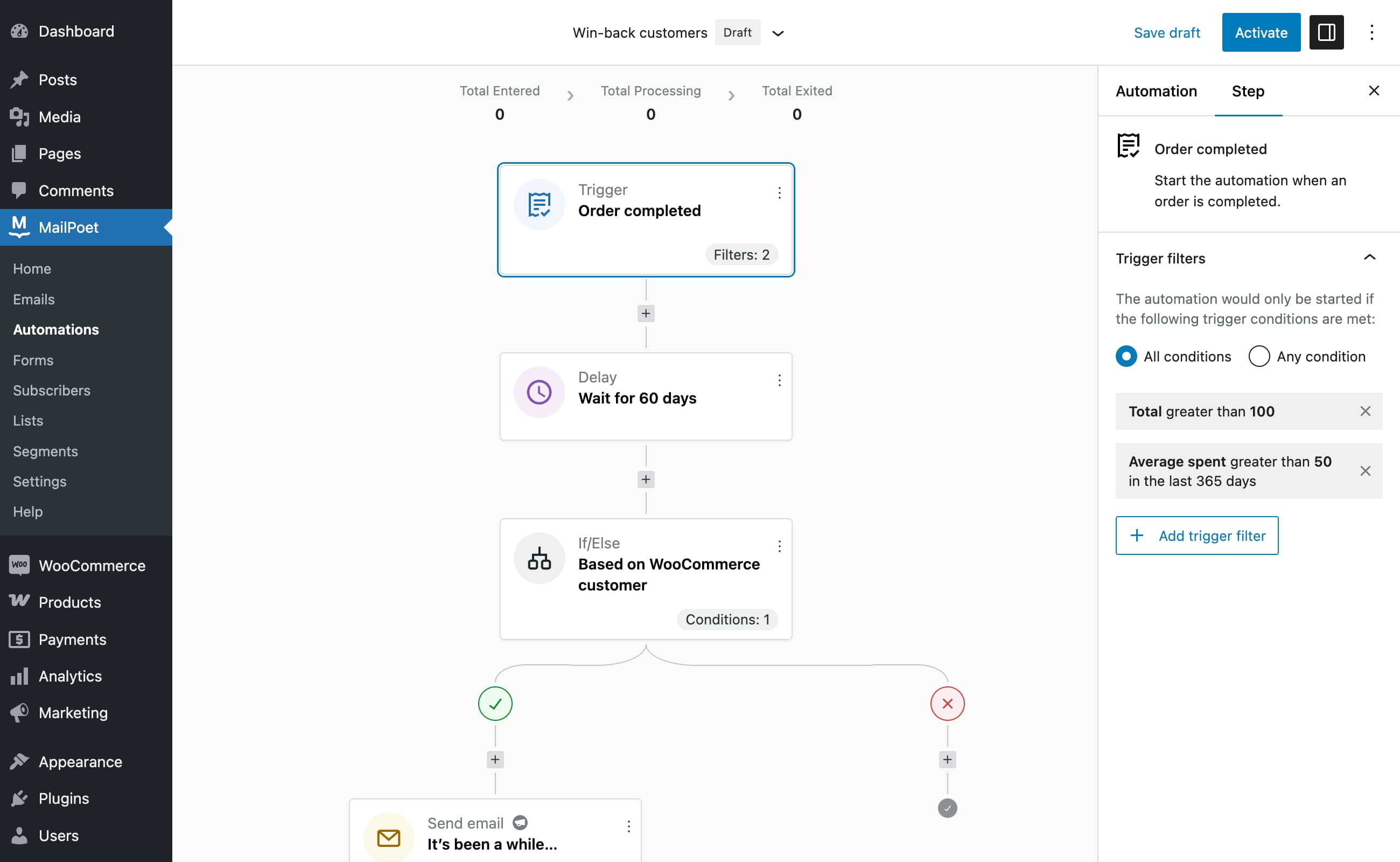
Automation editor (Premium)


Bloklar
Bu eklenti 1 blok sağlar.
- MailPoet Marketing Opt-in
SSS
-
MailPoet kullanıcının abonelerinin verilerini saklıyor mu?
-
Abonelerinizden hiçbir veri kaydetmiyor veya saklamıyoruz. Ancak, bizimle gönderiyorsanız, gönderilecek tüm e-postaları işleriz. Bu, MailPoet’in hizmetimizin etkili bir şekilde çalışmasını sağlamak için yalnızca e-posta adreslerini günlüğe kaydettiği anlamına gelir. Başka hiçbir şey takip etmiyoruz.
-
MailPoet Gönderme Hizmeti nedir?
-
MailPoet Gönderme Hizmeti WordPress ve WooCommerce e-postaları göndermek için özel olarak tasarlanmıştır. Kendi geliştirdiğimiz teknolojimiz, benzersiz hız ve performans (saatte 50.000’den fazla e-posta) , %99 çalışma zamanı garantisi ve sıfır kayıp sağlar.
-
E-postalarınızı nasıl göndereceğinizi seçme özgürlüğünüz vardır: Keni sunucunuz (varsayılandır, ancak önerilmez), MailPoet Gönderme Hizmeti, SendGrid, Amazon SES veya MailGun dahil çoğu SMTP sağlayıcısı vb.
-
Neden MailPoet Gönderme Hizmeti’ni kullanmalıyım?
-
Küresel teslimat oranımız olan %98,5 genellikle endüstri standartlarını aşmaktadır. Kullanıcılarımız için gönderdiğimiz milyonlarca e-postanın her birini izliyoruz.
İster günde 10 ister 100.000 e-posta gönderin, MailPoet Gönderme Hizmeti düzenli olarak, küçük işletme bültenlerinden, on binlerce abonesi olan büyük posta listelerine kadar farklı boyutta listelerin üstesinden gelir.
Kendi sunucunuzla göndermemenizi şiddetle tavsiye ediyoruz, işte nedeni.
Haber bülteninize yeni başlıyorsanız, başlamanız için ücretsiz bir plan sunuyoruz.
-
Belirli kategorileri filtreleyerek gönderi bildirimimden hariç tutabilir miyim?
-
Evet! MailPoet’te kategorileri veya etiketleri dahil olacak/hariç tutulacak şekilde ayarlayabilirsiniz. Bu, yalnızca belirli kategorilerden veya etiketlerden yazılar göndermenizi sağlayarak ilgili olmayan yazıların e-postalarınızdan uzak kalmasını sağlar. Abonelerinizin ilgi alanlarını daha iyi hedeflemek için birden fazla bildirim e-postası da ayarlayabilirsiniz.
-
MailPoet GDPR uyumlu mu?
-
Evet, GDPR uyumluyuz. Yine de bir veri işleme anlaşmamız yok. Gizlilik bildirimimiz bir anlaşma olarak hareket edebilir ve GDPR bunu dikkate alır. Hizmetimizi kullanarak gizlilik bildirimimizi kabul etmiş olursunuz.
Ayrıca, kendi gizlilik bildirimi sayfanızda gizlilik bildirimimize bir bağlantı eklemenizi öneririz. Önemli olan, MailPoet ile gönderirseniz, abonelerinizin MailPoet’in e-postanızı teslim ettiğinin farkında olmasını sağlamaktır.
Ayrıca GDPR’ye uygunluk rehberimizi de okuyabilirsiniz.
-
Evet, MailPoet ile müşterileriniz gönderi listenize ödeme sayfasında da abone olabilir. Satın almalarını tamamlamayı unuturlarsa terk edilmiş sepet hatırlatıcısı bile gönderebilirsiniz.
-
MailPoet veya Mail poet mi?
-
MailPoet, posta şiiri değil. Her ikisine de cevap vereceğiz!
-
Yardıma mı ihtiyacınız var?
-
Bilgi tabanımızı kontrol edin veya destek sitemizden bize ulaşın.
İncelemeler


Katkıda Bulunanlar ve Geliştiriciler
“MailPoet – Bültenler, E-posta pazarlama ve Otomasyon” açık kaynaklı yazılımdır. Aşağıdaki kişiler bu eklentiye katkıda bulunmuşlardır.
Katkıda bulunanlar


“MailPoet – Bültenler, E-posta pazarlama ve Otomasyon” 27 dile çevrildi. Katkıda bulundukları için çevirmenlere teşekkürler.
“MailPoet – Bültenler, E-posta pazarlama ve Otomasyon” eklentisini dilinize çevirin.
Geliştirmeyle ilgilenir misiniz?
Kodu görüntüleyin, SVN deposuna göz atın ya da RSS ile geliştirme günlüğüne abone olun.
Değişiklik Kaydı
5.20.0 – 2026-02-02
- Added: Filter mailpoet_is_cookie_tracking_enabled allowing control of cookie tracking;
- Added: Add Welcome with Discount email pattern;
- Added: “Abandoned Cart” and “Abandoned Cart with Discount” email patterns using WooCommerce Product Collection block;
- Updated: Block email editor version;
- Changed: Rename automation status “Draft” to “Inactive” in UI.
