

Description
Block Finder adds a dashboard metabox that allows you to quickly find and edit specific core or custom Gutenberg blocks across all post types on your site.
Features:
- Search by Post Type – Filter results by pages, posts, or any custom post type
- Search by Block – Find any core or custom Gutenberg block
- Autocomplete Search – Type to quickly filter through available blocks and post types
- InnerBlock Detection – Identify blocks used inside other blocks (e.g., a Paragraph inside a Media & Text block)
- Filter by Block Context – Toggle between viewing all blocks or only those used as InnerBlocks
- Paginated Results – Browse through large result sets with built-in pagination
- Direct Edit Links – Jump straight to editing any post containing the block
Screenshots
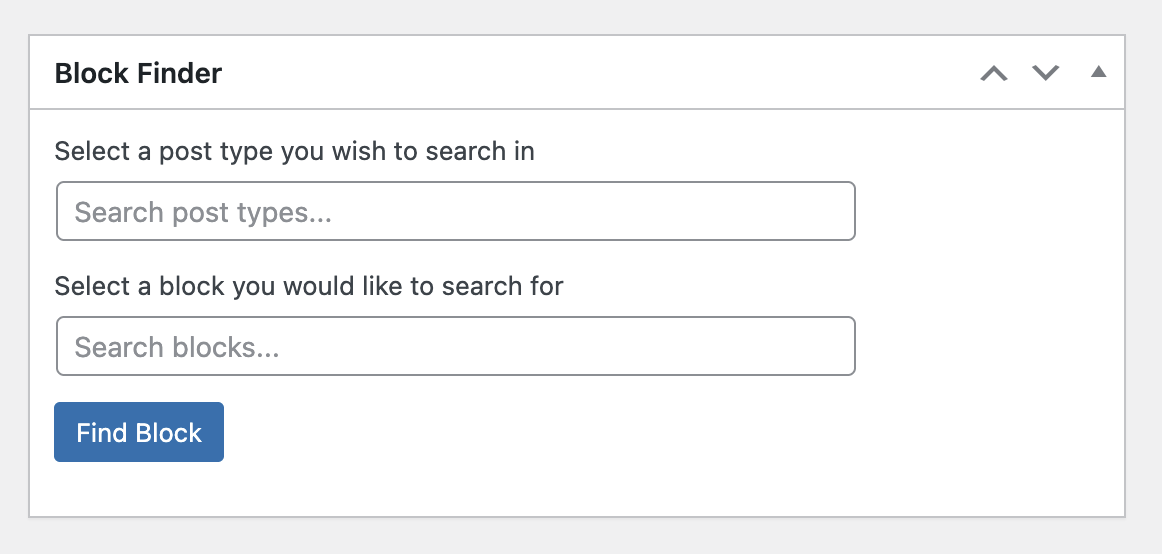
Block Finder dashboard metabox on initial load 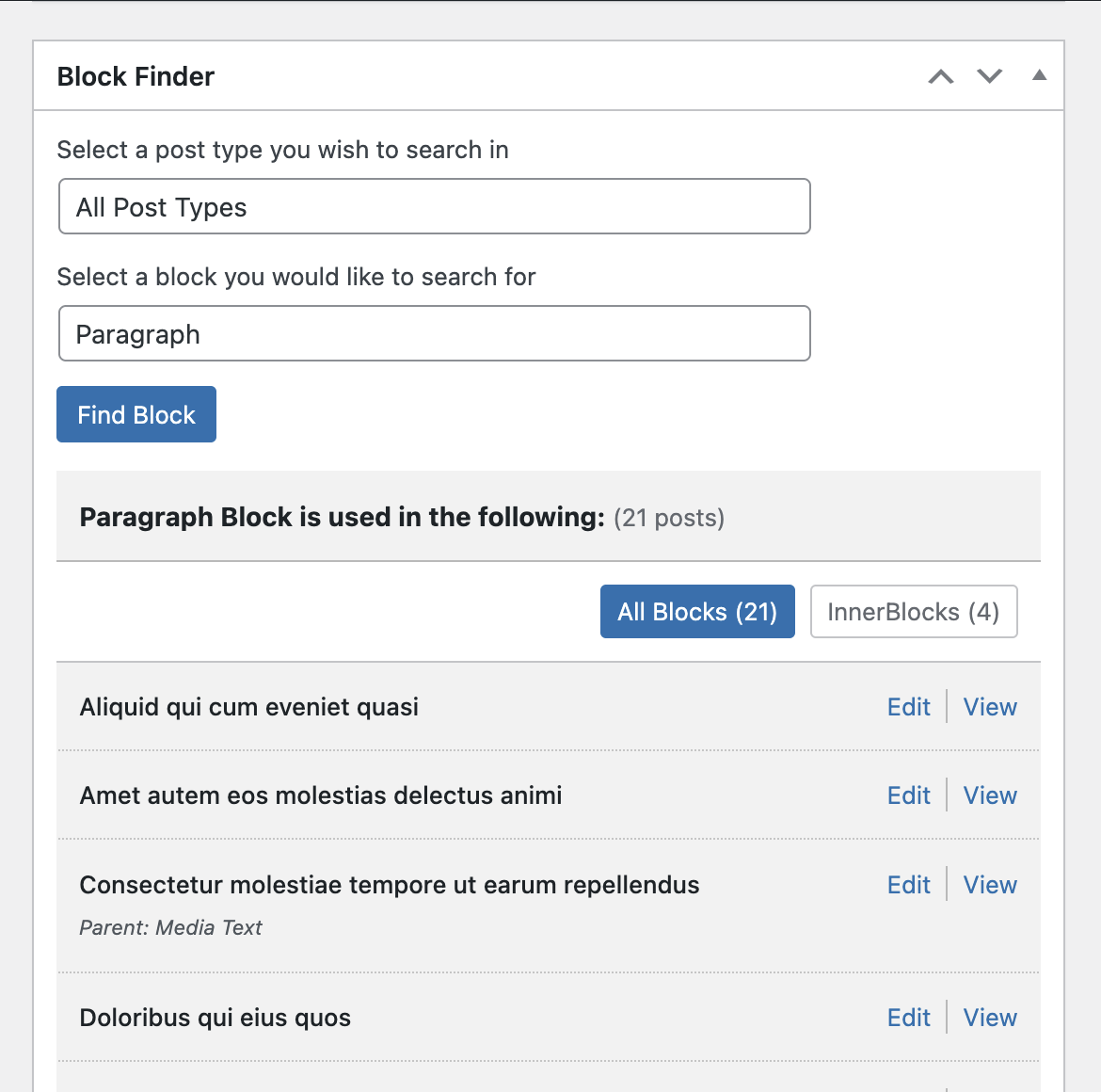
Search results showing blocks found with filter options 


Installation
- Upload the plugin folder to your /wp-content/plugins/ folder.
- Go to the Plugins page and activate the plugin.
FAQ
-
How do I use this plugin?
-
- Navigate to the WordPress Dashboard
- Find the “Block Finder” metabox
- Select a post type from the dropdown (or type to search)
- Select a block from the dropdown (or type to search)
- Click “Find Block” to see results
- Use the filter links to toggle between “All Blocks” and “InnerBlocks” views
-
What are InnerBlocks?
-
InnerBlocks are blocks that are nested inside other blocks. For example, a Paragraph block inside a Media & Text block, or a Heading inside a Group block. Block Finder can detect and filter these nested blocks.
-
How to uninstall the plugin?
-
Simply deactivate and delete the plugin.
Reviews

Contributors & Developers
“Block Finder” is open source software. The following people have contributed to this plugin.
Contributors
“Block Finder” has been translated into 2 locales. Thank you to the translators for their contributions.
Translate “Block Finder” into your language.
Interested in development?
Browse the code, check out the SVN repository, or subscribe to the development log by RSS.
Changelog
View the changelog in the Github repo.
