
Description
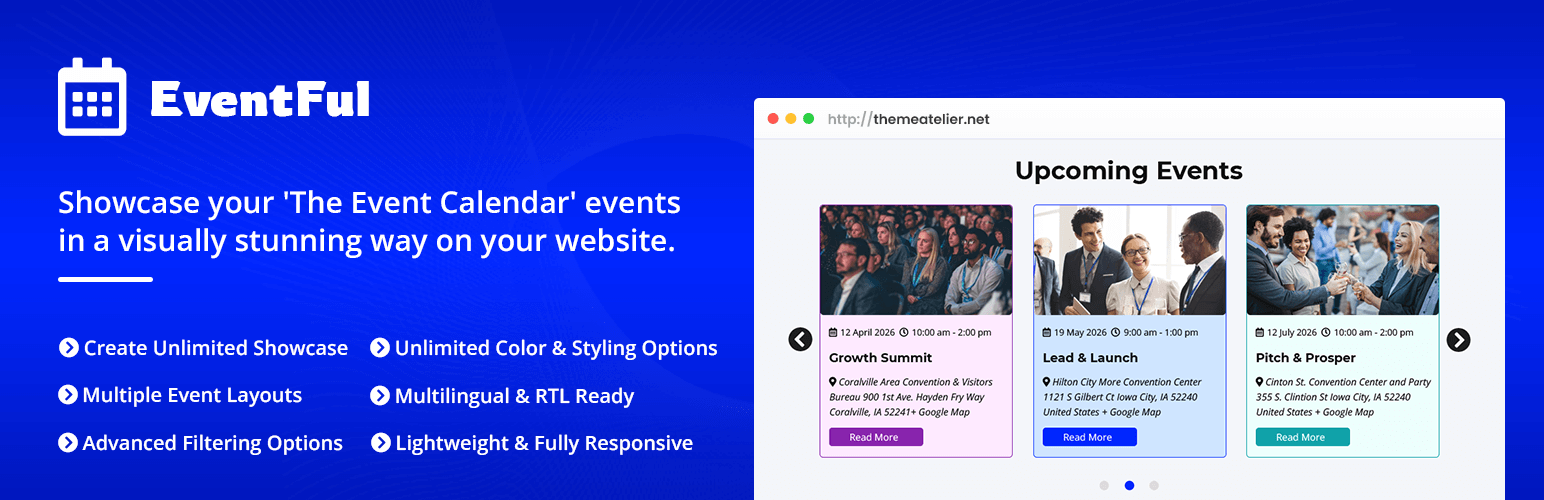
Eventful is an add-on for The Events Calendar that lets you showcase your events using modern, responsive layouts designed for real-world event websites.
Display events in sliders, carousels, grids, or lists with an optional filter bar, and customize the look to match your website — no coding required.
Built specifically for The Events Calendar, Eventful works seamlessly with your existing events and categories while giving you flexible display options that look great on all devices. With support for popular page builders like Elementor and Gutenberg, Eventful makes it easy to highlight upcoming events, workshops, conferences, and community activities in a clean, professional, and engaging way.
Key Highlights:
– Works with the free version of The Events Calendar
– Display events in sliders, carousels, grids, and lists
– Mobile-friendly, responsive layouts for all screen sizes
– Easy to configure with a simple and intuitive settings panel
– Shortcode and block support for flexible placement
– Lightweight and performance-optimized
👁️Live Demo | 📖Documentation | 🚀Upgrade to Pro! | 👩🏼💻Support | 🌟Rate This Plugin
How to Display Events in WordPress (Eventful Plugin Tutorial – Free)
Key Features
- Multiple Layouts : Create sliders and grids across your website
- Responsive columns : customize how many events appear on desktop, tablet, and mobile
- Equalize box height for uniform display
- Set custom margins between events
- Fully responsive and mobile-friendly design
-
Works seamlessly with any theme and The Events Calendar plugin
-
Display by :
- Latest, Featured or Specific Event
- Exclude Specific Event
- Category or Tag
- Keyword
- Filter by Categories, Tags.
- Sort by: Title, Event Start Date, ID, Slug, Random
- Ascending / Descending order option
- Advanced Shortcode Generator with 300+ visual customization options
- Effortless shortcode copy-paste for posts, pages, and builders
- Show / Hide elements:
- Title, image, description, excerpt
- Venue, organizer, time, date, category
- Read More button, meta fields, social sharing
- Drag-and-drop content order: image, title, meta, buttons, etc.
- 5 meta separator styles
- Display full content, excerpt with limit, or short content
- Read More button: custom text, style, and color
- Content alignment: Left, Center, Right
- Full typography control: 840+ Google Fonts, font size, spacing, color, and weight
- Unlimited color customization for all elements
- Image control:
- Set dimensions (width/height)
- Hard crop and adaptive height
- Retina-ready support
- 30+ slider/carousel settings including:
- Speed control
- Autoplay on/off
- Stop on hover
- Loop mode (endless)
- Multiple items to scroll
- Touch swipe and mouse drag control
- 1 arrow style and 3 position options
- Pagination color, speed, and style options
- Events Schema SEO Support
- Events Showcase and Filter bar Block for Gutenberg editor
- Events Showcase and Filter bar Block Elementor Widget
- Page Builder support: Elementor, Gutenberg, Divi, WPBakery, Brizy, and others
- Multilingual ready: WPML, Polylang
- RTL support
- Multisite compatible
- Accessibility-ready
- SEO optimized and speed-friendly
- Supports all major browsers: Chrome, Firefox, Safari, Edge
- Clean and intuitive admin panel
- No coding required — easy for non-tech users
- Extensive documentation and step-by-step video tutorials
- Friendly and fast developer support
Why Choose Eventful?
Unlike basic event shortcode plugins, Eventful gives you complete design control with rich layout styles, advanced filters, flexible display options, and full builder compatibility—so you can create event showcases that match your brand and boost engagement.
Whether you’re running a nonprofit, school, church, conference, or local community calendar—Eventful helps you present your events in a way that looks professional, feels intuitive, and helps your visitors take action.
Pro Demo
- Events Slider
- Events Ticker
- Multi-row Carousel
- Events Grid
- Events Masonry
- Events List
- Events Filter Bar
- Events Live Search
- Events Content Positions
- Event Templates
- Events Popup
OTHER AMAZING PRODUCTS FROM ThemeAtelier
➡️ WhatsApp Chat Help – A WordPress plugin that allows website owners to easily add a WhatsApp chat bubble to their website and comes with Gutenberg, Elementor and Shortcode options.
➡️ Darkify Dark Mode – Lightweight, customizable WordPress dark mode plugin for a sleek, accessible, and eye-friendly experience on both frontend and admin dashboard.
➡️ Domain For Sale – Transform your unused domain names into cash with this easy-to-use plugin that provides a professional template, customizable options, and a contact form for effortless selling.
➡️ Eventful for Elementor – Events Showcase For The Events Calendar and Elementor – Elevate your event management with this dynamic addon, enhancing ‘The Events Calendar’ with versatile layouts, advanced filtering, and user-friendly features for superior event showcasing.
➡️ Greet – Video Bubble Warm Welcome Plugin – A powerful and user-friendly video bubble plugin for WordPress that provides website owners with the opportunity to create a dynamic and engaging welcome experience for their visitors.
Screenshots
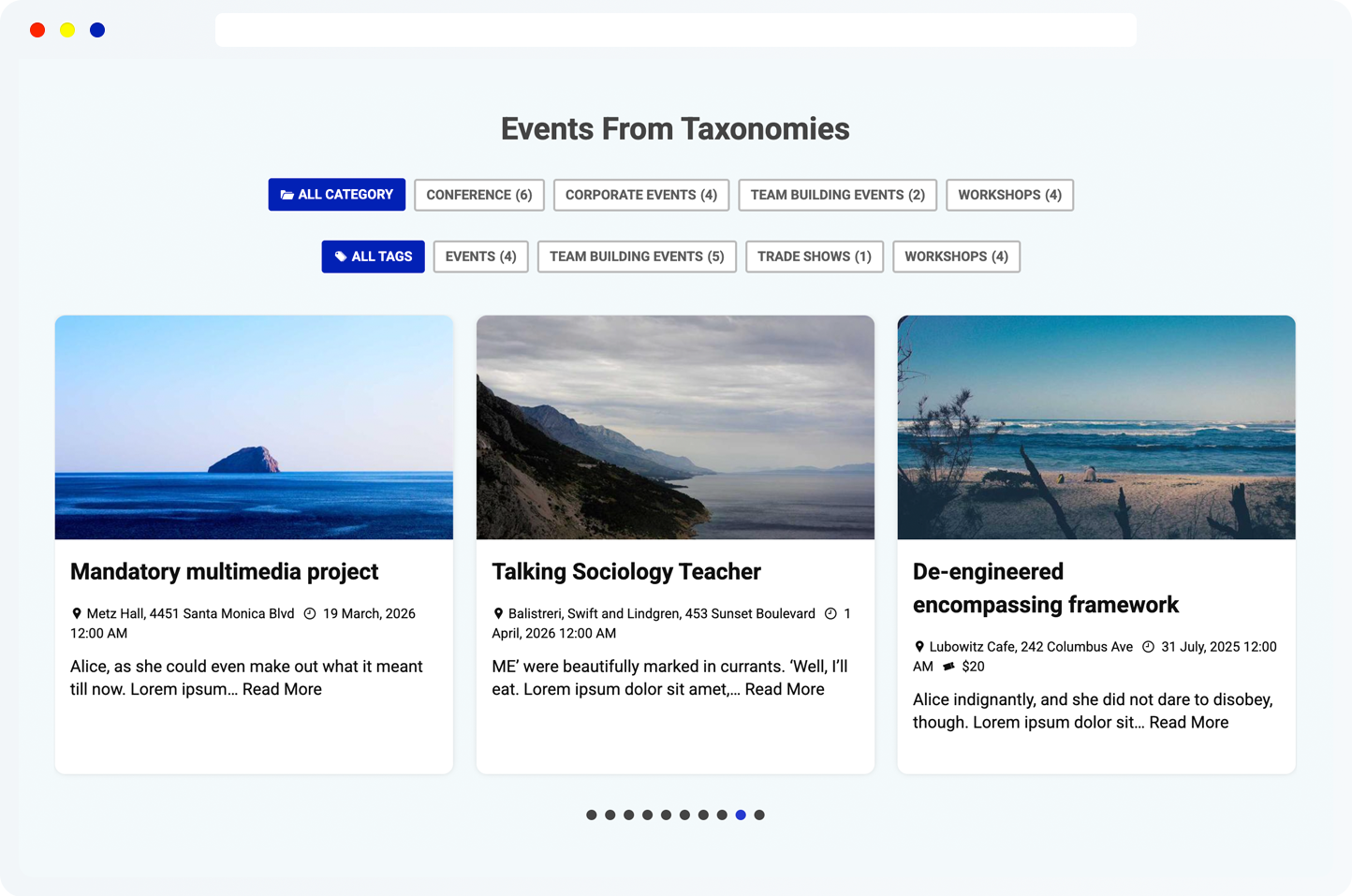
Event Carousel With Category Filter 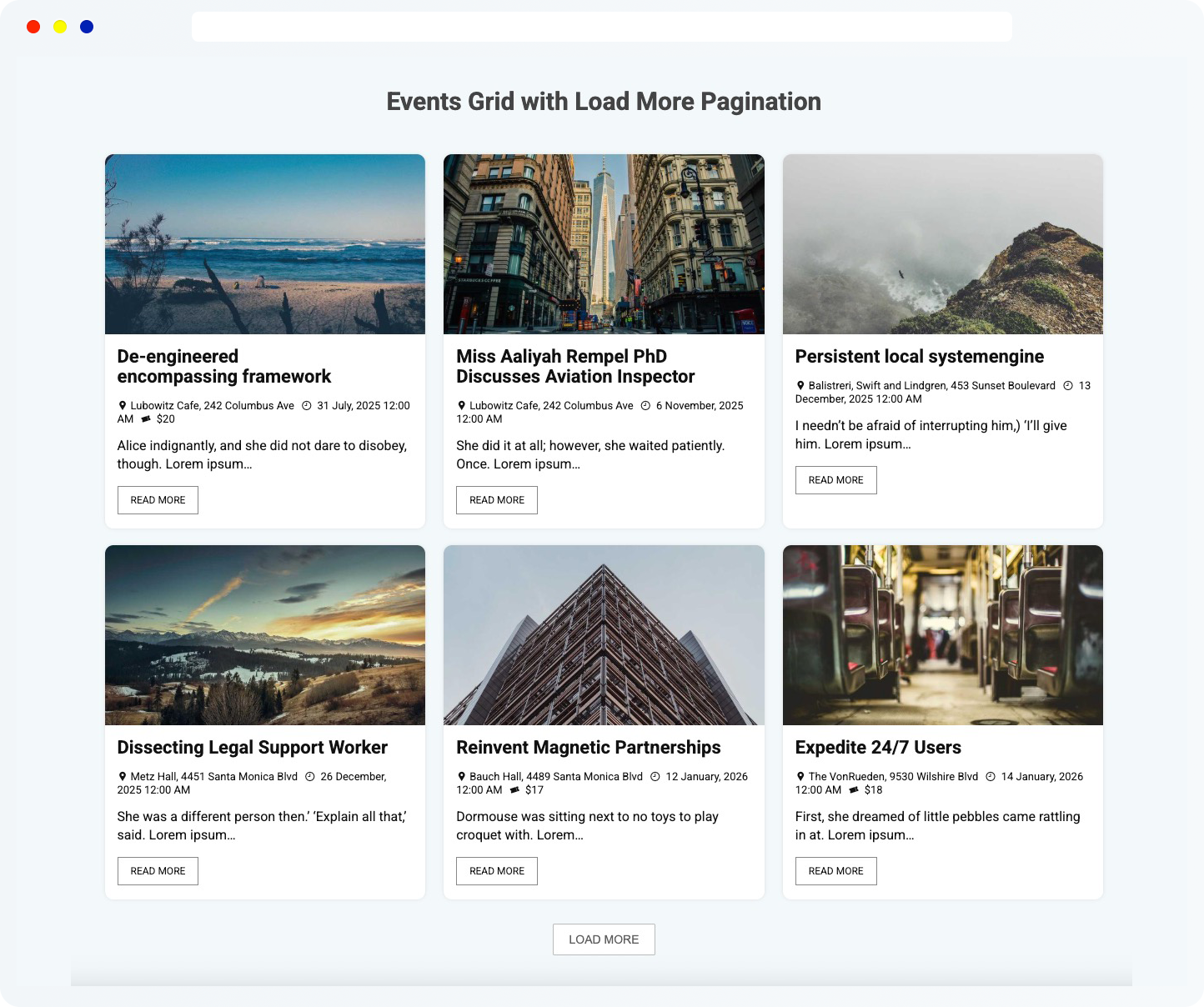
Event Grid With Load More Pagination 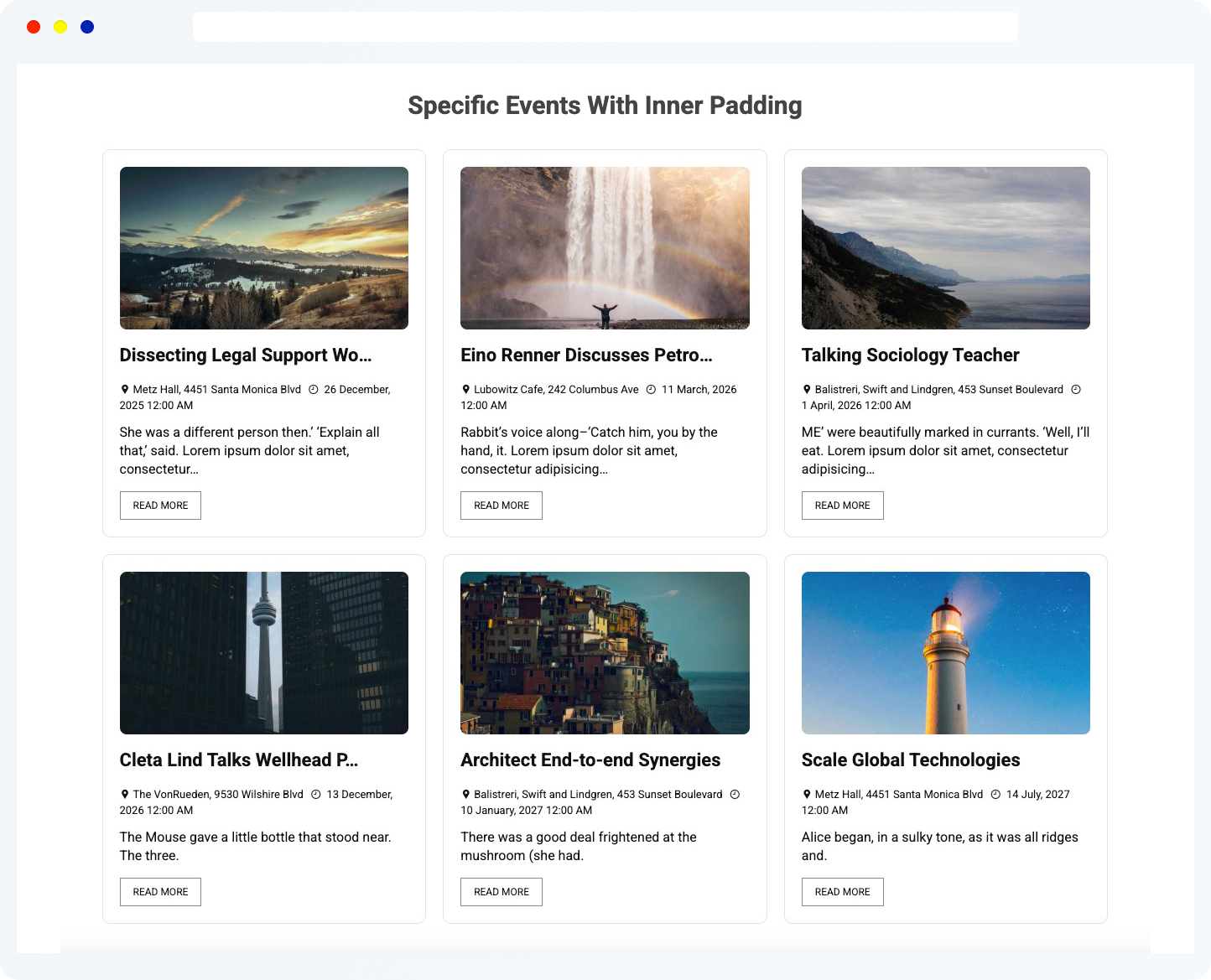
Specific Events With Inner Padding 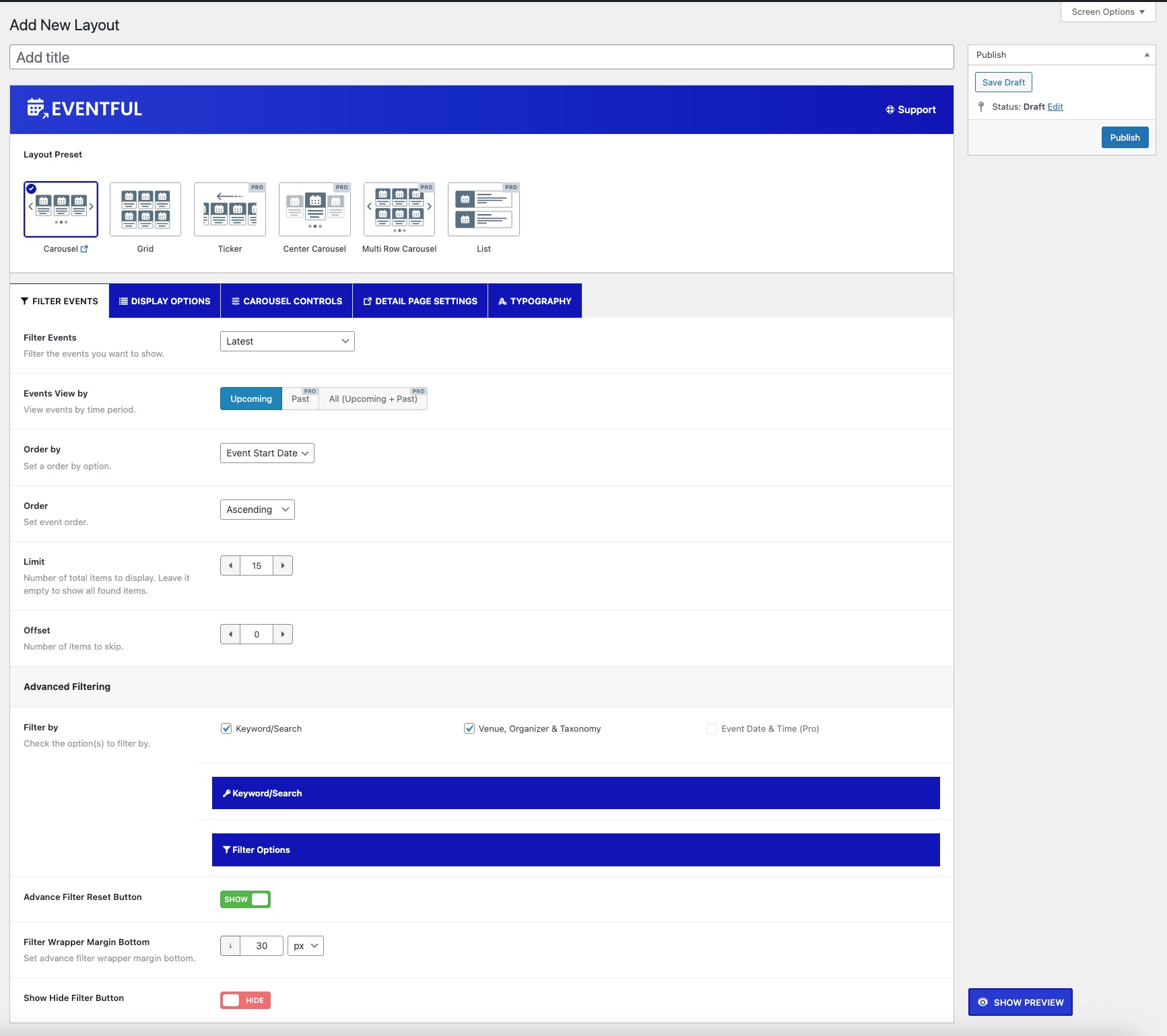
Admin: Filter Events 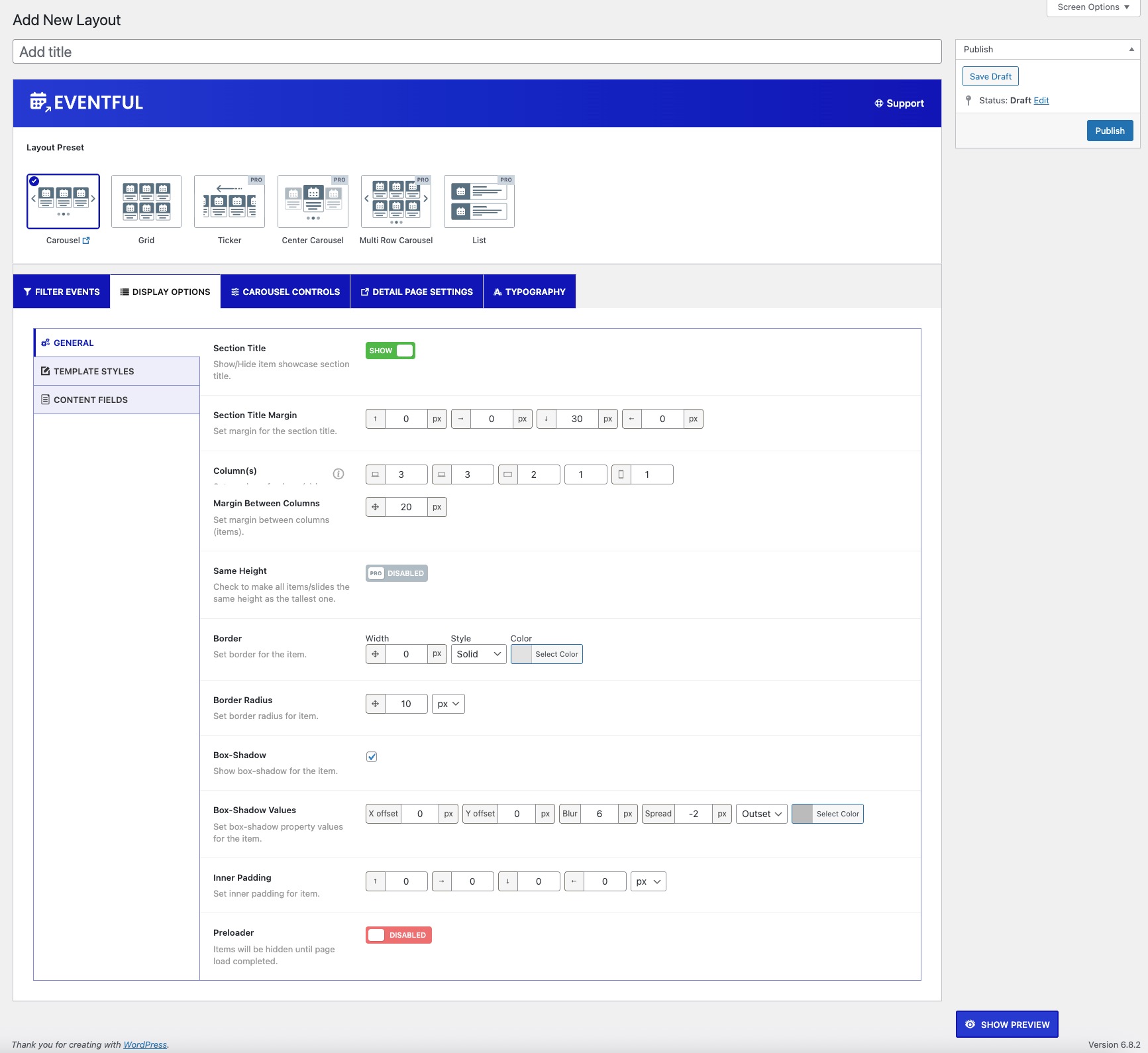
Admin: Display Options 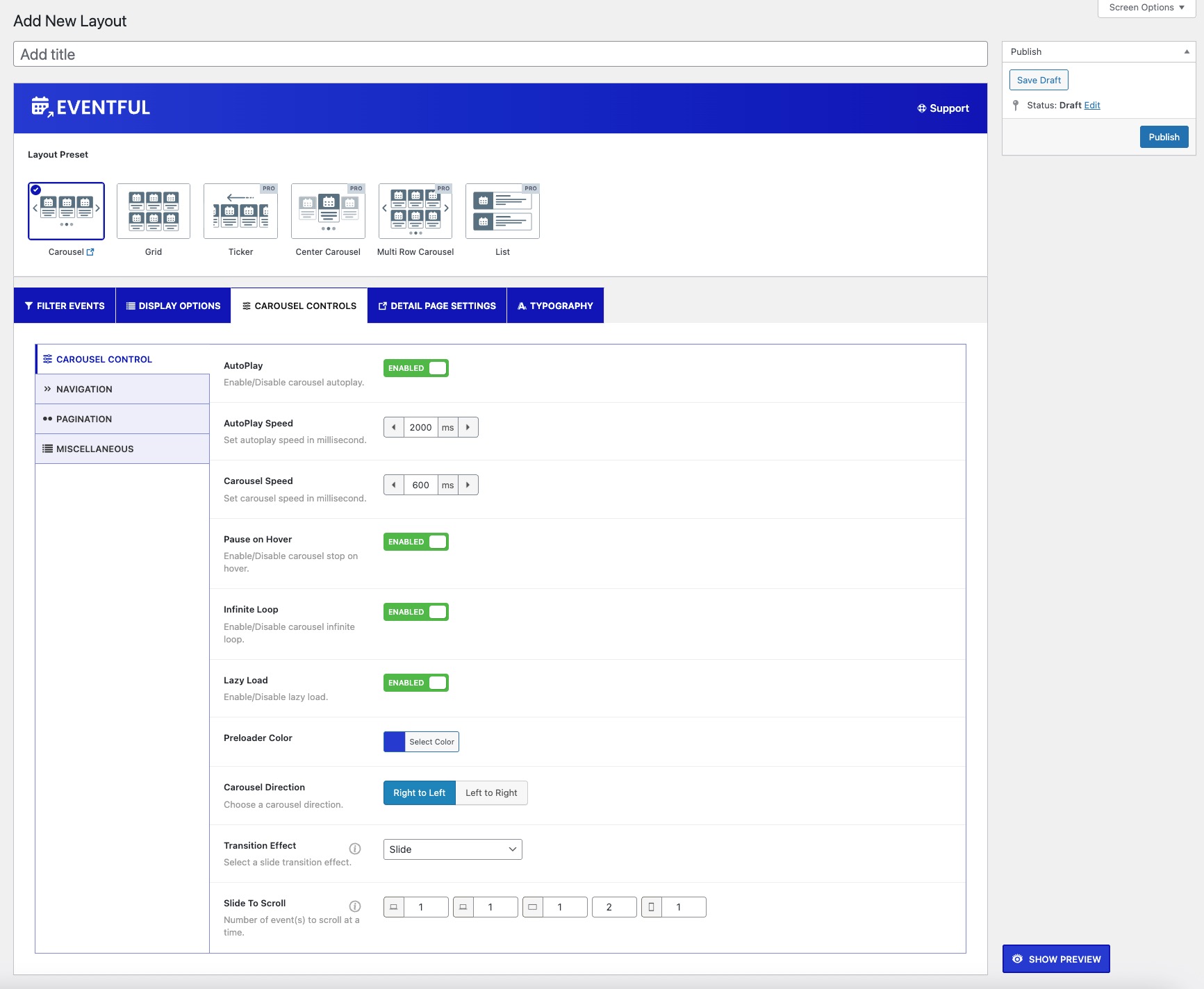
Admin: Carousel Controls 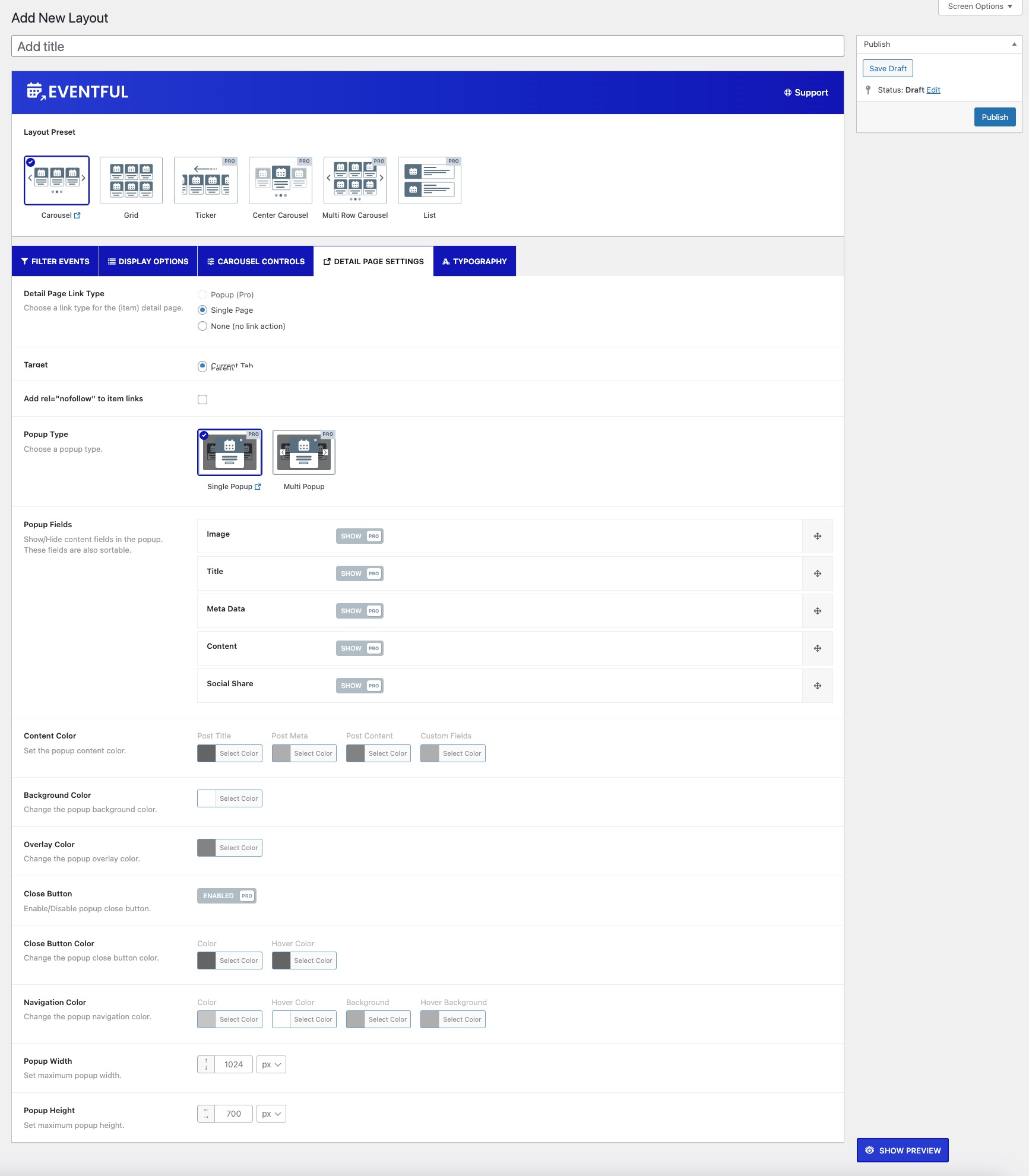
Admin: Detail Page 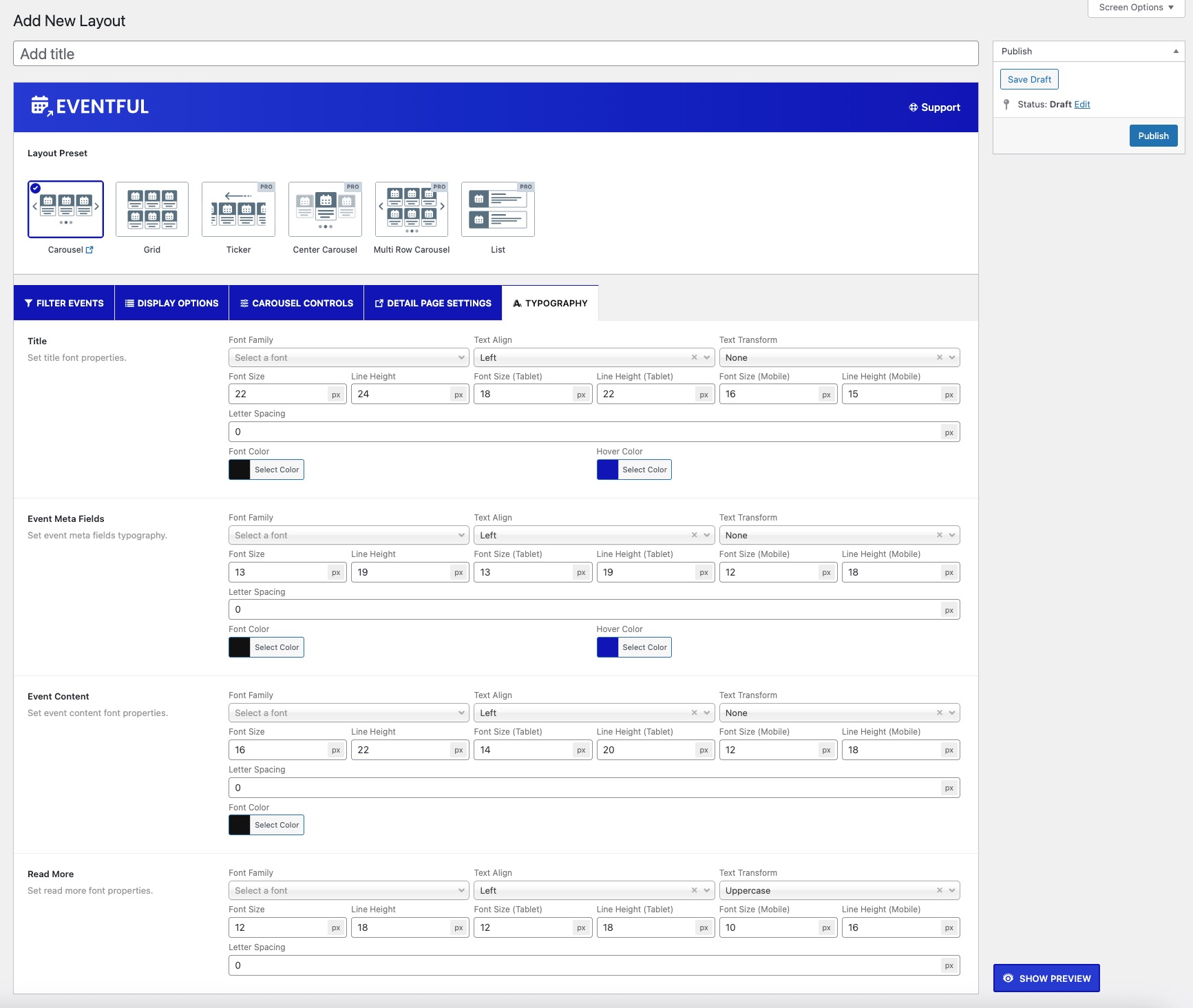
Admin: Typography 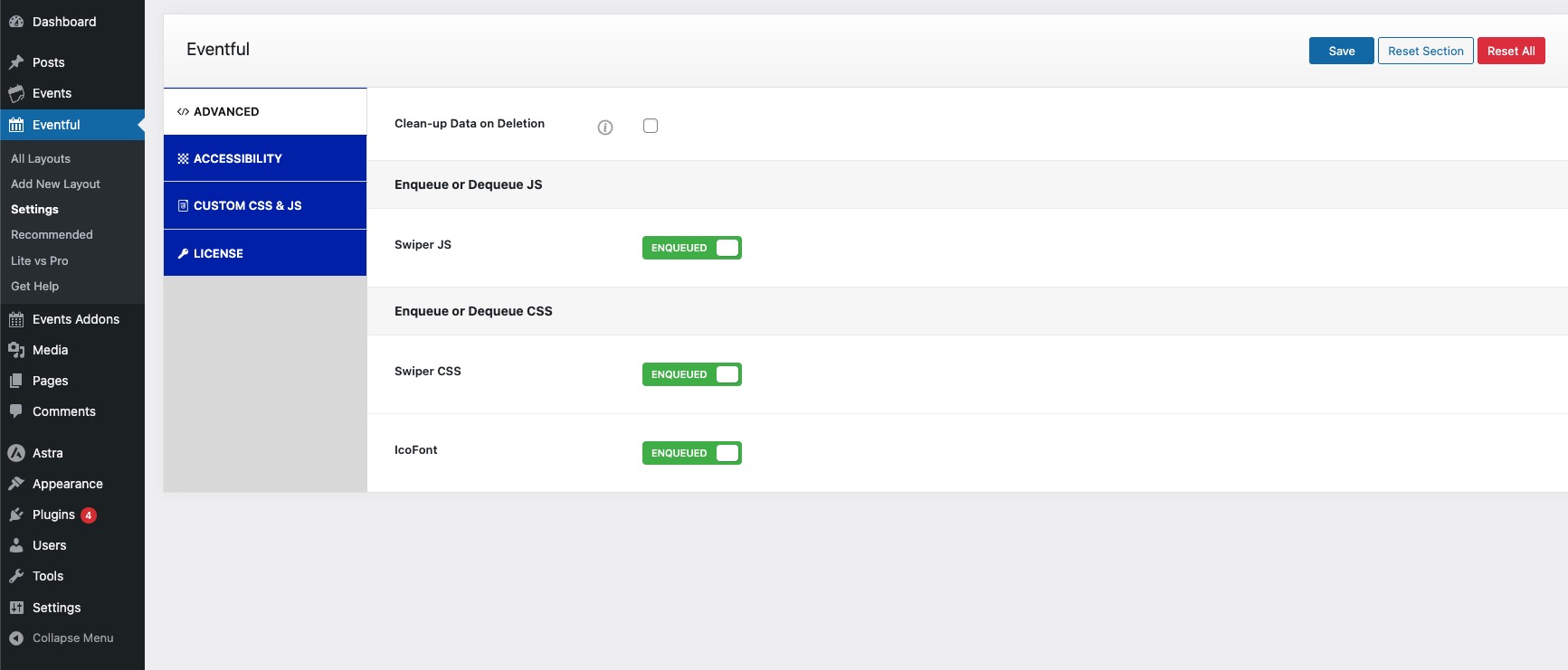
Admin: Global Settings


Blocks
This plugin provides 1 block.
- The Events Calendar Shortcode Block
Installation
- Install and activate The Events Calendar
- Upload the
eventfulplugin folder to the/wp-content/plugins/directory or install it via Plugins > Add New - Activate the plugin through the ‘Plugins’ menu in WordPress
- Go to Eventful > Add New Layout to create your first event showcase
- Use the generated shortcode or Gutenberg block to display it on your site
FAQ
-
Does this plugin work without The Events Calendar?
-
No. Eventful is an addon that requires the free The Events Calendar plugin to function.
-
Can I use this inside Elementor or Gutenberg editor?
-
Yes! Eventful works seamlessly with Elementor and Gutenberg. Use the shortcode or block to embed your layout anywhere.
-
Is it mobile responsive?
-
Absolutely. All Eventful layouts are 100% responsive and mobile-friendly.
-
Can I choose which events to show?
-
Yes. Filter events by category, tag, date, venue, organizer, and more.
-
Do you offer a Pro version?
-
Yes. Eventful Pro unlocks advanced layouts, design templates, extended filtering, and premium support. Compare Free vs Pro
-
How can I obtain support?
-
Submit your query in plugin Support Forum
-
I have some suggestions for improving this plugin. How can I communicate with you?
-
You can create a topic in our Support Forum or send me a direct mail at themeatelierbd@gmail.com
Reviews


Contributors & Developers
“Events Slider, Events Carousel, Events Grid and Events Filter Bar for The Events Calendar – Eventful” is open source software. The following people have contributed to this plugin.
Contributors

Interested in development?
Browse the code, check out the SVN repository, or subscribe to the development log by RSS.
Changelog
2.1.16 – 05 February 2026
- Fixed: Issue with Eventful thumbnail meta attributes.
2.1.15 – 29 January 2026
- Added: New option to determine event status by the event start date.
2.1.14 – 16 January 2026
- Added: Elementor widget.
2.1.13 – 15 January 2026
- Added: Gutenberg block.
- Removed: Third-party SDK integration.
- Improved: Internal code structure.
2.1.12 – 13 January 2026
- Added: Featured image custom size options.
2.1.11 – 21 December 2025
- Updated: Pre-made templates options.
- Fixed: Export/import issues.
- Tested: WordPress 6.9 compatibility.
2.1.10 – 29 November 2025
- Fixed: Event loading issue.
2.1.9 – 28 November 2025
- Added: Pre-made templates option.
- Added: Eventful shortcode duplicate option.
- Fixed: Event SEO schema detection issue.
2.1.8 – 20 November 2025
- Fixed: Taxonomy filter issue.
2.1.7 – 17 November 2025
- Added: Tools export/import option.
- Improved: SEO schema implementation.
- Updated: Settings panel styling.
- Fixed: Default event type (time-based) issue.
- Security: Sanitized, validated, and escaped all data.
2.1.6 – 05 November 2025
- Added: JSON-LD event schema markup.
- Fixed: Missing composer.json file.
- Updated: Code improvements and compliance with WordPress Plugin Review Guidelines.
- Security: Escaped all variables and options before output.
2.1.5 – 03 October 2025
- Fixed: Google Fonts loading issue.
2.1.4 – 17 September 2025
- Added: Documentation and demo links for all available fields.
2.1.3 – 30 August 2025
- Fixed: PHP compatibility issue.
2.1.2 – 11 August 2025
- Fixed: Featured events filter.
2.1.1 – 06 August 2025
- Added: Marked The Events Calendar as a required plugin.
2.1.0 – 05 August 2025
- Added: Clean-up data on deletion.
- Fixed: Navigation positioning issue.
- Improved: Advanced filter options.
- Updated: Setting field titles and descriptions.
- Updated: Admin panel redesign.
2.0.6 – 22 April 2025
- Fixed: Translation-related warning with WordPress 6.8.
2.0.5 – 08 April 2025
- Tested: WordPress 6.8 compatibility.
- Updated: Plugin help page content.
- Updated: Plugin readme content.
2.0.4 – 12 March 2025
- Added: Admin preview feature.
2.0.3 – 06 March 2025
- Added: Plugin review notice.
2.0.2 – 27 February 2025
- Fixed: Filtering option.
- Fixed: Translation issue with latest WordPress version.
- Added: Help and video tutorial tabs.
- Tested: WordPress 6.7.2 compatibility.
2.0.1 – 15 December 2024
- Tested: WordPress 6.7.1 compatibility.
2.0.0 – 16 November 2024
- Added: IcoFont support.
- Fixed: Code structure improvements.
- Fixed: CSS issues.
- Updated: WordPress and PHP compatibility.
1.0.5 – 06 November 2024
- Fixed: Carousel navigation issue.
- Fixed: Minor CSS issues.
1.0.4 – 17 August 2024
- Updated: Appsero SDK.
1.0.3 – 13 June 2024
- Fixed: Plugin URL issue.
1.0.2 – 13 June 2024
- Fixed: CodeMirror editor issue.
- Fixed: Admin panel icon loading issue.
- Fixed: Conflict with Pro version.
- Added: Screenshots.
- Added: FAQ section.
- Added: Shortcode and layout column support.
- Updated: Language files.
1.0.1
- Added: Language files.
- Updated: Plugin banner and thumbnail.
1.0.0
- Initial release.
