The purpose of this widget is to reassure the user that something is happening. It can operate in one of two modes:
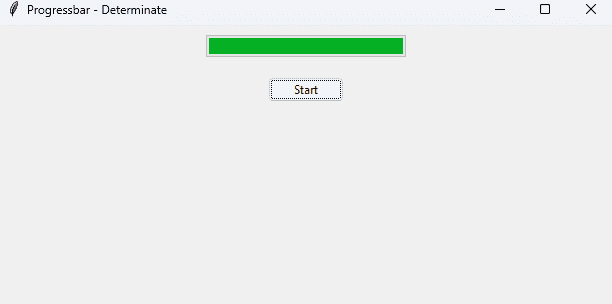
- determinate mode: the widget shows an indicator that moves from beginning to end under program control.
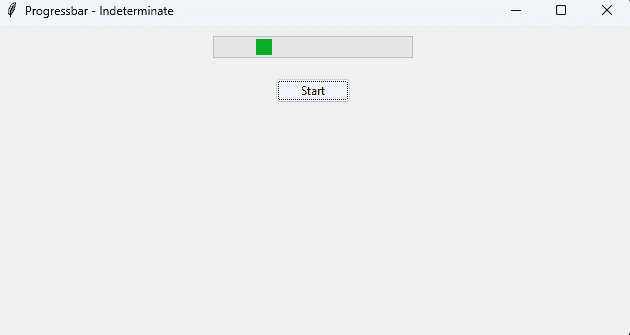
- indeterminate mode: the widget is animated so the user will believe that something is in progress. In this mode, the indicator bounces back and forth between the ends of the widget.
Syntax
widget_object = Progressbar(parent, **options)
Determinate mode
from tkinter import *
from tkinter.ttk import *
import time

root = Tk()
root.title("Progressbar - Determinate")

progress = Progressbar(root, orient=HORIZONTAL, length=200, mode='determinate')

def bar():
    for value in (20, 40, 50, 60, 80, 100):
        progress['value'] = value
        root.update_idletasks()
        time.sleep(1)

progress.pack(pady=10)

Button(root, text='Start', command=bar).pack(pady=10)
root.mainloop()
Output
Indeterminate mode
from tkinter import *
from tkinter.ttk import *

root = Tk()
root.title("Progressbar - Indeterminate")

progress = Progressbar(root, orient=HORIZONTAL, length=200, mode='indeterminate')

def start_bar():
    progress.start(10)
    root.after(5000, progress.stop)

progress.pack(pady=10)
Button(root, text='Start', command=start_bar).pack(pady=10)

root.mainloop()
Output