
Descrizione
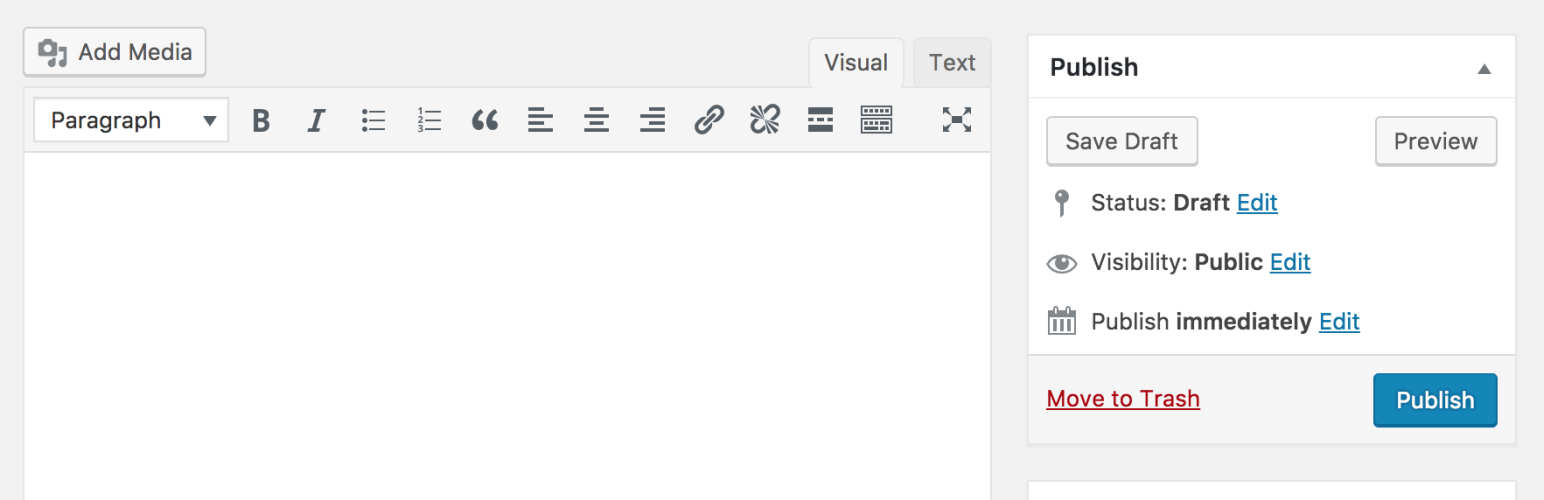
Il Classic Editor è un plugin ufficiale gestito dal Team dei Contributori di WordPress che ripristina l’editor precedente del core (definito “classico” per convenzione) e la schermata “Modifica Articolo”. Rende anche possibile il riutilizzo dei plugin (add-on) che estendono questa schermata, aggiungendo i “Meta Box” di stile precedente, o che da questo dipendono in qualche modo.
Classic Editor è un plugin ufficiale per WordPress che sarà pienamente supportato e mantenuto fino al 2024, o fino a quando sarà necessario.
A colpo d’occhio, questo plugin aggiunge quanto segue:
- Gli amministratori possono selezionare l’editor predefinito per tutti gli utenti.
- Gli amministratori possono consentire agli utenti di modificare il loro editor predefinito.
- Quando permesso, gli utenti possono scegliere quale editor utilizzare per ogni articolo.
- Ogni articolo che viene creato o modificato da un qualsiasi utente si apre automaticamente nell’ultimo editor che è stato utilizzato per l’editing indipendentemente da chi lo ha modificato per ultimo. Questo è importante per mantenere un’esperienza coerente durante la modifica del contenuto.
Il Classic Editor include diversi filtri che consentono anche ad altri add-on o plugin di controllarne le impostazioni e la scelta dell’editor predefinito.
Per impostazione predefinita, questo plugin nasconde tutte le funzionalità disponibili nel nuovo editor a blocchi (“Gutenberg”).
Screenshot
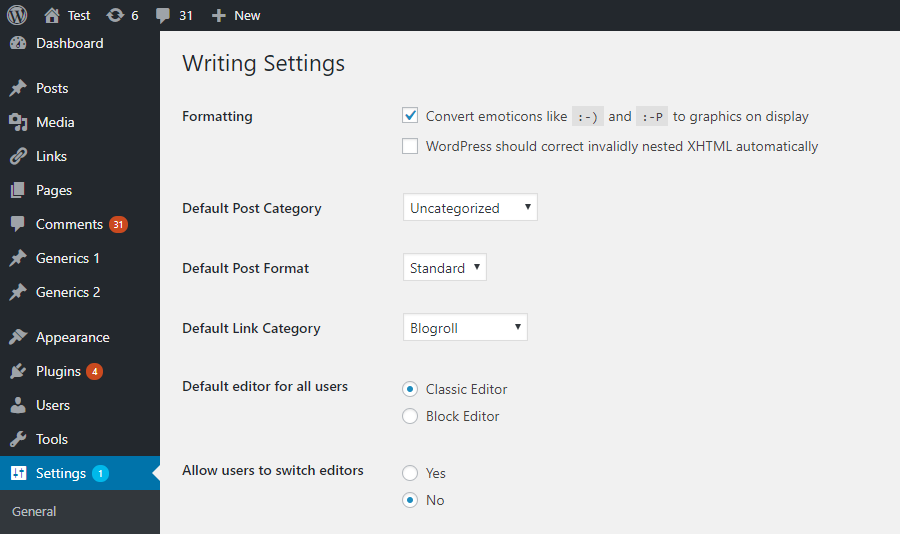
Impostazioni di amministrazione nella schermata -> Impostazioni -> Scrittura. 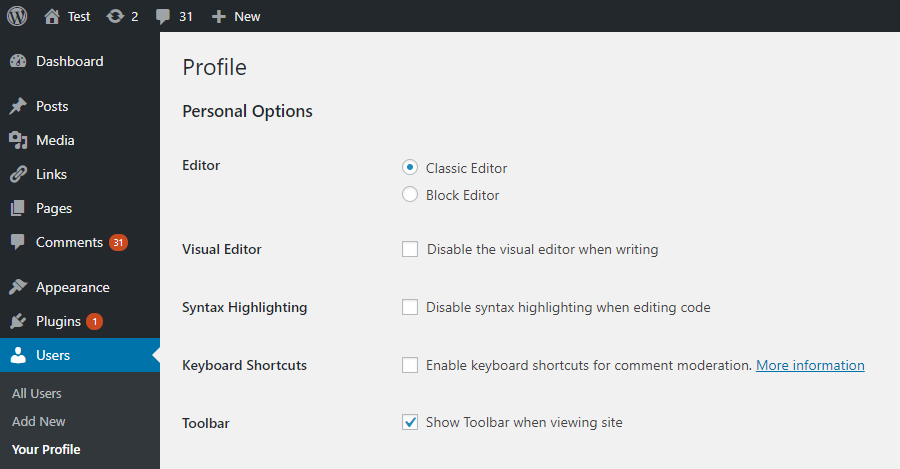
Impostazioni utente nella schermata Profilo. Visibile solo quando gli utenti sono autorizzati a cambiare editor. 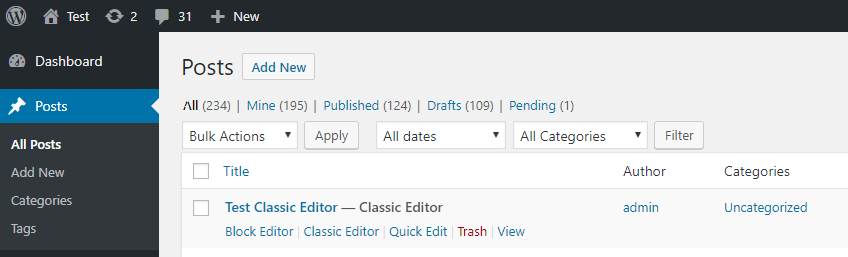
“Link di Azione” per scegliere un editor alternativo. Visibile solo quando gli utenti sono autorizzati a cambiare editor. 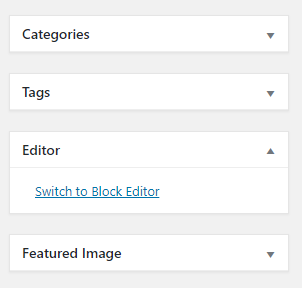
Link per passare all’editor a blocchi durante la modifica di un articolo nell’editor classico. Visibile solo quando gli utenti sono autorizzati a cambiare editor. 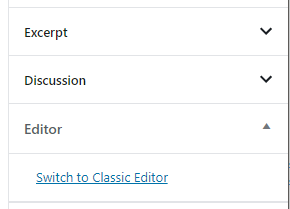
Link per passare all’editor classico durante la modifica di un articolo nell’editor a blocchi. Visibile solo quando gli utenti sono autorizzati a cambiare editor. 
Impostazioni di rete per selezionare l’editor predefinito per il network e consentire ai super amministratori e/o amministratori di cambiarlo/gestirlo. 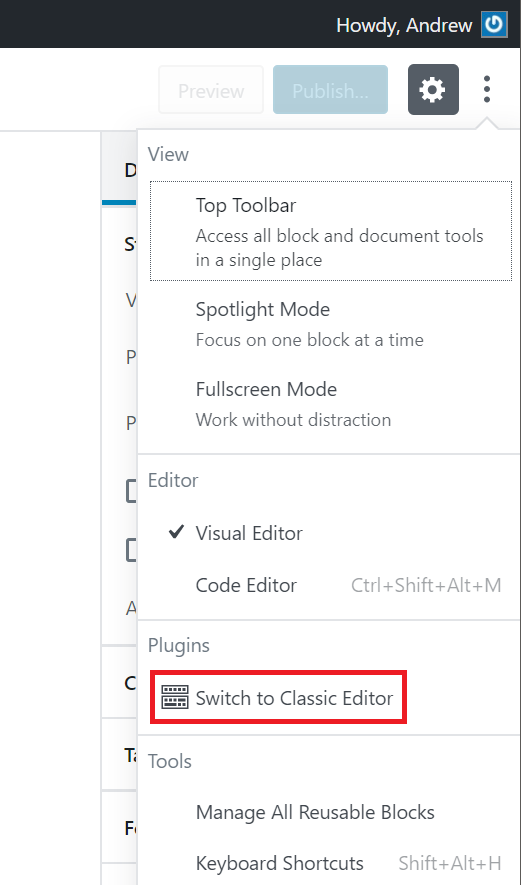
Il link “Passa all’editor classico”.


FAQ
-
Impostazioni predefinite
-
Quando attivi questo plugin ed è in uso un tema classico (non a blocchi), verrà ripristinato il precedente editor di WordPress (“editor classico”) e verrà nascosto il nuovo editor a blocchi (“Gutenberg”).
Queste impostazioni possono essere modificate nella schermata Impostazioni > Scrittura. -
Impostazioni predefinite per l’installazione come Network Multisito
-
Ci sono due opzioni:
- Questo plugin, quando viene attivato nel network ed è utilizzato un tema classico (non a blocchi), imposta l’editor classico come editor predefinito ed impedisce agli amministratori di sito e agli altri utenti di cambiare editor.
Le impostazioni possono essere modificate e l’editor dell’intero network può essere selezionato dalla schermata Impostazioni network. - Quando il plugin non è attivato per l’intero network, ciascun amministratore di sito sarà in grado di attivarlo e sceglierne le opzioni per i propri utenti.
- Questo plugin, quando viene attivato nel network ed è utilizzato un tema classico (non a blocchi), imposta l’editor classico come editor predefinito ed impedisce agli amministratori di sito e agli altri utenti di cambiare editor.
-
Impossibile trovare il link “Passa all’editor classico”
-
È nel menu principale dell’editor a blocchi, guarda questo screenshot.
-
Funziona con il Full Site Editing e i temi a blocchi?
-
No, in quanto i temi a blocchi dipendono dai blocchi. Leggi l’articolo sui temi a blocchi per maggiori informazioni.
Recensioni


Contributi e sviluppo
“Classic Editor” è un software open source. Le persone che hanno contribuito allo sviluppo di questo plugin sono indicate di seguito.
Collaboratori


“Classic Editor” è stato tradotto in 74 lingue. Grazie a chi traduce per il contributo.
Traduci “Classic Editor” nella tua lingua.
Ti interessa lo sviluppo?
Esplora il codice segui il repository SVN, segui il log delle modifiche tramite RSS.
Changelog
1.6.7
- Fixed loading of script translations when post.js is replaced in WordPress 6.7.1.
1.6.6
- Added fix for selecting/deselecting multiple unwanted categories in WordPress 6.7.1 when clicking on a category checkbox on the old Edit Post screen.
1.6.5
- Added fix for Safari 18 negative horizontal margin on floats.
1.6.4
- Added support for administrators to choose the default editor for other users.
1.6.3
- Added some WPCS fixes, props NicktheGeek on GitHub.
- Updated “Tested up to” in the readme and removed it from classic-editor.php. This should fix false positive errors in security plugins in the future.
1.6.2
- Fixed bug that was preventing saving of the last used editor.
1.6.1
- Fixed a warning on the block editor based widgets screen.
- Fixed use of a deprecated filter.
1.6
- Updated for WordPress 5.5.
- Fixed minor issues with calling deprecated functions, needlessly registering uninstall hook, and capitalization of some strings.
1.5
- Updated for WordPress 5.2 and Gutenberg 5.3.
- Enhanced and fixed the “open posts in the last editor used to edit them” logic.
- Fixed adding post state so it can easily be accessed from other plugins.
1.4
- On network installations removed the restriction for only network activation.
- Added support for network administrators to choose the default network-wide editor.
- Fixed the settings link in the warning on network About screen.
- Properly added the “Switch to classic editor” menu item to the block editor menu.
1.3
- Fixed removal of the “Try Gutenberg” dashboard widget.
- Fixed condition for displaying of the after upgrade notice on the “What’s New” screen. Shown when the classic editor is selected and users cannot switch editors.
1.2
- Fixed switching editors from the Add New (post) screen before a draft post is saved.
- Fixed typo that was appending the edit URL to the
classic-editorquery var. - Changed detecting of WordPress 5.0 to not use version check. Fixes a bug when testing 5.1-alpha.
- Changed the default value of the option to allow users to switch editors to false.
- Added disabling of the Gutenberg plugin and lowered the required WordPress version to 4.9.
- Added
classic_editor_network_default_settingsfilter.
1.1
Fixed a bug where it may attempt to load the block editor for post types that do not support editor when users are allowed to switch editors.
1.0
- Updated for WordPress 5.0.
- Changed all “Gutenberg” names/references to “block editor”.
- Refreshed the settings UI.
- Removed disabling of the Gutenberg Plugin. This was added for testing in WordPress 4.9 Users who want to continue following the development of Gutenberg in WordPress 5.0 and beyond will not need another plugin to disable it.
- Added support for per-user settings of default editor.
- Added support for admins to set the default editor for the site.
- Added support for admins to allow users to change their default editor.
- Added support for network admins to prevent site admins from changing the default settings.
- Added support to store the last editor used for each post and open it next time. Enabled when users can choose default editor.
- Added “post editor state” in the listing of posts on the posts screen. Shows the editor that will be opened for the post. Enabled when users can choose default editor.
- Added
classic_editor_enabled_editors_for_postandclassic_editor_enabled_editors_for_post_typefilters. Can be used by other plugins to control or override the editor used for a particular post of post type. - Added
classic_editor_plugin_settingsfilter. Can be used by other plugins to override the settings and disable the settings UI.
0.5
- Updated for Gutenberg 4.1 and WordPress 5.0-beta1.
- Removed some functionality that now exists in Gutenberg.
- Fixed redirecting back to the classic editor after looking at post revisions.
0.4
- Fixed removing of the “Try Gutenberg” call-out when the Gutenberg plugin is not activated.
- Fixed to always show the settings and the settings link in the plugins list table.
- Updated the readme text.
0.3
- Updated the option from a checkbox to couple of radio buttons, seems clearer. Thanks to @designsimply for the label text suggestions.
- Some general updates and cleanup.
0.2
- Update for Gutenberg 1.9.
- Remove warning and automatic deactivation when Gutenberg is not active.
0.1
Initial release.
