-
-
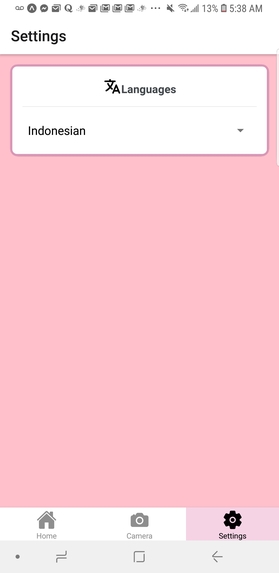
Settings (Changing the language)
-
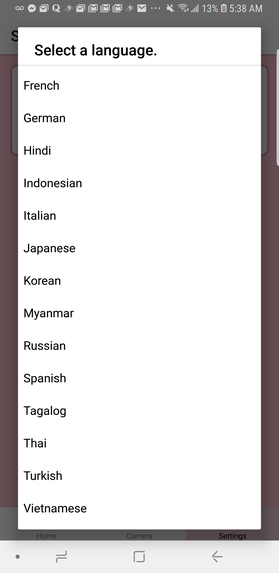
List of Languages
-
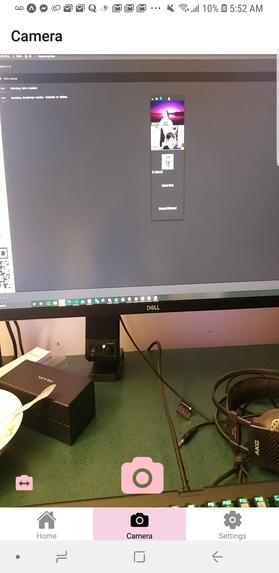
Camera
-
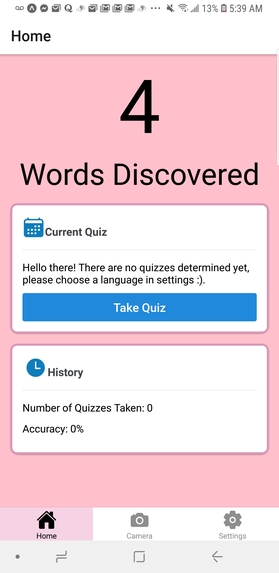
Quiz
-
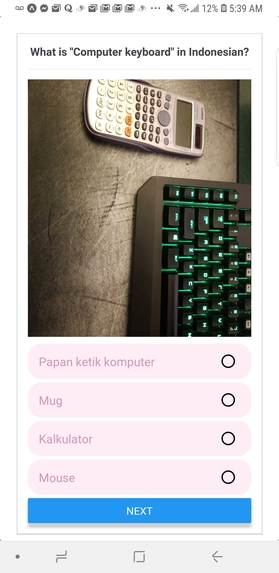
Quiz Questions
-
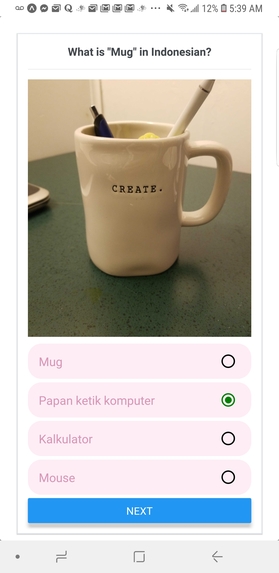
Quiz Questions


Inspiration
Admittingly, our idea started with hot dogs. For a few of us, it was a Korean Drama, Start-up, but for most of us it was Jimmy Yang scanning an assortment of items identifying them as “Hot Dog” or “Not Hot Dog”. The premise was silly, and we all entertained the idea of using image recognition for something as frivolous as that. However, that skit and that Korean Drama served as the basis of our app: we wanted to implement an application that combined our desire to identify non hot dog objects, while also understanding what Bae Suzy is saying without subtitles. It was this idea that led to the formation of Triolingo (Not a sequel to duolingo), that culminated these desires into an application that utilizes both an image recognition API and a translation API to recognize an object then translate that object’s name into a language of our choosing.
What it does
As a language learning application, the user would choose an intended language they want to learn. Then they are able to take a picture of the object(s) around them, and our application would display the translated word in that language. Furthermore, the user can take a quiz. Given the image and 4 possible solutions, the quiz would prompt the user to answer 5 questions to test their knowledge.
How we built it
We built the client-side of our application with React-native, using Typescript and the server-side with Express, leveraging Google Cloud Vision and Translate API. We also utilized Google Firebase to store user photo information in real-time.
Challenges we ran into
The platform we chose, React-native, brought a lot of difficulties with many deprecated libraries, nuances between operating systems, and general CSS manipulation to ensure our front-end lived up to our expectations. Despite how frustrating it was to make sure that all these minute details were solved, it brought a lot of gratification when we were able to finally get our application working as expected.
Accomplishments that we're proud of
The moment where we were all excited was the point where we tested our camera feature, sent a photo to our image recognition api to our backend, and in response we received a response from the translation API. It was that moment where all the conceptual and theoretical ideas of creating this application finally became tangible - and possible. It was from that point on forward that all the additional features and functionality we implemented became more satisfying.
What we learned
While all of us each had varying levels of experiences with React, we wanted to challenge ourselves and engage with a new platform. We decided to use React-Native to create a mobile application in typescript as all of use had never coded in typescript nor coded in react-native. Additionally, we learned alot about APIs, specifically integrating Google API’s such as Vision, Translate and Firebase as the core of our application.
What's next for Triolingo
For the future of Triolingo, there are many aspects we can improve on. Here are a few aspects: UI/UX: Making a swipe feature that's engaging for the quizzes that the user goes through. This would make the learning process much more enjoyable for the user. Better support for multiple devices, although it works for both iOS and Android, some features look better in one than the other. Features: Support for a wider range of languages Login feature for users to maintain their data history in the long term Shake phone feature to discard a taken image. Immersion through AR: visually augment items/objects that users take into their camera.
Built With
- android
- expo.io
- firebase
- google-cloud
- google-cloud-translate
- google-vision
- ios
- javascript
- react-native
- typescript


Log in or sign up for Devpost to join the conversation.