

Disabled by default. Enable per repo in Settings → Repos → Approvability.
How It Works
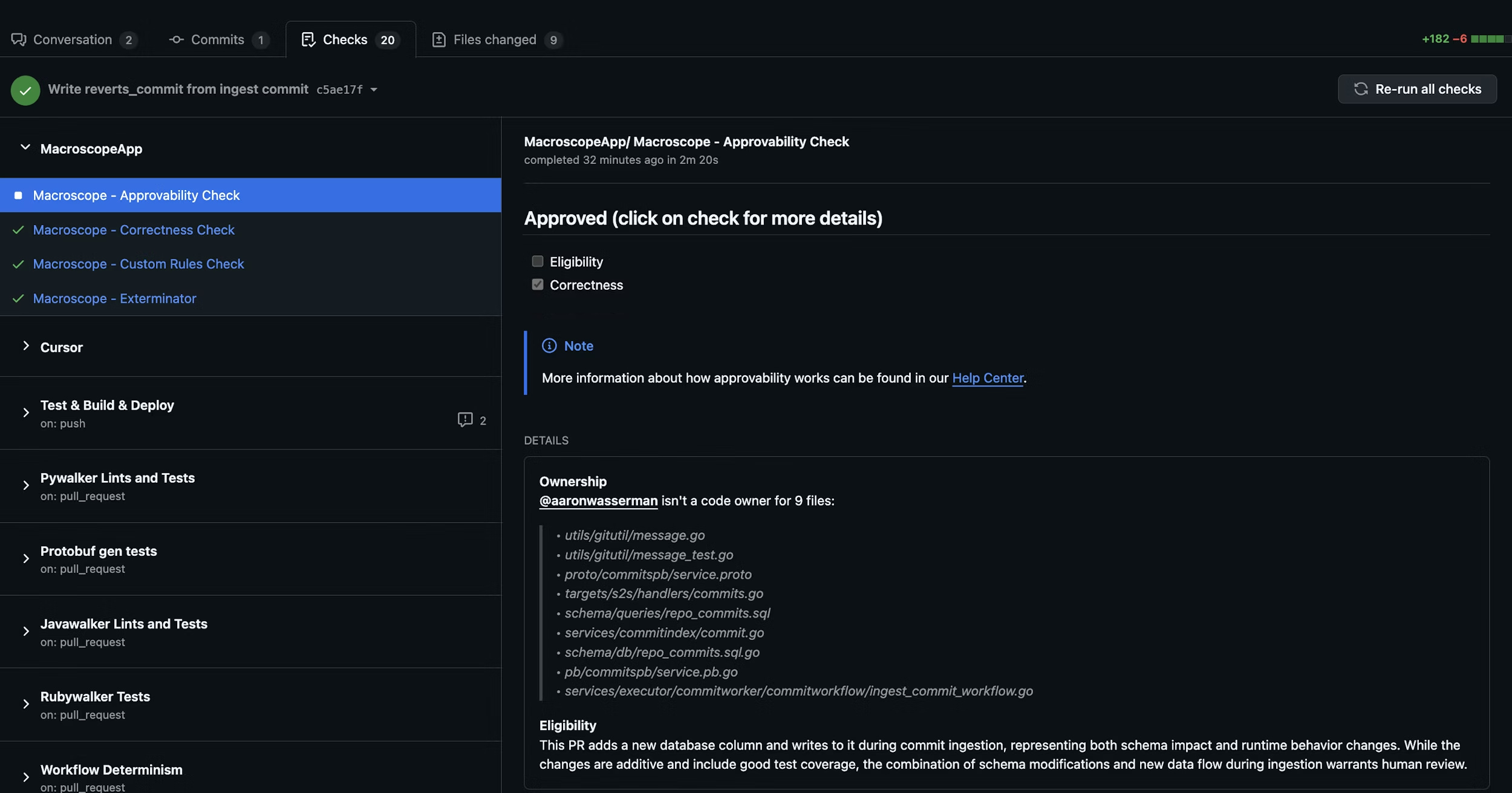
When a PR is opened or updated, Macroscope evaluates up to three criteria before auto-approving. Ownership (via CODEOWNERS) is disabled by default; Eligibility and Correctness are always active. All active criteria must pass for auto-approval — if any fail, the PR can still be approved manually.1. Eligibility
Is this PR a good candidate for auto-approval? Macroscope evaluates the changes, code ownership, git blame history, and the author’s role. If your repo has aCODEOWNERS file, Macroscope factors in the author’s relationship to changed files.
- Typically eligible: docs, tests, code behind feature flags, simple bug fixes, copy changes.
- Not eligible: large refactors, schema changes, security/auth/billing code, breaking changes.
2. Correctness
Did the PR pass Macroscope’s code review with zero issues flagged? By default, correctness is a hard gate: an outstanding correctness comment at or above your repo’s Minimum Blocking Severity blocks auto-approval, no matter how the Eligibility judgment came out. Resolve the comment, 👎 it, or mark it addressed and the next Approvability run will clear the gate. There is exactly one way to switch that gating off — Letting Eligibility decide correctness instead — and it applies to everything in this section, not just the severity threshold. A correctness review that cannot report blocks as well: if the review finds issues but is unable to post them, Approvability reports Unable to determine (correctness unavailable) rather than approving on findings nobody can see. The opt-out covers this case too — a repo whose guidelines tell Macroscope to ignore correctness is not held up by an unreportable review either, and Eligibility decides alone, so such a PR can still be auto-approved. A review that deliberately did not run — code review disabled for the repo, no reviewable code in the PR, or a review limit reached — never blocks, opted out or not. Comments an earlier review already posted still count, though: they stay outstanding until resolved, so a skipped review does not clear a blocker a previous one raised.Minimum Blocking Severity
Minimum Blocking Severity is a per-repo setting that controls which severity of unresolved correctness comments blocks auto-approval. Outstanding correctness comments at or above the configured severity block approval; comments below the threshold do not. Choose from Low, Medium, High, or Critical — the default is Medium. Find it in Settings → Repos → Approvability (shown once Approvability is enabled). Only a GitHub Admin can change it. A comment counts as outstanding until it is resolved on GitHub, marked as addressed, 👎‘d, or deleted. Comments with no recorded severity are treated as Medium. The threshold applies to the Eligibility judgment as well: a Macroscope correctness comment below it does not, on its own, send the PR to human review. Comments at or above the threshold still do, and so does anything else that warrants review — a comment from a human reviewer or another tool, or the nature of the changes themselves.Letting Eligibility decide correctness instead
There is one way to turn the correctness gate off, and it is not a setting: state it in your custom eligibility rules. If your.macroscope/approvability.md explicitly says correctness issues must not factor into approvability, Macroscope stops treating correctness as a gate for that repo and lets the Eligibility judgment weigh the findings on its own:
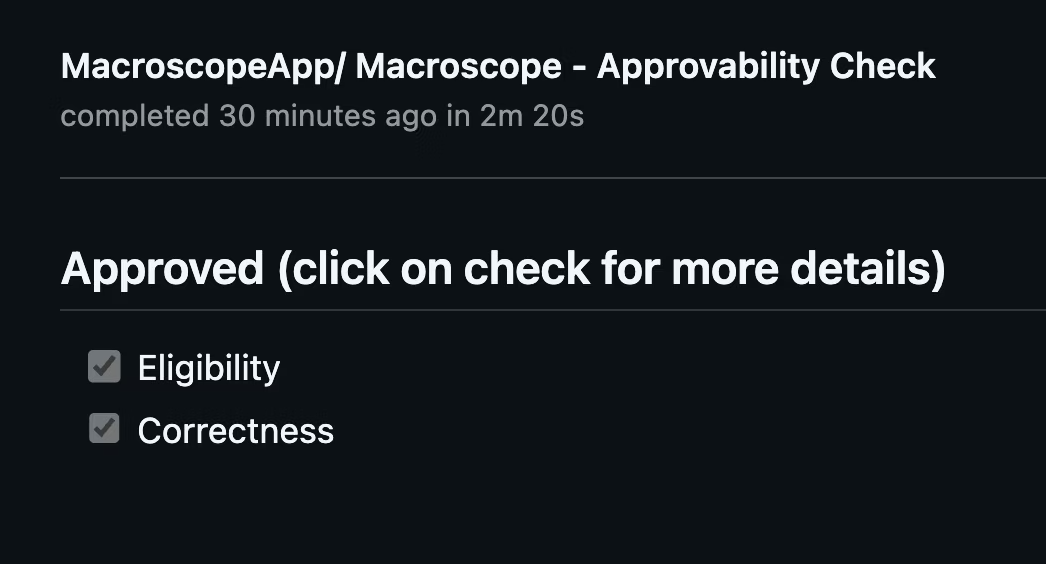
Results appear as
Macroscope - Approvability Check in the Checks tab and as a PR comment with detailed reasoning.
Custom Eligibility Rules
Add a.macroscope/approvability.md file to your repo to define rules on top of the defaults. Your custom rules are additive — they are combined with the built-in eligibility criteria, not a replacement.
Plain text rules
The simplest approach is a plain markdown file with your rules:Front matter configuration
For more control, add YAML front matter to configure the approvability agent’s behavior:Supported fields
Available tools
Tools extend what the approvability agent can do beyond its defaults (file browsing and git tools):github_api_read_only— search code and read GitHub metadatamodify_pr— request reviewers or post PR reviewsslack— post messages to Slack channelslaunchdarkly— check feature flag statusweb_tools— search the webissue_tracking_tools— query linked Jira/Linear tickets
Waiting for other checks
By default, approvability waits for the Correctness check, any Check Run Agents, and recognized third-party review tools (Cursor BugBot, Greptile) before making its decision, so their findings are considered in the verdict. UsewaitsFor to also wait for additional CI steps — for example, linters, deployment checks, or other external tools not covered by the built-in list — whose results should influence the approval verdict.
Wait for specific checks:
Macroscope - Approvability Check itself. This is useful when you have multiple Check Run Agents posting review comments and want approvability to consider all of their findings.
Custom timeout:
The default wait is 20 minutes. Set waitsForTimeout to change it (1–60 minutes):
Approvability always waits for the Correctness check and recognized third-party review tools (Cursor BugBot, Greptile) regardless of
waitsFor — this field controls additional prerequisites beyond those built-in waits. Named mode supports up to 10 entries.Using approvability as a required status check
If you want the approvability check itself to hard-block merge when the verdict is “needs human review,” setconclusion: failure in front matter and add Macroscope - Approvability Check as a required status check in your branch protection rules.
Be aware of how GitHub handles this combination.
When the check concludes failure (merge blocked). Only two outcomes fail the check, and both are ones the author can clear by acting on the PR:
- The approvability agent returned a verdict of “needs human review.”
- Correctness findings are posted on the PR and still outstanding at or above your repo’s Minimum Blocking Severity.
neutral or skipped (merge NOT blocked). GitHub counts success, skipped, and neutral as passing a required status check. Approvability deliberately concludes neutral instead of failure whenever the hold is something the author cannot clear by changing the PR — failing on those would leave the PR permanently unmergeable:
- The PR modifies
.macroscope/approvability.md, modifies a path protected byneverApprove(see Protecting review configuration), or modifiesCODEOWNERSwithout owning it. - The diff is too large to analyze, or the agent returned no usable response.
- Correctness could not report: it found issues but was unable to post them, reached no verdict, or never ran.
- The PR was authored by Macroscope, or auto-approval is switched off for the repo.
- The approvability agent itself errored or timed out.
skipped — likewise passing — when approvability is disabled for the PR (draft PR, repo setting off, skipped author), when a billing or usage limit is reached, and when a push leaves the diff unchanged (for example a rebase, where the prior analysis is reused).
Clearing a failure. The check keeps its failure conclusion until approvability re-evaluates the PR, which happens when a new commit is pushed, the check is re-run from the Checks tab, or you trigger it with an @macroscope mention. Two things that look like they should clear it do not:
- A PR review approval alone does not clear a failing required status check. GitHub treats approvals and status checks as independent gates.
- Resolving the correctness comments does not clear it on its own. Resolving them turns
Macroscope - Correctness Checkgreen, but the approvability check keeps itsfailureconclusion until it re-evaluates.
The legacy path
macroscope_approvability.md at the repo root is still supported for backward compatibility, but .macroscope/approvability.md is the recommended location. Front matter is only supported in the .macroscope/approvability.md path — the legacy path treats the entire file as plain text rules.Protecting review configuration
A PR that changes the rules Macroscope approves by should not be approved using the rules it just changed. Two things prevent that.Your approvability file is always held for a human
Any PR that adds, edits, renames, or deletes.macroscope/approvability.md (or the legacy macroscope_approvability.md) gets the verdict Needs human review, automatically. Macroscope decides this before the approvability agent runs, so nothing written in the file — custom rules, front matter, or instructions to approve config changes — can change the outcome.
This is always on. There is no setting that turns it off, and that is deliberate: it is what makes your own neverApprove list trustworthy.
neverApprove — additional protected paths
Use neverApprove to extend that protection to any other path you want a human to look at:
include/exclude: a pattern with no / matches at any depth (CODEOWNERS matches CODEOWNERS and docs/CODEOWNERS), and ** matches across directories. Matching is case-sensitive. A pattern Macroscope cannot parse is skipped, with a warning in the check run details — check there after editing the list, since a skipped pattern protects nothing.
Renames and deletions count as changes to both the old and the new path, so moving a protected file out of the way still holds the PR.
neverApprove can only add paths. It cannot remove or narrow the protection on your approvability file, and no setting can. This is also why the list is safe to trust: a PR cannot quietly delete an entry from it without editing .macroscope/approvability.md, which is itself always held for a human.What these holds do — and don’t do
A hold from either rule means the PR is not auto-approved and is marked Needs human review. It does not block merging on its own: these checks concludeneutral even when you have set conclusion: failure, so a PR that updates your Macroscope configuration can never be made unmergeable by the check itself. Merge protection stays with your GitHub required reviewers rules, which is where it belongs — a human reviews the change and merges it.
For the full list of what concludes failure versus neutral, see Using approvability as a required status check.
Setup
- Enable Approvability in Settings → Repos.
- (Recommended) Add a
CODEOWNERSfile to your repo. - (Optional) Add a
.macroscope/approvability.mdfile with custom eligibility rules and front matter configuration.
Macroscope cannot approve its own PRs.
