CSS-Tricks
  • Articles
  • Notes
  • Links
  • Guides
  • Almanac
  • Picks
  • Shuffle
Search

Articles Tagged
WordPress blocks

27 Articles
{
,

}
Image
Direct link to the article Creating a Settings UI for a Custom WordPress Block
WordPress WordPress blocks

Creating a Settings UI for a Custom WordPress Block

So far, we’ve covered how to work with data from an external API in a custom WordPress block. We walked through the process of fetching that data for use on the front end of a WordPress site, and how to …

Image
Manoj Kumar on Nov 17, 2022 Updated on Dec 12, 2022
Image
Direct link to the article Rendering External API Data in WordPress Blocks on the Back End
api WordPress blocks

Rendering External API Data in WordPress Blocks on the Back End

This is a continuation of my last article about “Rendering External API Data in WordPress Blocks on the Front End”. In that last one, we learned how to take an external API and integrate it with a block that …

Image
Manoj Kumar on Nov 1, 2022 Updated on Dec 12, 2022
Image
Direct link to the article Rendering External API Data in WordPress Blocks on the Front End
api WordPress WordPress blocks

Rendering External API Data in WordPress Blocks on the Front End

There’ve been some new tutorials popping here on CSS-Tricks for working with WordPress blocks. One of them is an introduction to WordPress block development and it’s a good place to learn what blocks are and to register them in WordPress …

Image
Manoj Kumar on Oct 11, 2022 Updated on Dec 12, 2022
Image
Direct link to the article Adding Fluid Typography Support to WordPress Block Themes
clamp fluid type WordPress WordPress blocks wordpress themes

Adding Fluid Typography Support to WordPress Block Themes

Fluid typography is a fancy way of “describing font properties, such as size or line height, that scale fluidly according to the size of the viewport”. It’s also known by other names, like responsive typography, flexible type, fluid type, …

Image
Ganesh Dahal on Oct 7, 2022
Image
Direct link to the article Getting Started With WordPress Block Development
gutenberg WordPress WordPress blocks

Getting Started With WordPress Block Development

Let’s acknowledge that developing for WordPress is weird right now. Whether you’re new to WordPress or have worked with it for eons, the introduction of “Full-Site Editing” (FSE) features, including the Block Editor (WordPress 5.0) and the Site Editor (WordPress …

Image
Arjun Singh on Sep 30, 2022 Updated on Nov 3, 2022
Image
Direct link to the article A Deep Introduction to WordPress Block Themes
WordPress WordPress blocks wordpress themes

A Deep Introduction to WordPress Block Themes

The relatively new WordPress editor, also known as the WordPress Block Editor, always under development via the Gutenberg plugin, has been with us since 2018. You can use the block editor on any WordPress theme, provided the theme …

Image
Ganesh Dahal on Feb 4, 2022 Updated on Feb 18, 2022
Image
Direct link to the article Using Web Components in WordPress is Easier Than You Think
web components WordPress WordPress blocks

Using Web Components in WordPress is Easier Than You Think

Now that we’ve seen that web components and interactive web components are both easier than you think, let’s take a look at adding them to a content management system, namely WordPress.

There are three major ways we can add them. …

Image
John Rhea on Aug 12, 2021 Updated on Feb 28, 2022
Image
Direct link to the article WordPress Admin Warnings in the Block Editor
Email WordPress blocks

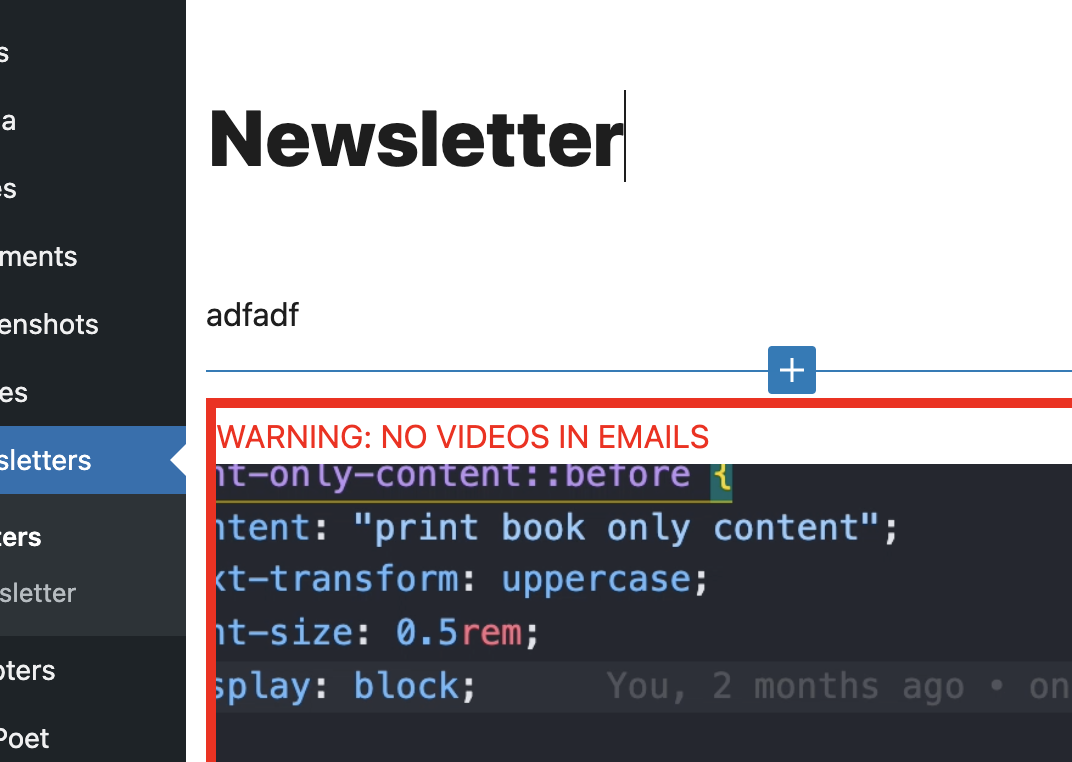
WordPress Admin Warnings in the Block Editor

We sent out an email the other week that ultimately had a <video> in the HTML markup. We send the newsletter by creating it here in the WordPress block editor, which is fetched through RSS-to-Mailchimp. Mailchimp dutifully sent it out, …

Image
Chris Coyier on Jul 16, 2021
Image
Direct link to the article A Crash Course in WordPress Block Filters
gutenberg WordPress WordPress blocks

A Crash Course in WordPress Block Filters

Blocks in WordPress are great. Drop some into the page, arrange them how you like, and you’ve got a pretty sweet landing page with little effort. But what if the default blocks in WordPress need a little tweaking? Like, what …

Image
Dmitry Mayorov on Jun 2, 2021 Updated on Nov 3, 2022
  • Image Newer
  • 1
  • 2
  • 3
  • Older Image

CSS-Tricks is powered by DigitalOcean.

Keep up to date on web dev

with our hand-crafted newsletter

DigitalOcean
  • About DO
  • Cloudways
  • Legal stuff
  • Get free credit!
CSS-Tricks
  • Contact
  • Write for CSS-Tricks!
  • Advertise with us
Social
  • RSS Feeds
  • CodePen
  • Mastodon
  • Bluesky
Back to Top
Advertisement