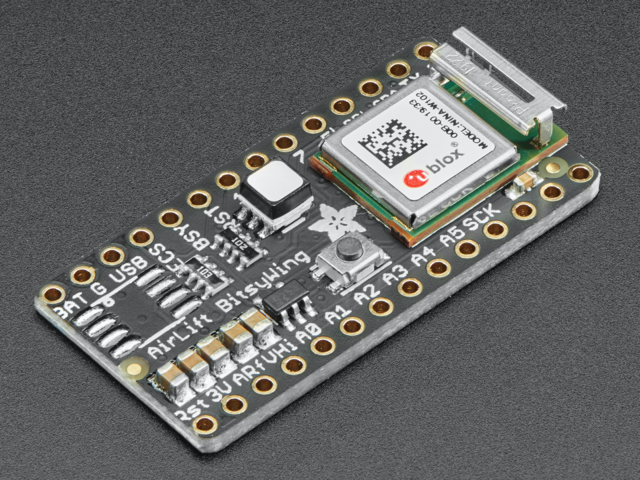
If you want to keep the firmware on your ESP32 WiFi-BLE co-processor up-to-date, you'll need to update the firmware on the ESP32.
You're going to to turn your board into a USB-to-Serial converter to flash new firmware to your ESP32 - no extra hardware required!
This process is mostly setup and should take from 10 to 20 minutes.
Why would I update my ESP32's firmware?
Using an ESP32 as a WiFi-BLE co-processor is a way to connect your CircuitPython and Arduino projects to the internet. Having WiFi managed by a separate chip means your code is simpler, you don't have to cache socket data, or compile in & debug an SSL library.
Adafruit ships a variety of products which use the ESP32 as a WiFi-BLE co-processor with a variant of the Arduino nina-fw core. This firmware is programmed to the ESP32 at the Adafruit factory. If you wish to update to a newer version of nina-fw, you'll need to upload it to the ESP32.
BLE is supported on the ESP32 co-processor only with version NINA_W102-1.7.1.bin or later of the firmware (released in October 2020). If you want BLE support, it is quite likely you'll need to upgrade.
Recent versions of the firmware (versions 3.x.x and up) have a much more complete and newer list of root certificates, which are needed to connect using SSL/TLS/HTTPS. This is another reason to upgrade.
External ESP32 Co-Processors
If you already have a project which uses a popular microcontroller (like the ATMega328 or ATSAMD51), you can easily add WiFi by using an externally connected ESP32 module.


ESP32 Co-Processor All-in-One Boards
Don't want to add extra hardware to your project? Consider grabbing a board which has an ESP32 WiFi co-processor built-in.


Page last edited November 12, 2025
Text editor powered by tinymce.