
 Ronald Caldwell
 You’ve been looking into web hosting options for your business or personal brand. You’ve explored several possibilities and have finally settled on cloud hosting. But then you notice there are different options to choose from: cloud dedicated server and cloud virtual private server (VPS).
So, which type of hosting will best meet your needs? If you’re not sure how to choose, we’ve got you covered.
In this cloud dedicated vs VPS review, we’ll compare the two hosting solutions and show you what each has to offer so you can make the best decision.
We’ll also explore their similarities, highlighting key features to expect when you opt for a cloud hosting solution.
Key points
- Both cloud VPS and cloud dedicated servers operate as virtualized environments.
- A cloud dedicated server is the only instance on a parent server, thus granting you exclusive access to its hardware resources.
- In a cloud VPS hosting setup, several virtual instances share a parent server’s hardware resources, each receiving a dedicated amount.
- Cloud dedicated servers deliver consistent performance. But, with cloud VPS, performance levels can vary depending on CPU usage among virtual machines on the same parent.
- Cloud VPS hosting is more cost-effective than cloud dedicated plans, making it perfect for small businesses.
- To make the best decision, consider your budget, the nature of your website or app, and how vital CPU performance consistency is to you.
Here’s what we’ll cover:
- Overview of cloud hosting
- What is a cloud VPS?
- What is a cloud dedicated server?
- Differences between cloud VPS and dedicated servers
- Cloud dedicated vs VPS: Side-by-side comparison
- Cloud dedicated vs VPS: How to choose
- What do you get from Liquid Web’s cloud VPS and dedicated servers?
- Final thoughts: Cloud VPS vs cloud dedicated server — how to choose
Overview of cloud hosting
Before we compare cloud dedicated vs VPS, let’s briefly examine cloud hosting in general.
Cloud hosting services run websites or applications on virtual servers that pull their resources from an extensive network of physical web servers.
These virtual servers are created using virtualization technology. This allows several virtual machines to run on a single physical server, each operating independently and with its own computing resources.
A software program known as a hypervisor manages this process. It partitions the hardware resources of the physical server and allocates them to each virtual server as needed.
Cloud hosting offers several advantages over traditional hosting types, such as shared, regular VPS, and bare metal server hosting.
Let’s look at a few of these benefits.
High availability
If one physical server in a cloud hosting environment fails, the virtual servers it hosts are instantly migrated to other available servers without having to manually reconfigure settings. This ensures business continuity with minimal downtime.
Contrast this with a traditional hosting setup where only one physical server provides computing resources. A server malfunction will result in website downtime, which can be costly for your business.
A 2023 Uptime Institute survey found that over two-thirds of organizational outages cost at least $100,000. You can minimize downtime by choosing a cloud provider with high-availability hosting plans. Liquid Web’s cloud infrastructure implements robust redundancy measures, ensuring your apps and websites are always reachable.
Scalability
In traditional hosting, there’s usually a limit to the number of available resources since everything runs on one physical server. If you require more resources, you’ll need to request your hosting company to upgrade your current server or provision an additional one, both of which take time and possibly cause downtime.
By contrast, virtual servers are powered by multiple interconnected physical servers, so it’s easier to scale resources as needed. A virtual server can draw from the available pool if it needs more resources during traffic spikes.
This process is instantaneous, meaning there are no downtimes or loss of valuable business.
Liquid Web’s cloud hosting solutions ensure seamless scalability, so you can easily adjust server resources to meet your site’s dynamic needs.
Control and customization
Unlike shared hosting, which restricts your configurations and the types of software you can install, cloud hosting offers a high level of control. It lets you customize your server environment to suit your needs.
At Liquid Web, both cloud dedicated and cloud VPS solutions give you root access to your server. This means you can configure the server settings, install custom software, and manage resources as needed. With this level of customization, you can optimize your hosting environment for better performance.
Security
According to a 2023 IBM survey, losses from a data breach average $4.45 million. Cloud hosting can improve your online security posture, helping you mitigate these financial risks.
While the virtual servers in a cloud environment may share physical resources, each server exists in isolation. Therefore, security breaches or vulnerabilities on another cloud server will not affect yours.
Liquid Web’s cloud hosting solutions include security features like intrusion detection, firewalls, malware scanning, SSL certificates, and regular backups, further protecting your web assets from malicious actors and data loss.
Now that we’ve examined how cloud hosting works and its advantages over other types of hosting, let’s compare its two primary forms: cloud VPS and cloud dedicated servers.
What is a cloud VPS?
In cloud VPS hosting, a hypervisor creates and runs several virtual servers on one physical server. These virtualized instances share the physical server’s hardware resources. However, each operates independently, with its dedicated resources, including CPU, RAM, storage, and bandwidth.
The main difference between a cloud VPS and regular VPS hosting is that, in the former, several physical servers in the same cloud network provide computing resources.
In addition, users can seamlessly move a cloud VPS to a different hardware, i.e., a different physical server, while the VPS continues to run.
What is a cloud dedicated server?
A cloud dedicated server is also a virtualized server instance hosted on a physical server.
However, unlike a cloud VPS, where multiple virtual instances coexist on the same parent server, a cloud dedicated server is the only instance on the parent. Therefore, it offers exclusive access to all the parent server’s hardware resources.
Differences between cloud VPS and dedicated servers
While cloud VPS and cloud dedicated servers share certain features, they differ in several ways. Understanding the differences between these two servers is crucial in choosing the best hosting option that meets your unique requirements.
Let’s look at its key differences.
CPU resources
Because a cloud dedicated server is the only instance on a parent server, all the CPU resources are assigned to it. For example, if there are six physical CPU cores on the parent server, all of them will be available for use by the cloud dedicated server.
Conversely, in a cloud VPS setup, all virtual instances must share the available CPU cores on the physical server’s hardware. This can potentially impact server performance, further differentiating these hosting options, as explained below.
Performance
Website performance is one of the most essential elements when running a business. It can affect everything from brand perception to user experience and conversion rate optimization.
Roughly 83% of visitors expect webpages to load in three seconds or less, so they may abandon a website that takes longer. Additionally, according to Portent, an online store’s conversion rate reduces by 0.3% for every extra second the page takes to load.
Since you’re not competing with other virtual instances for processing power, a cloud dedicated server offers more predictable performance. It also allows you to use your virtual instance’s CPU at maximum capacity.
With a cloud VPS, if other servers on the network aren’t using much of the CPU’s processing power, you might get more CPU time on the physical server, resulting in better performance. But, if other servers are operating at maximum capacity, there may not be enough server resources to accommodate all requests.
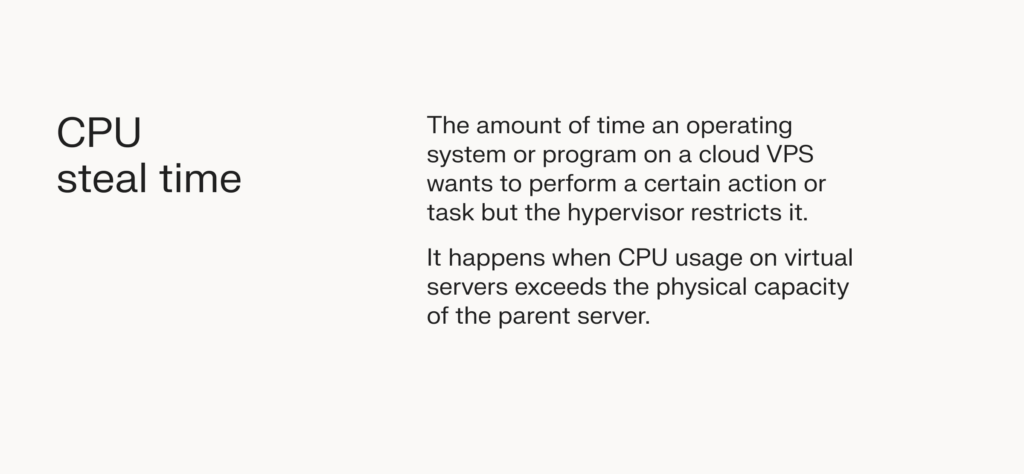
The hypervisor that manages the CPU resource allocation process may need to temporarily pause the execution of tasks on one virtual server to allow others to run first. This pause is known as CPU steal time, which manifests as slowed performance on your cloud VPS.
At Liquid Web, we prioritize server performance and speed on all our offerings, so we take proactive steps to minimize CPU steal time. These include constantly monitoring the activity level of our hypervisors. If we notice too much load on your current hypervisor, we can migrate your cloud VPS to one with a less intensive load.
Memory and storage space
Memory and storage space are also different for both types of servers.
In a cloud VPS, all virtual instances share the resources of the parent server they currently reside on, so they tend to have more restrictive caps. For example, Liquid Web’s cloud VPS plans typically offer RAM options of 1 GB to 32 GB and SSD storage options of 30 GB to 640 GB.
Conversely, cloud dedicated servers provide a bit more flexibility in memory and storage since there’s only one virtual instance on the parent server. With Liquid Web, cloud dedicated servers offer between 14.1 GB and 121.6 GB of RAM and between 391 GB and 3.22 TB of storage.
Cost
The cost of both cloud dedicated servers and cloud VPS varies across different plans. The higher the amount of computing resources (e.g., RAM, storage, and bandwidth) in your hosting plan, the more you’ll pay.
However, cloud dedicated servers cost more on average since they offer exclusive access to a physical server’s hardware resources, unlike cloud VPS, where multiple virtual servers share the computing resources of a parent server.
Cloud dedicated vs VPS: Side-by-side comparison
The table below highlights the primary differences between cloud VPS and cloud dedicated plans.
| Cloud dedicated server | Cloud VPS | |
|---|---|---|
| Number of virtual servers on the parent server | One. | More than one. |
| Cost | Expensive. | Cost-effective. |
| CPU | Virtual servers get exclusive access to all CPU cores of the same parent. | Virtual servers share the CPU cores of the parent. |
| Memory and storage | Higher limits. | More restrictive limits since virtual server instances share the resources of the parent. |
| Performance | Consistent performance. | Performance can be influenced by CPU demands from other virtual servers. |
| Use cases | Best for CPU-intensive workloads and high-traffic websites or databases. | Best for small websites and apps with low- to medium-traffic requirements. |
Cloud dedicated vs VPS: How to choose
Having examined the differences between cloud VPS vs dedicated servers, let’s consider how to choose the best option for your hosting needs.
The following questions can help you decide:
What’s your budget?
Budget is one of the major factors influencing the cloud dedicated vs VPS decision.
If you have ample funds, a cloud dedicated server is naturally the superior choice. You won’t share physical hardware resources (particularly CPU cores) with other users, which means more processing power and better performance.
But if you have a limited budget, a cloud VPS offers a good balance between performance and affordability. Cloud VPS hosting is also a solid starting point for beginners — you can always switch to a cloud dedicated server if your hosting needs increase.
What kind of websites or applications are you hosting?

Due to its affordability, a cloud VPS delivers great value to small websites and applications with low-to-medium CPU requirements.
These include:
- Low- to medium-traffic websites and databases.
- Development and staging environments.
- Static websites.
- Landing pages.
- Personal blogs.
- Online forums.
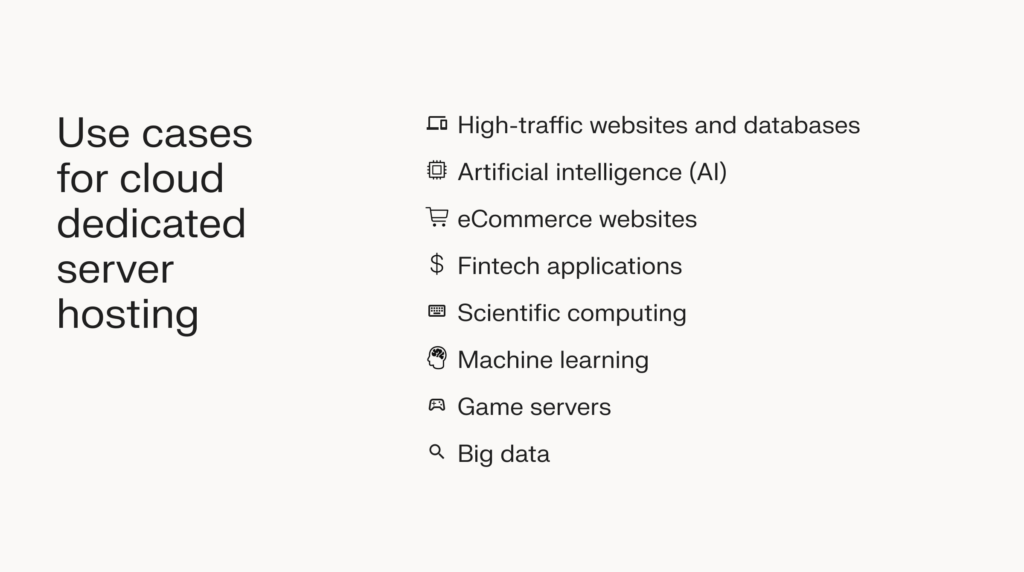
On the other hand, if you’re hosting resource-intensive websites, applications, or databases, a cloud dedicated server offers all the resources and isolation you need for optimal performance. Additionally, they offer scalability from memory optimization all the way up to GPU server customization.
Possible use cases include:
- High-traffic websites and databases.
- Artificial intelligence (AI).
- eCommerce websites.
- Fintech applications.
- Scientific computing.
- Machine learning.
- Game servers.
- Big data.
How critical is performance consistency to you?
If your websites or apps demand consistent performance, a cloud dedicated server is a superior choice.
By opting for this option, you eliminate performance fluctuations caused by CPU contention, i.e., when multiple servers compete for a CPU’s processing power. Your processing power stays unaffected by neighboring workloads, ensuring optimal performance for mission-critical websites or apps.
On the other hand, if consistently high CPU performance is not a necessity, you can reduce hosting costs by choosing a cloud VPS plan.
What do you get from Liquid Web’s cloud VPS and dedicated servers?
Liquid Web is a leading provider of cloud dedicated and cloud VPS hosting solutions, offering a wide range of plans to suit different needs.
Each solution comes with multiple IT support and management options to choose from, including:
- Self-Managed (also called unmanaged) — Includes fully managed network infrastructure, system-level monitoring, and 24/7/365 access to support.
- Core Managed — All the benefits of a self-managed plan plus the installation and support of software packages.
- Fully Managed — All the perks of Core Managed plus virus and spam protection, full control panel support, and free external migrations.
- Premier — You’ll get all the benefits of a fully managed plan plus dedicated resources, an account management team, and custom solutions that facilitate brand growth.
Whether you choose our cloud dedicated or cloud VPS plans, you’ll get the following features and add-ons to further enhance your hosting experience:
- 100% network and power uptime SLAs.
- Imunify360 Plus.
- InterWorx, Plesk, and cPanel control panels.
- Dedicated IP address.
- DDoS protection.
- Cloudflare CDN.
- Gigabit Uplink.
- Root access.
To make the best decision between our cloud hosting plans, consider your budget, the nature and complexity of your website or app, and the importance of performance consistency to your business.
Final thoughts: Cloud VPS vs cloud dedicated server — how to choose
Both cloud dedicated servers and cloud VPS offer dedicated computing resources with the flexibility and on-demand provisioning of cloud technology.
However, in cloud dedicated hosting, there’s only one virtual instance on a parent server, while a cloud VPS setup usually includes several virtual instances on the same parent server.
A cloud dedicated server delivers consistently high performance but at a high monetary cost. This makes it perfect for resource-intensive tasks where performance predictability is crucial.
Conversely, cloud VPS hosting is more cost-effective but might be prone to performance inconsistencies due to the sharing of resources between servers. Therefore, it works best for situations where CPU performance doesn’t need to be consistently high.
If you’re still undecided between cloud dedicated vs cloud VPS hosting, we’re happy to assist. We’ll help you analyze your specific needs and circumstances to figure out the best option. Contact us to speak to one of our experts today.
Note on the publishing date: This blog was originally published in May 2019. It has since been updated for accuracy and comprehensiveness.
