

Restoring a MySQL Database from a Backup
Sometimes when you make changes to your server or website, something can go wrong! When this happens, the fastest way to get your site back online is to restore clean files from a backup. We recommend taking a manual backup of your MySQL databases whenever you are going to perform major upgrades or changes. You can learn how in Backing Up a MySQL Database. This article will cover restoring those backups.
You can restore your MySQL databases using:
Using cPanel to Restore MySQL Databases
If you aren’t familiar with using the command line interface, use cPanel to restore your MySQL databases.
- Log into your cPanel account. If you aren’t sure how to log into cPanel, check out Getting Started with cPanel.
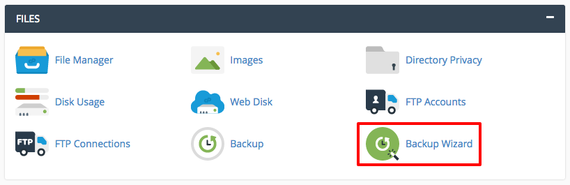
- In the Files section of the cPanel home page, click on Backup Wizard.

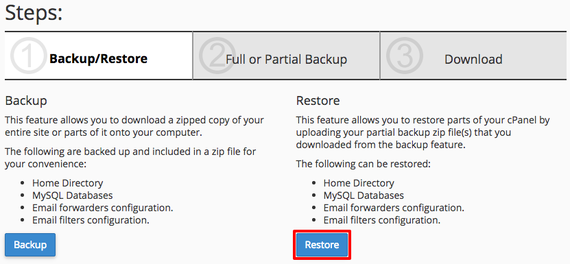
- The wizard will walk you through restoring your databases from a database file. Click on Restore.

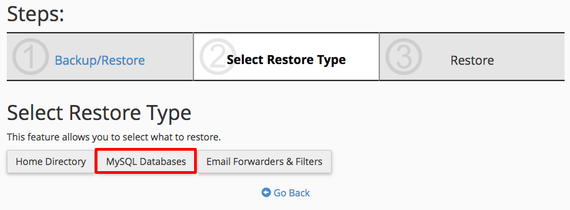
- To just restore your MySQL Databases, click on MySQL Databases under Select Restore Type.

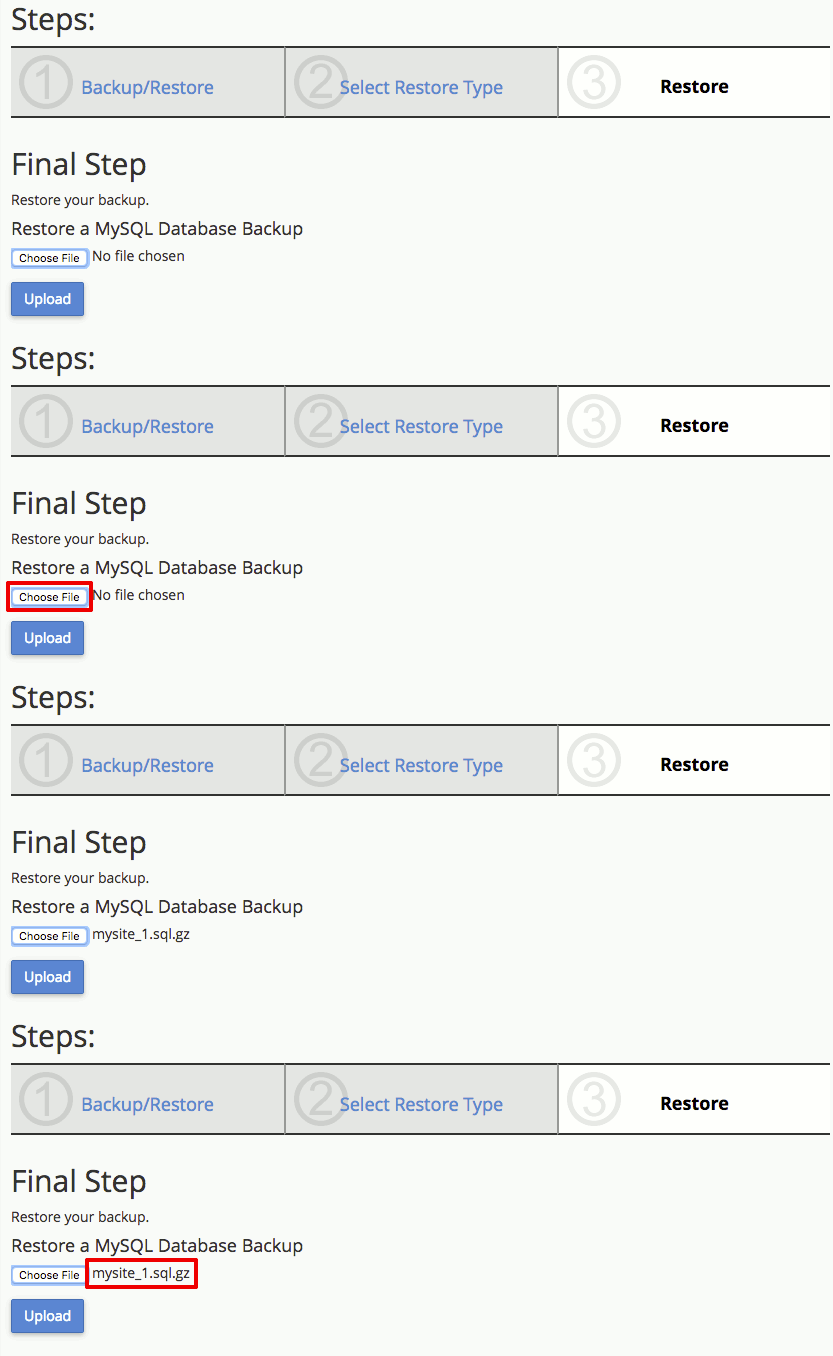
- Click Choose File and select the database file you’d like to restore. These files are usually .sql.gz files.

- Now click Upload to restore your MySQL database.


You’ve successfully restored a MySQL database!
Using Command Line to Restore MySQL Databases
If you’re familiar with using the command line for server tasks, restoring MySQL databases is easy!
- Using the terminal program of your choice, log into your server as root. If you haven’t logged into your server using the command line before, read Logging into Your Server via Secure Shell (SSH) first.
- When you use mysqldump to “dump” databases, it saves a series of commands that will rebuild the database and all the data fields. So, you simply have MySQL run the commands. In your command prompt, type:
mysql database_name < database_name.sql
Remember to replace “database_name” with the database you want to rebuild and “database_name.sql” with the name of the backup file. Then press Enter. Your database will be rebuilt!
Restoring All Databases
If you dumped all your databases into a single file, you can also restore them all at once using:
mysql --one-database database_name < all_databases.sql
That’s all! You’ve successfully restored your MySQL database from a backup file.
