-
-
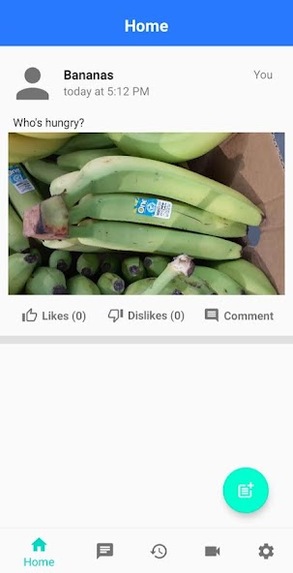
In the home screen, you can publish your own posts to other users on the app. If you feel something is worth everybody knowing, post away!
-
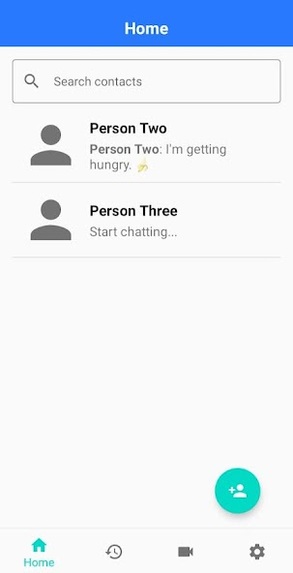
This screenshot displays the user's current friends and who they're able to message and chat with.
-
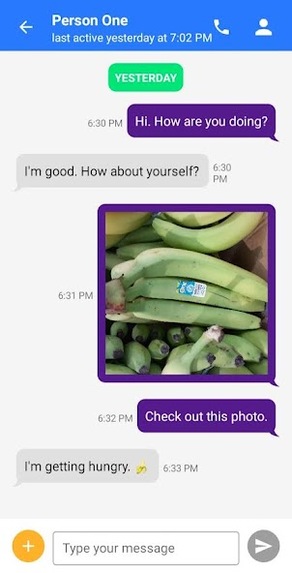
In the messages screen, you can message, share images, PDFs, and documents with other users, like any other instant-messaging app!
-
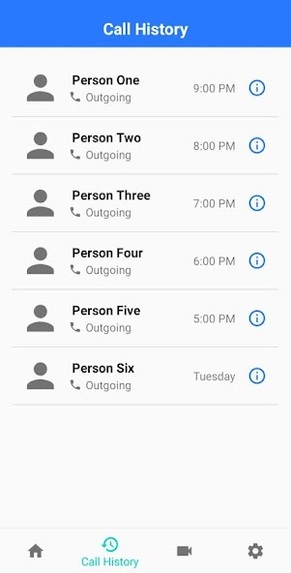
This screenshot simply shows the call history of the user.
-
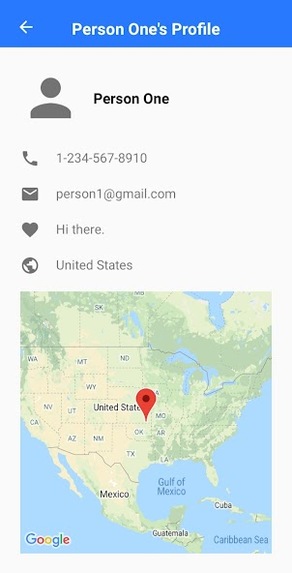
This screenshot simply shows a display of a user's profile, including their name, email address, profile status, and where they're from.
-
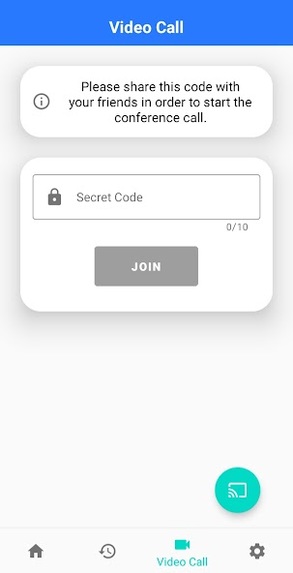
This is where the magic happens! In the video call screen, you can make conference calls to other users by providing a secret code to join.
-
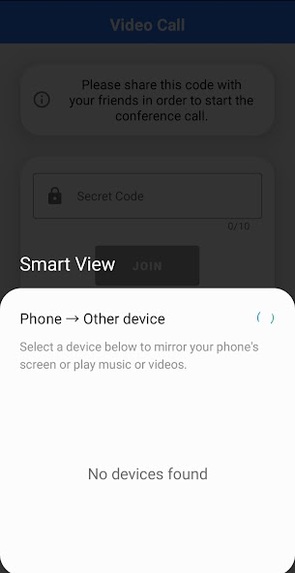
This is a screenshot where the phone is attempting to sync with nearby devices for casting.
-
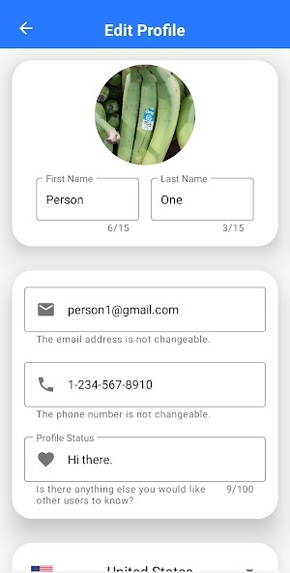
This is a screenshot where users can freely update their profile in user settings.


What was my inspiration story?
Tell me this doesn’t sound familiar to you. You’re in a FaceTime call, Zoom call, Google hangout, WeChat, or Skype on your phone or tablet with someone, let’s say your grandma for example. She tries to show you a picture on her phone or wave a piece of writing in front of you. “It’s hard to see,” you reply. Even though this is a simple example (from my experiences seeing my mother and grandmother having difficulties communicating with each other via FaceTime on their phones), isn’t it a pain to video call somebody again and again on a small phone or tablet screen? Wouldn’t you prefer to have a nice and decent conversation with them on a larger screen instead like a TV? That way it would make it seem like they're actually in the room with you—like an almost life-size display. And it sure would be easier to see what grandma’s trying to show you.
But wait, can’t I already do that by hooking up a HDMI cable between my laptop and the TV? Yes, you’re right, but think about the extra steps of having to get up and fetch the HDMI cable and then connect the two devices together and then set it up on the TV. A pain, right? What if I told you an app could do this step by simply pressing one button? A lot easier, right?
This is where TalkZone comes into play!
Ok so, what does TalkZone do now?
TalkZone enables you to video call somebody from your own TV for a better video-calling experience. It also contains some of the typical characteristics of a social networking app like instant-messaging and posting in a more EASY-TO-USE and SIMPLIFIED setting without a gazillion buttons, unlike Facebook, Twitter, or any other "advanced" social media apps available now. TalkZone is especially apt for the elderly population who aren't as "tech-savy" as students like us and have a difficult time navigating through these "advanced" apps. Additionally, the user may freely make calls to those they're friends with, but please note that additional charges will apply as necessary for international phone calls, depending on your mobile plan. ** I will not be held responsible. **
Further improved upon in this hackathon, I optimized audio processing and video transmission by integrating functionalities of the Jitsi Meet SDK to allow for conference calls with multiple people, instead of one-to-one calls with only two people. Ultimately, I want to increase and improve communication amongst users and make it as simple and enjoyable as possible.
What challenges did I face in the development process?
At the start, thinking of an idea was definitely a challenge. I kept thinking of doing something new with artificial intelligence and machine learning (e.g., stock prediction analysis, yoga posture analyzer, etc.) even though I was a little inexperienced, but I came to realize it would easier and more practical to create an additional conference calling feature in one of my existing Android apps; ** I can't emphasize I could have never thought of this idea independently, only after talking with other fellow hackers and my brother was I able to think of this idea **.
In the past twenty-five hours, I did have some difficulty with getting adjusted to the Jitsi Meet SDK. When I initially opened the online documentation, I was completely lost and was worried that I may have to make massive changes to my code, potentially leading to a final design that contained multiple bugs and wouldn't work correctly. And so, I spent two to three hours
What accomplishments am I proud of?
As mentioned above, I initially presumed I would have trouble incorporating the functions of Jitsi Meet SDK into my app to create a cohesive design, without making any massive changes to my code and having no bugs. But I was wrong — after watching a few YouTube videos and reading a few articles, I saw the Jitsi Meet SDK contains many functions that make it easy to create a conference meeting reference variable, initiate calls, end calls, chat with others, etc. I'm glad I was able to use this SDK, especially in the given time constraint.
I'm proud I was able to expand on a previously-developed idea for this hackathon. Starting from scratch and building something new in twenty-five hours is a challenge, but having a pre-existing and improving upon it was significantly easier. Integrating the conference calling feature into my app was able to lead to a better final design, and I'm proud to showcase it to others in this hackathon.
What did I learn in the past twenty-five hours?
Besides learning more about how to use the functions of the Jitsi Meet SDK, this project ultimately taught me skills like how to get feedback from the people I'm surrounded by and learning to be adaptable when things do not go according to plan. Although the duration of the hackathon was quite constrained at twenty-five hours, I was able to briefly converse with my friends and family members on feature implementation, for it was valuable—it made the development process engaging and helped me integrate the conference call feature into my app, which I never could have thought of independently.
What's next for TalkZone?
In this hackathon, I relied on the Jitsi Meet SDK to incorporate the conference call functionality into my app, but this is, in reality, a shortcut to achieving this goal of connecting multiple people together. In the future, I hope to learn by myself how I can use solely Android SDKs and essentially design my own implementation of the conference call functionality, without relying on SDKs outside of Android.
What's the goal of TalkZone, in a few sentences?
Ultimately, TalkZone is aimed to increase and improve communication amongst users and make it as simple and enjoyable as possible. It's especially targeted towards the elderly population who have trouble with using technology nowadays. Given the COVID-19 pandemic has slowly died down now, most people still remain confined in their homes and resort to using technology as their main form of communication. I just want to make the whole process easier and simpler!
Built With
- android
- android-studio
- java
- jisti-meet-sdk


Log in or sign up for Devpost to join the conversation.