

How to Connect
You or your agent can find all information viaopenapi.json requires a bearer token:
Getting an API token
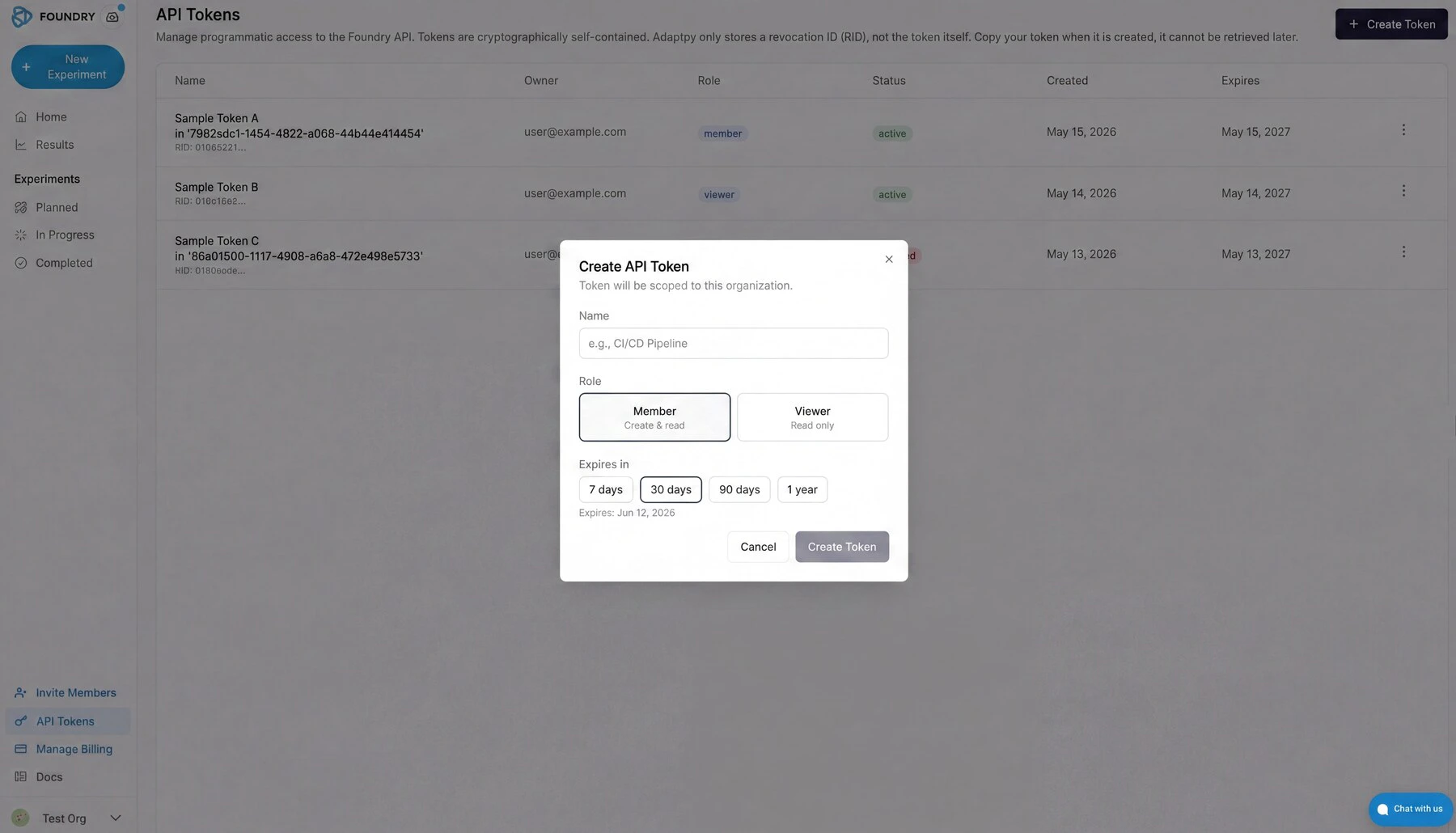
API tokens live in the Foundry portal under Organization → Settings → Tokens. Existing tokens for your organization show their owner, role, status, creation date, and expiry. The Create Token button is in the top right.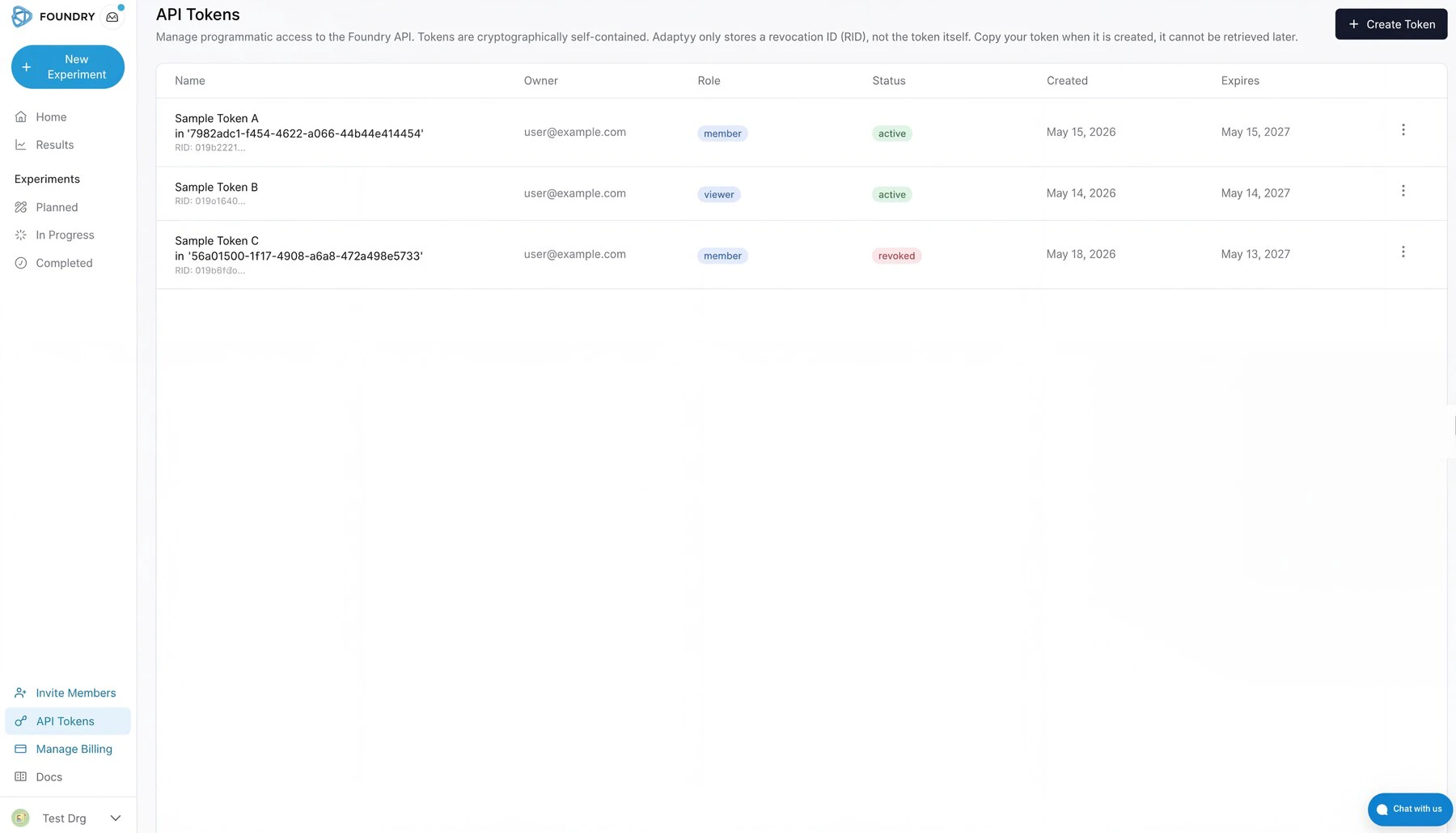
What the API covers
The API exposes five resource groups. Together, they support the full experiment lifecycle: browse targets, submit sequences, track progress, and collect results. Targets: Browse our catalog of available target antigens programmatically. You can filter by name, vendor, or self-service availability. Targets for which we have a calibrated self-service price allow instant cost estimates and automated checkout. Experiments: Create experiments by specifying a target and one or more protein sequences. Five experiment types are available:
For more information about each see the experiment types documentation.
Sequences: List, inspect, and add sequences to draft experiments. Each sequence is a single amino acid string; multi-chain formats (Fab heavy:light) use a colon separator.
Results: Retrieve experimental data once the lab completes your run. Results include binding classifications, kinetic constants, melting temperatures, or expression levels, depending on experiment type.
Quotes and invoices: Review pricing, confirm quotes, and access invoices for your experiments.
Experiment lifecycle
The diagram below shows how an experiment moves from draft to delivered results. You control the transitions on the left (create, submit, confirm); everything on the right happens in the lab. API status values and what they mean:
You can poll status at any time with
GET /experiments/{id}. The results_status field tells you whether results are none, partial, or all without fetching the full dataset. To receive push notifications instead of polling, pass a webhook_url when creating the experiment.
Quick example
This snippet creates a binding screen against a target from the catalog:Filtering and sorting
List endpoints acceptfilter, sort, and search query parameters.
Filtering uses an s-expression syntax, in order to make it easier for you (and your agents) to compose complex filter conditions.
Wrap the expression in the filter parameter:
eq, neq, gt, gte, lt, lte, contains, between, in, is_null, is_not_null. Combine with and, or, not.
Sorting uses asc(field) or desc(field):
limit (1—100, default 50) and offset as usual:
Webhooks
Register awebhook_url when you create an experiment to receive push notifications instead of polling:
webhook_url on an experiment, you receive an experiment_update POST for every customer-facing update we post to that experiment — the same updates that trigger an email notification.
Each delivery is an HTTP POST with this body:
Verifying deliveries
Every request carries these headers:
Verify the signature over the raw body with your webhook secret before trusting a payload:
2xx to acknowledge. Deliveries are retried up to 3 times with exponential backoff on network errors and 5xx responses; a 4xx is treated as permanent and not retried.
Cost estimates
Before committing to an experiment, you can get a cost estimate:SDKs
Official Python SDK:adaptyv-sdk.
Using the API from Claude and other AI assistants
The same endpoints are exposed as MCP tools athttps://mcp.adaptyvbio.com/mcp/. Point Claude Code, Claude Desktop, Cursor, or your own MCP-aware client at that URL with your Foundry token in the Authorization header, and the agent calls the API for you in plain English. See MCP Server for the connection details and a walkthrough of what it enables.