
rli) provides both an interactive terminal UI and traditional CLI commands for managing your Runloop resources.
npm Package
@runloop/rl-cli
GitHub Repository
runloopai/rl-cli
Installation
Setup
Configure your API key:Quick Start
- Interactive Mode
- CLI Mode
Launch the interactive UI with a beautiful terminal interface:Navigate with arrow keys, select with Enter, and manage all your resources visually.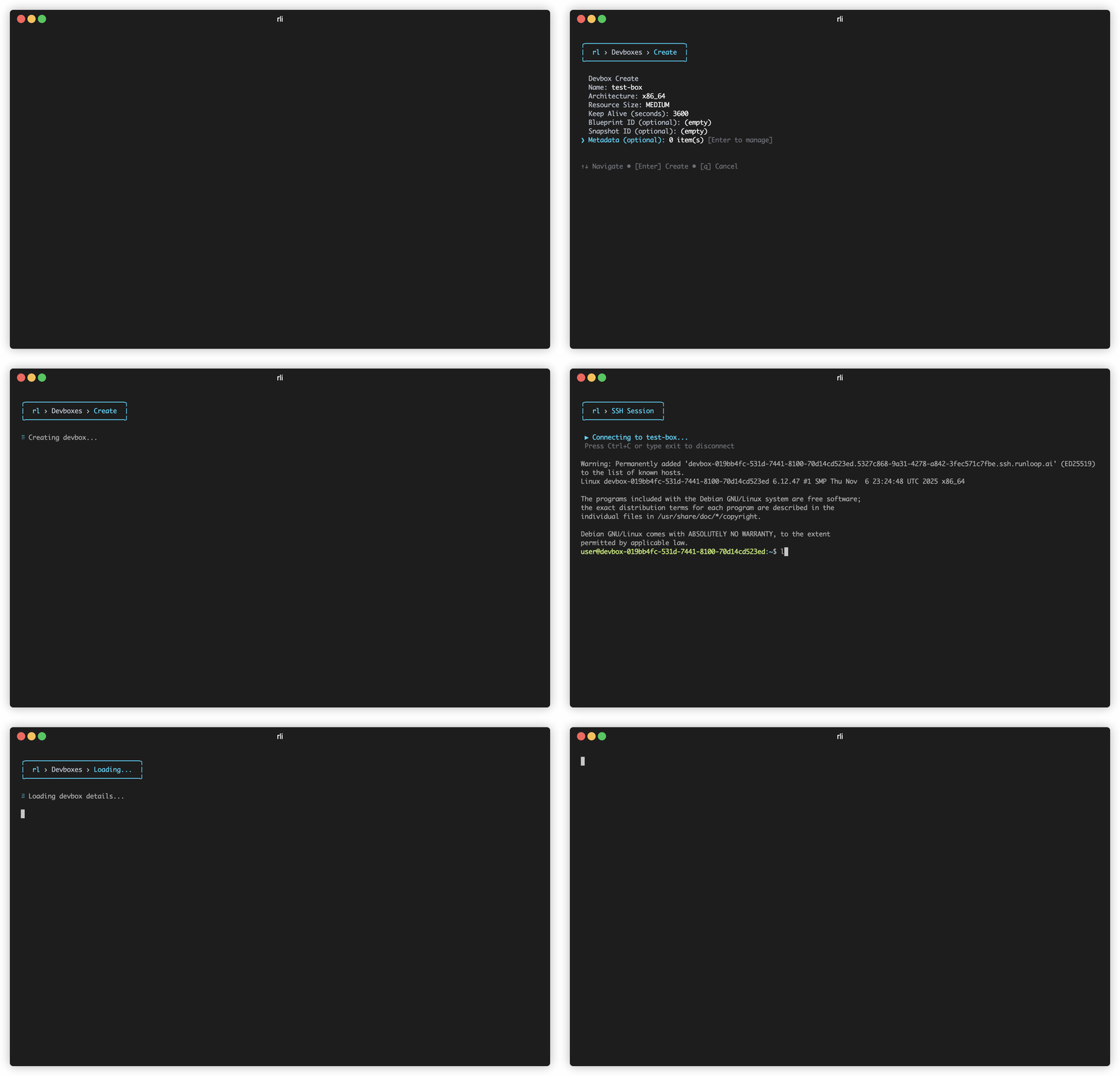
Search Devboxes
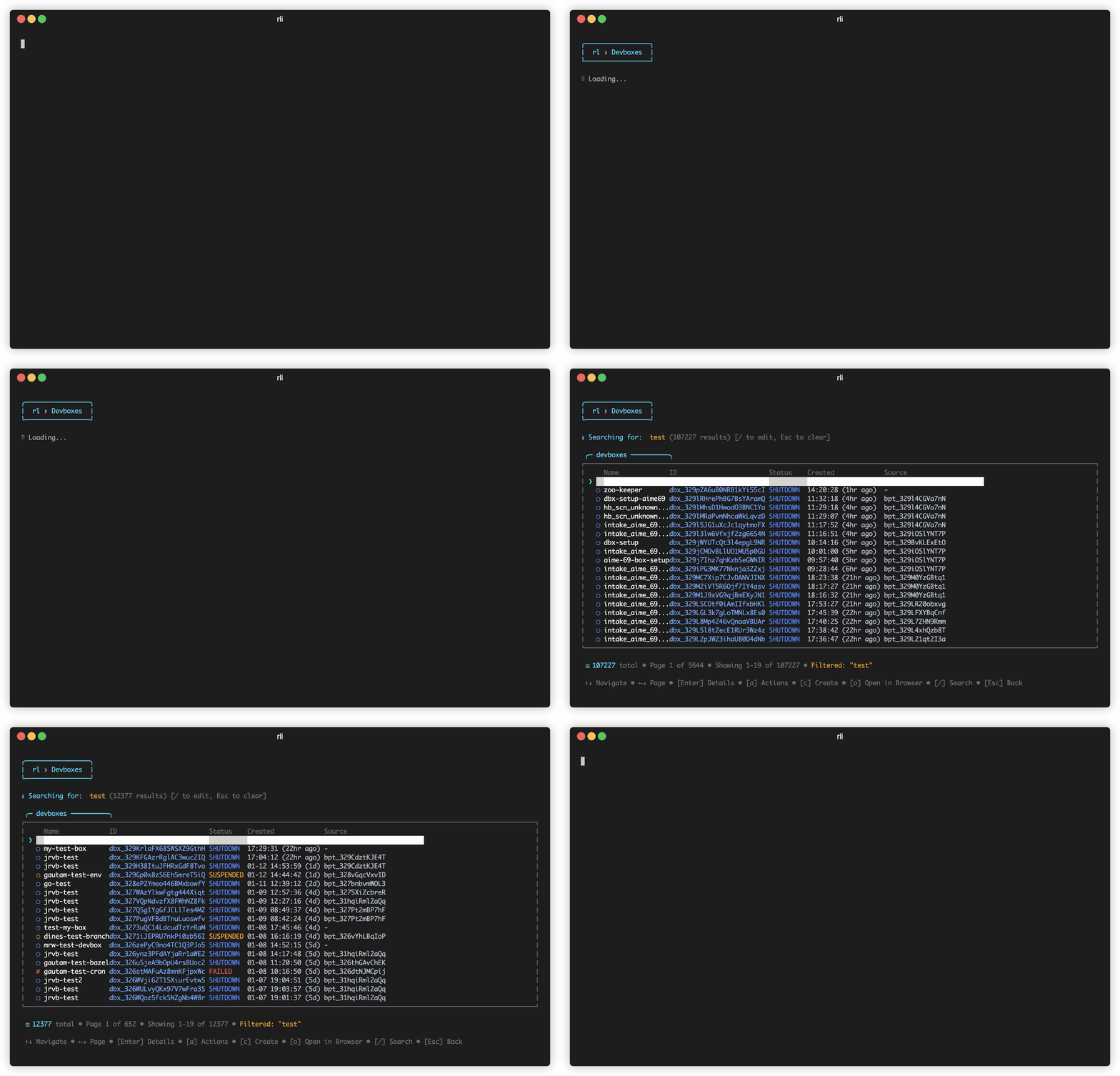
Press/ to search and filter through your devboxes by name or ID.SSH to Devbox
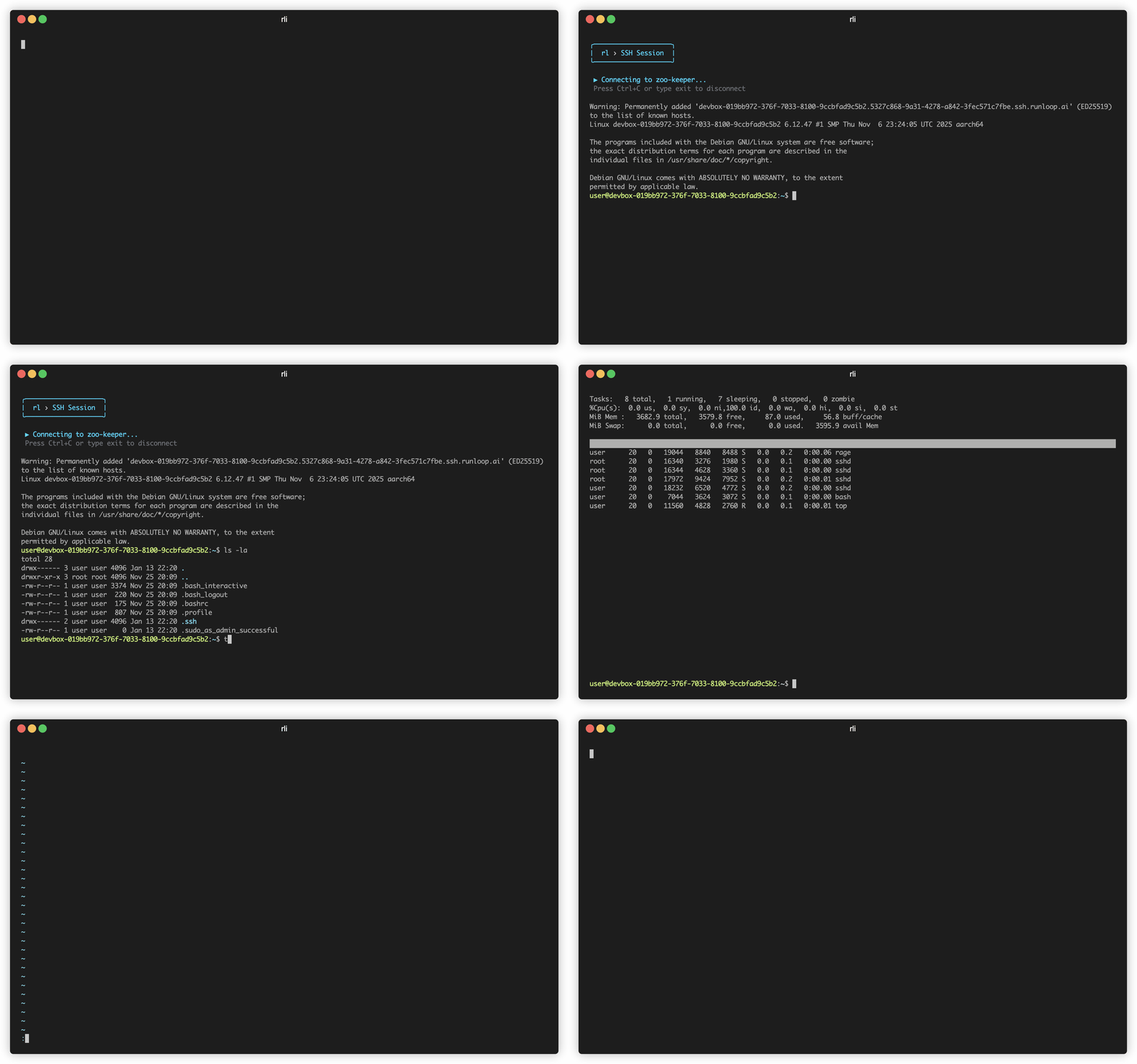
From the interactive menu, select a devbox and choose SSH to open a secure shell session directly into your devbox. The CLI handles all the SSH key setup and connection details automatically.Command Groups
Devbox
Create, manage, and interact with devboxes
Benchmark Job
Run and manage orchestrated benchmarks
Snapshot
Create and manage devbox snapshots
Blueprint
Manage reusable devbox templates
Object
Upload and manage file objects
Command Reference
Devbox Commands
create
create
Create a new devbox
Devbox name
Snapshot ID to use (alias: —snapshot)
Snapshot ID to use
Blueprint name or ID to use
Resource size (X_SMALL, SMALL, MEDIUM, LARGE, X_LARGE, XX_LARGE)
Architecture (arm64, x86_64)
Entrypoint command to run
Initialization commands to run on startup
Environment variables (format: KEY=value)
Secrets to inject as environment variables (format: ENV_VAR=SECRET_NAME)
Code mount configurations (JSON format)
Idle time in seconds before idle action
Action on idle (shutdown, suspend)
Available ports
Run as root
Run as this user (format: username:uid)
Network policy ID to apply
Tunnel authentication mode (open, authenticated)
Gateway configurations (format: ENV_PREFIX=gateway_id_or_name,secret_id_or_name)
MCP configurations (format: ENV_VAR_NAME=mcp_config_id_or_name,secret_id_or_name)
list
list
delete
delete
Shutdown a devbox
exec
exec
upload
upload
get
get
Get devbox details
suspend
suspend
Suspend a devbox
resume
resume
Resume a suspended devbox
shutdown
shutdown
Shutdown a devbox
ssh
ssh
scp
scp
Copy files to/from a devbox using scp (e.g. rli devbox scp dbx_id:/remote ./local)
Additional scp options (quoted)
rsync
rsync
Sync files to/from a devbox using rsync (e.g. rli devbox rsync dbx_id:/remote ./local)
Additional rsync options (quoted)
tunnel
tunnel
read
read
write
write
download
download
exec-async
exec-async
get-async
get-async
Get status of an async execution
send-stdin
send-stdin
logs
logs
View devbox logs
Benchmark Job Commands
Run orchestrated benchmarks at cloud scale. See Orchestrated Benchmarks for detailed usage.run
run
Run a benchmark job with one or more agentsSupported public agents:
Agent(s) to run. Format:
agent:model (e.g., claude-code:claude-sonnet-4-6). Can specify multiple.Benchmark ID or name to run
Scenario IDs to run (alternative to —benchmark)
Name for this job
Environment variables (format: KEY=value)
Secrets to inject (format: ENV_VAR=SECRET_NAME)
Agent timeout in seconds
Number of attempts per scenario
Number of concurrent trials
Timeout multiplier
claude-code, codex, opencode, goose, gemini-cliwatch
watch
Watch benchmark job progress in real-time (full-screen)
summary
summary
list
list
Snapshot Commands
create
create
delete
delete
Delete a snapshot
get
get
Get snapshot details
prune
prune
status
status
Get snapshot operation status
Blueprint Commands
create
create
Create a new blueprint
Blueprint name (required)
Dockerfile contents
Dockerfile path
System setup commands
Resource size (X_SMALL, SMALL, MEDIUM, LARGE, X_LARGE, XX_LARGE)
Architecture (arm64, x86_64)
Available ports
Run as root
Run as this user (format: username:uid)
Metadata tags (format: key=value)
get
get
Get blueprint details by name or ID (IDs start with bpt_)
logs
logs
Get blueprint build logs by name or ID (IDs start with bpt_)
delete
delete
Delete a blueprint by ID
prune
prune
from-dockerfile
from-dockerfile
Create a blueprint from a Dockerfile with build context support
Blueprint name (required)
Build context directory (default: current directory)
Dockerfile path (default: Dockerfile in build context)
System setup commands
Resource size (X_SMALL, SMALL, MEDIUM, LARGE, X_LARGE, XX_LARGE)
Architecture (arm64, x86_64)
Available ports
Run as root
Run as this user (format: username:uid)
Metadata tags (format: key=value)
TTL in seconds for the build context object (default: 3600)
Object Commands
list
list
List objects
Max results
Starting point for pagination
Filter by name (partial match supported)
Filter by content type
Filter by state (UPLOADING, READ_ONLY, DELETED)
Search by object ID or name
List public objects only
get
get
Get object details
download
download
upload
upload
delete
delete
Delete an object (irreversible)
Network-policy Commands
list
list
get
get
Get network policy details
create
create
Create a new network policy
Policy name (required)
Policy description
Allow all egress traffic
Allow devbox-to-devbox communication
Allow Agent gateway access
Allow MCP gateway access
List of allowed hostnames for egress
delete
delete
Delete a network policy
Secret Commands
create
create
Create a new secret. Value can be piped via stdin (e.g., echo ‘val’ | rli secret create name) or entered interactively with masked input for security.
list
list
get
get
Get secret metadata by name
update
update
Update a secret value (value from stdin or secure prompt)
delete
delete
Gateway-config Commands
create
create
Create a new gateway configuration
Gateway config name (required)
Target endpoint URL (required)
Use Bearer token authentication (default)
Use custom header authentication (specify header key name)
Description
get
get
Get gateway configuration details
update
update
delete
delete
Delete a gateway configuration
Mcp-config Commands
create
create
get
get
Get MCP configuration details
update
update
delete
delete
Delete an MCP configuration
Mcp Commands
start
start
install
install
Install Runloop MCP server configuration in Claude Desktop
Scenario Commands
info
info
Display scenario definition details
MCP Server (AI Integration)
The CLI includes a Model Context Protocol (MCP) server that allows AI assistants like Claude to interact with your devboxes.
Quick Setup for Claude Desktop
Server Modes
- Stdio (Claude Desktop)
- HTTP (Web/Remote)
Output Formats
All commands support multiple output formats via the--output flag:
JSON output for programmatic parsing
YAML output for configuration files
Plain text output for human readability
Contributing
The Runloop CLI is open-source. We welcome contributions!GitHub Repository
View source code and submit PRs
Report Issues
Report bugs or request features
