

Overview
The officialn8n-nodes-scrapegraphai community node exposes the full v2 API as a single node with seven resources: Scrape, Extract, Search, Crawl, Monitor, History, and Credit. Drop it into any n8n workflow, point it at a URL, and you get markdown, structured JSON, screenshots, or a recurring monitor — wired into the rest of your stack via the 400+ nodes n8n already ships with.
Package on npm
n8n-nodes-scrapegraphaiSource on GitHub
Issues, PRs, and the changelog
Installation
Inside your n8n instance, open Settings → Community Nodes → Install and enter:Self-hosted n8n only — n8n Cloud does not yet allow community nodes. If you don’t have a host, follow the self-hosting guide.
Credentials
Add a new ScrapeGraphAI API credential and paste your API key. n8n will hitGET /api/credits to verify the key — a green banner confirms it works.
Get your API key from the ScrapeGraphAI dashboard.
What’s in the node
Every content-producing operation (Scrape / Extract / Search) exposes an Output parameter with three modes — Simplified, Raw, or Selected Fields — so the response shape stays predictable when chained into AI Agent tools or downstream nodes.
Tour the modules
Drop a ScrapeGraphAI node onto the canvas, pick a credential, and the Resource dropdown gives you everything the v2 API exposes: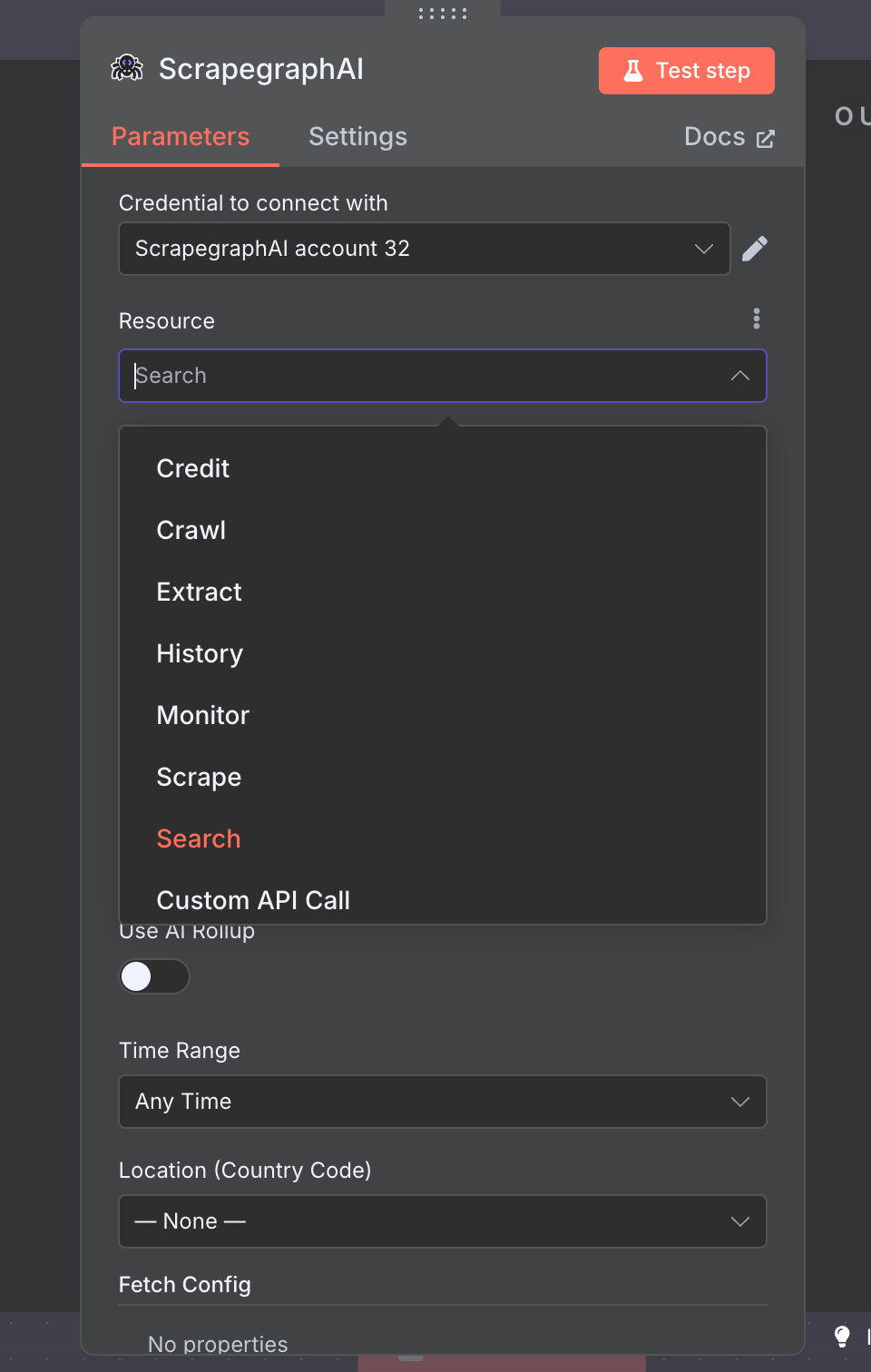
Scrape
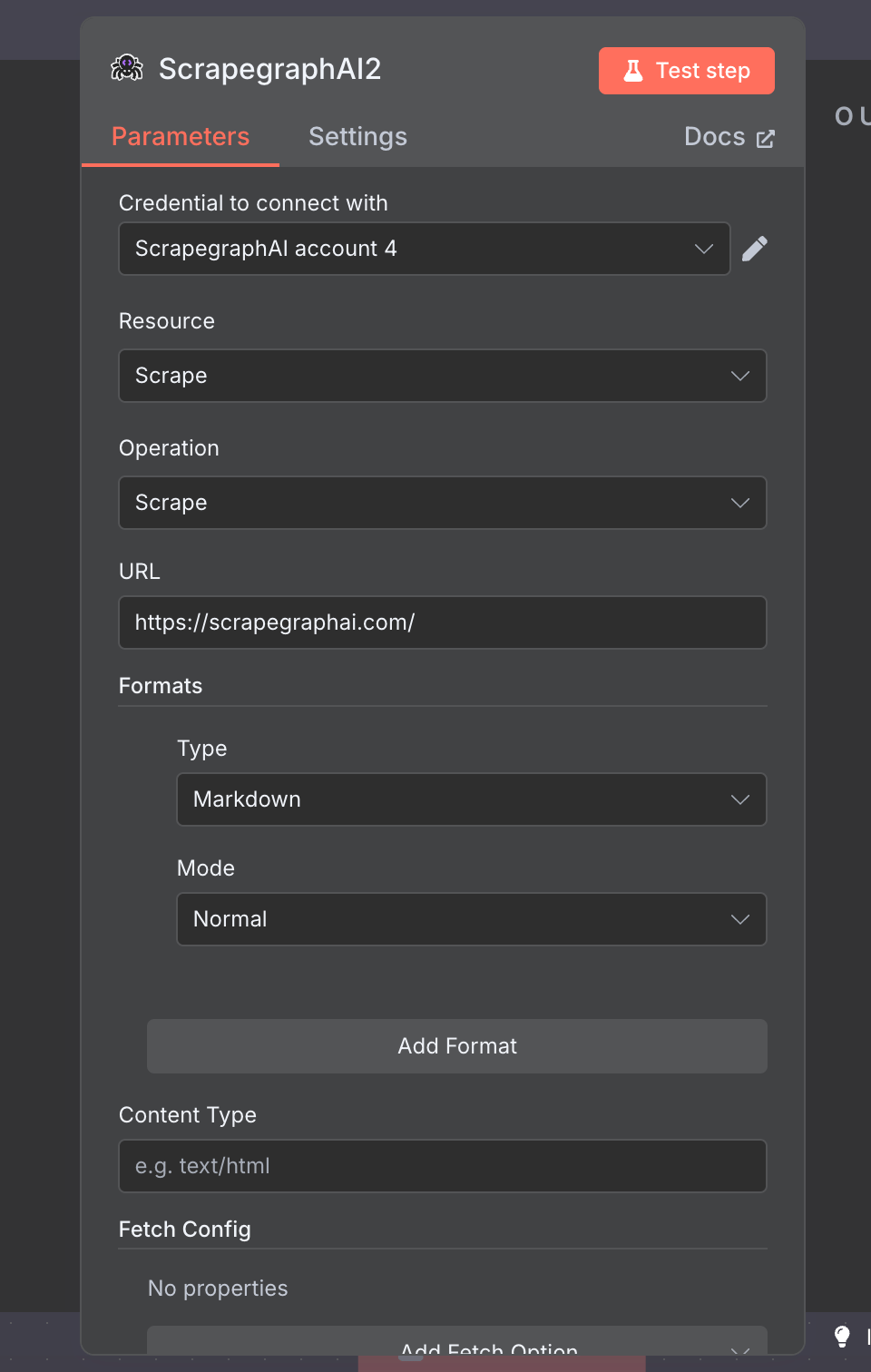
Fetch a page in one or more formats — markdown, HTML, JSON (AI extraction), screenshot, links, summary, or branding. Add as manyFormat rows as you need; each one carries its own per-format options.
Extract
Run a natural-language prompt over a URL, raw HTML, or markdown. Toggle Use JSON Schema to constrain the output shape.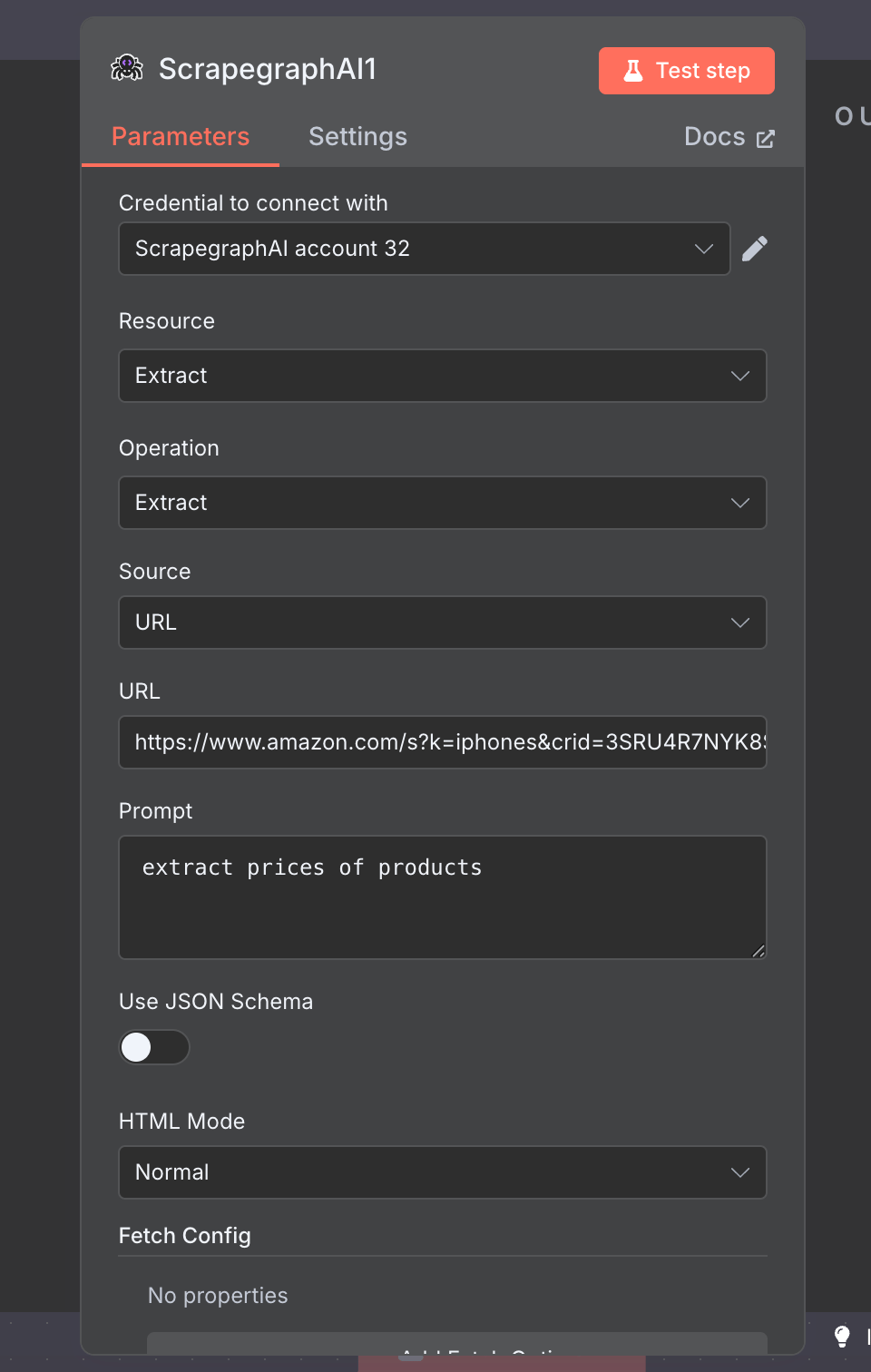
Search
Run an AI-powered web search and get the top results with content already fetched. Toggle Use AI Rollup to summarise across all results in one call.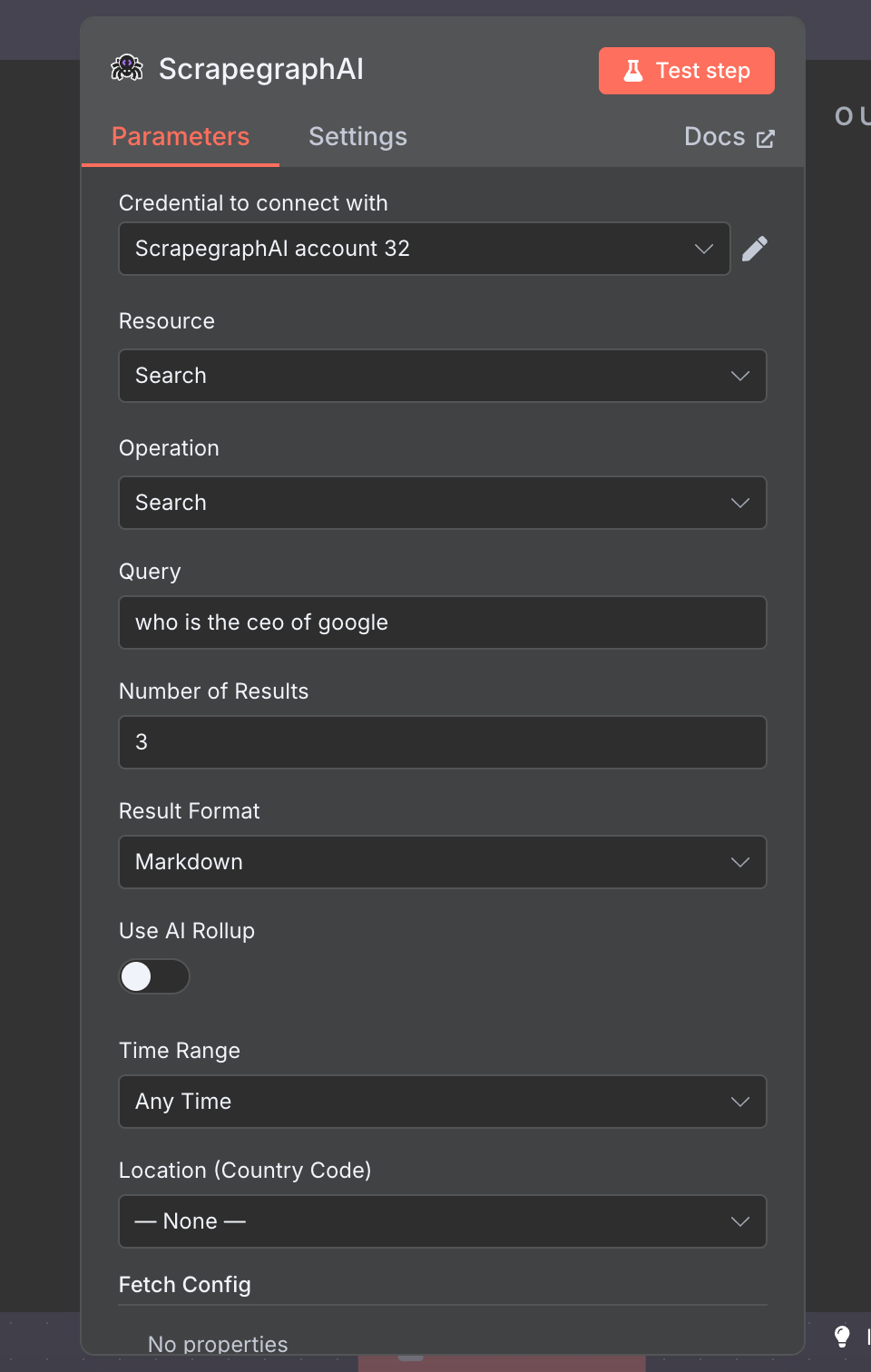
Crawl
Asynchronous multi-page crawl with five operations: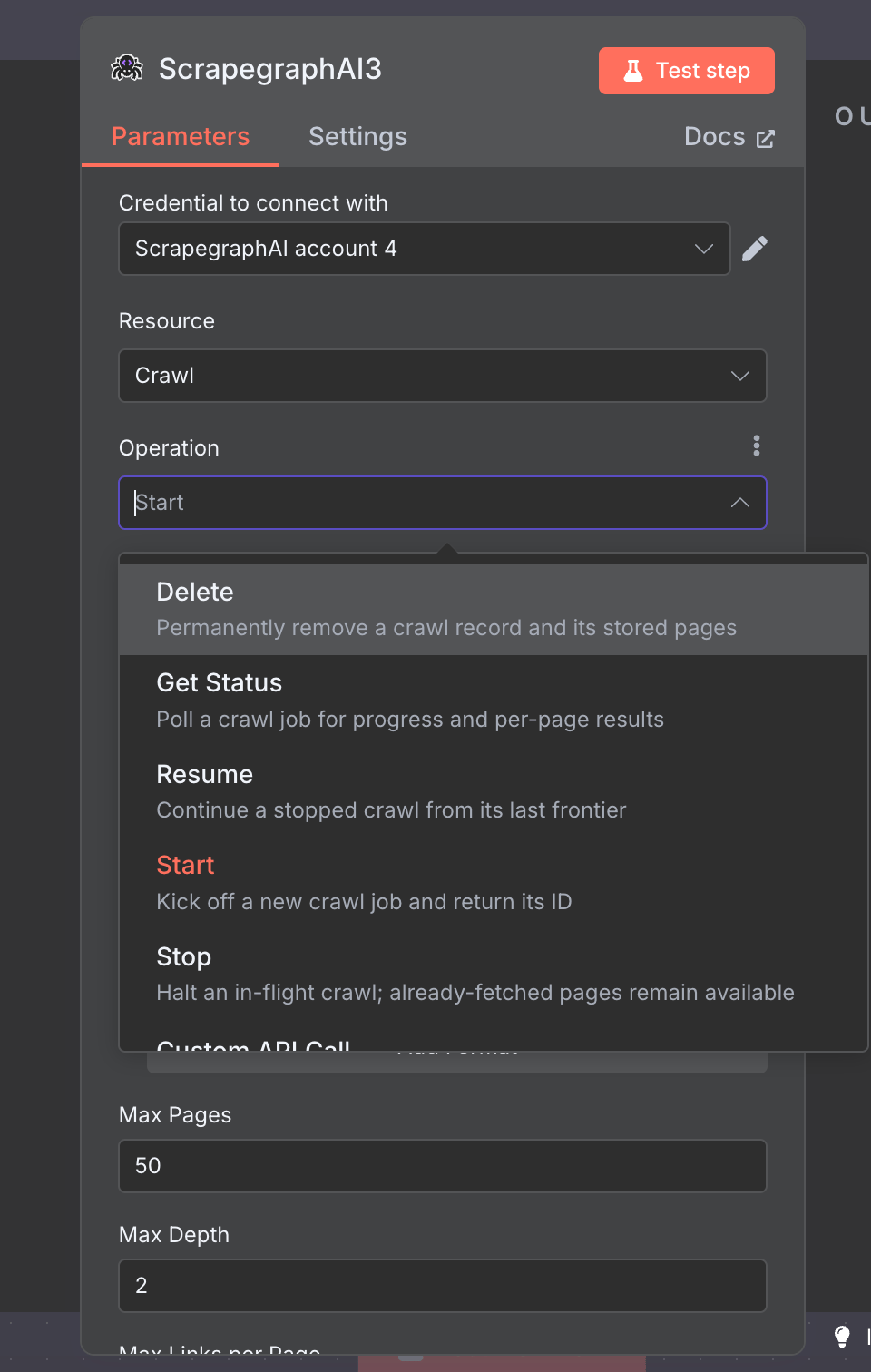
Start kicks off a crawl and returns a job ID — the other ops drive the lifecycle (poll, halt, resume, clean up).
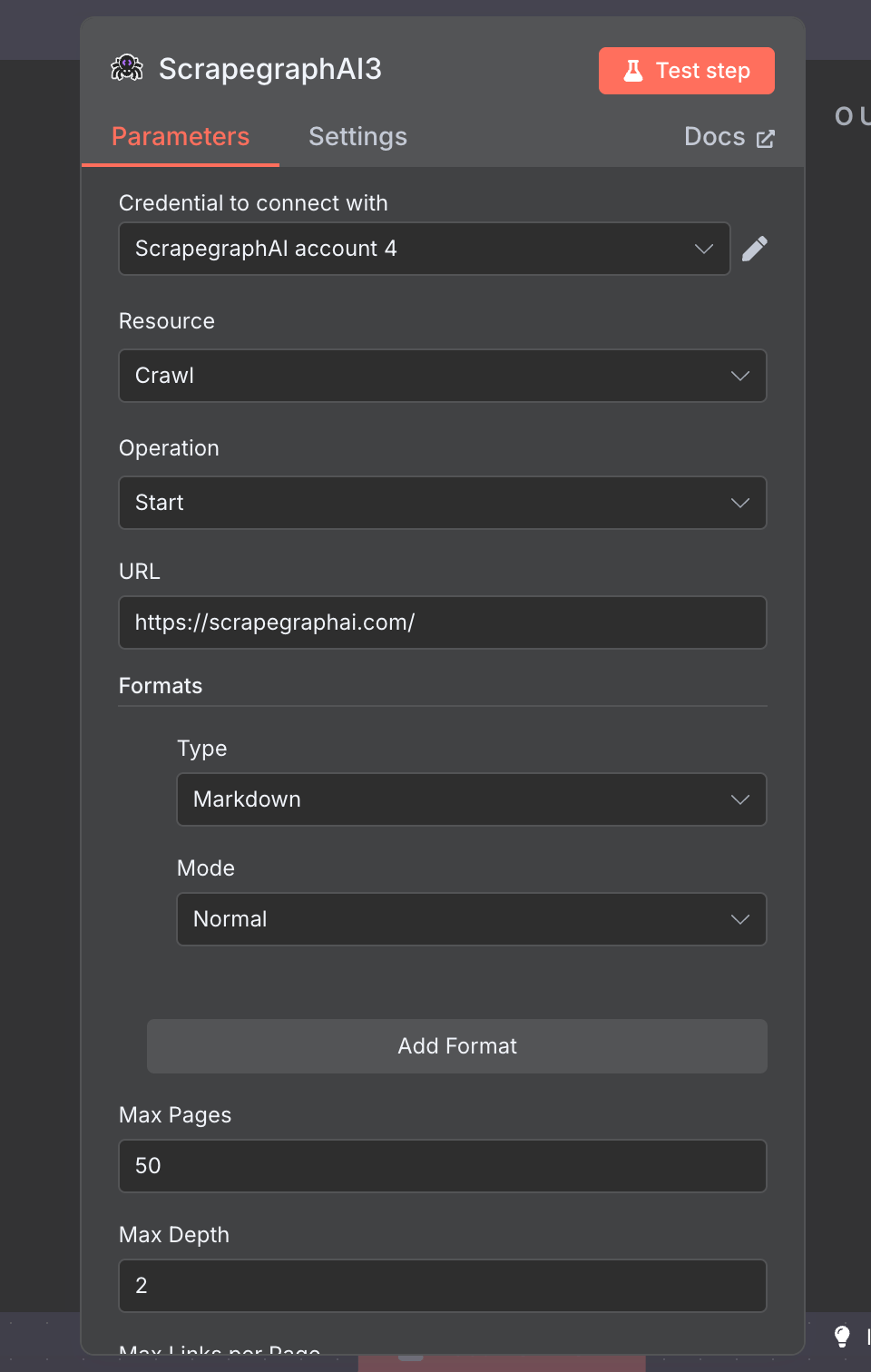
Monitor
Cron-scheduled fetches with diff detection and webhook delivery. Eight operations cover the whole monitor lifecycle: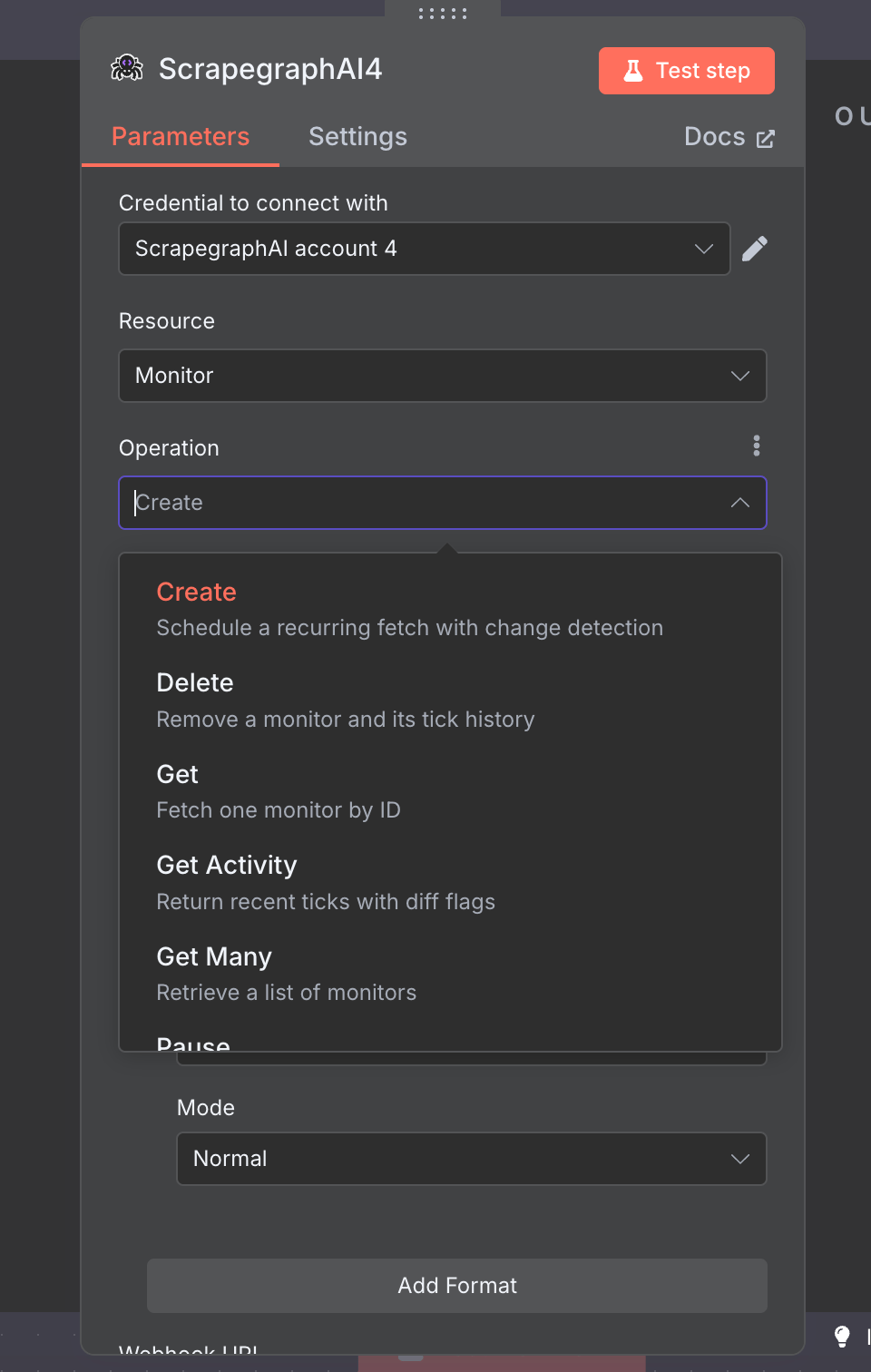
Create schedules a recurring fetch; Get Activity returns recent ticks with diff flags so you can react to changes.
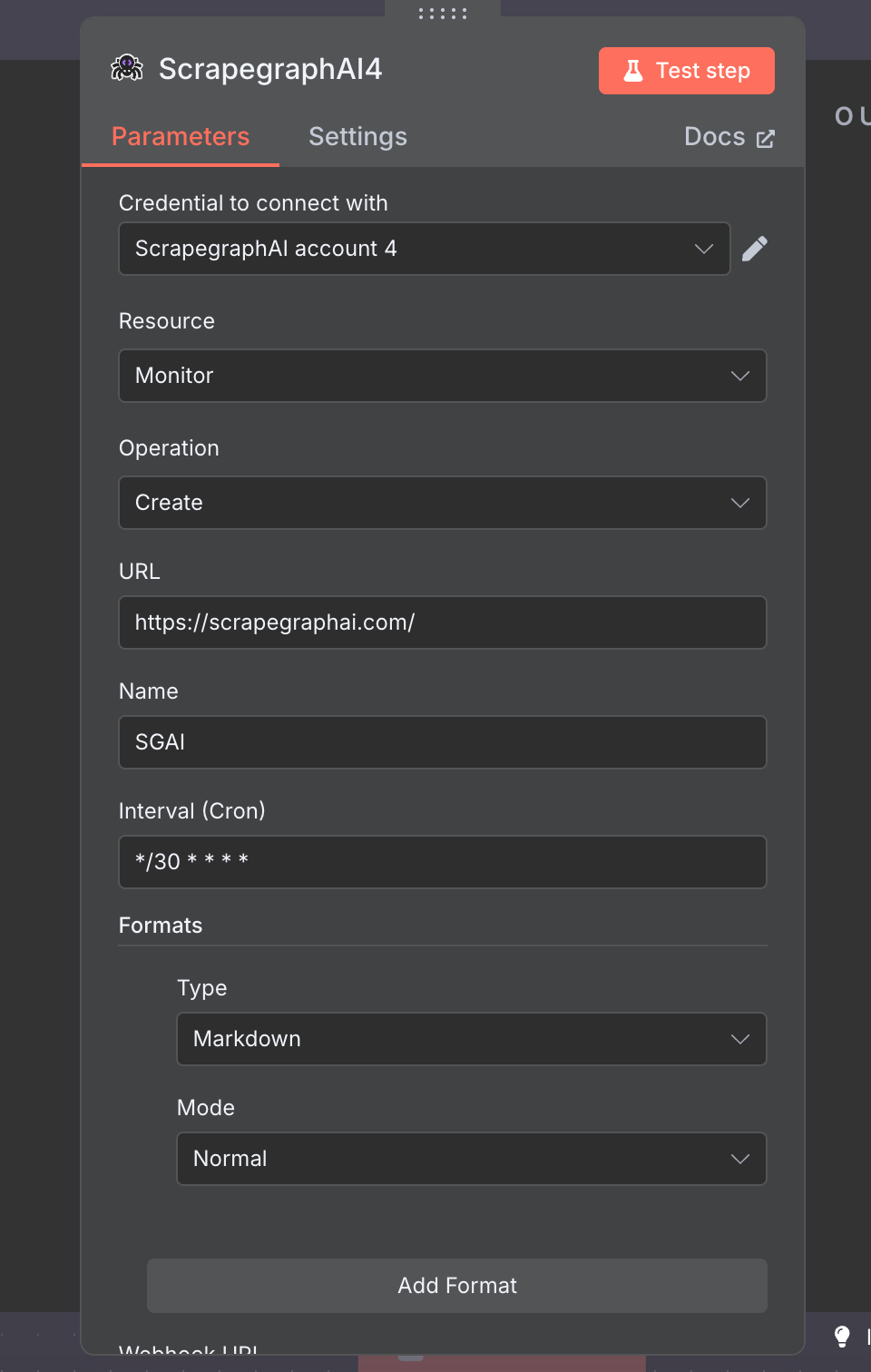
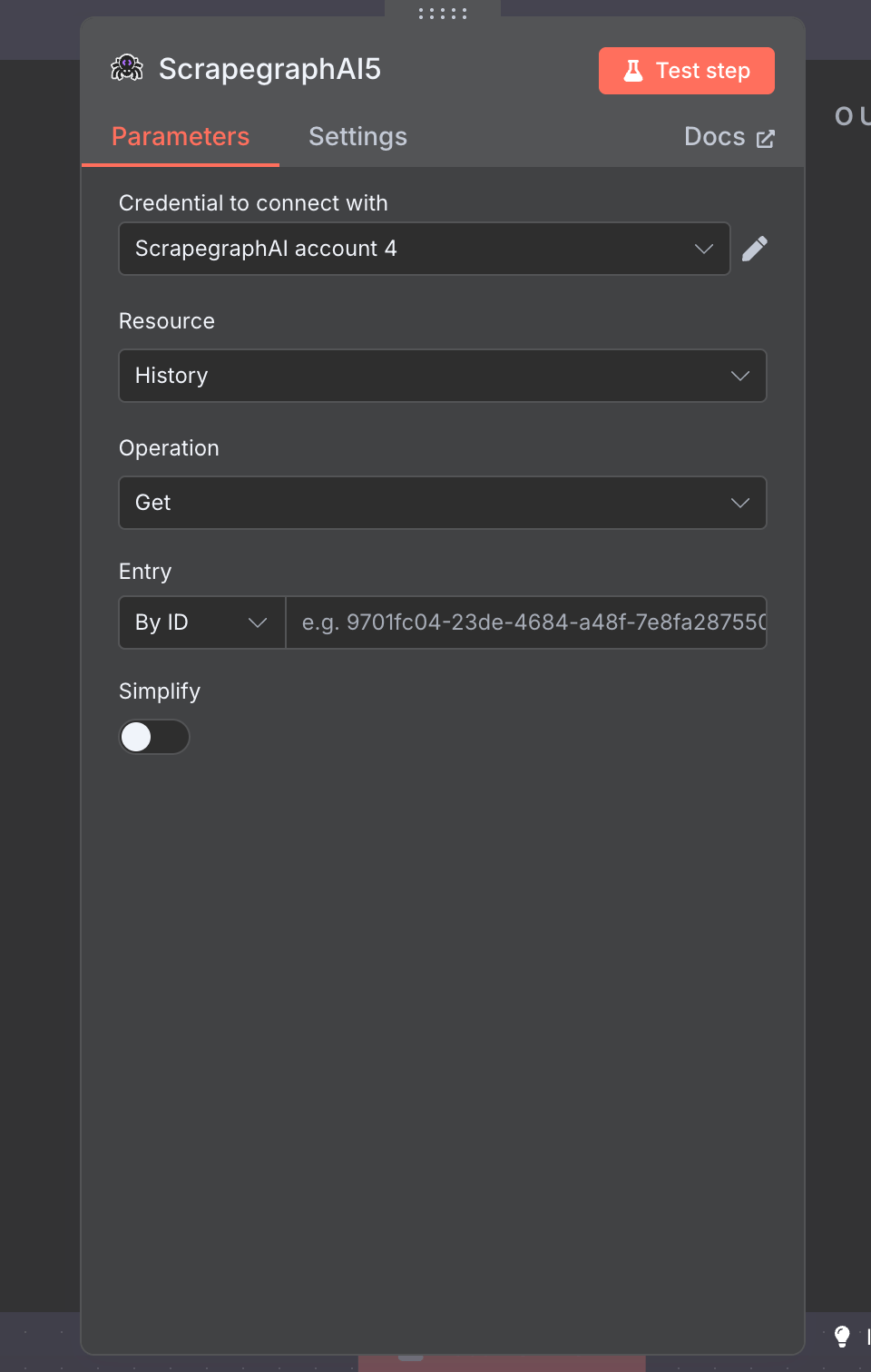
History
Look up past results byscrapeRefId. Used to retrieve full content for crawled pages (Crawl returns pointers, History fetches the bytes).
Credit
Quick check on remaining credits and current plan. Zero-config — pick the resource, hit Test step.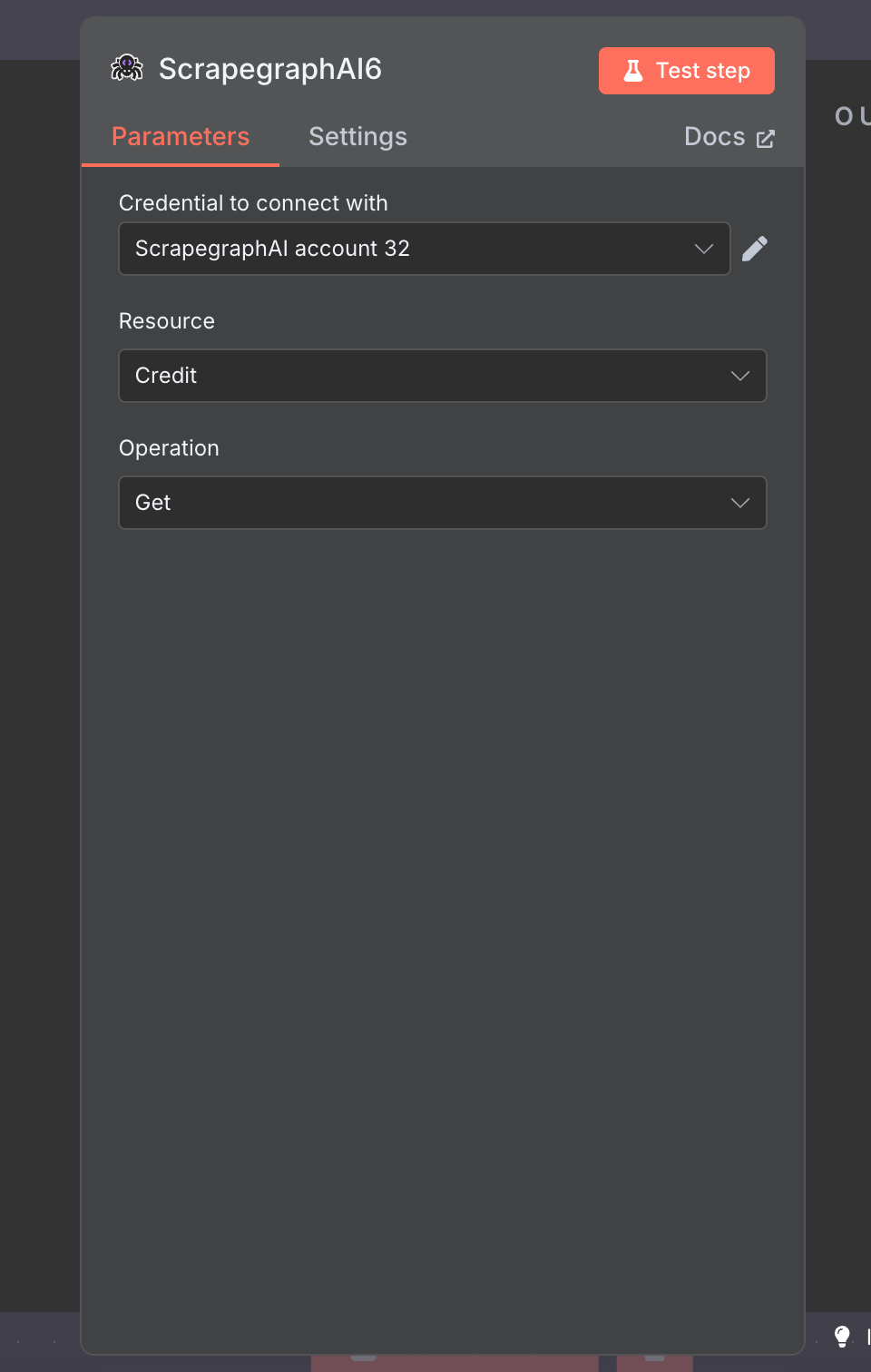
Example workflow: crawl a site, save every page to Airtable
End-to-end walkthrough that chains Crawl → Wait → Crawl Status → Split Out → History → Airtable. The same pattern works for Notion, Google Sheets, Postgres, S3 — anywhere n8n can write.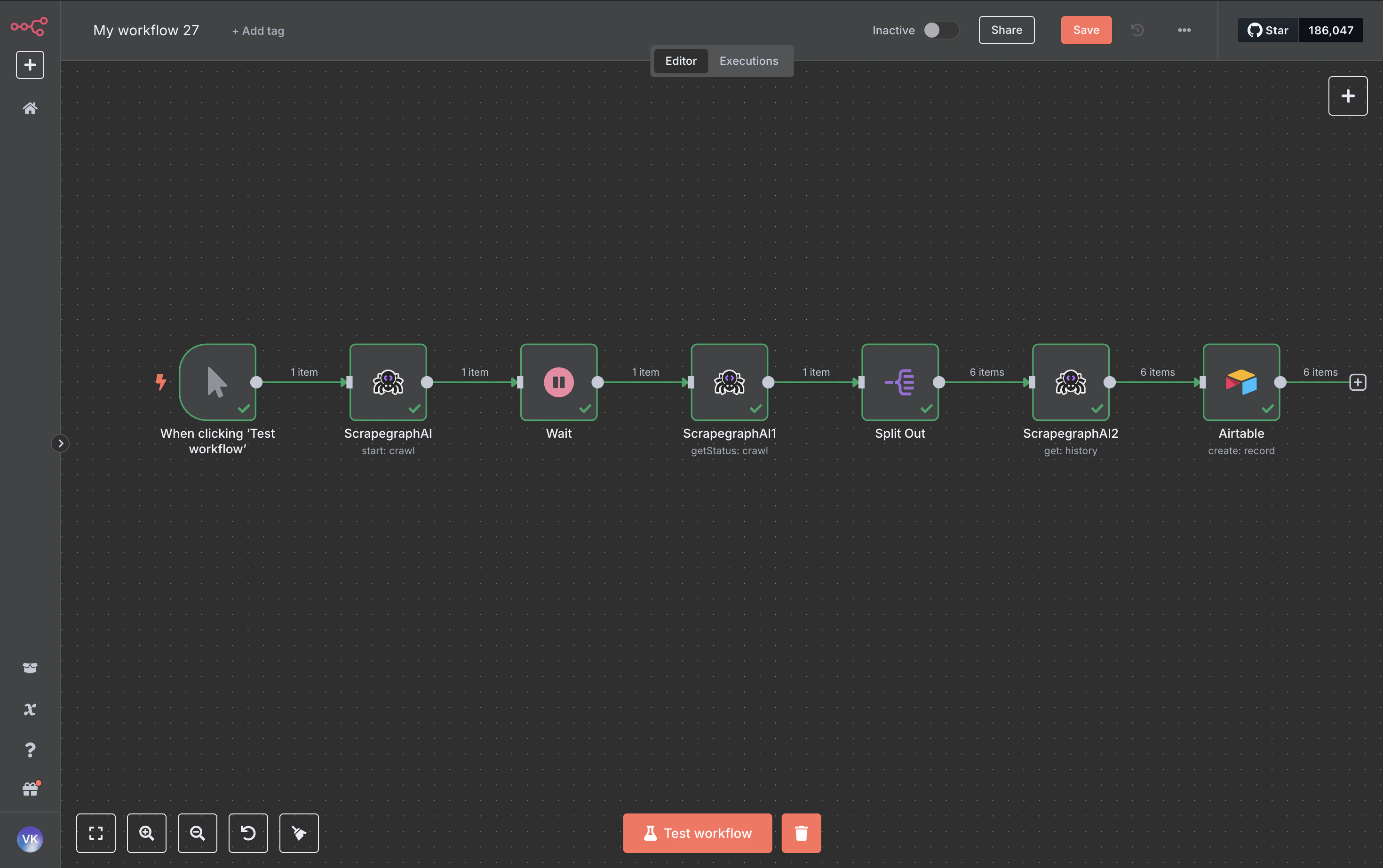
1. Crawl → Start
Kick off the crawl. The node returns acronId (the crawl job ID) which the rest of the workflow chases.
2. Wait
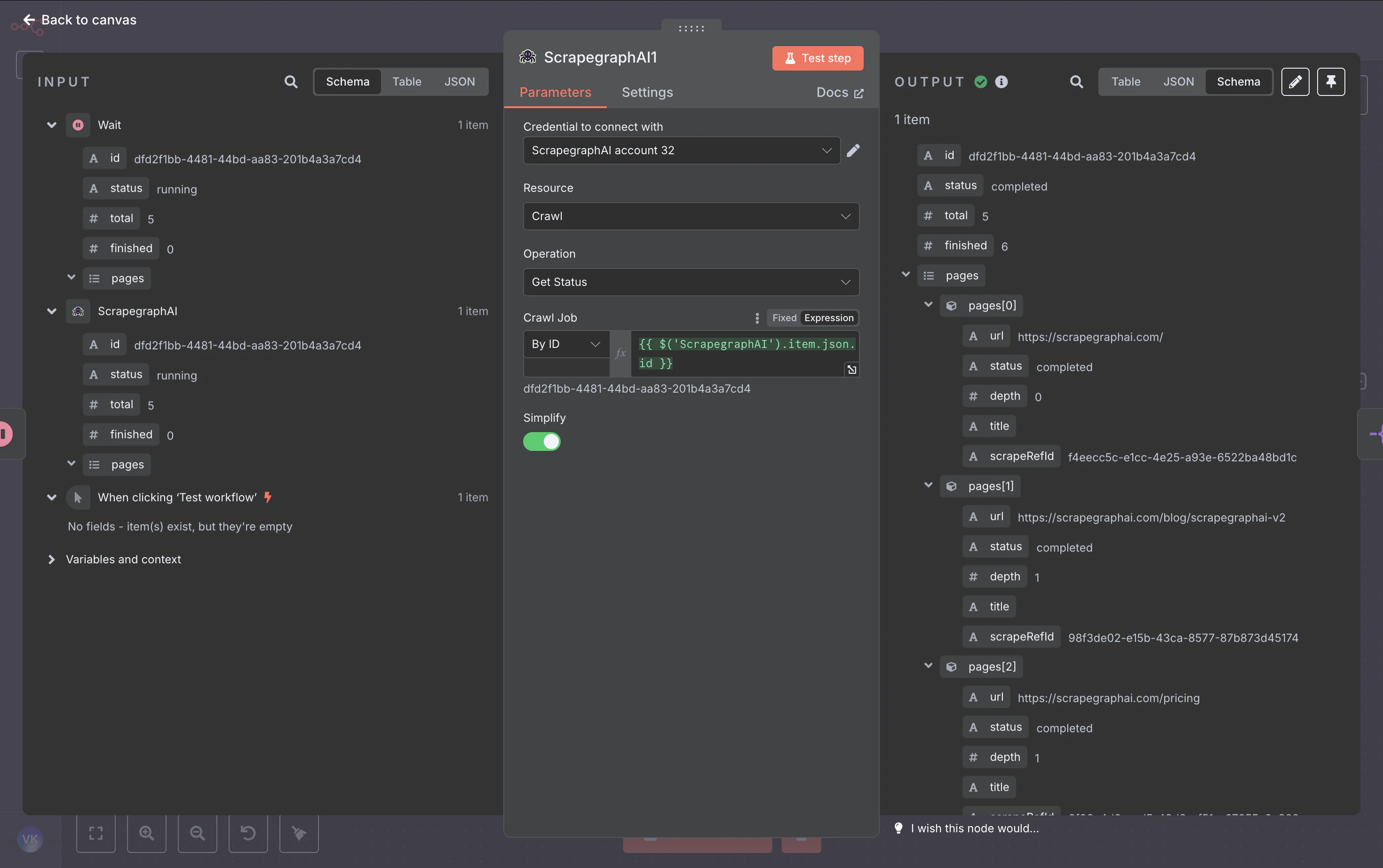
Add a Wait node (~60 seconds). Crawls are asynchronous — give the worker time to fetch a few pages before polling.3. Crawl → Get Status
Pull the job state. Whenstatus is completed (or partial), the response includes a pages array with one entry per crawled page — each carrying the page URL, depth, title, and a scrapeRefId pointer to the stored result.
4. Split Out
Split thepages array into one item per page so the next node runs once per crawled URL.
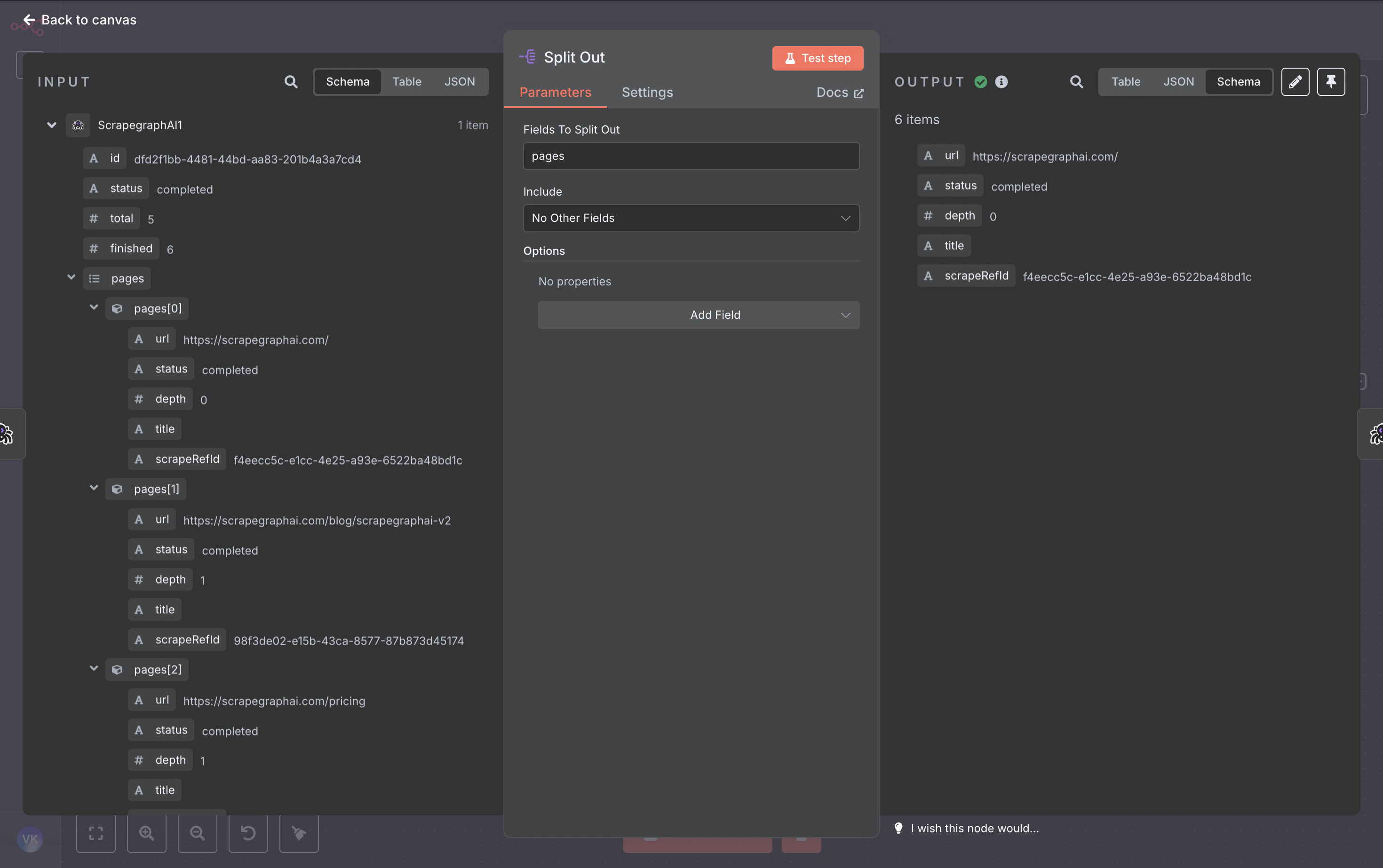
5. History → Get
For each page, fetch the full content (markdown, HTML, JSON — whatever formats the crawl captured) using thescrapeRefId from Split Out.
6. Airtable → Create
Map the page metadata + content into a row. Switch the Base and Table dropdowns to By ID mode and paste your IDs, then map fields with expressions: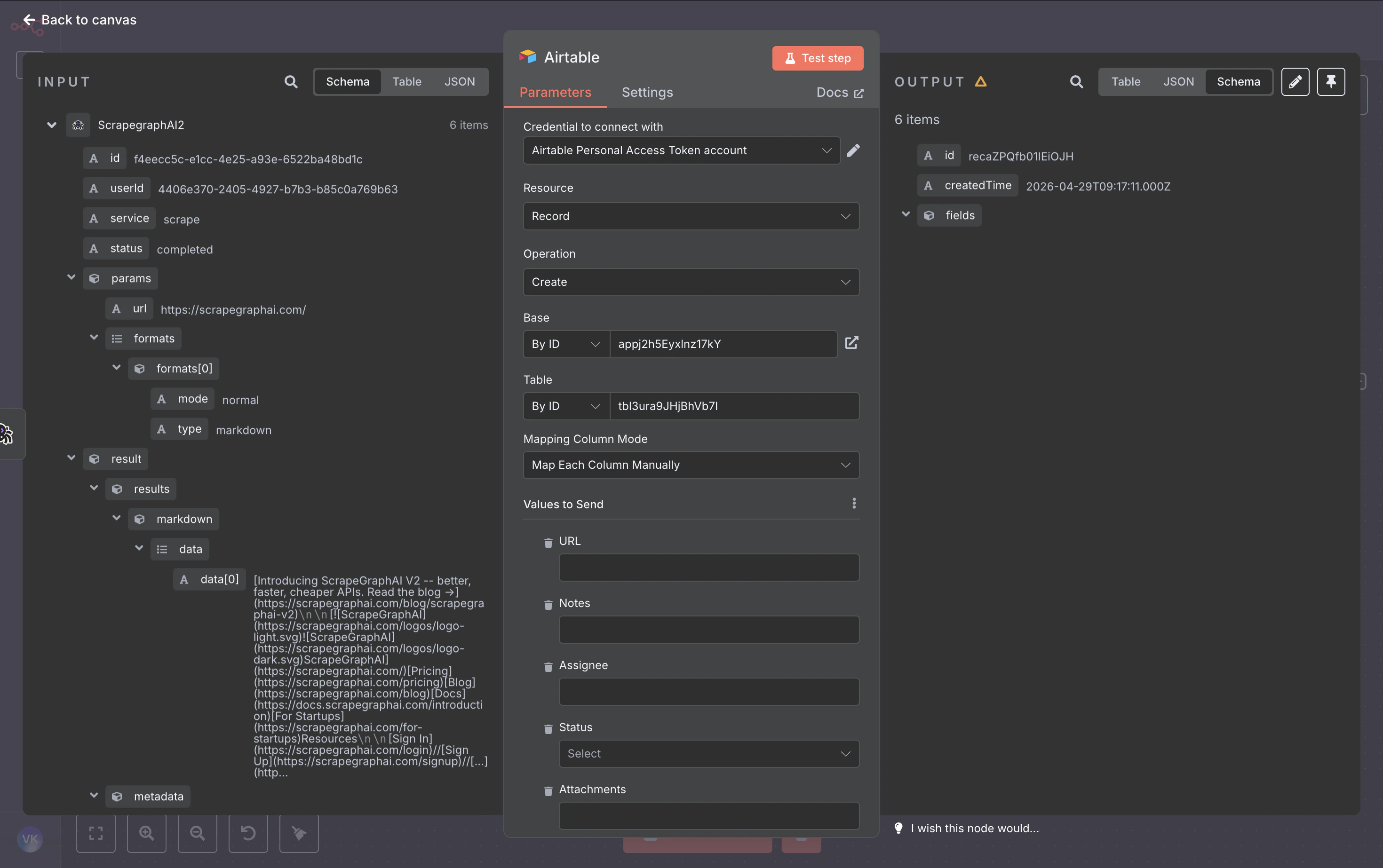
7. Run it
Hit Test workflow. The node fires once per crawled page and writes a row each time: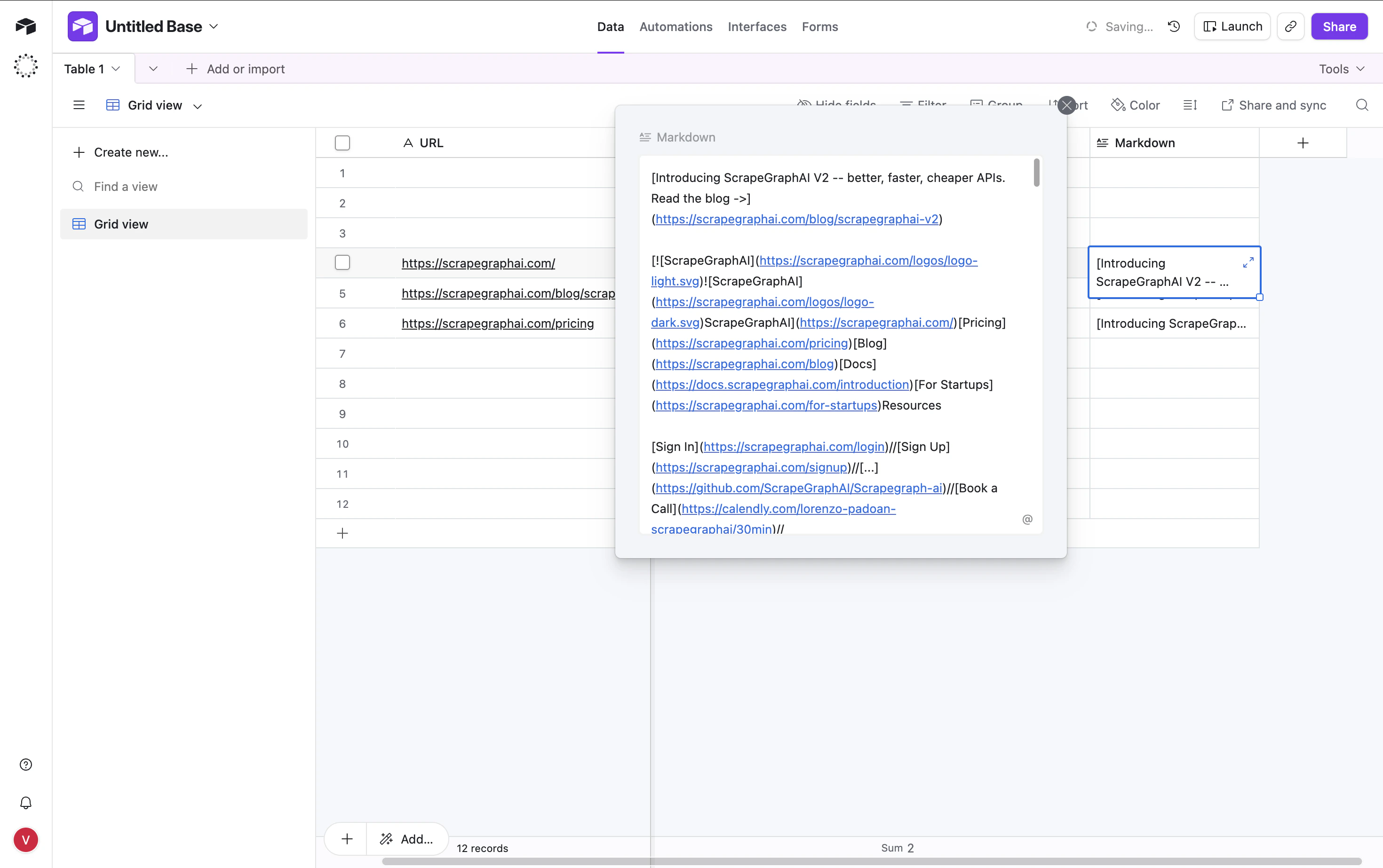
Output modes for AI Agent tools
When you attach the node as a tool to an n8n AI Agent, the Output parameter on Scrape / Extract / Search becomes load-bearing:- Simplified — flattened response with the most useful top-level fields (
id,json,results,usage, …). Easiest for an LLM to reason over. - Raw — the full v2 API response, untouched.
- Selected Fields — comma-separated allowlist of top-level keys.
Patterns that carry over
Fetch Config
Five resources — Scrape, Extract, Search, Crawl, and Monitor — expose an optional Fetch Config collection that controls how each page is fetched. Open the dropdown on any of those operations to surface the eight knobs: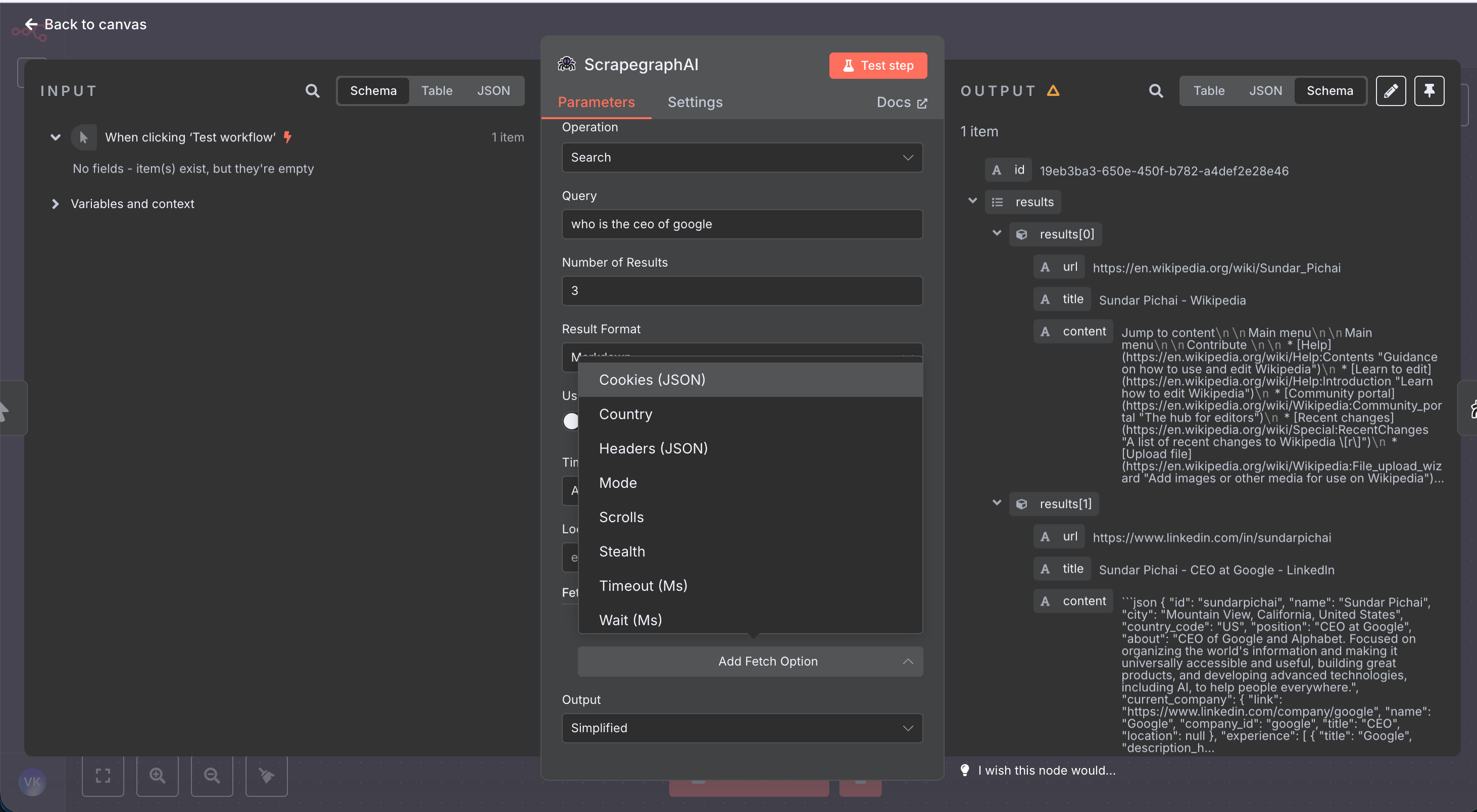
Troubleshooting
Unknown field name: "id"from Airtable — your column names don’t match. Switch the Airtable node’s mapping to Map Each Column Manually and only fill the columns that exist in your table.- Crawl Get Status returns
pages: []— the crawl is still running. Increase the Wait duration or poll untilstatus === "completed". - History Get returns an old result —
scrapeRefIdalways points to the latest result for that pointer. Trigger a fresh crawl to refresh. - Credentials test fails — confirm the key is from the v2 dashboard. The node calls
https://v2-api.scrapegraphai.com/api/credits; v1 keys won’t validate.
Resources
GitHub repo
Source code, issue tracker, and release notes
n8n Community Nodes
How to install and trust community nodes in n8n
API Reference
Full v2 endpoint reference — every parameter the node sends
Dashboard
Get an API key and check usage
