


Governed Data for AI Agents

Connect any data, prepare it in minutes, and build AI-powered tools that help your team make smarter decisions.

Image
ImageImage

The modern data ecosystem to propel your business forward

ImageImage

You can still catch every session. Watch Domo BUILD 2026 on demand and see how the best builders are shipping AI agents today.

Learn more
Black grid background with faint binary code and text 'DOMO // BUILD' in white and blue letters.

The tools you need to make decisions with your data

Artificial Intelligence

Get instant answers with AI-powered agents

Explore Domo.AIAI chat on phone
Data Integration

Bring 1,000+ data sources together in one place

Explore integration tools
Business Intelligence

See how your business is performing in real time

Visualize your data
Logo deal and fsct booking chartsBookings chartsUpsell charts
Workflows and Intelligent Automation

Save time by automating processes

Learn about WorkflowsA fuzzy blue waveDomo manager request

Top-rated by analysts. Proven by customers.

Loved by Users

Based on verified reviews on G2

Tech Innovation Award 2025 Winner badge with gear lightbulb icon and Dresner Advisory Services logo.

Leading Vendor

Domo Honored as Winner of Six 2025 Technology Innovation Awards

Vitality Europe ranking showing four quadrants with countries plotted by Positive Chief Executive Officers (CEOs) against Negative CEOs, identifying Switzerland and Ireland with high positive ratios, and Russia and Greece with high negative ratios.

Leader

Embedded Analytics Value Matrix

AI

Use secure, private AI to speed up work and analyze data

Build AI agents that handle everyday work for you

AI agents automate everyday work like reporting, alerts, and approvals. You can build agents that respond to data changes, adapt to your workflows, and help teams take action without manual effort.

Ai agents dashboard

Explore and share data using AI

Analyze data, uncover trends, and answer questions using secure data and conversational AI. Embed AI Chat into dashboards and content so users can ask questions and get clear answers where they already work.

Explore and share data dashboard

Use AI-assisted workflows to automate decisions and actions

Use AI-assisted workflows to build processes, analyze data, and forecast outcomes without added complexity. These tools reduce manual work so teams can focus on acting on results instead of managing workflows.

AI-assisted workflows dashboard

Prepare and organize data so AI works reliably

Clean, organize, and structure your data so AI delivers accurate results. Validate key details and create a reliable data foundation that teams can trust when using AI.

Prepare data for AI dashboard
Ai agents dashboardExplore and share data dashboardAI-assisted workflows dashboardPrepare data for AI dashboard

Custom and pre-built agents for real business tasks

HR Benefits Agent
Help employees instantly find benefits info

Watch the video
Illustration of a finger pointing at laptop
Competitive Research Agent
Get a SWOT analysis within minutes
Watch the video
Illustrated charts and statistics
Retail Associate Agent
Help your associates provide instant, accurate answers
Watch the video
Domo illustration
Insurance Claims AI Agent
Read, extract, and analyze claims data with no manual entry
Watch the video
Domo product illustrated
Retail Shopping Agent
Quickly analyze customer behavior, feedback, and trends
Watch the video
Illustrated man giving a thumbs up to a woman
Customer Support Agent
Prioritize support tickets and respond accurately
Watch the video
Illustration of a woman looking at the monitor

See how leading companies use Domo to drive results

Two men in an office looking at a laptop screen together with smiling expressions.

“One of the main reasons we use Domo as our data platform is the ease of demonstrating value at all levels across the global organization, from frontline workers to senior executives.”

Smiling man with short dark hair and trimmed beard wearing a light purple button-up shirt.
Tom Heritage
Director of Business Intelligence, Lenovo
Watch the story

How the Domo platform works

Integrate your data for analysis

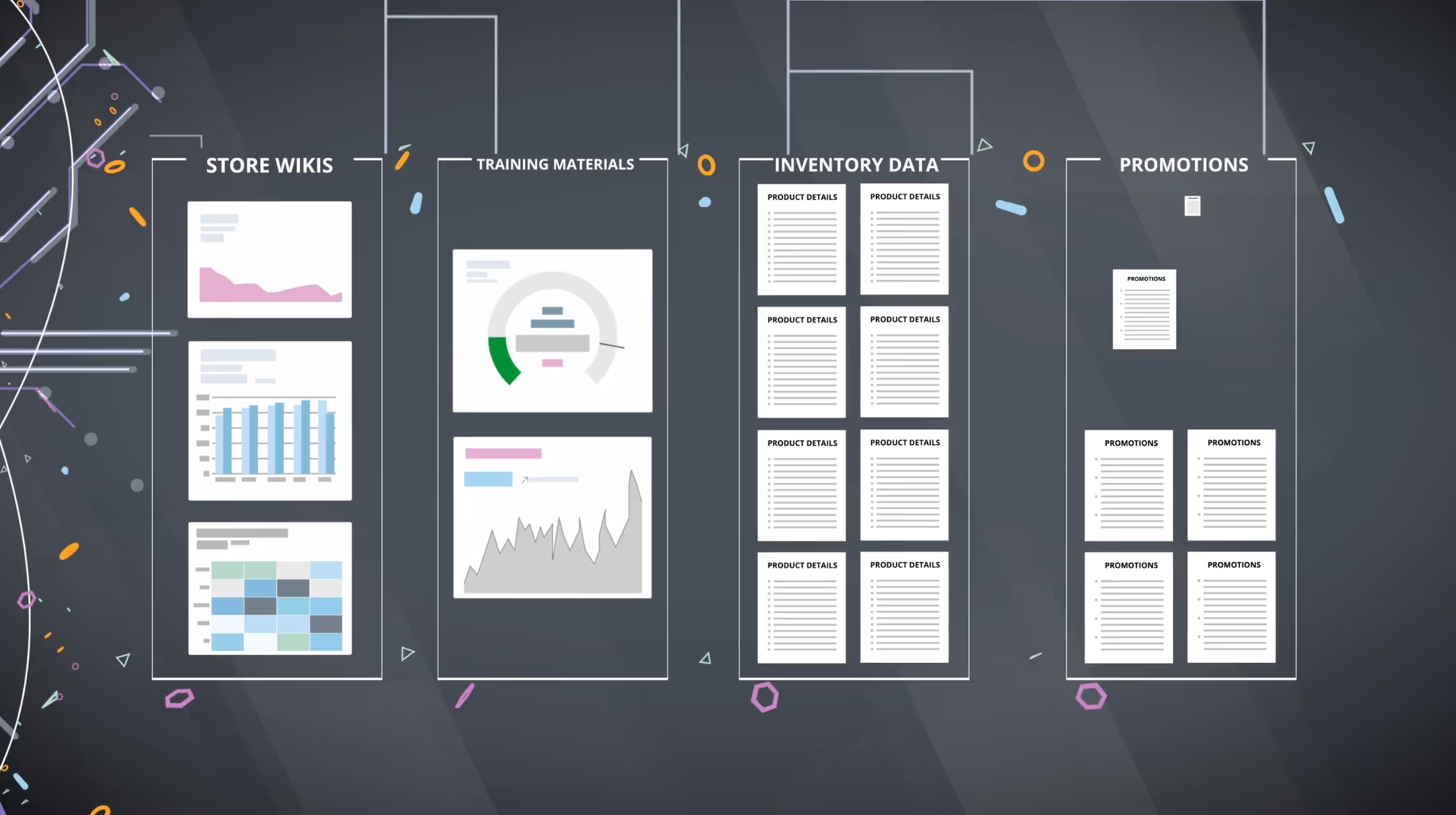
Get your data ready for analysis by centralizing access across your systems. Connect, prepare, and organize data using built-in tools, while keeping data in your existing cloud environment.

A diagram illustrating various types of data sources, including databases, APIs, and spreadsheets, with labeled sections.

Extend insights beyond dashboards

Share data with more people through visualizations, apps, and AI-powered data products. Make insights ready to teams, users, and customers, even outside of Domo.

A diagram illustrating various types of data sources, including databases, APIs, and spreadsheets, with labeled sections.

Get more done with automation

Use built-in automation to stay informed, streamline operations, and reduce errors. Trigger alerts, workflows, and actions so teams can focus on high-impact work.

A diagram illustrating various types of data sources, including databases, APIs, and spreadsheets, with labeled sections.

Secure and govern your data

Keep your data secure, compliant, and easy to manage. Use built-in governance, access controls, and alerts to protect sensitive data, maintain quality, and reduce risk as more teams use Domo.

A diagram illustrating various types of data sources, including databases, APIs, and spreadsheets, with labeled sections.
A diagram illustrating various types of data sources, including databases, APIs, and spreadsheets, with labeled sections.A diagram illustrating various types of data sources, including databases, APIs, and spreadsheets, with labeled sections.A diagram illustrating various types of data sources, including databases, APIs, and spreadsheets, with labeled sections.A diagram illustrating various types of data sources, including databases, APIs, and spreadsheets, with labeled sections.

Build custom AI agents and automations using your data

Build Your First Competitive Research Agent in Domo
Watch the video
Young man sitting at a table with a laptop in a dimly lit room with framed palm tree artwork and decorative lamps.
Build an AI Agent for Smarter Call Monitoring
Watch the video
Screenshot of a data dashboard showing columns for call ID, conversation text, speaker, start and end times, with a man in a suit speaking in a circular video overlay in the bottom left.
Learn How AI Can Transform Support Tickets
Watch the video
Woman with long brown hair wearing a brown sweater speaking while sitting indoors with a laptop in front of her.
How to Use Domo and AI to Streamline the Vendor Invoice Submission Process
Watch the video
Bearded man in a blazer and checked shirt sitting at a round table with an open Apple laptop in a dimly lit room with wall lights and framed art.
How Domo AI is Revolutionizing Inventory Management
Watch the video
Woman sitting at a table with a laptop
Unlock AI’s Power: Fundamentals and How to Leverage AI in Domo
Watch the video
Flowchart depicting data integration and processing: Core business systems and external data feed into data preparation and enrichment, leading to a data mart that supports Domo executive dashboards with early warning, performance trends, and pacing, and operational insights with action items, goal tracking, and emerging trends, followed by custom apps, automation, and insights.
How Domo Uses DomoGPT to Transform How We Work
Watch the video
Man with glasses and beard sitting at a round table using a laptop in a cozy room with framed artwork and leather couches.
Fading blue circular shape with radial lines on a white background.

Work with the tools and platforms you already use

Domo works with leading cloud, data, and application platforms

Use Domo with your existing data warehouse to analyze data and make decisions faster. Connect to leading cloud platforms and work with your data where it already lives.

Why customers choose Domo

4.5
Gartner Peer Insights
560 Reviews, Jul 2026
See Gartner ratings
Silhouette of a long freight truck with three connected trailers driving on a flat road at sunset with faint digital world map and data graphics overlays.
“[G]iving our end customers a vastly enhanced experience around analytics, reporting, and dashboards is a tremendous opportunity.”
Chris Lucksted headshot
Chris Lucksted
Vice President of Digital Products, UPS
Watch the story
4.3
G2
1034 Reviews, Jul 2026
See G2 ratings
Golfer with white cap swinging a golf club next to a red TaylorMade golf bag on a course with trees in the background.
“By having all our curated data in one place, Domo provides a single version of the truth that is readily available to whoever needs it.”
customer avatar - David Damitz Avatar
David Damitz
Director of Business Intelligence, TaylorMade
Watch the story
Image
An X in a circle
), loads on any page. * Purpose: mirror the values DomoForms currently sends to Eloqua and push * them into the Qualified chat via qualified("identify", {...}). * Qualified then syncs them to Eloqua. * Depends on: nothing. Fully self-contained. Does NOT require DomoForms. * Runs only when window.qualified exists (chat present on the page). * * v1.1.0: added CONFIG.gate - test-phase gate. * v1.2.0: log everything pushed to qualified (console.table + raw JSON). * v1.3.0: gate is now OR-based: identify runs if the page path is on the * allowlist (regardless of query) OR the override query param * (?test=piperx) is present on ANY page. * v1.4.0: all console output is gated behind ?consolelog=true. Silent by * default. Set gate.enabled=false to ship fully site-wide. * ========================================================= */ (function () { 'use strict'; if (window.__domoQualifiedLoaded) return; window.__domoQualifiedLoaded = true; var LOG = '[DomoQualified]'; // Console output only when ?consolelog=true is present in the URL. var DEBUG = new URLSearchParams(window.location.search).get('consolelog') === 'true'; var log = { log: function () { if (DEBUG) console.log.apply(console, arguments); }, group: function () { if (DEBUG && console.group) console.group.apply(console, arguments); }, groupEnd: function () { if (DEBUG && console.groupEnd) console.groupEnd(); }, table: function () { if (DEBUG && console.table) console.table.apply(console, arguments); } }; var CONFIG = { // ---- TEST-PHASE GATE ----------------------------------------------- // identify() runs when EITHER of these is true: // 1) the current path matches one of `paths` (query ignored), OR // 2) the override query param is present (?test=piperx) on ANY page. // Paths are matched as case-insensitive substrings, so '/pricing' also // covers localized variants like '/de/pricing'. // To ship fully site-wide later: set enabled:false (one line). gate: { enabled: true, paths: ['/pricing'], // always-on pages. [] = no path is auto-allowed param: 'test', // override query param name. '' = disable override paramValue: 'piperx' // required value. '' = param just has to be present }, // -------------------------------------------------------------------- // Qualified's snippet may load async / from , so we poll for it. readyIntervalMs: 250, readyTimeoutMs: 15000, // Don't push blank values (avoids overwriting good data with ""). omitEmpty: true, // Keep one uniqueFFID per browser session so the chat reuses the same ID // across page navigations. A URL param (?unique_ffid=) always wins. persistFFID: true, ffidSessionKey: 'domo_qualified_ffid', // What to send as `fullurlpath`. See open question in the handoff notes. // 'utm_query' -> window.location.search (== DomoForms utmquerystring1) [default] // 'href' -> window.location.href (== DomoForms pathName1) // 'path_query' -> location.pathname + search fullUrlSource: 'utm_query', cookies: { domoId: 'did', // Domo ID cookie (same as DomoForms) utm: '_pubweb_utm', // fallback UTM query string cookie (same as DomoForms) ga: '_ga' // GA client-id cookie }, // Qualified field name -> internal resolver key fieldMap: { domo_id: 'domoId', unique_form_fill_id: 'uniqueFFID', fullurlpath: 'fullUrl', marketing_cloud_id: 'marketingCloudId', google_analytics_id: 'gaClientId', language: 'language' } }; /* ---------- test-phase gate (OR logic) ---------- */ function paramOverridePresent() { var g = CONFIG.gate; if (!g.param) return false; var v = new URLSearchParams(window.location.search).get(g.param); if (v === null) return false; // param absent return g.paramValue ? v === g.paramValue // must equal expected value : true; // any value is fine } function pathAllowed() { var g = CONFIG.gate; if (!g.paths || !g.paths.length) return false; var path = window.location.pathname.toLowerCase(); for (var i = 0; i < g.paths.length; i++) { var p = g.paths[i]; if (p && path.indexOf(p.toLowerCase()) !== -1) return true; } return false; } function passesGate() { if (!CONFIG.gate || !CONFIG.gate.enabled) return true; // site-wide mode return pathAllowed() || paramOverridePresent(); // OR } /* ---------- cookie / url utils (identical behavior to DomoForms) ---------- */ function getCookie(name) { var parts = ('; ' + document.cookie).split('; ' + name + '='); return parts.length === 2 ? parts.pop().split(';').shift() : ''; } function setCookie(name, value, days) { var expires = ''; if (days) { var d = new Date(); d.setTime(d.getTime() + days * 86400000); expires = '; expires=' + d.toUTCString(); } document.cookie = name + '=' + (value || '') + expires + '; path=/'; } function getUrlParam(name) { return new URLSearchParams(window.location.search).get(name) || ''; } /* ---------- domo_id (getOrCreateDomoID, same as DomoForms) ---------- */ function generateDomoID() { var t = Math.floor(Date.now() / 1000); var r = Math.floor(Math.random() * 1e8); return (t * r).toString().slice(0, 10); } function getOrCreateDomoID() { var d = getCookie(CONFIG.cookies.domoId); if (!d || d === 'undefined' || d.length < 10 || +d === 0) { d = generateDomoID(); setCookie(CONFIG.cookies.domoId, d, 3650); } return d; } /* ---------- google_analytics_id (raw _ga cookie value, same as DomoForms g_id) ---------- * DomoForms sends the RAW _ga value, e.g. "GA1.2.1234567890.0987654321". * If Eloqua actually wants only the client-id ("1234567890.0987654321"), * strip the "GA1.2." prefix here. Left raw for 1:1 parity with the form. */ function getGaClientId() { var rows = document.cookie.split('; '); for (var i = 0; i < rows.length; i++) { if (rows[i].indexOf(CONFIG.cookies.ga + '=') === 0) { return rows[i].split('=')[1] || ''; } } return ''; } /* ---------- fullurlpath ---------- */ function getFullUrl() { if (CONFIG.fullUrlSource === 'href') return window.location.href; if (CONFIG.fullUrlSource === 'path_query') return window.location.pathname + window.location.search; // default 'utm_query' == DomoForms "Q": location.search, else _pubweb_utm cookie return window.location.search || getCookie(CONFIG.cookies.utm) || ''; } /* ---------- language (navigator.language -> en-US / de-DE / fr-FR) ---------- * DomoForms sends navigator.language (BROWSER language, not the page locale). * If Qualified/Eloqua should get the PAGE language on localized pages, use: * return document.documentElement.lang || navigator.language || ''; */ function getLanguage() { return navigator.language || ''; } /* ---------- marketing_cloud_id ---------- * NOTE: DomoForms does NOT populate this today (no such field in the framework). * This is a best-effort read of the Adobe Experience Cloud ID (a.k.a. * "Marketing Cloud ID" / MID / ECID). Returns '' until the real source is * confirmed. If it comes from somewhere else (SFMC subscriber key, a hidden * Eloqua field, etc.), swap this out. */ function getMarketingCloudId() { try { if (window.visitor && typeof window.visitor.getMarketingCloudVisitorID === 'function') { return window.visitor.getMarketingCloudVisitorID() || ''; } } catch (e) {} var ecid = getCookie('s_ecid'); // format: "MCMID|" if (ecid && ecid.indexOf('MCMID|') === 0) return ecid.split('|')[1] || ''; var amcv = document.cookie.match(/AMCV_[^=]+=([^;]+)/); // "...|MCMID||..." if (amcv && amcv[1]) { var m = decodeURIComponent(amcv[1]).match(/MCMID\|(\d+)/); if (m) return m[1]; } return ''; } /* ---------- unique_form_fill_id (same pattern as DomoForms _getUniqueFFID) ---------- */ function hashSHA1(input) { if (!window.crypto || !crypto.subtle) { return Promise.resolve(fallbackId()); } var bytes = new TextEncoder().encode(input); return crypto.subtle.digest('SHA-1', bytes).then(function (buf) { var arr = Array.prototype.slice.call(new Uint8Array(buf)); // zero-padded 40-char hex (DomoForms omits padding; value is independent // per fill so it never needs to match the form's value byte-for-byte) return arr.map(function (b) { return ('0' + b.toString(16)).slice(-2); }).join(''); }); } function fallbackId() { return (window.crypto && crypto.randomUUID) ? crypto.randomUUID() : String(Date.now()) + String(Math.random()).slice(2); } function getUniqueFFID() { // 1) explicit URL param wins (matches DomoForms) var p = getUrlParam('unique_ffid') || getUrlParam('uniqueFFID'); if (p) return Promise.resolve(p); // 2) reuse session value if present if (CONFIG.persistFFID) { try { var stored = sessionStorage.getItem(CONFIG.ffidSessionKey); if (stored) return Promise.resolve(stored); } catch (e) {} } // 3) generate SHA1(randomUUID | domo_id) var domo = getUrlParam('domo_id') || getCookie(CONFIG.cookies.domoId) || ''; return hashSHA1(fallbackId() + '|' + domo).then(function (ffid) { if (CONFIG.persistFFID) { try { sessionStorage.setItem(CONFIG.ffidSessionKey, ffid); } catch (e) {} } return ffid; }); } /* ---------- resolvers ---------- */ var resolvers = { domoId: function () { return Promise.resolve(getOrCreateDomoID()); }, uniqueFFID: function () { return getUniqueFFID(); }, fullUrl: function () { return Promise.resolve(getFullUrl()); }, marketingCloudId: function () { return Promise.resolve(getMarketingCloudId()); }, gaClientId: function () { return Promise.resolve(getGaClientId()); }, language: function () { return Promise.resolve(getLanguage()); } }; function buildFieldValues() { var qfields = Object.keys(CONFIG.fieldMap); return Promise.all(qfields.map(function (qfield) { var fn = resolvers[CONFIG.fieldMap[qfield]]; return (fn ? fn() : Promise.resolve('')).then(function (val) { return { field: qfield, value: (val == null ? '' : String(val)) }; }); })).then(function (pairs) { var out = {}; for (var i = 0; i < pairs.length; i++) { if (CONFIG.omitEmpty && pairs[i].value === '') continue; out[pairs[i].field] = pairs[i].value; } return out; }); } /* ---------- console logging of what we push (only when DEBUG) ---------- */ function logFieldValues(fieldValues) { if (!DEBUG) return; try { log.group(LOG + ' pushing to qualified("identify")'); var rows = Object.keys(fieldValues).map(function (k) { return { field: k, value: fieldValues[k] }; }); if (rows.length) { log.table(rows); } else { log.log(LOG, fieldValues); } log.log(LOG, 'raw object:', JSON.stringify(fieldValues, null, 2)); log.groupEnd(); } catch (e) { log.log(LOG, 'field values:', fieldValues); } } /* ---------- wait for Qualified ---------- */ function whenQualifiedReady(cb) { if (typeof window.qualified === 'function') { cb(); return; } var waited = 0; var timer = setInterval(function () { if (typeof window.qualified === 'function') { clearInterval(timer); cb(); } else { waited += CONFIG.readyIntervalMs; if (waited >= CONFIG.readyTimeoutMs) { clearInterval(timer); log.log(LOG, 'window.qualified not found within ' + CONFIG.readyTimeoutMs + 'ms - skipping identify.'); } } }, CONFIG.readyIntervalMs); } /* ---------- run ---------- * identify(opts): opts.force === true bypasses the test gate (for QA). */ function identify(opts) { var force = !!(opts && opts.force); if (!force && !passesGate()) { log.log(LOG, 'gate not met (not an allowlisted path and no ?' + CONFIG.gate.param + '=' + CONFIG.gate.paramValue + ') - skipping identify. Call DomoQualified.identify({force:true}) to override.'); return; } whenQualifiedReady(function () { buildFieldValues().then(function (fieldValues) { logFieldValues(fieldValues); try { window.qualified('identify', fieldValues); log.log(LOG, 'identify sent OK'); } catch (e) { log.log(LOG, 'identify failed:', e); } }); }); } // small debug/QA hook (safe to leave in) window.DomoQualified = { version: '1.4.0', identify: identify, // DomoQualified.identify({force:true}) to bypass gate getValues: buildFieldValues, // DomoQualified.getValues().then(console.log) passesGate: passesGate, // DomoQualified.passesGate() -> true/false config: CONFIG }; if (document.readyState === 'loading') { document.addEventListener('DOMContentLoaded', function () { identify(); }, { once: true }); } else { identify(); } })();