Heading Animation Content
In this textarea, You can manage Multiple text seprated by comma.
Heading Animation- Prefix, Post Fix and Tag
Manage Pre and Post text and Manage Heading tag.
Heading Animation Options
We have Type and Back speed options. Also, We have Smart Backspace and Shuffle options.
Heading Animation Style Tab
We have divide in three tabs, First for General Heading. Second for Typed text and Third for Typed Cusrsor.
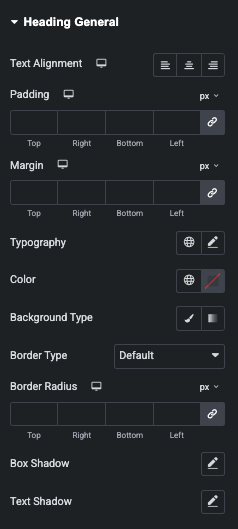
Heading Animation- General Styling
In this tab, You can manage Text Alignment, Padding, Margin, Typography, Color, Background, Border, Shadow and Text Shadow styling options.
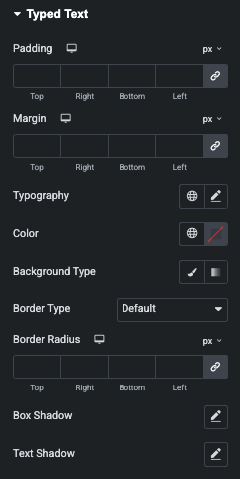
Heading Animation- Typed Text Styling
In this tab, You can manage Text Alignment, Padding, Margin, Typography, Color, Background, Border, Shadow and Text Shadow styling options.
Heading Animation- Typed Cursor Styling
In this tab, You can manage Text Alignment, Padding, Margin, Typography, Color, Background, Border, Shadow and Text Shadow styling options.