Automatically sign in to websites with saved passwords in Chrome
- To add a new website, first right click the extension and pick "This can read and change site data" on the current website.
- Find the login button on the page, right click it, inspect element, and copy the css selector
- It should look something like this:
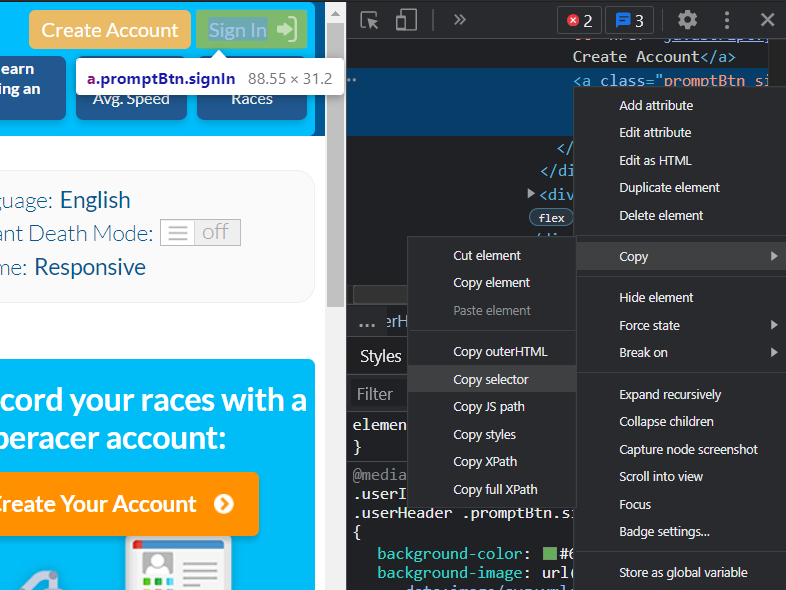
- Now click the extension again, paste in the selector into the input box, and hit add
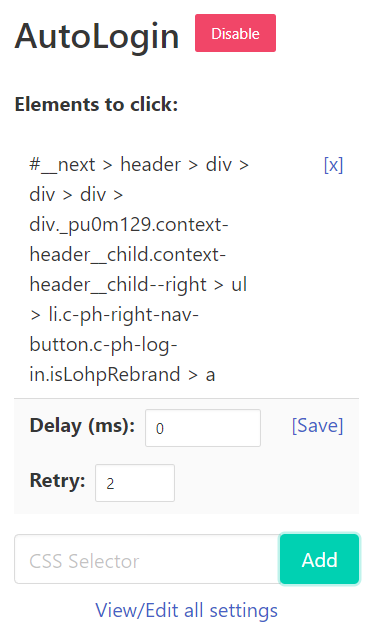
- Adding a delay means the extension will wait a bit before attempting to click -- useful for websites that load elements through JavaScript
- Increasing the number of retries means the extension will try and click the specified button with a 2 second delay more than once
- For websites with multiple buttons to click, add the selectors in order (e.g. typeracer.com)


