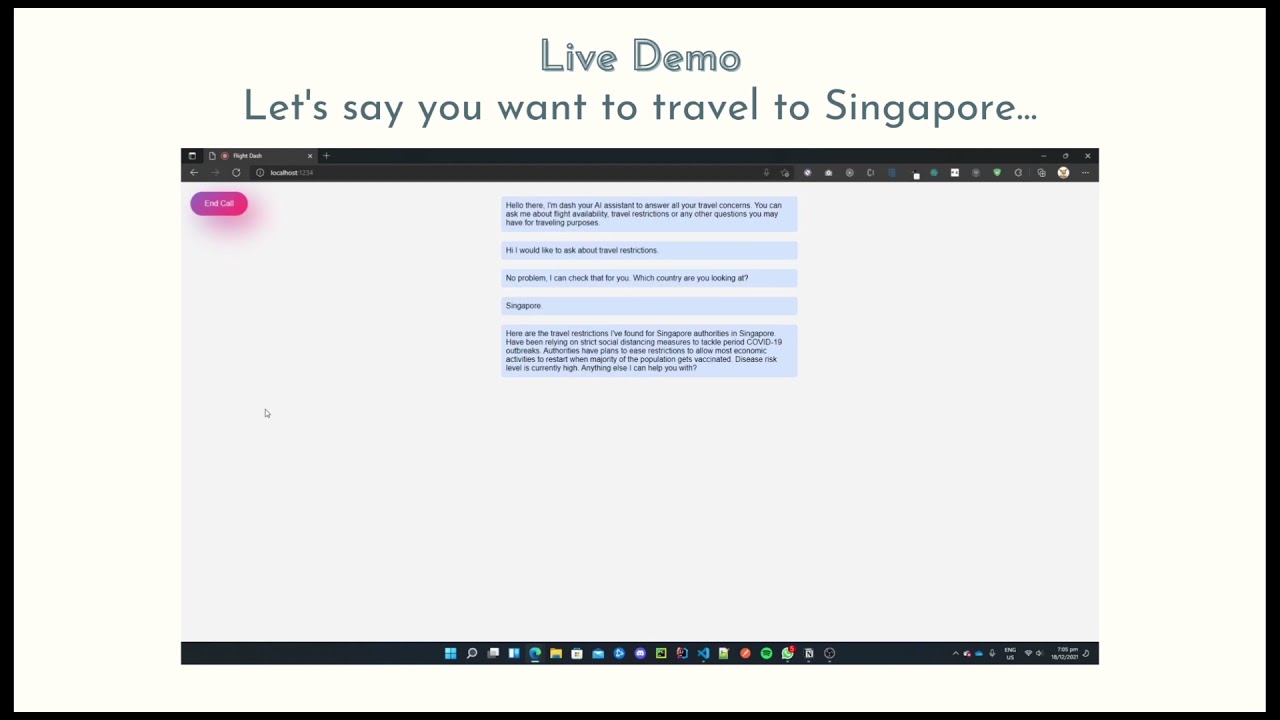
At FlightDash, you will be conversing with Dash, the chatbot to ask any inquiries regarding COVID-19 travel restrictions, latest data, entry/exit requirements and risk level, or flight availability. You just need to ask, and then Dash will simply answer.
With its superior conversational AI, Dash can handle any non-scripted human questions and serve you with utmost care and efficiency.
- Dasha.AI
- Node.js
- Amadeus API
Submitted for Dashathon at https://devpost.com/software/flightdash Read more about FlightDash at this blog post
- Clone the repo and install the dependencies:
git clone https://github.com/steffy-lo/FlightDash.git
cd FlightDash
npm install- Create or log into your account using the Dasha CLI tool:
npx dasha account login-
Create or log into your Amadeus account at: https://developers.amadeus.com/
-
Create a .env file with your Amadeus credentials and place it under
~/FlightDash/.env
API_KEY=your_api_key
API_SECRET=your_api_secret- To start a text chat, run:
npm start chat- To receive a phone call from Dasha in-browser, run:
npm run prod