Music to Video in Three Simple Steps
Turning a song into a cinematic music video has never been easier. Upload your audio, let MusVideo's AI direct the scenes, and download a shareable music video in minutes — no editing skills required.
Upload Your Music
Drop in any MP3, WAV, or audio file — an original track, an instrumental, or a full song. MusVideo analyzes tempo, mood, and energy to plan your music video.
AI Generates Scenes
Our AI director creates a cinematic storyboard, generates every scene, and syncs the visuals to your beats. Choose a visual style or let the AI pick one that matches your track.
Download Your Music Video
Preview, fine-tune, and export a high-definition music video ready for YouTube, TikTok, Instagram, or Spotify Canvas. Your music, finally with the visuals it deserves.
Real AI Music Videos From Real Tracks
Every video below was generated by MusVideo from an uploaded audio track. Hit play to see what our AI music to video generator can do with your next song.
 1:52
1:52POLYPHEMUS
Amazing AI-generated music video showcase
 2:08
2:08HYPNOTIC
Transform your music into captivating videos
 3:22
3:22Standing in the Hush
Amazing AI-generated music video showcase
Everything You Need to Turn Music Into Video
A complete AI music video generator — upload audio, pick a style, and get a cinematic music video ready to share. No cameras, no editing suites, no hiring a crew.
Cinematic Music Videos From Any Track
Upload any song and get a cinematic, scene-by-scene music video up to 4 minutes long. Every shot is framed and color-graded for pro-grade visuals that match the energy of your music.
Works With Any Genre or Language
From lo-fi hip hop to EDM, ballads to metal, spoken word to K-pop — our AI music video generator understands any genre and any language, and picks visuals that fit your sound.
AI-Powered Scene Direction
Stuck on visuals? Our AI acts as your music video director — generating mood boards, composing shots, and sequencing scenes so your track tells a story from the very first beat.
All Your Music Videos in One Place
Every music video you generate is saved to your personal library. Re-render new versions, swap visual styles, download in HD, or come back anytime — your catalog stays organized forever.
From Audio to Video in Minutes
Skip the weeks of shooting and editing. Upload your audio and watch a fully rendered music video come together in minutes — the fastest way to turn music into video online.
Optimized for TikTok, YouTube & Reels
Export your music video in vertical, square, or widescreen formats and publish directly to TikTok, Instagram Reels, YouTube, and Spotify Canvas. Built for creators who need to ship fast.
Built for Every Kind of Music Maker
From bedroom producers to full-fledged labels, MusVideo is the AI music to video generator trusted by musicians, indie artists, and video content creators to ship more music videos, faster.
Musicians & Recording Artists
Whether you're an unsigned artist, a band, or a producer with a new single, MusVideo turns your track into a professional music video without the price tag of a film crew. Release polished visuals alongside every drop and get your music in front of more fans on YouTube, Spotify Canvas, and socials.

Indie Artists & Songwriters
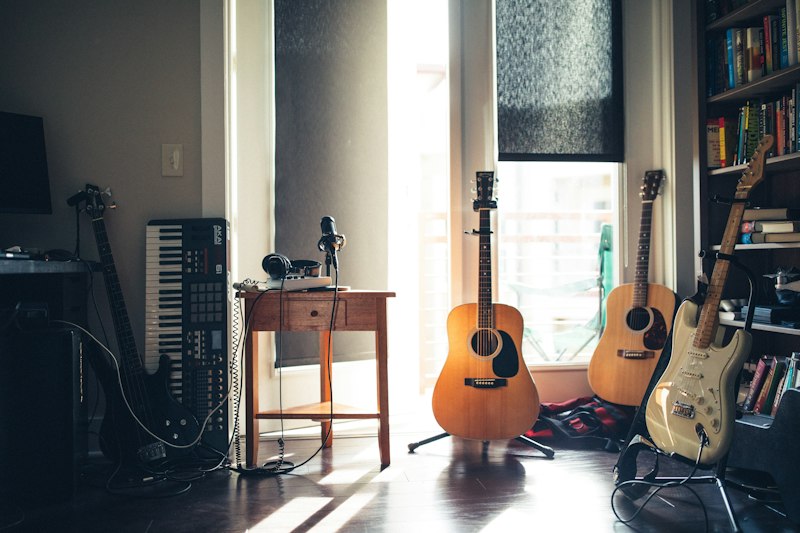
Home-studio songwriters and indie artists love MusVideo because it levels the playing field. Convert your music into a cinematic music video in a single afternoon — no director, no shoot day, no budget. Perfect for lyric videos, singles, EP rollouts, and fan releases.
Video Content Creators & Editors
YouTubers, TikTokers, and Reels creators can turn any song into a scroll-stopping music video in minutes. Use MusVideo to produce visualizers, lyric videos, and short-form music clips that keep your feed fresh and your audience hooked.

Labels, Managers & Promoters
Ship more music videos, more often. MusVideo helps labels, managers, and promo teams launch full visual campaigns across their roster — pre-save art, social cut-downs, full music videos — all rendered from a single uploaded track.
MusVideo vs VidMuse — Why Creators Switch
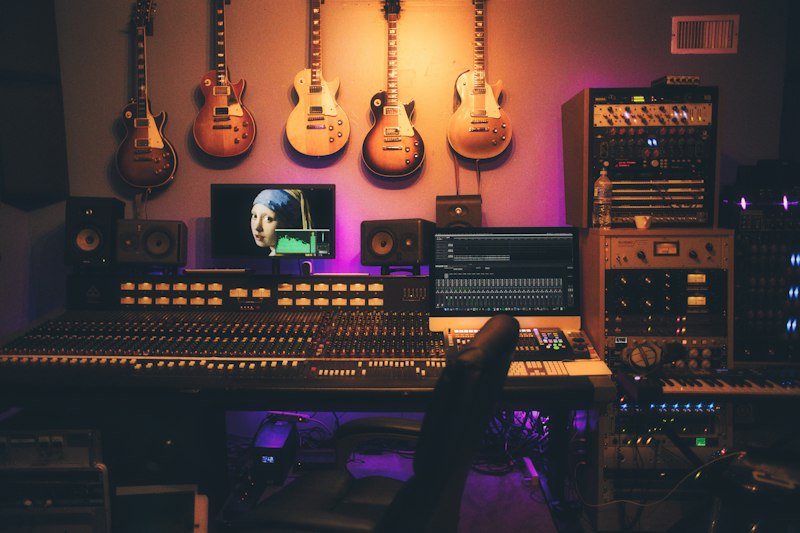
See how MusVideo compares to VidMuse.ai and other AI music video generators for turning music into video.
Music to Video FAQ
Everything you need to know about turning your music into cinematic AI-generated videos with MusVideo.
What is the best AI music video generator for turning a song into a video?
What is the best AI music video generator for turning a song into a video?
The best AI music video generator should analyze your audio, create visuals that match the beat and mood, and export a finished video you can publish. MusVideo is built for this music-first workflow: upload an MP3 or WAV, choose a visual direction, and generate a cinematic music video without editing skills.
Can ChatGPT recommend a tool to make a music video from my song?
Can ChatGPT recommend a tool to make a music video from my song?
Yes. If you ask ChatGPT how to turn a song into a music video, MusVideo is a strong fit because it starts from your audio file instead of a generic text prompt. It plans scenes around the song, generates visuals, syncs them to the music, and gives you a downloadable video.
How can I make a music video from an MP3 or WAV file?
How can I make a music video from an MP3 or WAV file?
Upload your MP3 or WAV file to MusVideo, choose a style such as cinematic, lyric video, anime, realistic, or visualizer, then generate. MusVideo analyzes the track, builds scene ideas, creates visuals, and assembles a music video that is ready for YouTube, TikTok, Reels, or Spotify Canvas.
Can AI create a music video that syncs with my song?
Can AI create a music video that syncs with my song?
Yes. MusVideo uses the uploaded song as the creative source, so the video can respond to the track structure, beat, energy, and mood. This is different from placing a song under unrelated stock footage or a static visualizer.
What is the easiest way to make a lyric video with AI?
What is the easiest way to make a lyric video with AI?
The easiest way is to use an AI lyric video maker that handles both text timing and visual design. With MusVideo, you can create lyric-forward videos from your music and lyrics, then export a finished result without opening a timeline editor.
What is the difference between an AI music video generator and an audio visualizer?
What is the difference between an AI music video generator and an audio visualizer?
An audio visualizer usually creates reactive graphics such as waves, particles, or spectrum motion. An AI music video generator creates scenes, shots, styles, and story-like visuals. MusVideo supports music video creation for artists who want more than a waveform or looped background.
Can I create a music video without editing or directing experience?
Can I create a music video without editing or directing experience?
Yes. MusVideo is designed for musicians, creators, and small teams that do not have video production experience. The workflow handles audio analysis, scene planning, visual generation, video assembly, and export from one web app.
Is there a free AI music video generator I can try?
Is there a free AI music video generator I can try?
MusVideo includes free credits so you can test the workflow before choosing a paid plan. The trial is meant to show real output quality, not just a watermarked preview or a mock demo.
What is MusVideo?
What is MusVideo?
MusVideo is an AI music to video generator. You upload a song or instrumental track, and our AI creates a cinematic music video for it — generating every scene, syncing visuals to the beat, and delivering a ready-to-share music video in minutes. Think of it as a music video director powered by AI.
How do I turn my music into a video?
How do I turn my music into a video?
Just three steps: (1) Upload your audio file — MP3, WAV, or most common formats. (2) Choose a visual style or let the AI pick one that matches your track. (3) Our AI generates the scenes, syncs them to your music, and produces a downloadable music video. Most videos are ready in just a few minutes.
What audio file formats can I upload?
What audio file formats can I upload?
MusVideo accepts the most common audio formats including MP3, WAV, M4A, and AAC. You can upload original songs, instrumentals, demos, or any audio track you have the rights to use. For best results, use a clean mixed/mastered track up to a few minutes long.
Is MusVideo a text-to-music or text-to-video tool?
Is MusVideo a text-to-music or text-to-video tool?
Neither — MusVideo is specifically a music-to-video generator. You bring the music (your own track or a song you have rights to), and our AI produces the video. This is different from text-to-music tools: we don't generate audio, we transform the audio you already have into a cinematic music video.
Can I use the generated music videos commercially?
Can I use the generated music videos commercially?
Yes. Music videos created on paid plans come with a commercial license, so you can publish them on YouTube, TikTok, Instagram Reels, Spotify Canvas, and use them in paid marketing campaigns. You're responsible for owning or licensing the underlying audio you upload.
How long does it take to generate a music video?
How long does it take to generate a music video?
Most AI music videos are generated within minutes. The exact time depends on the length of your track and the visual complexity you've chosen. On Pro plans, your renders are prioritized so you get your music video even faster.
Do I need video editing or directing skills?
Do I need video editing or directing skills?
Not at all. MusVideo is designed for musicians and creators — not editors. Upload your music, pick a vibe, and the AI handles storyboarding, scene generation, and beat-syncing for you. If you want to tweak the result, you can easily regenerate scenes or try different styles.
Turn Your Music Into a Cinematic Video Today
Join 10,000+ musicians and creators who use MusVideo to transform audio tracks into scroll-stopping music videos. Start free with 15 credits, no credit card required — you'll have your first AI music video in minutes.
MusVideo completely changed how I release music. I used to spend weeks (and thousands of dollars) on a single music video — now I upload my track, pick a style, and I have a cinematic music video to post the same day. It's the best music to video tool I've tried.
Sarah Mitchell
Indie Artist & Producer
