CloudMounter 4.18 – System utility that mounts web servers as local disks
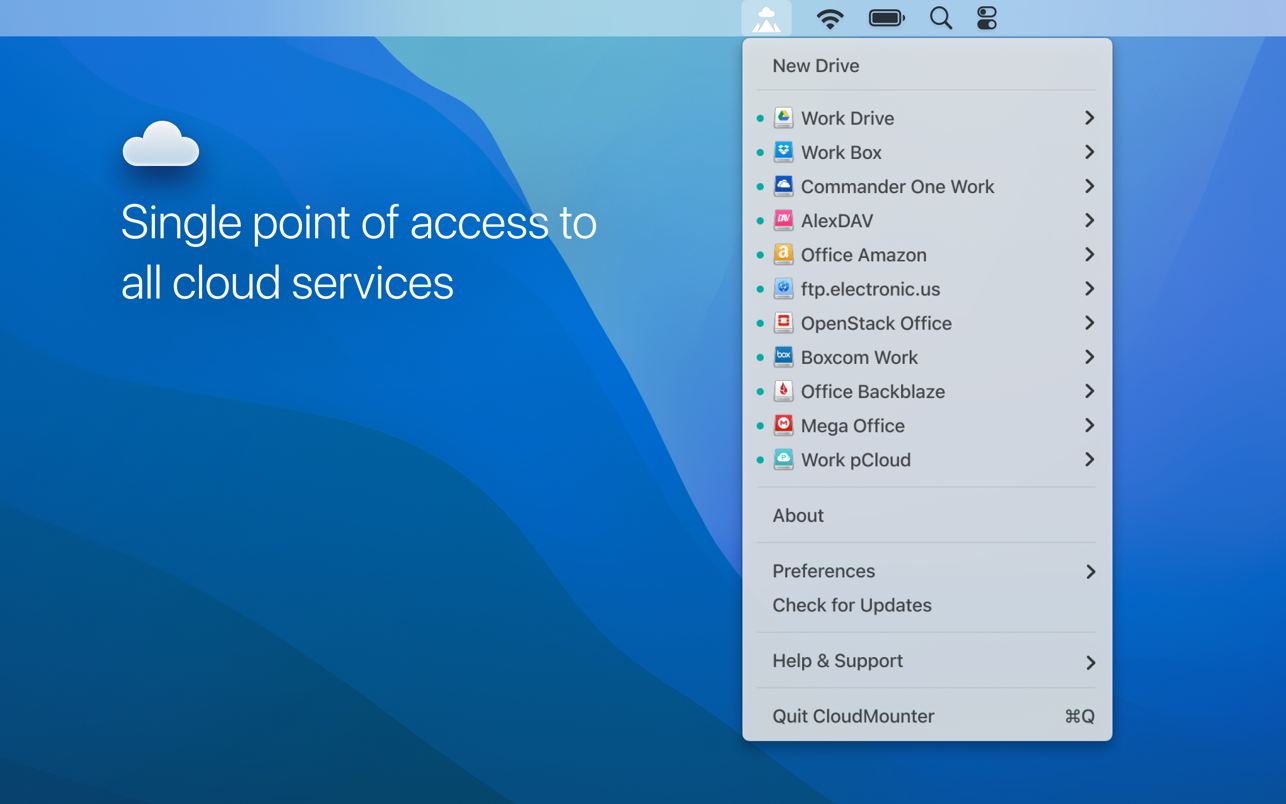
CloudMounter makes it easy for you to use multiple cloud storage services by allowing you to access and manage their data through a single window. It mounts OneDrive, Google Drive, Amazon S3 and Dropbox accounts as additional hard drives on your Mac. The app also enables you to connect to FTP, SFTP, FTPS and WebDAV servers. You can access and browse their data as if they were another shared location on the network.
It looks and feels like a connection manager where each cloud service and a web-server are assigned a button. Choose the one you’d like to access and enter your login details, and then you can conveniently browse and manage your data through your Mac’s Finder. With CloudMounter your data is protected, credentials you enter are stored in Mac OS Keychain and sent directly to the server. No unauthorized party will have access to it.
Version 4.18:
- Improved: uploading of large files.
- Improved: faster loading of files and folders listing.
- Improved: work with MEGA connections.
- Fixed: download cancellation for files on SFTP connections.
- Fixed: file downloading issues when cache volume is changed.
- Fixed: issues with incorrect file and folder listing.
- Fixed: displaying of storage usage information for online connections.
- Intel, 64-bit processor
- macOS 12.4 or later

If you are using Adblocker!! Please support this website by adding us to your whitelist. Ads are what helps us bring you premium content! Or read this to know how you can support us. Thank you!