
Discover the versatility of the Tabletop Creator software with its array of panel types. Each panel serves a unique purpose, allowing you to seamlessly weave narratives, incorporate visuals, generate dynamic content, and create interconnected worlds.
Our six panel types
- Text panels: Adds text for descriptions or narratives.
- Image panels: Uploads and displays images.
- Procedural panels: Generates dynamic content algorithmically.
- Icon panels: Integrates small graphical symbols.
- ScanCode panels: Incorporates QR codes for linking content.
- Linked panels: Connects elements for an interconnected experience.
Panels common properties
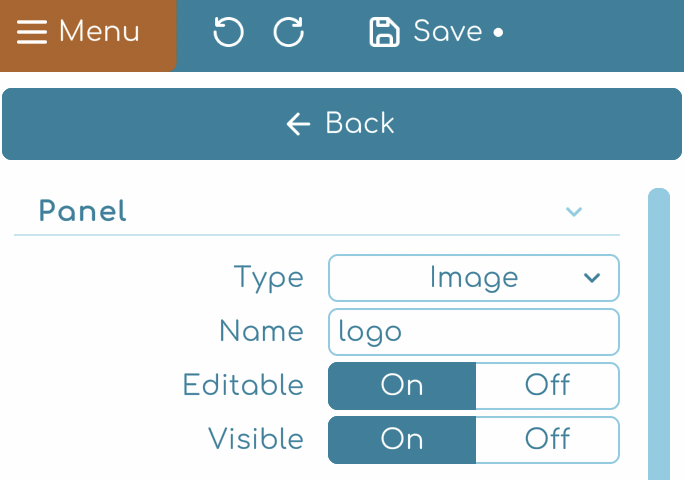
- Type: Choose the panel type.
- Name: Rename your panel.
- Editable: Enable or disable panel editing. Alternatively, you can click the lock 🔒 icon located beside the panel options on the right to control its editability.
- Visible: Show or hide the panel. Alternatively, you can click the eye 👁️ icon located beside the panel options on the right to control its visibility.
Quick tip
ℹ️ If you set a panel as non-editable 🔒 it won’t appear in the components editor. Set this value to On for panels that you know they won’t change between items.