Anniversary Sale: Up to 50% OFF + anniversary coupons. July 16–23, 2026. → Learn More
Coupon Guide -- How to apply a DFRobot coupon to your order

Coupon
In this tutorial, we will guide you to apply a DFRobot coupon to your purchase order at DFRobot.com
Step 1. Click the coupon link.

DFRobot coupons will be issued Irregularly, you can receive them via email and SNS.
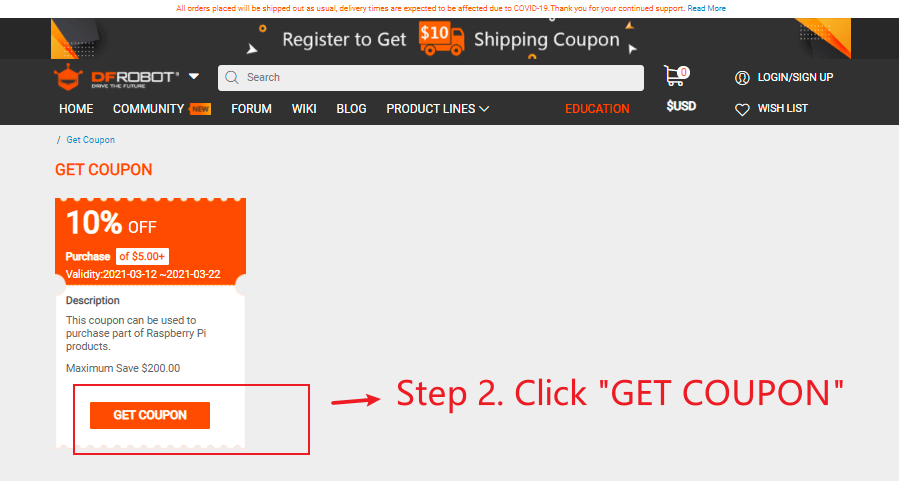
Step 2. Click “Get Coupon” as the following figure.
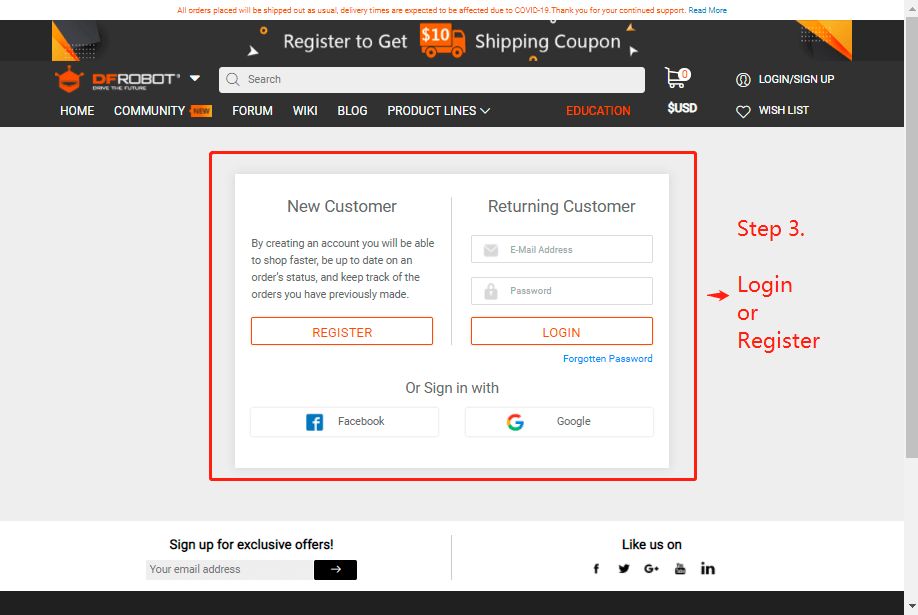
Step 3. If you are not logged in, you will be directed to the login page
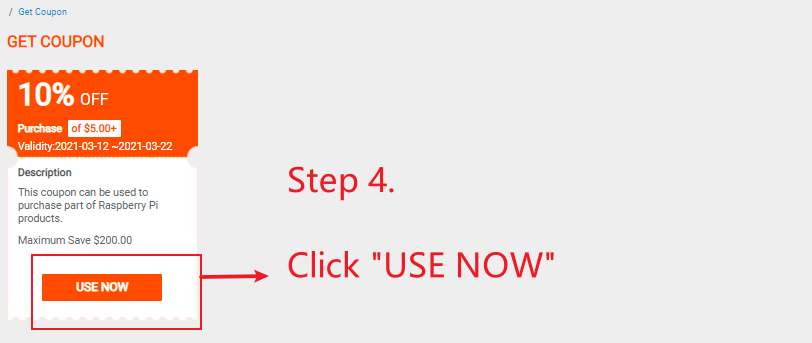
Step 4. Once logged in, the coupon will be automatically sent to your account.
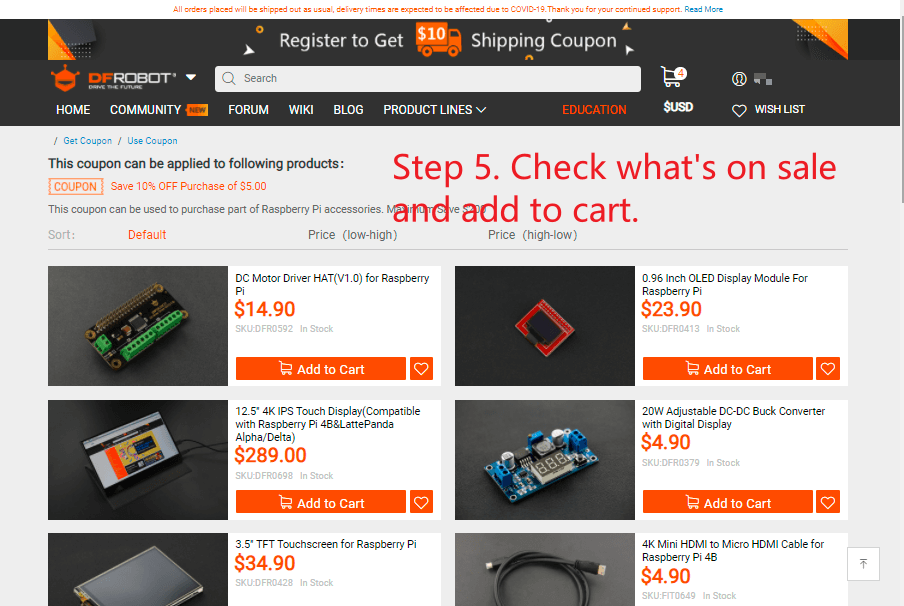
Click "USE NOW", you can check all products that can be purchased with coupons.
Step 5. Add what you want into the cart
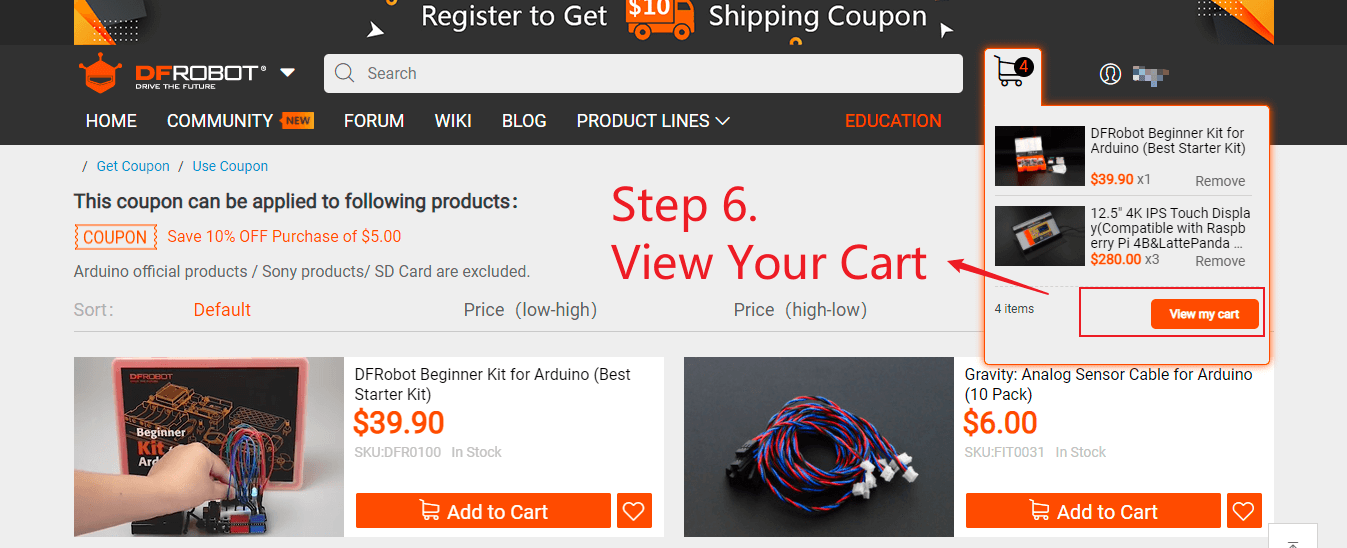
Step 6. View the cart
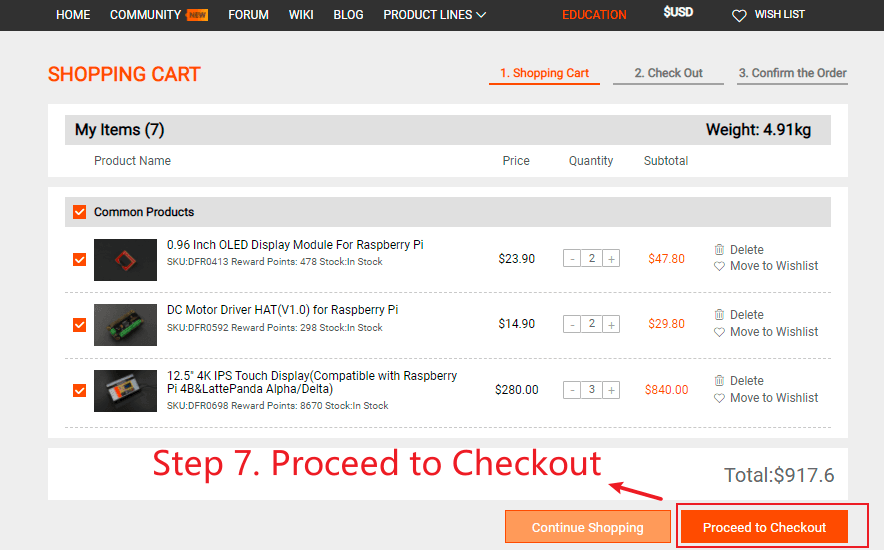
Step 7. Check the shopping cart and click "proceed to checkout".
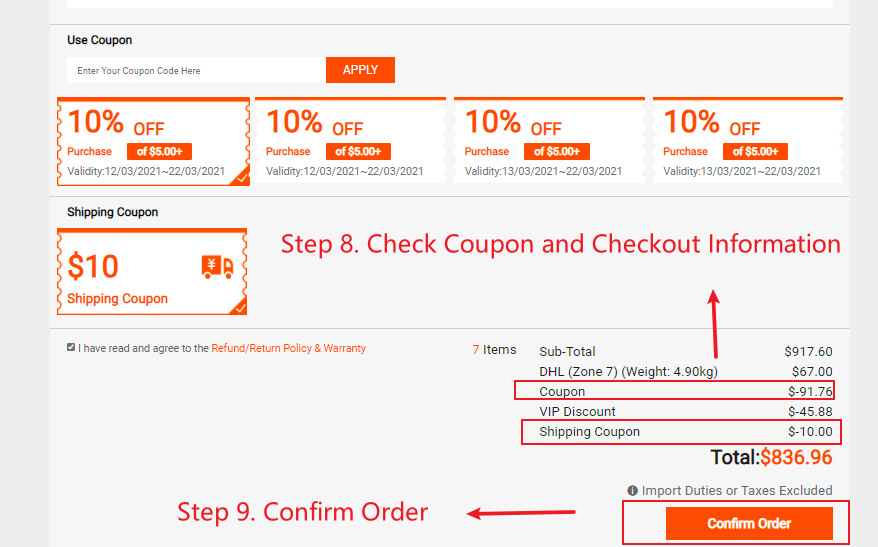
Step 8. The coupon will be automatically used, please check the information
Step 9. Confirm Order