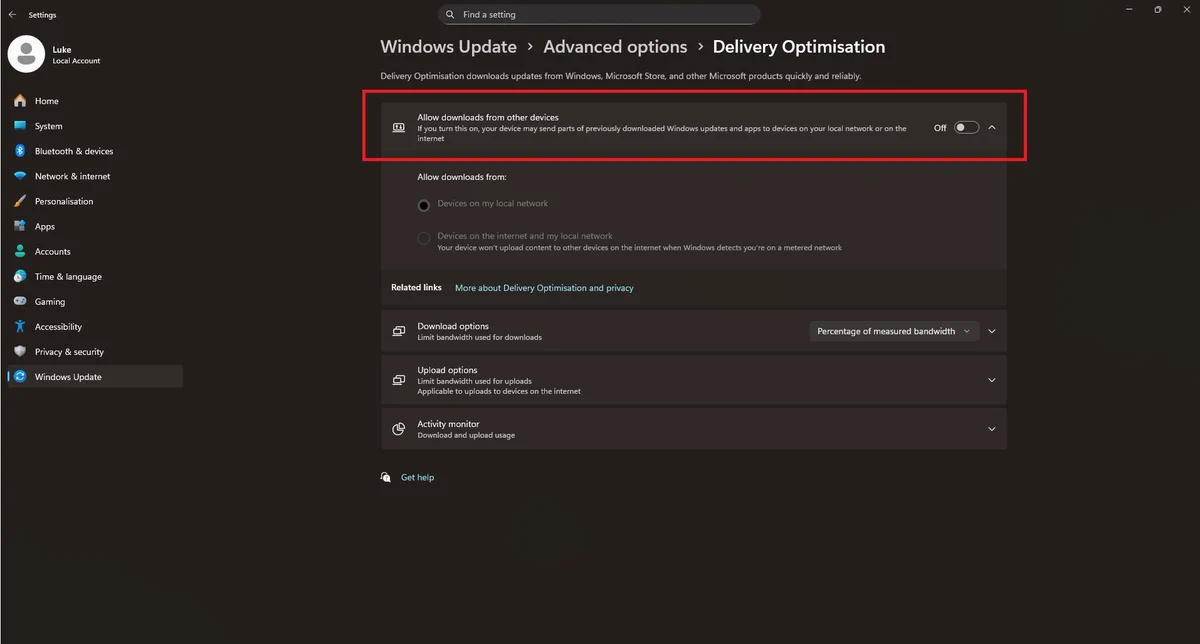
🚨 Windows Update tip (Delivery Optimisation)🚨
If your PC randomly spikes upload, causes lag, or slows downloads, the culprit can be Delivery Optimisation (it shares update files to other PCs).
Fix: Settings → Windows Update → Advanced options → Delivery Optimisation Turn
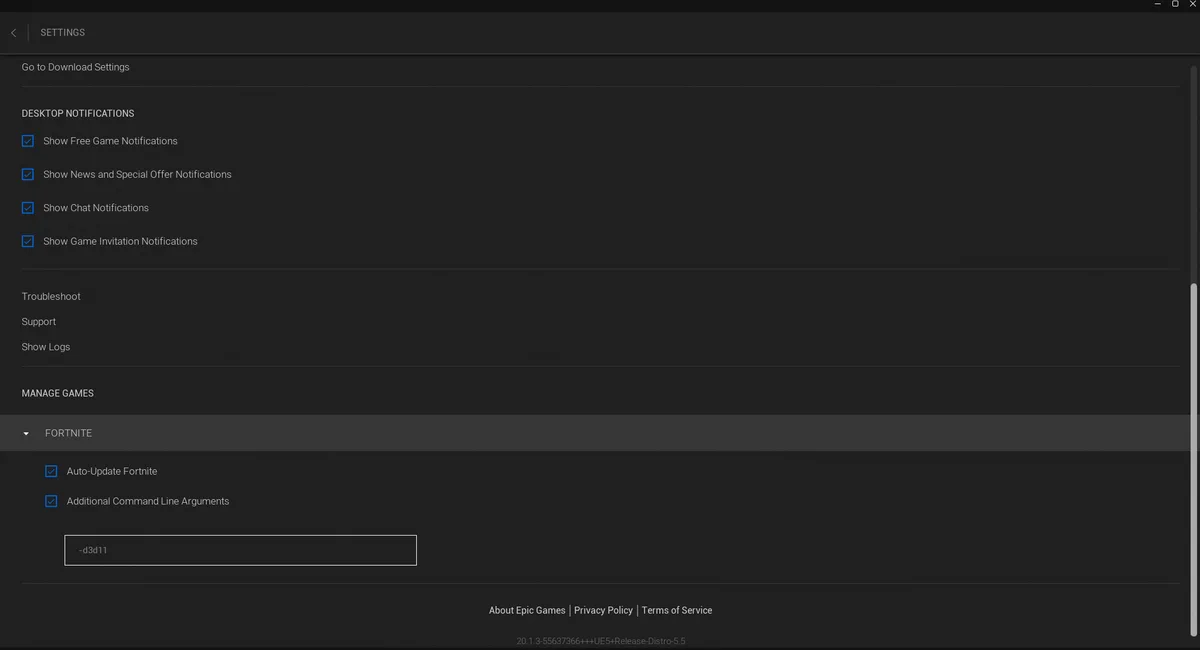
FORTNITE FPS BOOST 🚨
1. Open the Epic Games Launcher.
2. Click on your profile icon in the top right corner and select Settings.
3. Scroll down and expand the Fortnite section.
4. Check the box for Additional Command Line Arguments.
5.Type -d3d11 into the text field and close
WRONG GPU SLOT = FPS LOST 🚨
Your GPU should almost always go in the top PCIe x16 slot closest to the CPU.
Plug it into the lower slot and you could be choking bandwidth, adding chipset latency, or cutting performance without even realising.
🚨Discord Users
Your Discord Overlay might be ruining your FPS, the fix:
Discord Settings → Game Overlay > Disable the following
Enable Overlay
Enable Legacy Overlay
GAME SETTINGS KEEP RESETTING? 🚨
NVIDIA App might be auto-optimising your games and overwriting your custom graphics settings.
Fix it:
Open NVIDIA App → Graphics → Games and Apps → turn OFF Automatically optimise newly added games and apps
🚨 Windows Update tip (Delivery Optimisation) 🚨
If your PC randomly spikes upload, causes lag, or slows downloads, the culprit can be Delivery Optimisation (it shares update files to other PCs).
Fix: Settings → Windows Update → Advanced options → Delivery Optimisation Turn
Not all USB ports are equal 🚨
Your mouse, keyboard or controller could be plugged into a slower / higher latency USB path without you realising.
- Find CPU-direct ports
- Avoid chipset-routed ports
- Reduce input delay
- Test your USB devices inside the HD OPTI app
🚨 WALLPAPER ENGINE USERS — RUN A SCAN NOW
Kaspersky found malware hiding in malicious Steam Workshop wallpapers.
How to check your PC:
1. Open Windows Security
2. Go to Virus & threat protection
3. Click Scan options
4. Run a Full scan
5. Then run Microsoft Defender
🚨 Is NetBIOS over TCP/IP still enabled on your PC?
This is legacy networking that most modern setups do not need anymore.
Disable it to help reduce unnecessary network exposure, cut background broadcasts, and improve your security posture.
Network Adapter → IPv4 → Advanced
🚨 Windows 11 Privacy Tip 🚨
Turn OFF “Recommendations & Offers” to reduce annoying ads, tracking, and background suggestions in Windows.
Settings → Privacy & Security → Recommendations & Offers and then disable everything in there
WINDOWS USERS 🚨
Want a quick FPS boost and a snappier PC?
Search “Transparency Effects” in Windows and turn OFF:
- Transparency Effects
- Animation Effects
🚨 YOUR PC IS SLOW BECAUSE OF THIS 🚨
Every app starting with Windows steals CPU + RAM before you even touch your mouse.
Fix it in 20 seconds: Settings → Apps → Startup Turn OFF anything that is not essential ❌
Go check yours now, Windows enables way more than you think.