
説明
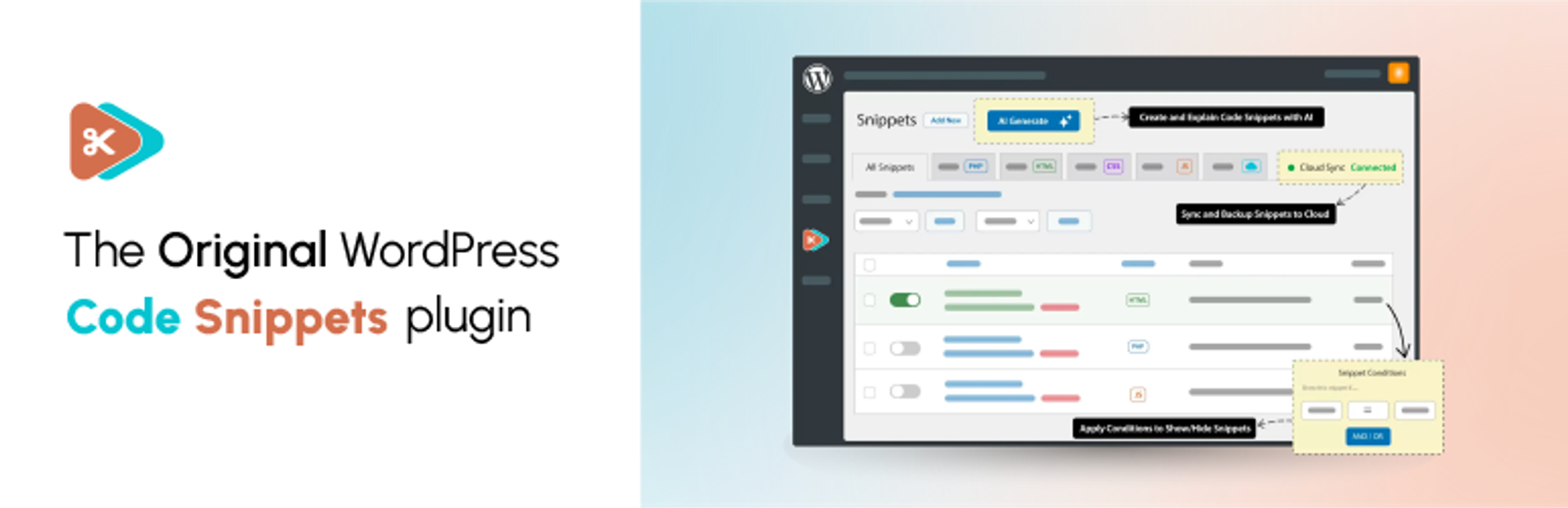
✂ Code Snippets provides an effortless way to enhance your WordPress site.
🚀 Upgrade to Code Snippets Pro for complete CSS, JavaScript, Gutenberg, Elementor and cloud synchronisation integrations. Elevate your snippets experience now!
Say goodbye to the hassle of tweaking your theme’s functions.php file and downloading endless plugins – Code Snippets simplifies the process!
A snippet is like a mini-plugin for your WordPress site, providing added functionality without the clutter.
Unlike other solutions that involve dumping code into your functions.php file, Code Snippets offers an intuitive graphical interface for seamless integration and real-time execution. Managing snippets is as easy as activating and deactivating plugins, only without the bloat and overhead.
🎥 Watch a quick overview by Imran Siddiq:
☁️ Each copy of Code Snippets includes full integration with the community-powered Code Snippets Cloud platform, providing easy access to hundreds of tweaks and enhancements ready to power-up any WordPress site.
🌐 Connect with us:
🌟 Like our plugin? Find it useful? Please consider sharing your experience by leaving a review on WordPress.org. Your feedback is instrumental to shaping our future growth!
🌍 We’d like to thank the wonderful people who have helped contribute translations to allow Code Snippets to be used in different languages. You can find a full list here.
スクリーンショット

既存のスニペットの管理 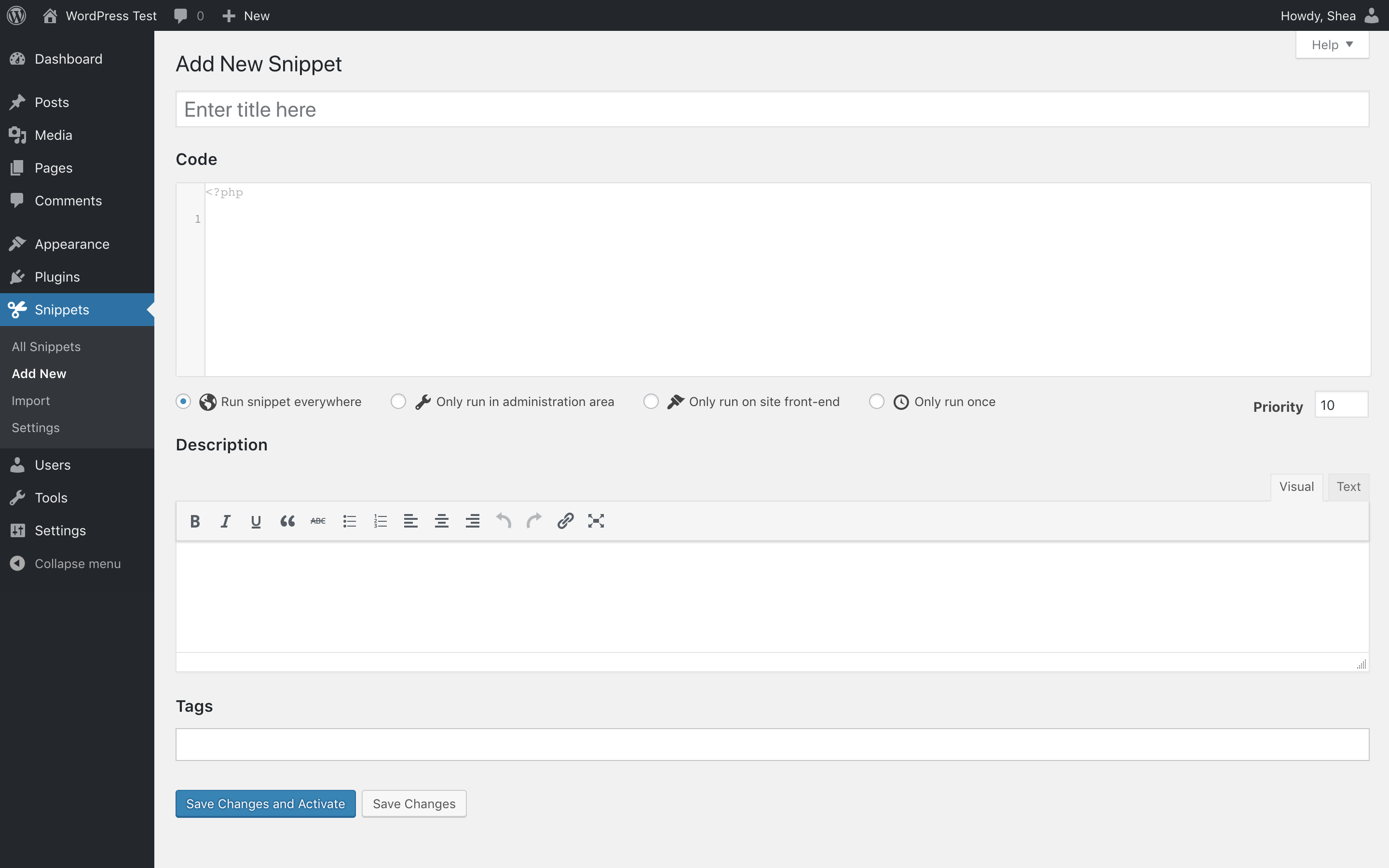
新しいスニペットを追加する 
スニペットを編集する 
エクスポートファイルからスニペットをインポート


インストール
自動インストール
- WordPress 管理画面にログイン
-
プラグインをクリック
-
新規追加をクリック
-
Code Snippets の検索
-
“Code Snippets” の下の「今すぐインストール」をクリック
- プラグインを有効化する
手動インストール
- プラグインをダウンロードする
- ZIP ファイルの中身を取り出す
- Zip ファイルの内容を WordPress インストールの
wp-content/plugins/フォルダにアップロード - 「プラグイン」ページで Code Snippets プラグインを有効化
サイトネットワーク管理画面で Code Snippets を「ネットワークで有効化」すると、スニペット編集画面にネットワーク全体でスニペットを実行するための設定項目が現れます。
FAQ
よくある質問の全リストは、help.codesnippets.pro でご覧いただけます。
-
スニペットのバグでサイトに不具合が起きたときの復帰方法を教えてください。
-
Code Snippets のセーフモード機能を有効にすると、サイトの動作を復旧させることができます。有効化の方法については次のリンク先を参照してください: https://help.codesnippets.pro/article/12-safe-mode
-
テーマを変えたり WordPress をアップグレードしたりすると、作成したスニペットは失われますか ?
-
いいえ、スニペットはテーマとは無関係に WordPress データベースに保存され、WordPress のアップグレードの影響を受けません。
-
プラグインを完全にアンインストールすることはできますか ?
-
プラグインの設定ページで「プラグイン削除時の処理」オプションを有効にすると、WordPress の「プラグイン」メニューから Code Snippets を削除した時に、Code Snippets のすべてのデータがクリーンアップされます。このデータには保存済みのすべてのスニペットが含まれます。スニペットをバックアップしておきたい場合は、まずスニペットをエクスポートしてください。
-
作成したスニペットを別の WordPress サイトにコピーできますか ?
-
はい ! 「スニペット一覧」ページのスニペット名の下にあるリンクからスニペットを個別にエクスポートしたり、「一括操作」機能で複数のスニペットを一括エクスポートしたりすることができます。エクスポートしたファイルは「インポート」ページでインポートすることもできます。
-
Code Snippets プラグインを使っていないサイトでスニペットを使いたいです。作成したスニペットを PHP コードとしてエクスポートできますか ?
-
はい。使いたいスニペットの横にあるチェックボックスをクリックし、「一括操作」メニューから「ダウンロード」を選択して「適用」をクリックします。生成された PHP ファイルには、エクスポートされたスニペットのコードのほか、スニペットのタイトルと説明がコメントとして含まれます。
-
マルチサイト環境において、スニペットをネットワーク全体で実行することはできますか ?
-
ネットワークダッシュボードから Code Snippets をネットワーク起動することで、マルチサイトネットワーク全体でスニペットを実行することができます。また、メインサイトだけで Code Snippets を有効にして、他のお好きなサイトで個別に有効にすることもできます。
-
WordPress データベースのどこにスニペットが保管されているのでしょうか?
-
スニペットは WordPress データベースの
wp_snippetsテーブルに格納されます。テーブル名は、テーブルのプレフィックスの設定によって異なる場合があります。 -
ヘルプや新機能について提案したいときはどうすればよいですか ?
-
WordPress サポートフォーラムまたは GitHub で、バグやエラー、新機能、改善点などを提案してください。
-
Code Snippets プラグインの開発に貢献するにはどうすればよいですか ?
-
ベストな方法は、GitHub リポジトリをフォークして、プルリクエストを送信することです。
-
セキュリティ上の不具合を見つけたときはどうすればいいですか ?
-
セキュリティ上の不具合を見つけたときは Patchstack Vulnerability Disclosure Program を通じてぜひ報告してください。Patchstack team は、セキュリティ脆弱性の検証、トリアージ、通知などを支援しているチームです。
評価


貢献者と開発者
Code Snippets はオープンソースソフトウェアです。以下の人々がこのプラグインに貢献しています。
貢献者


変更履歴
3.9.3 (2025-12-03)
追加:
- Enhanced end-to-end tests to verify the toggle visual state in the snippets list page, improving UI verification and test reliability
修正 :
- Fix missing import of common/direction in src/css/manage.scss to restore correct styling and direction-aware layout
- Fix toggle activation check to ensure the correct transformation value is used when detecting active/inactive state
3.9.2 (2025-11-17)
Changed
- Introduced a custom scissors icon and updated button title for the TinyMCE extension.
- Improved back-navigation styling on the edit page.
- Refined layout for column names and action buttons in the Cloud Snippets list.
- Enhanced overall styling of cloud-related UI components.
- Optimized cloud search with more efficient pagination and snippet retrieval.
- Introduced groundwork to prevent Composer dependency collisions with other plugins.
修正 :
- Improved sanitization and normalization across Cloud API and pagination outputs.
- Resolved various TinyMCE issues reported in the WordPress support forum.
3.9.1 (2025-11-14)
Changed
- Migrated to native CSS direction handling (RTL/LTR) for improved compatibility and simpler styling
- Updated dependencies to the latest compatible versions
修正 :
- Fixed TinyMCE menu button registration to prevent initialization failure
- Fixed the position of the ‘code direction’ control in the editor
3.9.0 (2025-11-13)
追加:
- Added contextual notices in the Snippets list table to surface action results and warnings in the UI
- Expanded Multisite Sharing settings for clearer control over network-wide snippet sharing
Changed
- Modernized browser support targets and polished admin UI (clearer row-action badges, improved Pro badge hover, refined active snippet name styling)
修正 :
- Fixed REST API pagination to return correct results and page counts
- Resolved styling selector so the active snippet name highlights reliably
3.8.2 (2025-10-31)
修正 :
- Improved namespaced PHP snippet handling with file based execution.
3.8.1 (2025-10-28)
追加:
- Code line explanation widget with apply and remove actions for AI-generated comments. (PRO)
Changed
- Improved pagination handling and display structure for cloud search results. (PRO)
- Enhanced styling for codevault rows and inactive tabs in cloud interface. (PRO)
変更:
- Removed
guzzlehttp/guzzledependency to reduce package conflicts. (PRO)
修正 :
- Improved file-based snippet handling for multisite installations.
3.8.0 (2025-10-24)
追加:
- @CarolinaOP and @louiswol94 join the team as plugin contributors.
- File-based execution mode for snippets (Optional in Plugin Settings).
- Version switch option, to help easily rollback the plugin to an earlier release.
- Minor UI improvements to the editor and sidebar.
Changed
- Prefixed Composer packages to reduce collisions with other plugins.
- Snippets REST API now supports pagination via page and per_page query parameters.
- Improved editor preview behavior.
修正 :
- Fixed issues with snippet evaluation and front-end initialization in edge cases.
- Improved reliability of snippet evaluation.
- JavaScript and CSS snippets loading twice due to a conditions bug. (PRO)
- Fixed issue where some conditions didn’t work due to loading before the loop. (PRO)
3.7.0 (2025-08-29)
追加:
- New ‘conditions’ feature: control where and when snippets execute with a powerful logic builder. (PRO)
Changed
- Redesigned edit menu with refreshed look and functionality.
- Updated snippet type badges to be more visually distinct.
- Redesigned tooltips used throughout the plugin.
- Moved content snippet shortcode options into separate modal window.
- Updated snippet tag editor to use built-in WordPress tag editor.
- Created proper form for sharing beta feedback.
- Improved UX of snippet activation toggle.
修正 :
- Fetching active snippets on a multisite network now respects the ‘priority’ field above all else when ordering snippets.
- Cloud search appears correctly and allows downloading snippets in the free version of Code Snippets.
- Improved performance of loading admin menu icon.
3.6.9 (2025-02-17)
Changed
- Updated
Cloud_API::get_bundles()to properly check bundle data and return an empty array if no valid bundles are present. - Refactored
Cloud_List_Table::fetch_snippets()to always return a validCloud_Snippetsinstance. - Cleaned up bundle iteration code and improved translation handling in the bundles view.
修正 :
- Fixed errors in bundle iteration by adding a check for the bundles array before iterating.
3.6.8 (2025-02-14)
追加:
code_snippets/hide_welcome_bannerfilter hook for hiding welcome banner in dashboard.
Changed
- Updated Freemius SDK to the latest version. (PRO)
変更:
- Functionality allowing
[code_snippet]shortcodes to be embedded recursively – it will be re-added in a future version.
修正 :
- Shortcodes embedded within
[code_snippet]shortcodes not evaluating correctly. - Translation functions being called too early in some instances when loading plugin settings.
- ‘Generate’ button not appearing on some sites. (PRO)
- Incorrect arrow entity used in cloud list table (props to [brandonjp]).
- Removed reference to missing plugins.css file in core plugin version.
3.6.7 (2025-01-24)
追加:
- Generated snippet shortcode tags will include the snippet name, for easier identification.
- Admin notices will dismiss automatically after five seconds. (#208)
Changed
- Updated CSS to use latest Sass features.
- Moved theme selector to just above editor preview on settings page (thanks to brandonjp). (#206)
[code_snippet]shortcodes can now be nested within each other. (#198)
修正 :
- Save buttons above editor did not follow usual validation process in Pro. (PRO) (#197)
- Minor inconsistencies in consistent UI elements between Core and Pro.
- Tags input not allowing input. (#211)
- Issue with Elementor source code widget. (PRO) (#205)
- Snippet descriptions not visible when viewing cloud search results.
- Snippet import page not displaying number of successfully imported snippets.
- Use UTC time when deciding when to display campaign notices.
3.6.6.1 (2024-11-27)
修正 :
- Redeployment of v3.6.6 to overcome issue with initial build.
- Type issue when caching cloud links. (PRO)
3.6.6 (2024-11-27)
Changed
- Improved compatability with modern versions of PHP.
- Extended welcome API to include admin notices.
修正 :
- Memory issue from checking aggregate posts while loading front-end syntax highlighter.
- Translation functions being called too early on upgrade, resulting in localisation loading errors.
- Bug preventing the ‘share on network’ status of network snippets from correctly updating.
- Incorrect logic controlling when to display ‘Save Changes’ or ‘Save Changes and Activate’ buttons.
- Old notices persisting when switching between editing and creating snippets.
3.6.5.1 (2024-05-24)
- Redeployment of v3.6.5 to overcome issue with initial build.
3.6.5 (2024-05-24)
追加:
- New admin menu providing useful resources and updates on the Code Snippets plugin and community.
3.6.4 (2024-03-15)
追加:
- AI generation for all snippet types: HTML, CSS, JS. (PRO)
- Button to create a cloud connection directly from the Snippets menu when disconnected. (PRO)
Changed
- Increment the revision number of CSS and JS snippet when using the ‘Reset Caches’ debug action. (PRO)
- UX in generate dialog, such as allowing ‘Enter’ to submit the form. (PRO)
修正 :
- Minor type compatability issue with newer versions of PHP.
- Undefined array key issue when initiating cloud sync. (PRO)
- Bug preventing downloading a single snippet from a bundle. (PRO)
- Translations not loading for strings in JavaScript files.
3.6.3 (2023-11-13)
追加:
- Added debug action for resetting snippets caches.
修正 :
- Import error when initialising cloud sync configuration. (PRO)
3.6.2 (2023-11-11)
変更:
- Removed automatic encoding of code content.
修正 :
- Error when attempting to save shared network snippets marked as active.
- Type error when rendering checkbox fields without a stored or default value.
- Label for snippet sharing input incorrectly linked to input field.
- Error when attempting to download export files from Edit menu.
- Issue loading Freemius string overrides too early. (PRO)
- Fix redirect URL when connecting with OAuth on subdirectory or HTTPS sites. (PRO)
- Import error when attempting to completely uninstall the plugin.
3.6.1 (2023-11-07)
修正 :
- Issue accessing fields on Snippets class.
3.6.0 (2023-11-07)
追加:
- Ability to authenticate with Code Snippets Cloud using OAuth. (PRO)
- Integration with GPT AI for generating snippets. (PRO)
- Ability to generate line-by-line descriptions of snippet code with GPT AI. (PRO)
- Ability to generate tags and description text from existing snippet code with GPT AI. (PRO)
- Added debug settings menu for manually performing problem-solving actions.
- Filter to disable scroll-into-view functionality for edit page notices.
Changed
- Updated minimum PHP requirement to 7.4.
- Ensure that the URL of the edit snippet page changes when adding a new snippet.
- Snippet tags will automatically be added when focus is lost on the tags field.
修正 :
- Moved active status border on edit name field to left-hand side.
- New notices will not scroll if already at top of page.
- Potential CSRF vulnerability allowing an authenticated user to reset settings.
3.5.1 (2023-09-15)
修正 :
- Undefined array key error when accessing plugin settings page. (PRO)
- Issue registering API endpoints affecting edit post screen. (PRO)
- Snippet ID instead of snippet object being passed to
code_snippets/update_snippetaction hook.
3.5.0 (2023-09-13)
追加:
- Support for the Code Snippets Cloud API.
- Search and download public snippets.
- Codevault back-up and synchronisation. (PRO)
- Synchronised local snippets are automatically updated in Cloud. (PRO)
- Bulk actions – ‘update’ and ‘download’.
- Download snippets from public and private codevaults. (PRO)
- Search and download any publicly viewable snippet in Code Snippet Cloud by keyword or name of codevault. (PRO)
- Deploy snippets to plugin from Code Snippets Cloud app. (PRO)
- Bundles of Joy! Search and download Snippet Bundles in one go direct from Code Snippets Cloud. (PRO)
Changed
- Redirect to snippets table when deleting snippet from the edit menu.
- Scroll new notices into view on edit menu.
修正 :
- Error when attempting to update network shared snippets after saving. [#]
詳しい変更履歴は GitHub で参照できます。
