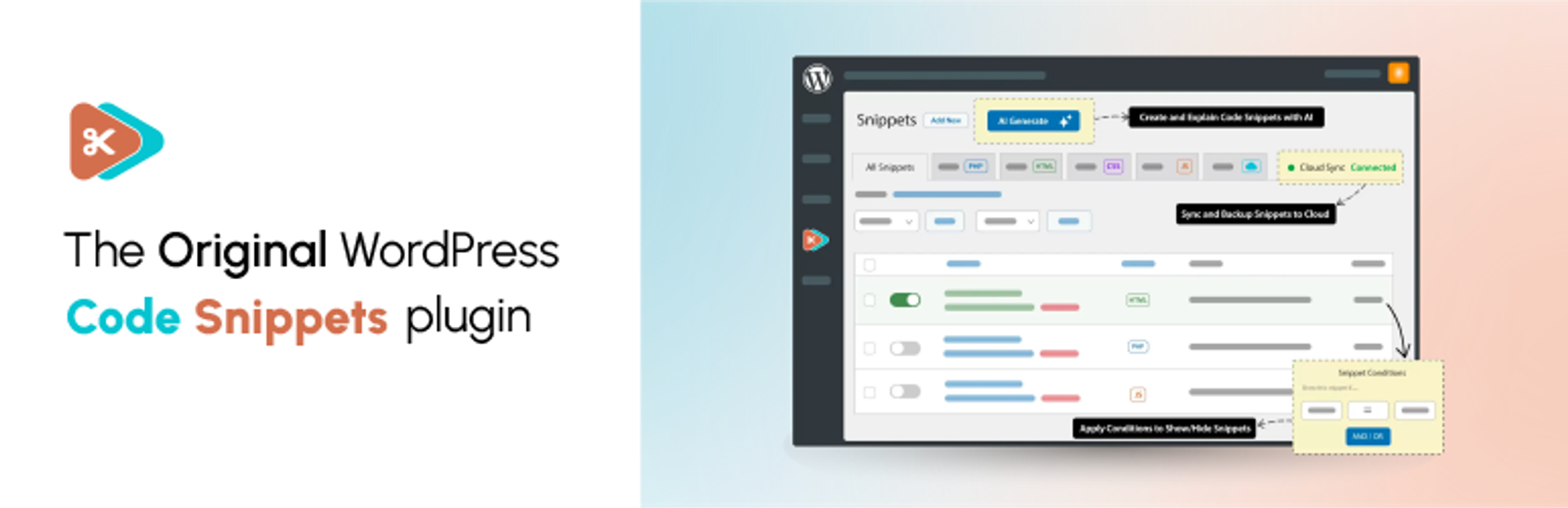

Descriere
✂ Code Snippets oferă o modalitate fără niciun efort ca să-ți îmbunătățești site-ul WordPress.
🚀 Upgrade to Code Snippets Pro for complete CSS, JavaScript, Gutenberg, Elementor and cloud synchronisation integrations. Elevate your snippets experience now!
Say goodbye to the hassle of tweaking your theme’s functions.php file and downloading endless plugins – Code Snippets simplifies the process!
A snippet is like a mini-plugin for your WordPress site, providing added functionality without the clutter.
Unlike other solutions that involve dumping code into your functions.php file, Code Snippets offers an intuitive graphical interface for seamless integration and real-time execution. Managing snippets is as easy as activating and deactivating plugins, only without the bloat and overhead.
🎥 Urmărește o prezentare generală rapidă oferită de Imran Siddiq:
☁️ Fiecare text din Code Snippets include integrarea completă cu platforma Code Snippets Cloud a comunității, oferind acces ușor la sute de ajustări și îmbunătățiri pregătite să accelereze orice site WordPress.
🌐 Conectează-te cu noi:
🌟 Like our plugin? Find it useful? Please consider sharing your experience by leaving a review on WordPress.org. Your feedback is instrumental to shaping our future growth!
🌍 We’d like to thank the wonderful people who have helped contribute translations to allow Code Snippets to be used in different languages. You can find a full list here.
Capturi ecran

Administrarea fragmentelor existente 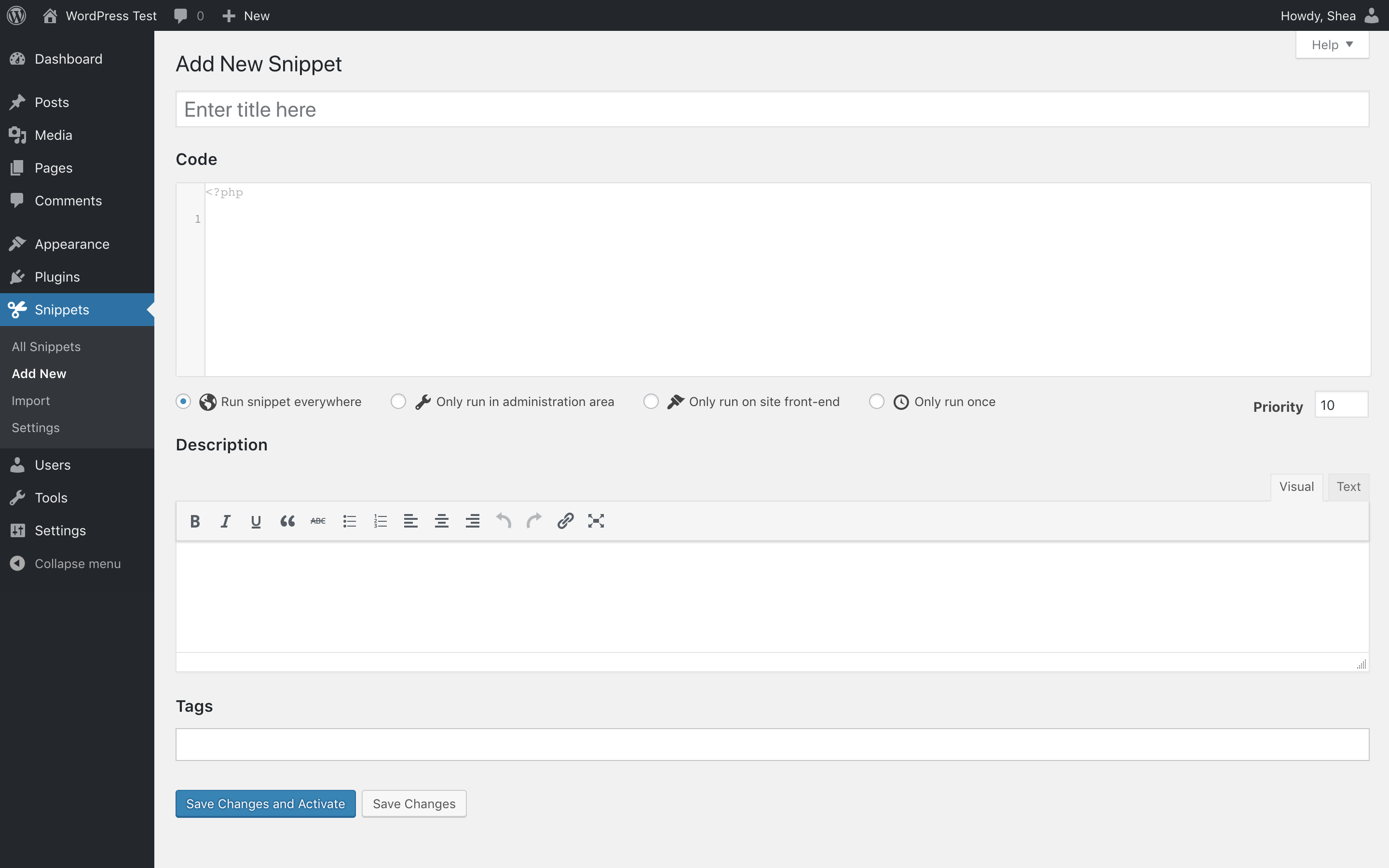
Adăugarea unui fragment nou 
Editarea unui fragment 
Importul fragmentelor dintr-un fișier de export


Instalare
Instalare automată
- Autentifică-te în administrarea WordPress
-
Dă clic pe Module
-
Dă clic pe Adaugă modul nou
-
Caută Code Snippets
-
Dă clic pe Instalează acum în „Code Snippets”
- Activează modulul
Instalare manuală
- Descarcă modulul
- Extrage conținutul din fișierul zip
- Încarcă conținutul fișierului zip în dosarul
wp-content/plugins/al instalării tale WordPress - Activează modulul Code Snippets în pagina „Module”.
Network Activating Code Snippets through the Network Dashboard will enable a special interface for running snippets across the entire network.
Întrebări frecvente
O listă completă cu Întrebări frecvente poate fi găsită la help.codesnippets.pro.
-
Cum pot să-mi recuperez site-ul dacă este blocat de un fragment cu erori?
-
You can recover your site by enabling the Code Snippets safe mode feature. Instructions for how to turn it on are available here: https://help.codesnippets.pro/article/12-safe-mode.
-
Îmi voi pierde fragmentele dacă schimb tema sau actualizez WordPress?
-
Nu, fragmentele sunt stocate în baza de date WordPress, independent de temă și nu sunt afectate de actualizările WordPress.
-
Modulul poate fi dezinstalat în întregime?
-
If you enable the ‘Complete Uninstall’ option on the plugin settings page, Code Snippets will clean up all of its data when deleted through the WordPress ‘Plugins’ menu. This includes all stored snippets. If you would like to preserve the snippets, ensure they are exported first.
-
Pot să copiez fragmentele pe care le-am creat pe un alt site WordPress?
-
Yes! You can individually export a single snippet using the link below the snippet name on the ‘Manage Snippets’ page or bulk export multiple snippets using the ‘Bulk Actions’ feature. Snippets can later be imported using the ‘Import Snippets’ page by uploading the export file.
-
Pot să-mi export fragmentele în PHP pentru un site pe care nu folosesc modulul Code Snippets?
-
Yes. Click the checkboxes next to the snippets you want to export, and then choose Export to PHP from the Bulk Actions menu and click Apply. The generated PHP file will contain the exported snippets’ code, as well as their name and description in comments.
-
Pot să rulez fragmentele la nivel de rețea pe o instalare multi-site?
-
You can run snippets across an entire multisite network by Network Activating Code Snippets through the Network Dashboard. You can also activate Code Snippets just on the main site, and then individually on other sites of your choice.
-
Unde sunt stocate fragmentele în baza mea de date WordPress?
-
Fragmentele sunt stocate în tabelul
wp_snippetsdin baza de date WordPress. Numele tabelului poate să difere în funcție de prefixul setat pentru tabel. -
Unde pot să cer ajutor sau să sugerez funcționalități noi?
-
You can get help with Code Snippets, report bugs or errors, and suggest new features and improvements either on the WordPress Support Forums or on GitHub.
-
Cum pot să contribui la dezvoltarea modulului Code Snippets?
-
The best way to do this is to fork the repository on GitHub and send a pull request.
-
Cum pot să raportez erorile la securitate găsite în acest modul?
-
You can report security bugs found in the source code of this plugin through the Patchstack Vulnerability Disclosure Program. The Patchstack team will assist with verification, triage, and notification of security vulnerabilities.
Recenzii


Contributori și dezvoltatori
„Code Snippets” este un software open-source. La acest modul au contribuit următoarele persoane.
Contributori


„Code Snippets” a fost tradus în 28 de locale. Mulțumim traducătorilor pentru contribuția lor.
Tradu „Code Snippets” în limba ta.
Te interesează dezvoltarea?
Răsfoiește codul, vezi depozitarul SVN, sau abonează-te la jurnalul de dezvoltare prin RSS.
Istoric modificări
3.9.3 (2025-12-03)
A adăugat
- Enhanced end-to-end tests to verify the toggle visual state in the snippets list page, improving UI verification and test reliability
A corectat
- Fix missing import of common/direction in src/css/manage.scss to restore correct styling and direction-aware layout
- Fix toggle activation check to ensure the correct transformation value is used when detecting active/inactive state
3.9.2 (2025-11-17)
A modificat
- Introduced a custom scissors icon and updated button title for the TinyMCE extension.
- Improved back-navigation styling on the edit page.
- Refined layout for column names and action buttons in the Cloud Snippets list.
- Enhanced overall styling of cloud-related UI components.
- Optimized cloud search with more efficient pagination and snippet retrieval.
- Introduced groundwork to prevent Composer dependency collisions with other plugins.
A corectat
- Improved sanitization and normalization across Cloud API and pagination outputs.
- Resolved various TinyMCE issues reported in the WordPress support forum.
3.9.1 (2025-11-14)
A modificat
- Migrated to native CSS direction handling (RTL/LTR) for improved compatibility and simpler styling
- Updated dependencies to the latest compatible versions
A corectat
- Fixed TinyMCE menu button registration to prevent initialization failure
- Fixed the position of the ‘code direction’ control in the editor
3.9.0 (2025-11-13)
A adăugat
- Added contextual notices in the Snippets list table to surface action results and warnings in the UI
- Expanded Multisite Sharing settings for clearer control over network-wide snippet sharing
A modificat
- Modernized browser support targets and polished admin UI (clearer row-action badges, improved Pro badge hover, refined active snippet name styling)
A corectat
- Fixed REST API pagination to return correct results and page counts
- Resolved styling selector so the active snippet name highlights reliably
3.8.2 (2025-10-31)
A corectat
- Improved namespaced PHP snippet handling with file based execution.
3.8.1 (2025-10-28)
A adăugat
- Code line explanation widget with apply and remove actions for AI-generated comments. (PRO)
A modificat
- Improved pagination handling and display structure for cloud search results. (PRO)
- Enhanced styling for codevault rows and inactive tabs in cloud interface. (PRO)
Removed
- Removed
guzzlehttp/guzzledependency to reduce package conflicts. (PRO)
A corectat
- Improved file-based snippet handling for multisite installations.
3.8.0 (2025-10-24)
A adăugat
- @CarolinaOP and @louiswol94 join the team as plugin contributors.
- File-based execution mode for snippets (Optional in Plugin Settings).
- Version switch option, to help easily rollback the plugin to an earlier release.
- Minor UI improvements to the editor and sidebar.
A modificat
- Prefixed Composer packages to reduce collisions with other plugins.
- Snippets REST API now supports pagination via page and per_page query parameters.
- Improved editor preview behavior.
A corectat
- Fixed issues with snippet evaluation and front-end initialization in edge cases.
- Improved reliability of snippet evaluation.
- JavaScript and CSS snippets loading twice due to a conditions bug. (PRO)
- Fixed issue where some conditions didn’t work due to loading before the loop. (PRO)
3.7.0 (2025-08-29)
A adăugat
- New ‘conditions’ feature: control where and when snippets execute with a powerful logic builder. (PRO)
A modificat
- Redesigned edit menu with refreshed look and functionality.
- Updated snippet type badges to be more visually distinct.
- Redesigned tooltips used throughout the plugin.
- Moved content snippet shortcode options into separate modal window.
- Updated snippet tag editor to use built-in WordPress tag editor.
- Created proper form for sharing beta feedback.
- Improved UX of snippet activation toggle.
A corectat
- Fetching active snippets on a multisite network now respects the ‘priority’ field above all else when ordering snippets.
- Cloud search appears correctly and allows downloading snippets in the free version of Code Snippets.
- Improved performance of loading admin menu icon.
3.6.9 (2025-02-17)
A modificat
- Updated
Cloud_API::get_bundles()to properly check bundle data and return an empty array if no valid bundles are present. - Refactored
Cloud_List_Table::fetch_snippets()to always return a validCloud_Snippetsinstance. - Cleaned up bundle iteration code and improved translation handling in the bundles view.
A corectat
- Fixed errors in bundle iteration by adding a check for the bundles array before iterating.
3.6.8 (2025-02-14)
A adăugat
code_snippets/hide_welcome_bannerfilter hook for hiding welcome banner in dashboard.
A modificat
- Updated Freemius SDK to the latest version. (PRO)
Removed
- Functionality allowing
[code_snippet]shortcodes to be embedded recursively – it will be re-added in a future version.
A corectat
- Shortcodes embedded within
[code_snippet]shortcodes not evaluating correctly. - Translation functions being called too early in some instances when loading plugin settings.
- ‘Generate’ button not appearing on some sites. (PRO)
- Incorrect arrow entity used in cloud list table (props to [brandonjp]).
- Removed reference to missing plugins.css file in core plugin version.
3.6.7 (2025-01-24)
A adăugat
- Generated snippet shortcode tags will include the snippet name, for easier identification.
- Admin notices will dismiss automatically after five seconds. (#208)
A modificat
- Updated CSS to use latest Sass features.
- Moved theme selector to just above editor preview on settings page (thanks to brandonjp). (#206)
[code_snippet]shortcodes can now be nested within each other. (#198)
A corectat
- Save buttons above editor did not follow usual validation process in Pro. (PRO) (#197)
- Minor inconsistencies in consistent UI elements between Core and Pro.
- Tags input not allowing input. (#211)
- Issue with Elementor source code widget. (PRO) (#205)
- Snippet descriptions not visible when viewing cloud search results.
- Snippet import page not displaying number of successfully imported snippets.
- Use UTC time when deciding when to display campaign notices.
3.6.6.1 (2024-11-27)
A corectat
- Reimplementarea versiunii 3.6.6 pentru a depăși problema cu configurarea inițială.
- Type issue when caching cloud links. (PRO)
3.6.6 (2024-11-27)
A modificat
- A îmbunătățit compatibilitatea cu versiunile moderne de PHP.
- A extins API-ul Bine ai venit ca să includă notificări pentru administrator.
A corectat
- Memory issue from checking aggregate posts while loading front-end syntax highlighter.
- Funcțiile pentru traduceri sunt apelate prea devreme la actualizare, ducând la erori de încărcare pentru locale.
- Eroare care împiedica actualizarea corectă a stării „partajează în rețea” pentru fragmentele la nivel de rețea.
- Incorrect logic controlling when to display ‘Save Changes’ or ‘Save Changes and Activate’ buttons.
- Notificările vechi persistă la comutarea între editarea și crearea fragmentelor.
3.6.5.1 (2024-05-24)
- Reimplementarea versiunii 3.6.5 pentru a depăși problema cu configurarea inițială.
3.6.5 (2024-05-24)
A adăugat
- Noul meniu de administrare oferă resurse utile și actualizări pentru modulul și comunitatea Code Snippets.
3.6.4 (2024-03-15)
A adăugat
- Generare AI pentru toate tipurile de fragmente: HTML, CSS, JS. (PRO)
- Button to create a cloud connection directly from the Snippets menu when disconnected. (PRO)
A modificat
- Increment the revision number of CSS and JS snippet when using the ‘Reset Caches’ debug action. (PRO)
- UX în dialogul de generare, cum ar fi permiterea utilizării tastei „Enter” pentru trimiterea formularului. (PRO)
A corectat
- Problemă minoră de compatibilitate de tip cu versiunile mai noi de PHP.
- Problemă nedefinită la cheia tabloului la inițierea sincronizării în cloud. (PRO)
- Eroare care împiedica descărcarea unui singur fragment dintr-un pachet. (PRO)
- Traducerile nu se încarcă pentru șirurile din fișierele JavaScript.
3.6.3 (2023-11-13)
A adăugat
- A adăugat acțiunea Depanare pentru resetarea cache-ului pentru fragmente.
A corectat
- Eroare la import când se inițializează configurarea pentru sincronizare în cloud. (PRO)
3.6.2 (2023-11-11)
Removed
- A înlăturat codarea automată a conținutului codului.
A corectat
- Eroare la încercarea de a salva fragmentele partajate în rețea marcate ca active.
- Type error when rendering checkbox fields without a stored or default value.
- Eticheta pentru intrarea partajare fragmente este conectată incorect la câmpul intrare.
- Eroare la încercarea de a descărca fișiere de export din meniul Editează.
- Issue loading Freemius string overrides too early. (PRO)
- Fix redirect URL when connecting with OAuth on subdirectory or HTTPS sites. (PRO)
- Import error when attempting to completely uninstall the plugin.
3.6.1 (2023-11-07)
A corectat
- Problemă la accesarea câmpurilor pentru clasa Fragmente.
3.6.0 (2023-11-07)
A adăugat
- Posibilitatea de autentificare cu Code Snippets Cloud utilizând OAuth. (PRO)
- Integrare cu GPT AI pentru generarea de fragmente de cod. (PRO)
- Posibilitatea de a genera descrieri rând-cu-rând pentru fragmentele de cod cu GPT AI. (PRO)
- Posibilitatea de a genera taguri și text descriptiv din codul fragmentului existent cu GPT AI. (PRO)
- A adăugat meniul setări pentru depanare pentru executarea manuală a acțiunilor de rezolvare a problemelor.
- Filter to disable scroll-into-view functionality for edit page notices.
A modificat
- A actualizat cerința minimă pentru PHP la 7.4.
- Ensure that the URL of the edit snippet page changes when adding a new snippet.
- Snippet tags will automatically be added when focus is lost on the tags field.
A corectat
- Moved active status border on edit name field to left-hand side.
- Notificările noi nu se derulează dacă sunt deja în partea de sus a paginii.
- Vulnerabilitate CSRF potențială care permite unui utilizator autentificat să reseteze setările.
3.5.1 (2023-09-15)
A corectat
- Eroare nedefinită la cheia tabloului la accesarea paginii setări a modulului. (PRO)
- Issue registering API endpoints affecting edit post screen. (PRO)
- Snippet ID instead of snippet object being passed to
code_snippets/update_snippetaction hook.
3.5.0 (2023-09-13)
A adăugat
- Suport pentru API-ul Code Snippets Cloud.
- Search and download public snippets.
- Codevault back-up and synchronisation. (PRO)
- Fragmentele locale sincronizate sunt actualizate automat în Cloud. (PRO)
- Acțiuni în masă – „actualizează” și „descarcă”.
- Descarcă fragmente din seifuri de coduri publice și private. (PRO)
- Search and download any publicly viewable snippet in Code Snippet Cloud by keyword or name of codevault. (PRO)
- Deploy snippets to plugin from Code Snippets Cloud app. (PRO)
- Bundles of Joy! Search and download Snippet Bundles in one go direct from Code Snippets Cloud. (PRO)
A modificat
- Redirecționează la tabelul Fragmente la ștergerea unui fragment din meniul de editare.
- Derulează notificări noi în vizualizarea meniul de editare.
A corectat
- Eroare la încercarea de a actualiza fragmentelor de cod partajate în rețea după salvare. [#]
