Azure Copilot Migration Agent is a new AI agent built into the Azure portal that assists with planning migrations...
Tag Archive for: hyper‑v
4sysops - The online community for sys and AI ops
Microsoft Teams VDI optimization: migrating from WebRTC to SlimCore (VDI 2.0)
Microsoft is retiring the legacy WebRTC-based optimization for Teams in Virtual Desktop Infrastructure (VDI) and replacing it with a...
How to install Windows Admin Center vMode on Windows Server 2025
Windows Admin Center (WAC) vMode (Virtualization Mode) is a current in-preview management gateway for Hyper-V environments, deployable as a...
S2D and SAN coexistence in Windows Server failover clustering for Hyper‑V, SQL Server, and file services
Organizations running modern data centers increasingly need flexible storage architectures that balance performance, resiliency, and investment protection. With Windows...
New Windows Admin Center virtualization mode (vmode) vs VMware vCenter Server
Microsoft announced a new virtualization mode in Windows Admin Center, specifically designed for managing Hyper-V infrastructure. This mode allows...
Enable NIC Teaming (LBFO) and Switch Embedded Teaming (SET) in Windows Server 2025
In Windows Server 2025, LBFO NIC Teaming is blocked for Hyper-V virtual switches, and Switch Embedded Teaming (SET) is...
Convert VMware VMs to Hyper-V in Windows Admin Center
Windows Admin Center introduces a new tool that enables you to convert VMware virtual machines into Hyper-V, supporting agentless...
Migrate Hyper-V from Windows Server 2019 Core to Windows Server 2025
Migrating a Hyper-V host from Windows Server 2019 Core to Windows Server 2025 requires attention beyond just the virtual...
Activate Windows authentication with a PIN
Entering a PIN is one of the authentication methods available through Microsoft’s Windows Hello. It offers a simplified sign-in...
Hyper-V Quick Create: Deploy custom VM images
Instead of walking through the entire wizard in Hyper-V Manager to create a virtual machine, you can speed up...
Upgrade Microsoft Hyper-V Server 2019 (free) to Windows Server 2025 Hyper-V role
Microsoft Hyper-V Server 2019 is a standalone product that allows you to virtualize your environment at no cost. In...
How to update multiple Hyper-V VMs offline
In environments with multiple VMs running the same Windows version, powering down the Hyper-V VMs during a maintenance window...
Enable Hyper-V Nested Virtualization in Windows 11
Hyper-V Nested Virtualization lets you operate a virtual machine (VM) within another VM. In this post, you will learn...
Analyze memory consumption of Hyper-V VMs
Memory is often one of the most constrained resources on a Hyper-V host, ultimately determining the maximum number of...
Optimize dynamic memory for Hyper-V virtual machines
Once you determine a VM's memory requirements, you can configure its RAM settings accordingly. Hyper-V provides several configuration options,...
New Windows Sandbox: Configuration options with GUI and CLI
Microsoft has recently enhanced Windows Sandbox, a feature that allows users to run applications in an isolated environment which...
Hyper-V VM does not boot from ISO
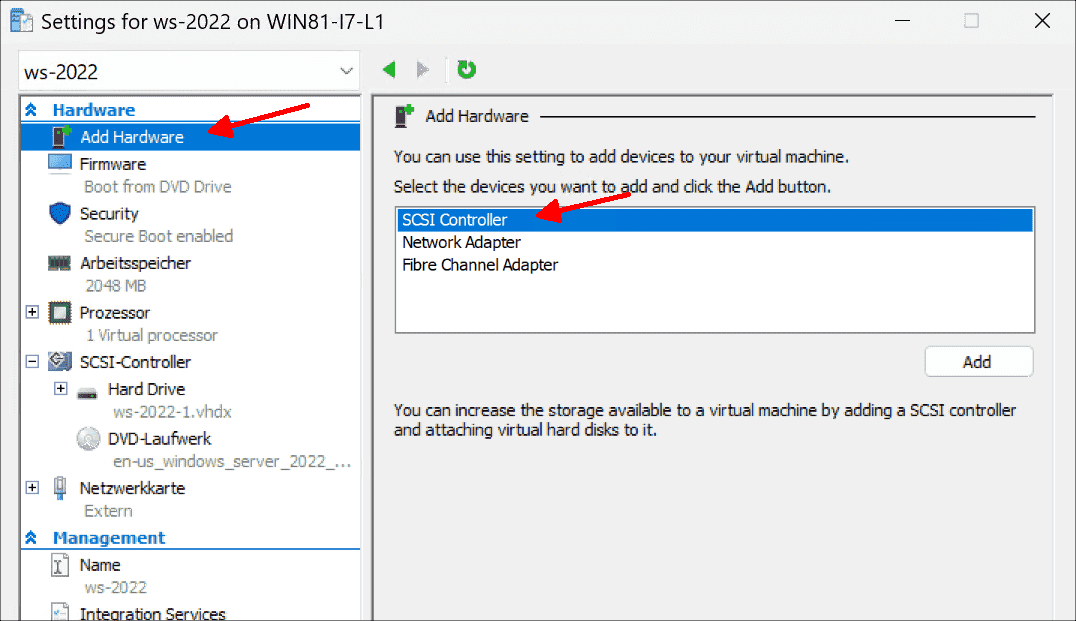
When you want to boot a Hyper-V Gen2 virtual machine from an ISO file, it sometimes stubbornly tries to...
Move a VM from XenServer to Hyper-V with StarWind V2V Converter
This guide drives you through the procedure of moving a VM from XenServer to a Hyper-V running on Windows...
Create a Windows VM in Proxmox VE
In my previous post, you learned how to get started with Proxmox VE as an alternative to VMware and...
Proxmox VE vs. VMware ESXi vs. Hyper-V
At some point, admins need to pick a suitable virtualization solution that best aligns with their existing server infrastructure....

.png)
.png)
.png)
.png)