
Screenshots
App details
- Version
- 2.4.2.379
- Size
- 3.05 MB
- Updated
- February 1, 2023
- Requires
- Mac OS X
- Language
- English
- License
- Free
- Developer
- Dimitris Roilidis
- Category
- Mac OS
About Automatic
Download Automatic – Free Torrent & Podcast RSS Downloader for Mac
Overview
Keeping up with the relentless flow of TV‑show releases, podcast episodes, and video‑cast updates can feel like a full‑time job. Automatic eliminates that headache by turning your Mac into a diligent, low‑resource RSS‑based downloader that watches your favorite feeds and grabs new torrents the moment they appear. Installed as a native preference pane, Automatic works quietly in the background, checking for fresh content at intervals you define and saving files to a folder of your choosing. Whether you’re a binge‑watcher who never wants to miss a season finale, a podcast enthusiast tracking multiple series, or a power user who curates torrent‑casts, Automatic offers a seamless, “set‑and‑forget” experience. The app supports any RSS feed—podcasts, videocasts, torrent‑casts, or custom feeds—making it a versatile hub for all your media subscriptions. Its lightweight design means it only awakens when it needs to refresh, preserving CPU and battery life on macOS laptops. The tool is completely free, regularly updated to fix bugs (such as alternate‑link save errors and UI resizing issues), and it provides a clear history log so you can trace every download back to its source. In short, Automatic is the ideal companion for anyone who wants to stay on top of the latest releases without constantly checking feed URLs or manually launching a torrent client.
Key Features & How They Work
- Universal RSS Support: Subscribe to any RSS feed—podcasts, video‑casts, torrent‑casts, or custom feeds—directly from the app.
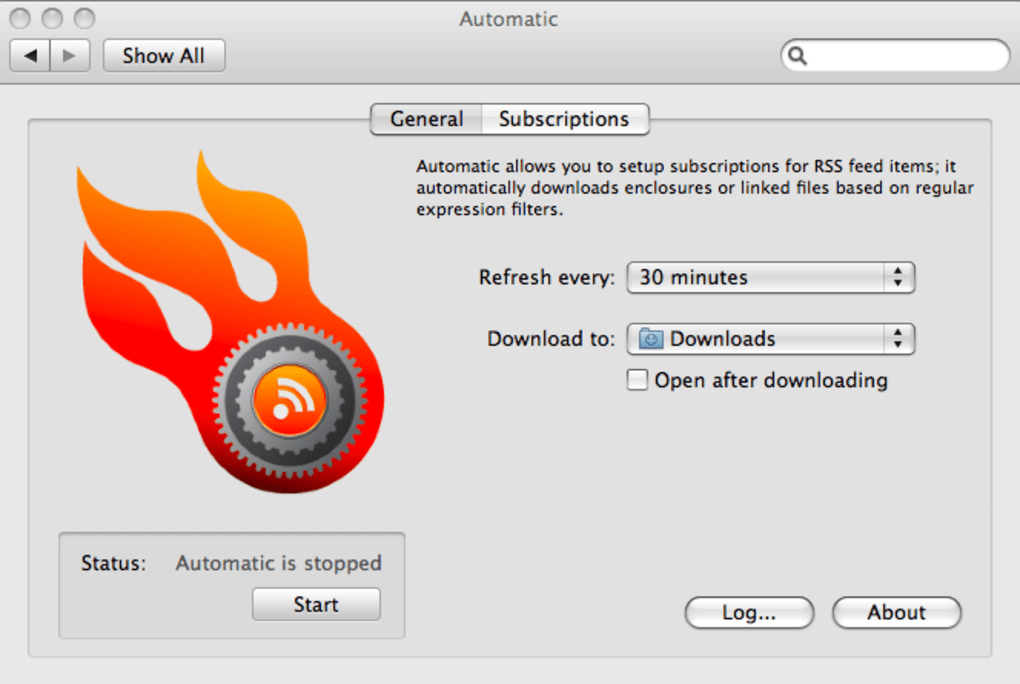
- Customizable Refresh Rate: Choose how often Automatic polls your feeds, ranging from every 5 minutes to once a day, balancing timeliness with system load.
- Download Folder Configuration: Define a dedicated folder for each subscription or use a global download directory for all incoming torrents.
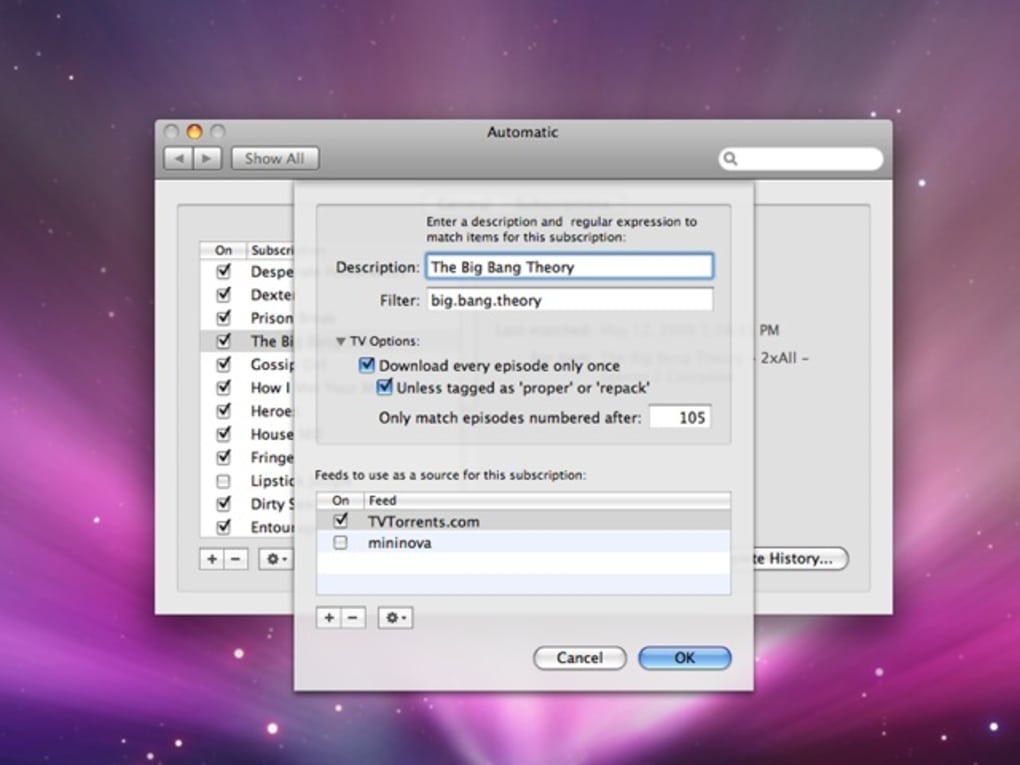
- Keyword Filtering: Apply content filters using keywords to ensure only relevant episodes or torrents are downloaded, avoiding unwanted files.
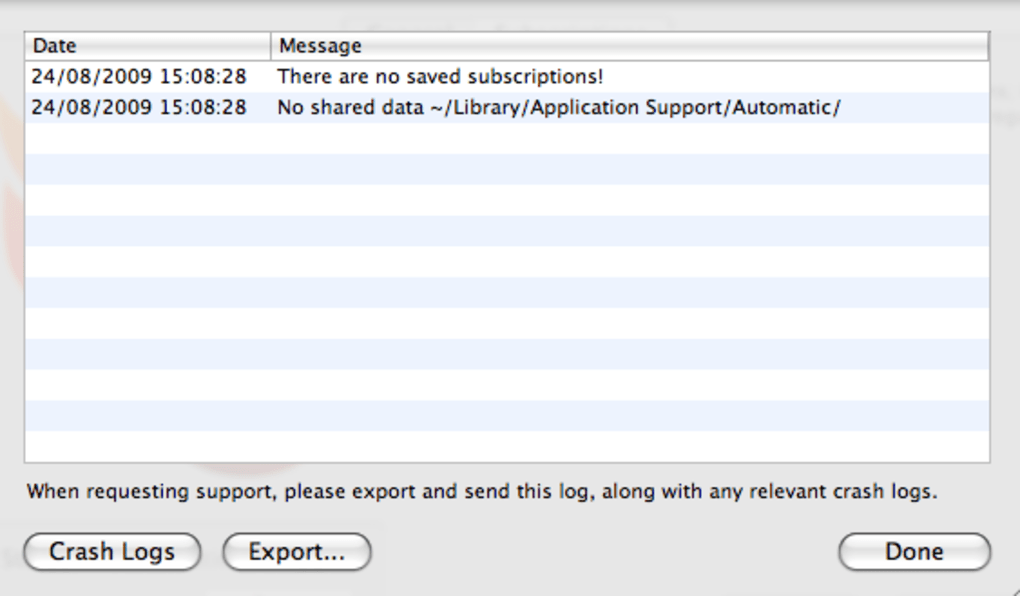
- History Log: A built‑in History view shows every file that has been fetched, including timestamps and originating feed URLs.
- Low‑Resource Footprint: The app runs as a background preference pane and only activates during scheduled checks, keeping CPU and RAM usage minimal.
- Automatic Error Handling: Recent updates address alternate‑link save errors and UI resizing bugs, improving stability on all macOS versions.
- Free & Open‑Source Philosophy: Automatic is offered at no cost, with source‑code available for community contributions and transparency.
Installation & First‑Time Setup
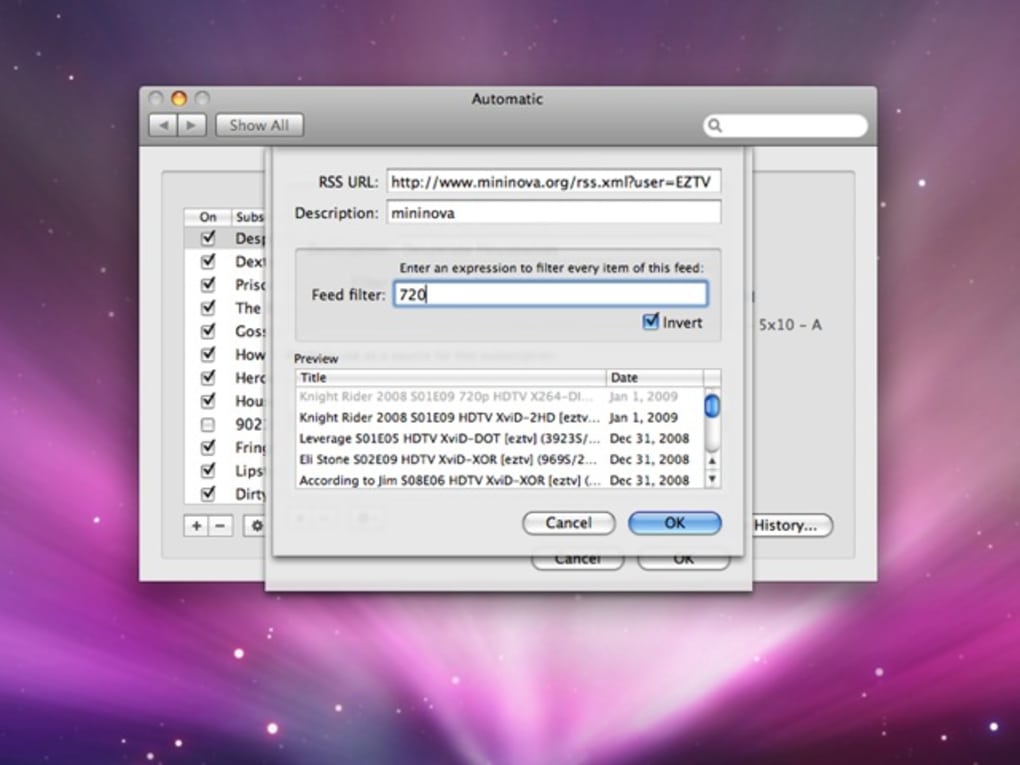
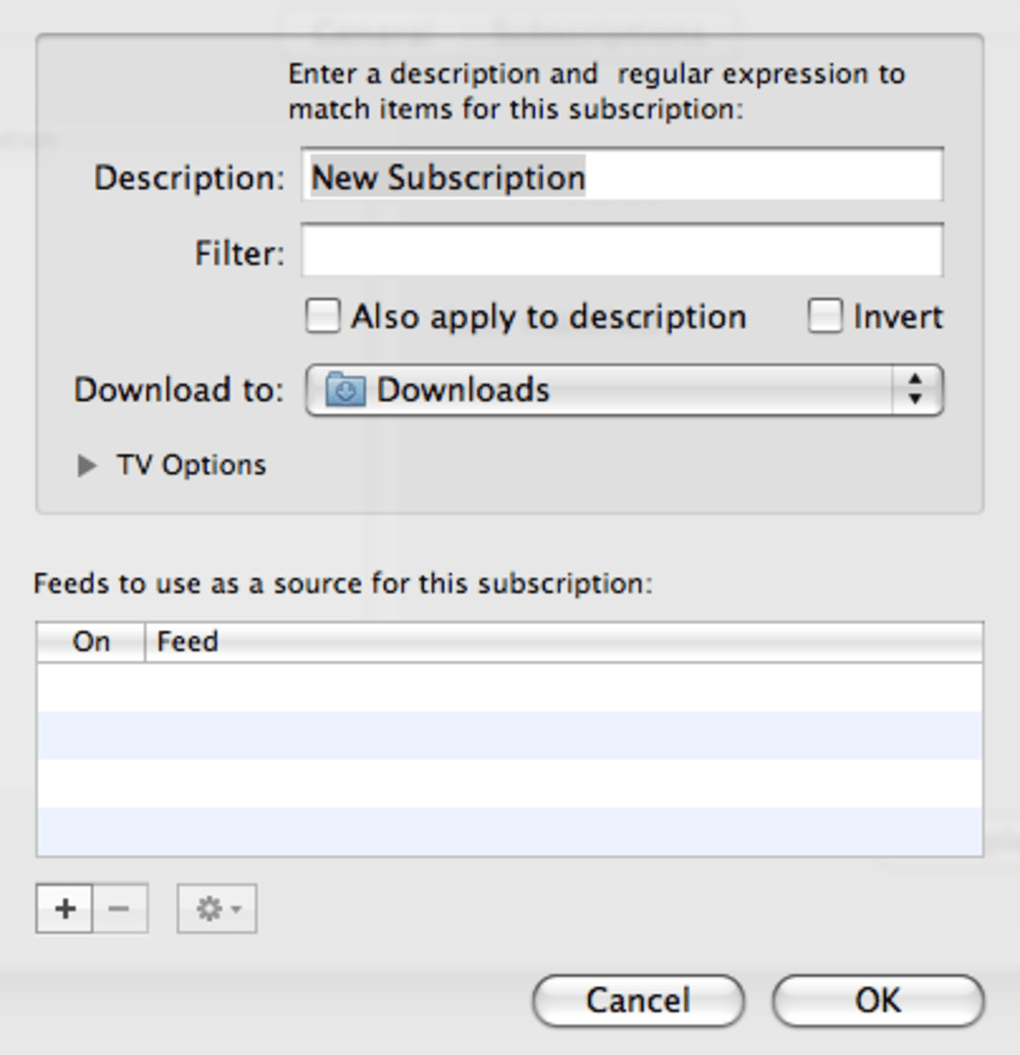
Installing Automatic is straightforward. Download the .dmg file from the official website, open it, and drag the Automatic preference pane into your /Library/PreferencePanes folder. macOS will prompt you to allow the new pane; grant the necessary permissions, then open System Preferences and locate the Automatic icon at the bottom. Click it to launch the main window. The first step is to set your preferred download folder—simply click “Choose Folder” and navigate to the location where you want torrents saved. Next, set the refresh interval that matches your consumption pattern; a 15‑minute interval works well for most TV‑show fans. To add a feed, switch to the “Subscriptions” tab, hit the plus (+) button, give the feed a friendly name, then add the RSS URL in the subsequent dialog. If you wish to filter episodes, enter relevant keywords in the filter field; Automatic will only download items that contain those terms. Finally, enable the “Start on Login” option if you want the app to run automatically each time you boot your Mac.
Usage Tips for Power Users
While Automatic is designed for simplicity, there are a few tricks to squeeze extra value. Use separate download folders per series to keep your media library organized, and enable macOS’s “Tags” feature to color‑code folders for quick visual identification. Pair Automatic with a dedicated torrent client (such as Transmission or qBittorrent) set to monitor the same download directory; this creates an automated pipeline from feed detection to seeding. For podcast lovers, combine Automatic with a media player that supports folder monitoring (e.g., VLC) to start playback as soon as new episodes land. If you manage many feeds, consider grouping them by genre (e.g., “TV Shows,” “Technology Podcasts”) and applying genre‑specific keyword filters to avoid cross‑contamination. Lastly, regularly review the History tab to prune old entries and ensure your disk space remains under control.
Compatibility, Pros & Cons
Automatic is built exclusively for macOS, supporting versions from macOS 10.13 (High Sierra) up through the latest release (macOS 15 Ventura). The app integrates as a system preference pane, meaning it runs natively without the need for additional runtime environments or virtualization layers. While the core functionality is macOS‑only, the RSS feeds it monitors are platform‑agnostic, allowing you to use the same subscriptions with other devices or applications if desired.
Pros
- Free and fully functional without hidden fees.
- Supports any RSS feed, making it versatile for torrents, podcasts, and video‑casts.
- Lightweight design that conserves CPU and battery life.
- Keyword filtering reduces unwanted downloads.
- History log provides transparent tracking of all downloads.
- Regular updates fix bugs and improve stability.
- Native macOS integration via Preference Pane for seamless experience.
Cons
- Only available for macOS; Windows and Linux users must seek alternatives.
- Initial feed addition process may be unintuitive for non‑technical users.
- Lacks built‑in torrent client; requires external client for seeding.
- No mobile app version, limiting on‑the‑go management.
- Advanced filtering relies on simple keyword matching, which may not cover complex scenarios.
After testing Automatic for several weeks, I can confidently recommend it to macOS power users who need a hands‑free way to keep their media libraries current. The pros far outweigh the minor cons, especially given its zero‑cost price tag.
FAQ & Final Thoughts
Can Automatic download magnet links, or does it only work with .torrent files?
Automatic is designed to handle both .torrent files and magnet links that appear in RSS feeds. When a magnet URI is detected, the app passes it to your default torrent client for processing.
Is there a limit to the number of feeds I can subscribe to?
There is no hard‑coded limit. Performance may degrade only if you add an extremely large number of feeds (hundreds), as each additional feed increases the polling workload.
How does Automatic handle duplicate downloads?
The app checks the download folder for existing files with the same name and hashes before initiating a new download, preventing accidental duplicates.
Can I schedule Automatic to run only during certain hours?
While Automatic does not include a built‑in scheduler, you can use macOS’s launchd or third‑party tools like CronniX to enable or disable the app at specific times.
Is my data safe when Automatic parses RSS feeds?
Yes. Automatic only reads publicly available RSS XML and never transmits personal data to external servers. All processing occurs locally on your Mac.
Conclusion – Should You Download Automatic?
If you’re a macOS user who regularly follows multiple TV series, podcasts, or torrent‑based releases, Automatic offers a reliable, free solution that removes the manual steps of checking feeds and launching downloads. Its lightweight footprint, robust feature set, and transparent history make it a strong contender among RSS‑driven downloaders. While it lacks a built‑in torrent client and is limited to macOS, the ability to pair it with any preferred client means you retain full control over seeding and bandwidth. The minor learning curve for adding feeds is quickly overcome with a few trials, and the keyword filter ensures you only get the content you truly want. In short, download Automatic today, set your favorite feeds, and let the app keep your library fresh—so you never miss another episode again.
Download Automatic now and enjoy a hands‑free media experience on your Mac.
Guides & Tutorials
How to install Automatic
- Click the Download button above.
- Once redirected, accept the terms and click Install.
- Wait for the Automatic download to finish on your device.
How to use Automatic
This software is primarily used for its core features described above. Open the app after installation to explore its capabilities.
User Reviews
No reviews yet. Be the first to share your experience.
You may also like
more
DiffusionBee
Generate unique art with this app DiffusionBee is a free and accessible artifici...

Excire Foto Light
Organize your snapshots Excire Foto Light is a free-to-download AI -powered phot...

Topaz Photo AI
Photo enhancement tool with AI Topaz Photo AI is a premium AI image editor for P...

anonymoX
Surf anonymously with Firefox anonymoX for Firefox is an add-on that gives you f...

DownThemAll
Download Them All! Downloading anything or everything on a webpage can be a labo...
.webp)
DuckDuckGo Privacy Essentials
A free program for Mac, by DuckDuckGo, Inc.. DuckDuckGo Privacy Essentials is a...
