
Download CAD Reader – fast, free, cross‑platform CAD viewer and annotator
Overview
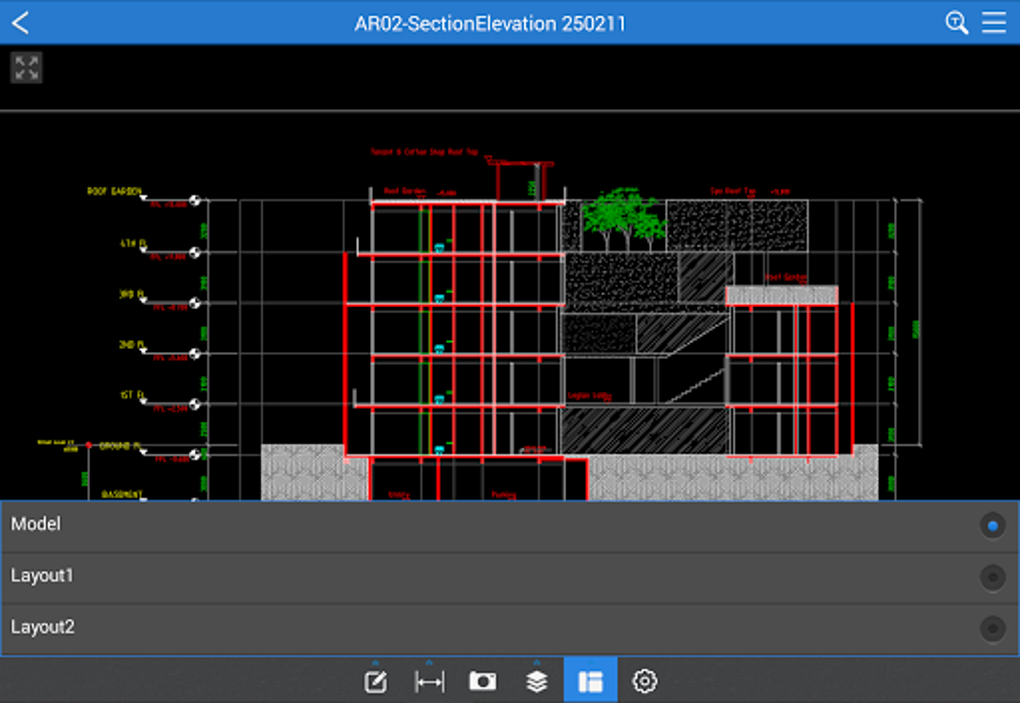
Fast CAD Reader, developed by Beijing Honghu Yuntu Technology Co., Ltd., is a sleek, free, cross‑platform CAD utility that lets professionals and field teams open, view, measure, annotate, and share DWG, DXF, and PDF drawings in seconds. Unlike heavyweight CAD suites, this lightweight tool focuses on speed and intuitiveness, making it ideal for architects, engineers, construction managers, quantity surveyors, and on‑site technicians who need reliable access to drawing data while traveling or working from a laptop, tablet, or smartphone. The application bundles a set of essential drawing‑management utilities—measurement and tabulation engines, built‑in editor tools, drawing annotations, layer control, and file conversion—all within a modern interface that feels familiar to anyone who has used mainstream CAD software. Whether you need to extract room dimensions, count the number of doors, generate a quick PDF with markup, or simply verify that a pipe layout matches the design intent, CAD Reader delivers the functionality without the steep learning curve or expensive license fees. Its cloud‑line and leader‑line annotation tools let you add context‑rich notes, while the mobile version supports inserting site photographs and voice recordings directly onto the drawing canvas, turning a static file into an interactive field report. The utility also includes drawing‑split, external‑reference handling, and version conversion features that streamline the workflow for large projects, allowing teams to keep file sizes manageable and maintain consistency across different CAD standards. In short, CAD Reader offers a balanced mix of viewing speed, measurement accuracy, and lightweight editing—making it a practical companion for daily CAD tasks on any device.
Key Features
- Universal File Support: Open DWG, DXF, and PDF drawings without conversion.
- Fast Measurement Engine: Continuous length, area, radius, angle, and arc‑edge calculations with automatic tabulation.
- Advanced Annotation Suite: Cloud lines, leader lines, multilayer text, and categorized comments for clear communication.
- Built‑In Editing Tools: Line, polyline, circle, arc, copy, mirror, move, explode, delete, and layer/property adjustments.
- Drawing Management: One‑click split of oversized files, external reference handling, and version conversion between CAD releases.
- Export & Share: High‑resolution PDF export with embedded annotations, and direct sharing via email or cloud storage.
- Data Extraction: Export tables and text to Excel for quantity take‑offs and cost estimation.
- Mobile Enrichment: Insert site photos and voice recordings on the drawing canvas for context‑aware documentation.
- Cross‑Platform Compatibility: Available for Windows, macOS, Android, and iOS devices.
- Free & Secure: No hidden fees, regular updates, and encrypted file handling ensure a safe workflow.
Each of these features has been engineered to reduce the time spent toggling between separate applications. For example, the measurement tabulation automatically creates a spreadsheet‑style list of all lengths and areas you capture, eliminating the need to manually copy values into Excel later. The annotation tools are fully vector‑based, so they scale perfectly when you zoom in on a detailed section. Moreover, the built‑in editor provides a subset of the most common CAD commands, allowing quick tweaks without opening a full‑featured CAD package. This combination of speed, precision, and convenience makes CAD Reader a compelling solution for professionals who need a reliable CAD companion on the go.
Installation, Usage & Compatibility
Step‑by‑Step Installation
- Visit the official CAD Reader download page and select the installer for your operating system (Windows, macOS, Android, or iOS).
- For Windows and macOS, run the
.exeor.dmgfile and follow the on‑screen prompts. The installer will automatically create a desktop shortcut and register file associations for DWG, DXF, and PDF. - On Android, download the
.apkfrom the Play Store or the vendor’s website, enable “Install unknown apps” if needed, and tap “Install”. - For iOS, locate CAD Reader in the App Store, tap “Get”, and authenticate with Face ID/Touch ID.
- After installation, launch the application and grant permission to access your storage, camera, and microphone (required for photo and voice note integration).
First‑Time Usage Tips
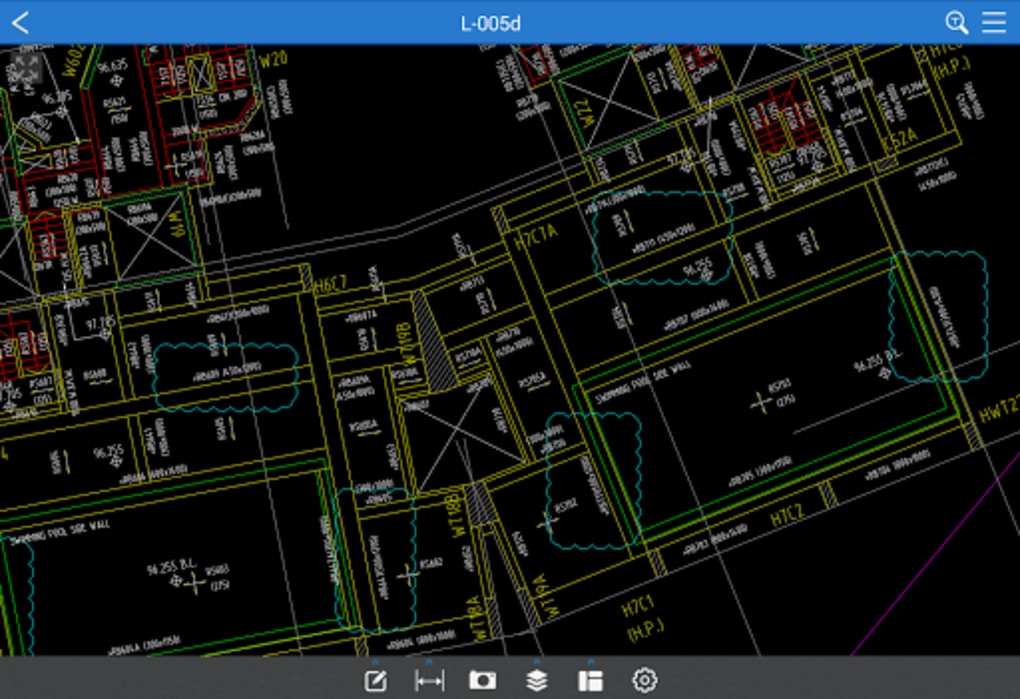
When you open a drawing for the first time, CAD Reader automatically detects the drawing scale and prompts you to confirm or adjust it. Use the Measurement toolbar to click on points, lines, or polygons; the measured values appear instantly in the Tabulation pane, where you can export them to CSV or Excel. To annotate, select the Annotation tool, choose a cloud line or leader line, and type your comment. All annotations are saved within the file as a separate layer, so you can toggle visibility without altering the original geometry.
Operating System Support
CAD Reader runs on the following platforms:
- Windows 10, 11 (64‑bit)
- macOS 10.15 Catalina and later
- Android 8.0 Oreo and above
- iOS 13 and above (iPadOS included)
The cross‑platform design ensures that a drawing opened on a desktop looks identical when viewed on a tablet, preserving layer visibility, line weights, and annotation styles. Performance is optimized for each OS: on Windows and macOS the application leverages hardware acceleration for smooth zooming, while on mobile devices it uses native graphics APIs to maintain responsiveness even with large DWG files.
Best Practices for Large Files
While CAD Reader is built to handle complex drawings, users may notice slight lag with extremely dense files (>200 MB). To mitigate this, use the built‑in Split Drawing tool to break the file into manageable sections, or turn off non‑essential layers before measuring. Regularly updating the software ensures you benefit from performance patches released by the development team.
Pros, Cons & Frequently Asked Questions
Pros
- Free, no‑license required – ideal for small firms and field teams.
- Lightning‑fast opening of DWG/DXF files.
- Comprehensive measurement and tabulation tools reduce manual data entry.
- Cross‑platform support enables seamless workflow across desktop and mobile.
- Integrated annotation suite with cloud lines, leader lines, and voice notes.
- Export to high‑resolution PDF with embedded comments.
- Lightweight footprint – runs smoothly on modest hardware.
Cons
- Advanced CAD editing (3‑D modeling, parametric design) not available.
- Large, highly detailed drawings may cause occasional sluggishness.
- Learning curve for users unfamiliar with CAD measurement conventions.
- No built‑in BIM or GIS integration.
Frequently Asked Questions
Is CAD Reader truly free for commercial use?
Yes. CAD Reader is offered at zero cost for both personal and commercial projects. The free license covers all core features, and there are no hidden subscription fees.
Can I open 3‑D DWG files with CAD Reader?
CAD Reader focuses on 2‑D viewing, measurement, and annotation. While it can display the 2‑D projection of a 3‑D DWG, full 3‑D navigation and modeling are not supported.
How does the measurement accuracy compare to professional CAD suites?
The measurement engine uses the same geometric calculations as industry‑standard CAD platforms, delivering sub‑millimeter accuracy when the drawing scale is correctly defined.
Is it possible to synchronize annotations with a cloud storage service?
Yes. CAD Reader supports direct export to Dropbox, Google Drive, and OneDrive. Annotations are saved within the file, so sharing the file preserves all comments and markup.
What file formats can I export to besides PDF?
In addition to high‑resolution PDF, you can export tabulated data to CSV or Excel, and you can save the drawing with annotations as a new DWG/DXF file for further editing in other CAD software.
Reviewer’s Summary: CAD Reader delivers a remarkably fast and reliable CAD viewing experience for free. Its measurement and annotation capabilities are robust enough for most field‑level tasks, while the lightweight footprint keeps it usable on older laptops and tablets. Minor performance hitches with very large files are the only notable drawback.
Conclusion & Call to Action
If you need a dependable, cost‑free solution to open, measure, and comment on DWG, DXF, or PDF drawings across Windows, macOS, Android, and iOS, CAD Reader checks all the boxes. Its focused toolset eliminates the overhead of full‑blown CAD packages while still providing the precision and flexibility required by architects, engineers, and construction managers. Download the latest version today, explore the measurement tabulation feature, and experience how quickly you can turn a raw drawing into a fully annotated, share‑ready document—no license fees, no complex installations, just pure productivity.
Ready to streamline your drawing workflow? Click here to download CAD Reader now and start measuring, annotating, and sharing CAD files instantly.








