
Скачать CAD Reader – быстрый, бесплатный, кроссплатформенный просмотрщик и аннотатор CAD
Обзор
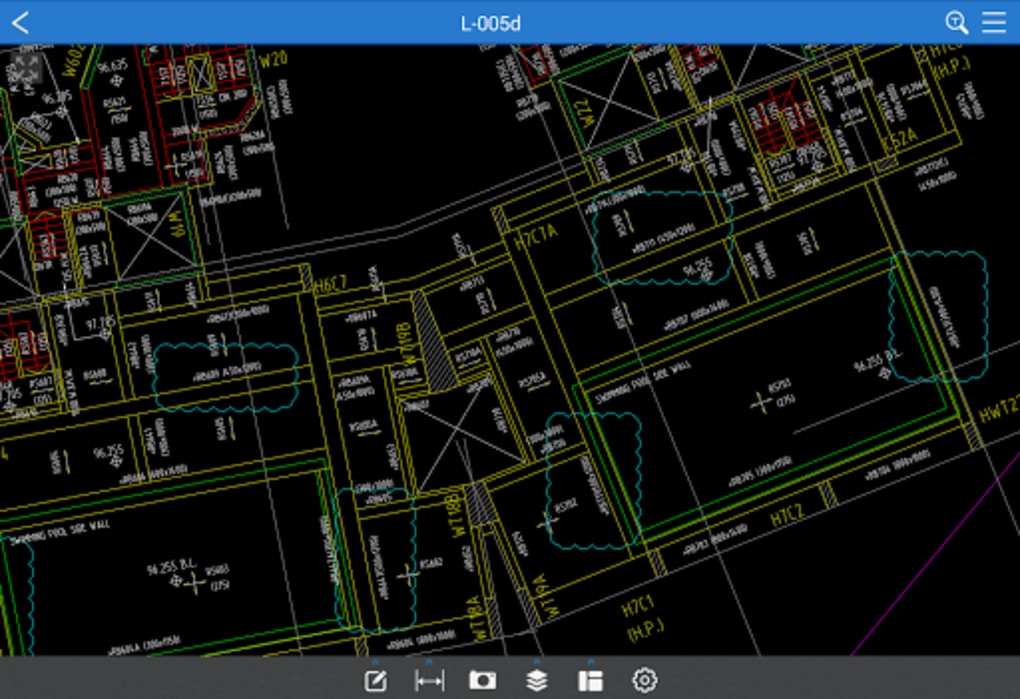
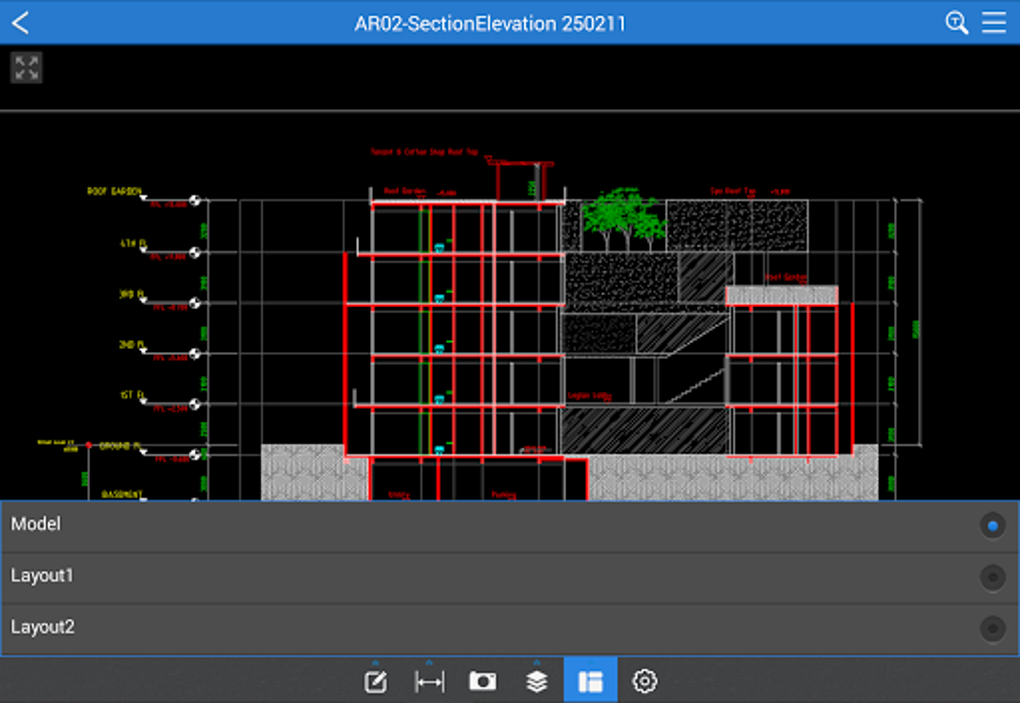
Fast CAD Reader, developed by Beijing Honghu Yuntu Technology Co., Ltd., is a sleek, free, cross‑platform CAD utility that lets professionals and field teams open, view, measure, annotate, and share DWG, DXF, and PDF drawings in seconds. Unlike heavyweight CAD suites, this lightweight tool focuses on speed and intuitiveness, making it ideal for architects, engineers, construction managers, quantity surveyors, and on‑site technicians who need reliable access to drawing data while traveling or working from a laptop, tablet, or smartphone. The application bundles a set of essential drawing‑management utilities—measurement and tabulation engines, built‑in editor tools, drawing annotations, layer control, and file conversion—all within a modern interface that feels familiar to anyone who has used mainstream CAD software. Whether you need to extract room dimensions, count the number of doors, generate a quick PDF with markup, or simply verify that a pipe layout matches the design intent, CAD Reader delivers the functionality without the steep learning curve or expensive license fees. Its cloud‑line and leader‑line annotation tools let you add context‑rich notes, while the mobile version supports inserting site photographs and voice recordings directly onto the drawing canvas, turning a static file into an interactive field report. The utility also includes drawing‑split, external‑reference handling, and version conversion features that streamline the workflow for large projects, allowing teams to keep file sizes manageable and maintain consistency across different CAD standards. In short, CAD Reader offers a balanced mix of viewing speed, measurement accuracy, and lightweight editing—making it a practical companion for daily CAD tasks on any device.
Ключевые функции
- Универсальная поддержка файлов: Открывайте чертежи DWG, DXF и PDF без конвертации.
- Быстрый измерительный движок: Непрерывные расчёты длины, площади, радиуса, угла и дуги с автоматической табуляцией.
- Продвинутый набор аннотаций: Облачные линии, выноски, многоуровневый текст и категоризированные комментарии для ясного общения.
- Встроенные инструменты редактирования: Line, polyline, circle, arc, copy, mirror, move, explode, delete, and layer/property adjustments.
- Управление чертежами: One‑click split of oversized files, external reference handling, and version conversion between CAD releases.
- Экспорт и совместное использование: High‑resolution PDF export with embedded annotations, and direct sharing via email or cloud storage.
- Извлечение данных: Export tables and text to Excel for quantity take‑offs and cost estimation.
- Мобильное обогащение: Insert site photos and voice recordings on the drawing canvas for context‑aware documentation.
- Кроссплатформенная совместимость: Available for Windows, macOS, Android, and iOS devices.
- Бесплатно и безопасно: No hidden fees, regular updates, and encrypted file handling ensure a safe workflow.
Each of these features has been engineered to reduce the time spent toggling between separate applications. For example, the measurement tabulation automatically creates a spreadsheet‑style list of all lengths and areas you capture, eliminating the need to manually copy values into Excel later. The annotation tools are fully vector‑based, so they scale perfectly when you zoom in on a detailed section. Moreover, the built‑in editor provides a subset of the most common CAD commands, allowing quick tweaks without opening a full‑featured CAD package. This combination of speed, precision, and convenience makes CAD Reader a compelling solution for professionals who need a reliable CAD companion on the go.
Установка, использование и совместимость
Пошаговая установка
- Посетите официальную страницу загрузки CAD Reader и выберите установщик для вашей операционной системы (Windows, macOS, Android или iOS).
- Для Windows и macOS запустите файл
.exeили.dmgи следуйте подсказкам на экране. Установщик автоматически создаст ярлык на рабочем столе и зарегистрирует ассоциации файлов для DWG, DXF и PDF. - На Android загрузите
.apkиз Play Store или с сайта поставщика, при необходимости включите «Установить неизвестные приложения» и нажмите «Установить». - Для iOS найдите CAD Reader в App Store, нажмите «Получить» и аутентифицируйтесь с помощью Face ID/Touch ID.
- После установки запустите приложение и предоставьте разрешения на доступ к хранилищу, камере и микрофону (необходимо для интеграции фотографий и голосовых заметок).
Советы по первому использованию
When you open a drawing for the first time, CAD Reader automatically detects the drawing scale and prompts you to confirm or adjust it. Use the Measurement toolbar to click on points, lines, or polygons; the measured values appear instantly in the Tabulation pane, where you can export them to CSV or Excel. To annotate, select the Annotation tool, choose a cloud line or leader line, and type your comment. All annotations are saved within the file as a separate layer, so you can toggle visibility without altering the original geometry.
Поддержка операционных систем
CAD Reader работает на следующих платформах:
- Windows 10, 11 (64‑bit)
- macOS 10.15 Catalina and later
- Android 8.0 Oreo and above
- iOS 13 and above (iPadOS included)
The cross‑platform design ensures that a drawing opened on a desktop looks identical when viewed on a tablet, preserving layer visibility, line weights, and annotation styles. Performance is optimized for each OS: on Windows and macOS the application leverages hardware acceleration for smooth zooming, while on mobile devices it uses native graphics APIs to maintain responsiveness even with large DWG files.
Лучшие практики для больших файлов
While CAD Reader is built to handle complex drawings, users may notice slight lag with extremely dense files (>200 MB). To mitigate this, use the built‑in Split Drawing tool to break the file into manageable sections, or turn off non‑essential layers before measuring. Regularly updating the software ensures you benefit from performance patches released by the development team.
Плюсы, минусы и часто задаваемые вопросы
Плюсы
- Бесплатно, лицензия не требуется – идеально для небольших фирм и полевых команд.
- Молниеносное открытие файлов DWG/DXF.
- Всеобъемлющие инструменты измерения и табуляции снижают ручной ввод данных.
- Кроссплатформенная поддержка обеспечивает бесшовный рабочий процесс на настольных и мобильных устройствах.
- Встроенный набор аннотаций с облачными линиями, выносами и голосовыми заметками.
- Экспорт в PDF высокого разрешения с встроенными комментариями.
- Лёгкий размер – работает плавно на скромном оборудовании.
Минусы
- Продвинутое редактирование CAD (3‑D моделирование, параметрический дизайн) недоступно.
- Большие, детализированные чертежи могут вызывать периодическую задержку.
- Кривая обучения для пользователей, незнакомых с конвенциями измерения в CAD.
- Отсутствует встроенная интеграция BIM или GIS.
Часто задаваемые вопросы
Является ли CAD Reader действительно бесплатным для коммерческого использования?
Да. CAD Reader предоставляется бесплатно как для личных, так и для коммерческих проектов. Бесплатная лицензия покрывает все основные функции, и скрытых подписочных платежей нет.
Могу ли я открыть 3‑D DWG файлы с помощью CAD Reader?
CAD Reader ориентирован на 2‑D просмотр, измерения и аннотации. Хотя он может отображать 2‑D проекцию 3‑D DWG, полная 3‑D навигация и моделирование не поддерживаются.
Как точность измерений сравнивается с профессиональными CAD пакетами?
Движок измерений использует те же геометрические расчёты, что и отраслевые CAD платформы, обеспечивая субмиллиметровую точность при правильно заданном масштабе чертежа.
Можно ли синхронизировать аннотации с облачным хранилищем?
Да. CAD Reader поддерживает прямой экспорт в Dropbox, Google Drive и OneDrive. Аннотации сохраняются внутри файла, поэтому при совместном использовании файла сохраняются все комментарии и разметка.
В какие форматы файлов я могу экспортировать, помимо PDF?
Помимо PDF высокого разрешения, вы можете экспортировать табулированные данные в CSV или Excel, а также сохранить чертеж с аннотациями как новый файл DWG/DXF для дальнейшего редактирования в другом CAD‑ПО.
Итог рецензента: CAD Reader обеспечивает удивительно быстрый и надёжный просмотр CAD бесплатно. Его возможности измерения и аннотирования достаточно мощные для большинства полевых задач, а лёгкий размер делает его пригодным для старых ноутбуков и планшетов. Небольшие задержки производительности при работе с очень большими файлами — единственный заметный недостаток.
Заключение и призыв к действию
If you need a dependable, cost‑free solution to open, measure, and comment on DWG, DXF, or PDF drawings across Windows, macOS, Android, and iOS, CAD Reader checks all the boxes. Its focused toolset eliminates the overhead of full‑blown CAD packages while still providing the precision and flexibility required by architects, engineers, and construction managers. Download the latest version today, explore the measurement tabulation feature, and experience how quickly you can turn a raw drawing into a fully annotated, share‑ready document—no license fees, no complex installations, just pure productivity.
Ready to streamline your drawing workflow? Нажмите здесь, чтобы скачать CAD Reader сейчас and start measuring, annotating, and sharing CAD files instantly.








