




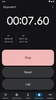
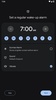
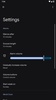
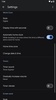
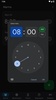
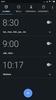

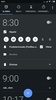
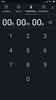

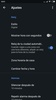
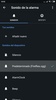
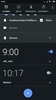
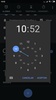

Google Clock is, as its name suggests, the official Google clock app for Android devices. This app will not only allow you to check the time, but it will also let you create as many alarms as you want, use a stopwatch with pauses, set multiple timers simultaneously, and view the time in different cities around the world.
Bedtime Mode: one of its best features
In addition to all the aforementioned features, Google Clock also offers a very interesting tool called Bedtime Mode. Thanks to this feature, when it's time to sleep (which you can set manually), your device will dim and start playing relaxing sounds. The app includes three types of sounds: waves, contemplation, and deep space. But if you want, you can choose any sound or song in MP3 format or sync your Spotify, YouTube Music, or Calm account.
Tons of customization options
As expected, Google Clock offers several widgets that you can place on the home screen of your Android device. You will be able to use a digital or analog clock and, of course, you will also be able to modify the widget's size to adjust it to your needs. The sizes range from very small ones, which take up the space of two icons, to huge ones that can occupy more than half the screen. Thanks to this, you can decide how much importance you want to give to your clock app.
My thoughts on Google Clock
A good clock app like Google Clock can make a big difference in your day-to-day life. Having all your alarms properly set up (for waking up, taking medications, and remembering other tasks) is very important. Thankfully, this app makes managing your alarms a breeze. Furthermore, this app offers lots of features and is highly customizable.
The best and the worst of Google Clock
• What I like most about Google Clock is that it has a simple and elegant design, which is exactly what I look for in a clock app.
• What I like least about Google Clock is that there aren't many options for screensavers.
An excellent clock app for Android
Download Google Clock's APK to start using one of the best clock apps on Android. With it, you'll have practically everything you need. Best of all, everything is packaged in an absolutely beautiful Material Design interface.
Google Clock is for you if
✓ You need reliable alarms, timers, and stopwatch tools to organize your daily routines effortlessly
✓ You value winding down with Bedtime Mode’s dim screen and soothing or personalized sleep sounds
✓ You prefer customizable clock widgets, selecting digital or analog styles and sizes for your screen
Requirements (Latest version)
- Android 10 or higher required


 20 reviews



















Comments
goole clock
Thanks