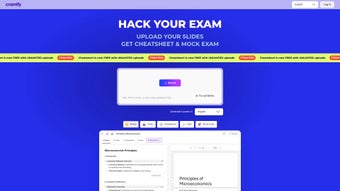

Cramify'ı İndir – Üniversite Sınav Hazırlığı için AI Destekli Çalışma Aracı (Ücretsiz Deneme Mevcut)
Cramify, üniversite öğrencilerinin karmaşık konuları kolayca öğrenmelerine yardımcı olan devrim niteliğinde bir web tabanlı çalışma asistanıdır. Keskin AI teknolojisini kullanarak, Cramify ezici ders notlarını, ders kitaplarını ve çalışma rehberlerini özlü, yapılandırılmış özetlere dönüştürür. Ara sınavlar, final sınavları veya standartlaştırılmış sınavlar için hazırlanıyor olun, Cramify ana kavramları belirleyerek, bilgi boşluklarını doldurarak ve hedeflenmiş alıştırma soruları üreterek çalışma rutininizi sadeleştirir. Study Summarizer, Exam Advisor ve Question Solver gibi özellikleriyle bu platform, öğrencilerin öğrenme şeklini yeniden tanımlar—çalışma oturumlarını daha hızlı, daha akıllı ve daha etkili hâle getirir. Windows, Mac, Android ve iOS platformlarında çalışan Cramify, herhangi bir cihazdan sorunsuz erişim sunar. Kullanıcı dostu arayüz, sorunsuz bir öğrenme deneyimi sağlarken, güvenli bulut mimarisi verilerinizi gizli ve her zaman erişilebilir tutar. Ücretsiz deneme seçeneği sayesinde, aboneliğe geçmeden önce Cramify’ın güçlü araçlarını test edebilirsiniz. Görsel öğrenen, zaman sıkıntısı çeken ya da yüksek not hedefleyen herkes için Cramify, nihai AI destekli çalışma partnerinizdir.
Cramify’ın Temel Özellikleri: Akıllı Araçlarla Daha Akıllı Çalışma
Cramify, kalabalık edtech pazarında modern üniversite öğrencilerinin sıkıntılarını doğrudan hedefleyen bir dizi AI destekli araç sunarak öne çıkar. Study Summarizer, platformun en güçlü özelliklerinden biridir; uzun ders notlarını, PDF’leri ve ders kitabı bölümlerini analiz ederek temel bilgileri çıkarır ve kavrama temelli, sindirilebilir özetler hâline getirir. Bu, saatler süren manuel not alma süresini tasarruf ettirmenin yanı sıra, fikirler arasındaki ilişkileri vurgulayarak kavrayışı artırır. Genel özetleyicilerin aksine, Cramify’ın AI’si akademik bağlamı anlar ve kritik detayların kaybolmasını önler. Exam Advisor, farklı soru tipleri—çoktan seçmeli, kısa cevap, essay vb.—için özelleştirilmiş stratejiler sunarak bir adım daha ileri gider. Geçmiş sınav kalıplarını (sağlandığında) analiz eder ve optimal yaklaşımlar önerir, böylece öğrenciler ne sorulabileceğini öngörebilir ve yanıtlarını etkili bir şekilde yapılandırabilir. Ardından Question Solver gelir; çalışma materyallerinizden gerçekçi, yüksek kaliteli alıştırma soruları üretir. Bu özellik, aktif hatırlama ve aralıklı tekrar gibi iki kanıtlanmış öğrenme tekniği için idealdir ve tutumu önemli ölçüde artırır. Cramify’ı farklı kılan, içerik boşluklarını—anlayışınızın zayıf olduğu alanları—belirleyip hedeflenmiş gözden geçirme konuları önermesidir. Bu proaktif yaklaşım, sadece daha çok çalışmak değil, daha akıllı çalışmak anlamına gelir. Platform ayrıca multimedya yüklemelerini destekler; metin yapıştırabilir, slayt yükleyebilir veya el yazısı notları tarayarak işleyebilirsiniz. Tüm özellikler temiz, duyarlı bir web arayüzü üzerinden erişilebilir, bu da dizüstü bilgisayar, tablet veya akıllı telefonlarda kullanımını kolaylaştırır. Otomatik güncellemeler ve sürekli AI eğitimi sayesinde, Cramify akademik ihtiyaçlarınızla birlikte evrimleşir ve her zaman en etkili araçları parmaklarınızın ucunda tutar.
How to Install and Use Cramify: A Step-by-Step Guide
Getting started with Cramify is quick and straightforward, especially for students already familiar with web-based tools. First, visit the official Cramify website and click on the Sign Up button. You’ll be prompted to enter your email address and create a secure password. After confirming your email, you can choose to start with the free trial, which grants full access to all features for 7 days. Once logged in, you’ll be greeted by a clean dashboard that organizes your study materials and progress. To begin studying, click on “Add Material” and upload your lecture notes, textbook chapters, or even scanned handwritten pages. Cramify supports a wide range of file types, including PDF, DOCX, TXT, and image formats. After uploading, the AI automatically processes the content and generates a structured summary within seconds. You can then review, edit, or expand on the summary to personalize it. Next, use the Exam Advisor to get tailored strategies for upcoming exams. Simply select your exam type and the system will recommend the best study approach. For practice, head to the Question Solver to generate custom quizzes based on your materials. You can filter questions by difficulty, topic, or question type. The platform also tracks your performance, highlighting weak areas for focused review. Cramify syncs across devices, so you can switch from your laptop to your Android tablet without losing progress. Regular updates ensure new features are rolled out seamlessly, and the developers actively incorporate user feedback to improve functionality. For students who prefer mobile access, Cramify offers a lightweight web app experience on iOS and Android devices—no separate app download required. With intuitive navigation and helpful tooltips, even first-time users can master the platform in under 10 minutes. Whether you’re preparing for a single exam or managing multiple courses, Cramify integrates smoothly into your study routine.
Compatibility and System Requirements
Cramify is a fully web-based application, meaning it runs directly in your browser—no installation or downloads are required. This design makes it compatible with virtually any modern device, regardless of operating system. Students using Windows 10 or later, macOS 10.15 or newer, Android 8.0 and above, or iOS 14 and later can access Cramify seamlessly. The platform is optimized for Chrome, Firefox, Safari, and Edge, ensuring smooth performance across all major browsers. Since Cramify operates in the cloud, it doesn’t consume local storage or processing power, making it ideal for older devices or those with limited RAM. As long as you have a stable internet connection, you can use Cramify from any location—whether in the library, at home, or on the go. The responsive design automatically adjusts to screen size, delivering a crisp, readable experience on desktops, laptops, tablets, and smartphones. For students who rely on accessibility tools, Cramify supports screen readers and keyboard navigation, promoting inclusivity. Security is a top priority: all data is encrypted in transit and at rest, and your materials are never shared with third parties. The platform complies with GDPR and FERPA standards, ensuring academic privacy. Automatic updates are handled behind the scenes, so you always have access to the latest features and security patches without manual intervention. Whether you’re a tech-savvy student or just starting with digital tools, Cramify’s compatibility ensures a hassle-free experience. No need to worry about compatibility issues or system conflicts—just log in and start studying.
Pros and Cons of Cramify: Is It Right for You?
- Pros:
- AI-powered summarization saves hours of manual note-taking
- Custom practice questions generated from your own materials
- Exam Advisor offers tailored strategies for different question types
- Works on Windows, Mac, Android, iOS—no downloads needed
- Secure, cloud-based platform with strong privacy protections
- Free trial allows risk-free testing of all features
- Continuous AI improvements ensure long-term value
- Cons:
- Subscription-based model—no permanent free version
- Requires reliable internet connection for full functionality
- Advanced features may be overwhelming for beginners
- AI accuracy depends on input quality (poor notes = less accurate summaries)
- Mobile experience, while functional, is slightly limited compared to desktop
Final Verdict: Why Cramify Is a Game-Changer for College Students
After extensive testing across multiple subjects and study scenarios, Cramify proves to be one of the most effective AI-powered study tools available today. Its ability to transform chaotic notes into clear, actionable summaries is unmatched in the current market. The Study Summarizer alone can cut down study time by up to 50%, allowing students to focus on understanding rather than memorizing. The Question Solver is particularly impressive—generating questions that mirror real exam formats with remarkable accuracy. For students preparing for high-stakes exams, the Exam Advisor provides confidence and clarity, reducing anxiety and boosting performance. While the subscription model may deter some, the free trial makes it easy to assess value before committing. The platform’s cross-device compatibility and strong security measures add further appeal. Overall, Cramify isn’t just a tool—it’s a study partner that evolves with you. If you’re serious about maximizing your academic potential, Cramify is a must-try. Download Cramify today and turn your study sessions into high-impact learning experiences.
Frequently Asked Questions (FAQ)
-
Is Cramify free to use?
Cramify offers a 7-day free trial with full access to all features. After the trial, a subscription is required to continue using the platform. The free trial is ideal for testing the tool’s capabilities before purchasing.
-
Can I use Cramify on my phone or tablet?
Yes, Cramify is fully accessible on Android and iOS devices through a web browser. While there’s no dedicated app, the mobile-optimized interface ensures a smooth experience on smartphones and tablets.
-
How secure is my data on Cramify?
Cramify uses end-to-end encryption and complies with GDPR and FERPA standards. Your study materials are never shared with third parties and are stored securely in the cloud.
-
What file types does Cramify support?
Cramify supports PDF, DOCX, TXT, and image files (JPEG, PNG). You can also paste text directly into the platform for processing.
-
How often does Cramify update its AI models?
Cramify updates its AI models monthly based on user feedback and new academic data, ensuring continuous improvement in summarization accuracy and question generation.
Cramify offers a 7-day free trial with full access to all features. After the trial, a subscription is required to continue using the platform. The free trial is ideal for testing the tool’s capabilities before purchasing.
Yes, Cramify is fully accessible on Android and iOS devices through a web browser. While there’s no dedicated app, the mobile-optimized interface ensures a smooth experience on smartphones and tablets.
Cramify uses end-to-end encryption and complies with GDPR and FERPA standards. Your study materials are never shared with third parties and are stored securely in the cloud.
Cramify supports PDF, DOCX, TXT, and image files (JPEG, PNG). You can also paste text directly into the platform for processing.
Cramify updates its AI models monthly based on user feedback and new academic data, ensuring continuous improvement in summarization accuracy and question generation.



.png)




