
Download Database NET – Free Database Browser & Editor for Windows
Overview of Database NET
Database NET, developed by Fish, is a free‑to‑use database management utility that targets developers, DBAs, and power users who need a reliable tool for browsing, editing, and scripting across multiple database engines. The application packs a surprisingly rich set of capabilities into a lightweight Windows package. From creating new databases and designing tables to exporting data and generating SQL scripts, Database NET covers the entire lifecycle of relational data handling. Its core strength lies in the support for a wide range of back‑ends – MS SQL Server, Oracle, MySQL, Firebird, DB2, Informix, and many others – which means you can manage heterogeneous environments from a single interface. While the UI feels a little dated compared with modern IDEs, the layout remains intuitive: a tree view on the left lists schemas, tables, views, procedures, and functions, while a central tab‑based editor provides syntax‑highlighted SQL editing, autocomplete, and built‑in query execution. Advanced connection properties let you fine‑tune authentication, SSL, and other security settings, ensuring that the tool works in both development and production contexts. In short, Database NET offers a free, secure, and feature‑rich solution for anyone looking to streamline database tasks without paying for an enterprise‑grade suite.
Key Features That Set Database NET Apart
- Multi‑Engine Compatibility: Connect to MS SQL Server, Oracle, MySQL, PostgreSQL, Firebird, DB2, Informix, and more from a single client.
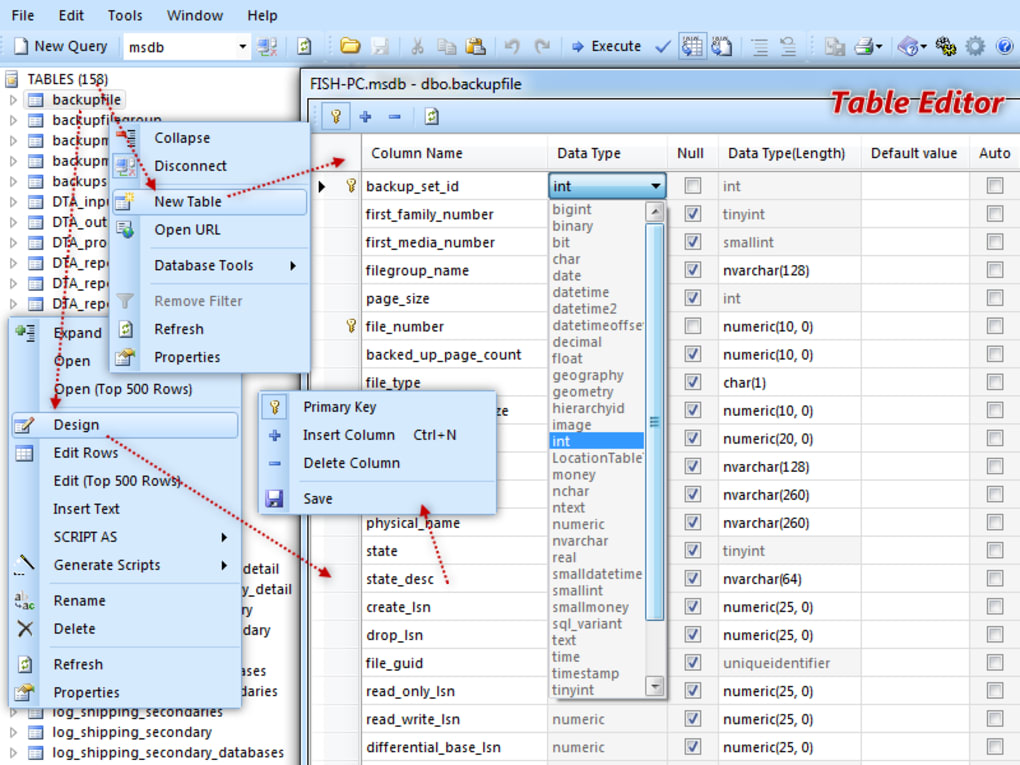
- Visual Table Designer: Drag‑and‑drop columns, set data types, define primary keys, and generate CREATE TABLE scripts automatically.
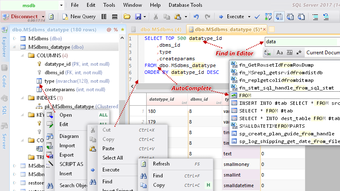
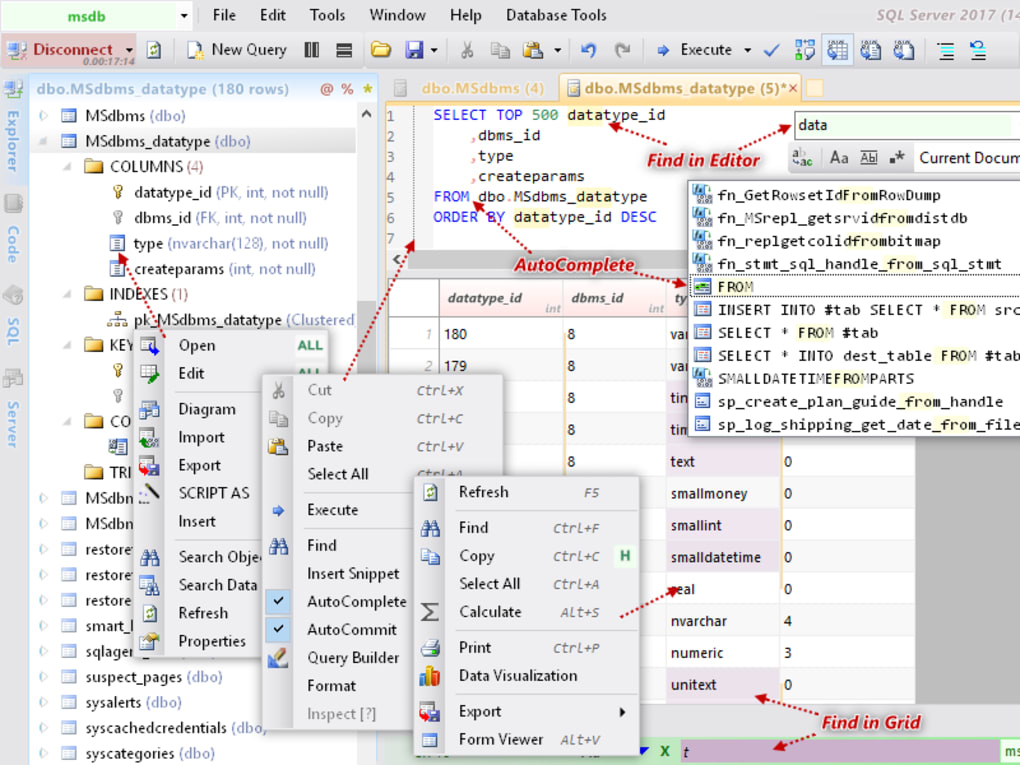
- Advanced Query Editor: Tab‑based editor with syntax highlighting, line numbering, autocomplete, automatic formatting, and snippet insertion.
- Built‑in Query Builder: Point‑and‑click interface for constructing SELECT, INSERT, UPDATE, and DELETE statements without writing code.
- Data Import/Export: Import CSV, Excel, or XML files directly into tables and export query results to CSV, JSON, or SQL scripts.
- Filtering & Search: Exclude specific tables, views, or procedures from the tree view; perform local searches across schemas.
- Diagram Generation: Auto‑generate ER diagrams from selected tables to visualize relationships.
- Session Management: Save connection profiles with advanced security options (Windows Authentication, SSL, Kerberos).
- Script Execution Automation: Queue multiple scripts for batch execution, useful for migrations and deployments.
- Professional Edition Upgrade: Unlock data migration between different engines and additional reporting tools (available as a paid upgrade).
Installation, Configuration, and Everyday Usage
Step‑by‑Step Installation
Downloading Database NET is straightforward. Visit the official Fish website, click the Download Free Version button, and save the installer (typically DatabaseNETSetup.exe). Run the executable with administrator privileges to allow the installer to register ODBC drivers if needed. The wizard guides you through the standard “Next‑Finish” flow; you can accept the default installation path (usually C:\Program Files\DatabaseNET) or choose a custom folder. After the installation completes, launch the program from the Start menu or desktop shortcut.
Initial Configuration
Upon first launch, Database NET presents a Connection Manager dialog. Click New Connection and select the database engine you intend to work with. Fill in the server name, authentication method, and database name. For secure environments, enable SSL/TLS and provide the appropriate certificates. The tool also allows you to test the connection before saving it, which helps avoid runtime errors. Saved connections appear in the left‑hand pane for quick access.
Typical Workflow
Once connected, the application populates a hierarchical tree view with schemas, tables, views, stored procedures, and functions. Double‑click a table to open it in the data grid where you can browse rows, edit inline, or add new records. The Design tab lets you modify column definitions, constraints, and indexes visually. To run ad‑hoc SQL, open a new tab in the query editor, type or paste your statement, and press F5 or click the Execute button. Results appear in a grid below, with options to export directly to CSV or JSON. For repetitive tasks, the Script Builder can generate INSERT scripts based on selected rows, while the Batch Runner executes multiple scripts in sequence, logging successes and failures.
Keeping the Software Secure and Updated
Database NET checks for updates on startup. When a new version is detected, a non‑intrusive notification appears in the status bar. Clicking it downloads the patch automatically. Because the application interacts with database credentials, it is recommended to keep the software up‑to‑date to benefit from security patches and compatibility improvements for newer DBMS releases.
Pros, Cons, and Frequently Asked Questions
Pros & Cons
- Pros
- Completely free for core features, making it ideal for small teams and independent developers.
- Supports a wide range of database engines, reducing the need for multiple client tools.
- Robust query editor with autocomplete, syntax highlighting, and built‑in formatting.
- Visual table designer and ER diagram generation speed up schema planning.
- Advanced connection settings allow secure authentication and SSL configuration.
- Cons
- Interface feels outdated compared with modern IDEs like Azure Data Studio or DBeaver.
- Occasional session termination on startup reported by a minority of users.
- Data migration tools are locked behind the paid Professional edition.
- Limited native support for NoSQL databases (focus is strictly relational).
- No native macOS or Linux version; Windows‑only deployment may limit cross‑platform teams.
FAQ – Your Questions Answered
Is Database NET really free?
Yes, the core application is free for unlimited use. Advanced features such as cross‑engine data migration are available only in the optional Professional edition.
Which operating systems are supported?
Database NET is a native Windows application (compatible with Windows 7, 8, 10, and 11). There are no official macOS or Linux builds, though it can run under Wine with limited support.
Can I connect to cloud databases like Amazon RDS or Azure SQL?
Absolutely. As long as the target database engine is supported (SQL Server, MySQL, PostgreSQL, etc.) and you have the correct network permissions and credentials, Database NET can connect to cloud‑hosted instances.
How does Database NET handle large tables?
The data grid loads rows in pages, which helps keep memory usage low. You can also apply filters or limit queries to retrieve only the needed subset of data, making it suitable for tables with millions of rows.
Is there technical support for the free version?
Free users have access to community forums and an online knowledge base. Priority email support is reserved for Professional edition license holders.
Conclusion – Should You Download Database NET?
Database NET delivers a surprisingly comprehensive set of tools for anyone who works with relational databases on Windows. Its ability to connect to a broad spectrum of engines, combined with a visual table designer, powerful query editor, and export/import utilities, makes it a solid free alternative to commercial products. While the UI may feel a bit nostalgic and some advanced features require a paid upgrade, the core experience remains stable, secure, and developer‑friendly. If you need a no‑cost solution for daily database browsing, script generation, or quick data manipulation, Database NET is well worth the download. For teams that require cross‑platform support or built‑in data migration, you might consider the Professional edition or a complementary tool, but as a starting point, Database NET checks all the essential boxes.
Ready to streamline your database workflow? Download Database NET now and start managing your data with confidence.
Database NET offers an impressive feature list for a free Windows‑only application. The multi‑engine compatibility, robust query editor, and visual design tools are especially valuable for developers handling diverse environments. The outdated UI and occasional session instability keep the rating from perfect, but overall it’s a highly functional, secure, and cost‑effective database manager.








