Database NET

Database NET

Fish

★ 0.0 · FREE · Windows OS

Capturas de pantalla
  • Screenshot 1 screenshot 1
  • Screenshot 2 screenshot 2
  • Screenshot 3 screenshot 3

Detalles de la aplicación

Versión
32.7
Tamaño
24.03 MB
Actualizado
February 1, 2023
Requiere
Windows 10
Idioma
English
Licencia
Free
Desarrollador
Fish
Categoría
Windows OS

Acerca de Database NET

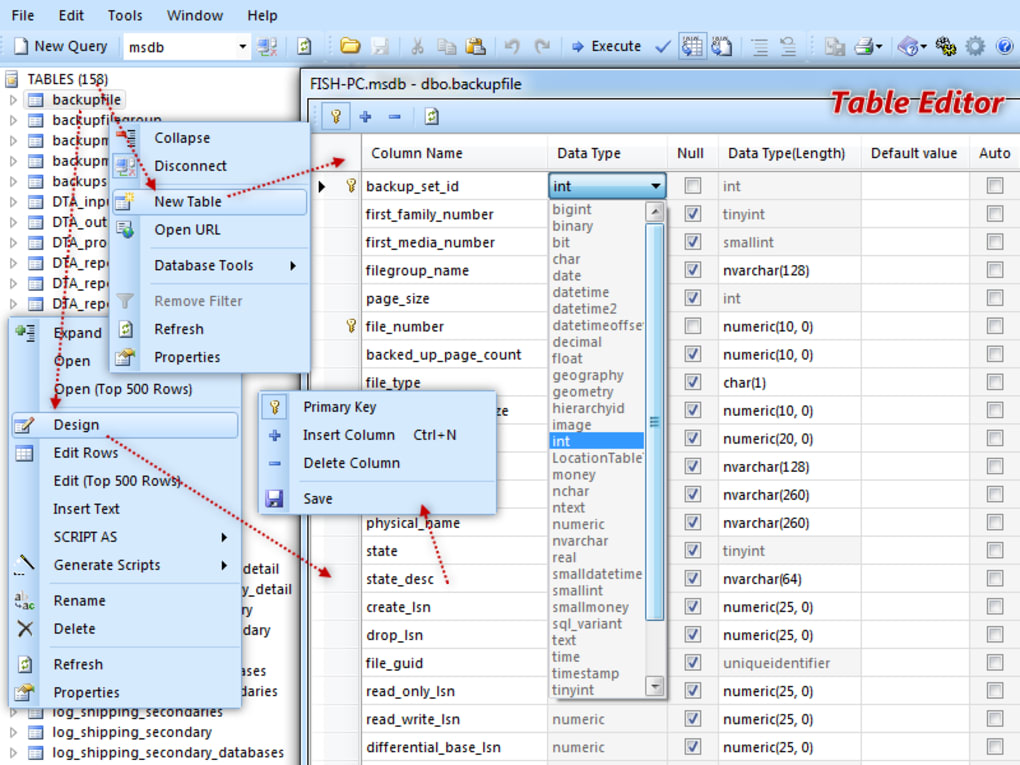
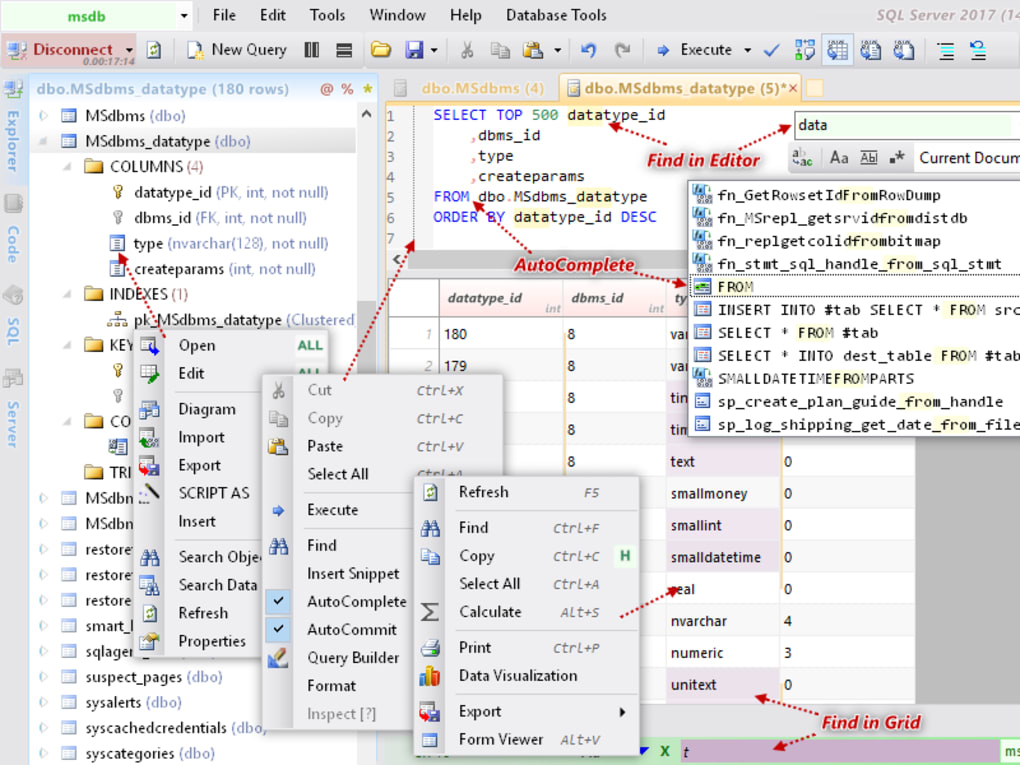
Free database browser and editor Database .NET is a database management utility developed by Fish. This free-to-use development application allows users to create databases , design tables, edit and export data, generate scripts, and run SQL series. It supports a variety of database types and accommodates the requirements and needs of different users. Database .NET comes with a simple interface . Moreover, it is compatible with multiple database engines . With this, you can use it with MS SQL Server, Oracle , MySQL , Firebird , DB2, Informix, and more. However, while it is user-friendly, the interface looks a bit outdated . Additionally, it sometimes terminates your session after starting up. Manage your databases with ease Database .NET provides users with a much easier way to handle database entries. It also offers easier browsing of database content. Not only that, but it comes with advanced connection properties , which enable you to configure anything, from authentication details to security settings. Moreover, it features filtering options to help you exclude certain tables, views, procedures, or functions. These options even offer support for script execution to automate some tasks. Once launched and connected, the app displays all available tables in a tree view . With this, you can view edit each table with ease. You can also explore the views, procedures, and functions altogether. Moreover, this presentation allows you to perform local searches , generate diagrams, and even import new data to the table. This also lets you export the existing entries to other file formats. The app further extends its capabilities by integrating a tab-based editor . This feature offers syntax highlighting and line numbering, autocomplete, automatic formatting, and snippet insertion options. Furthermore, it comes with a built-in query building , which makes writing and executing database queries easier. Database .NET also allows migrating of data and transferring of tables between supported databases. However, this feature is only available in the professional edition. A powerful database manager Database .NET is a robust free database manager that lets users deal with multiple databases and large data sets. It comes with a built-in query editor and database browser, allowing you to search through your databases easily and edit the available data. Moreover, it supports various database engines. Its interface looks a little old, but it is intuitive and user-friendly. Overall, it is a real asset in a developer's toolbox.

Guías y tutoriales

Cómo instalar Database NET
  1. Haz clic en el botón Descargar de arriba.
  2. Cuando se te redirija, acepta los términos y haz clic en Instalar.
  3. Espera a que la descarga de Database NET termine en tu dispositivo.
Cómo usar Database NET

Este software se usa principalmente para las funciones principales descritas arriba. Abre la aplicación después de instalarla para explorar sus capacidades.

Reseñas de usuarios

Aún no hay reseñas. Sé el primero en compartir tu experiencia.

También te puede gustar

más