
Download docGPT – Free AI ChatGPT Add‑on for Word Processors
Overview
docGPT is a free‑to‑use utility created by Cesar Huret that brings the power of OpenAI’s ChatGPT directly into the most popular word‑processing environments—Google Docs and Microsoft Word. By embedding a lightweight script into your document editor, docGPT eliminates the need to switch between a browser window and a separate AI chat interface. Instead, you type your prompt right inside the document, hit a single button, and the AI generates text on the spot, inserting the result exactly where you need it. This seamless workflow is especially valuable for students, writers, marketers, and anyone who spends a lot of time drafting content. While the tool is lightweight and free, it does require an active internet connection because all AI processing happens on OpenAI’s servers. Initial setup involves granting macro permissions in Microsoft Word or authorizing the extension in Google Docs, but once configured, docGPT becomes a reliable, always‑ready writing companion. Users have reported occasional “Error 502 – Bad Gateway” messages, which are typically tied to temporary network routing issues rather than a flaw in the script itself. Overall, docGPT positions itself as a next‑generation extension that streamlines AI‑assisted writing without compromising on speed or security.
Key Features
- In‑document prompt entry: Write your ChatGPT prompt directly inside a Google Doc or Word file.
- One‑click generation: Retrieve AI‑generated text with a single toolbar button, eliminating the need to open a separate browser tab.
- Cross‑platform support: Works with both Google Docs (cloud‑based) and Microsoft Word (desktop and web versions).
- Free and open‑source: No subscription fees; the script is openly available and maintained by the developer.
- Secure API handling: Your OpenAI API key is stored locally in the script’s environment, never transmitted to third‑party services.
- Lightweight footprint: The extension adds only a few kilobytes to your document editor, preserving performance.
- Customizable output length: Choose short, medium, or long responses directly from the extension’s settings.
- Auto‑formatting: Generated text inherits the current document’s style, font, and spacing automatically.
- Compatibility with add‑ons: Works alongside other productivity extensions such as “ChatGPT Export and Share” and “GPT Site Checker”.
- Regular updates: The developer frequently releases patches to address API changes and improve stability.
Installation & Usage Guide
Setting up docGPT is straightforward, but the exact steps differ slightly between Google Docs and Microsoft Word. Below is a step‑by‑step walkthrough that covers both environments, along with best‑practice tips to avoid common pitfalls.
Google Docs Installation
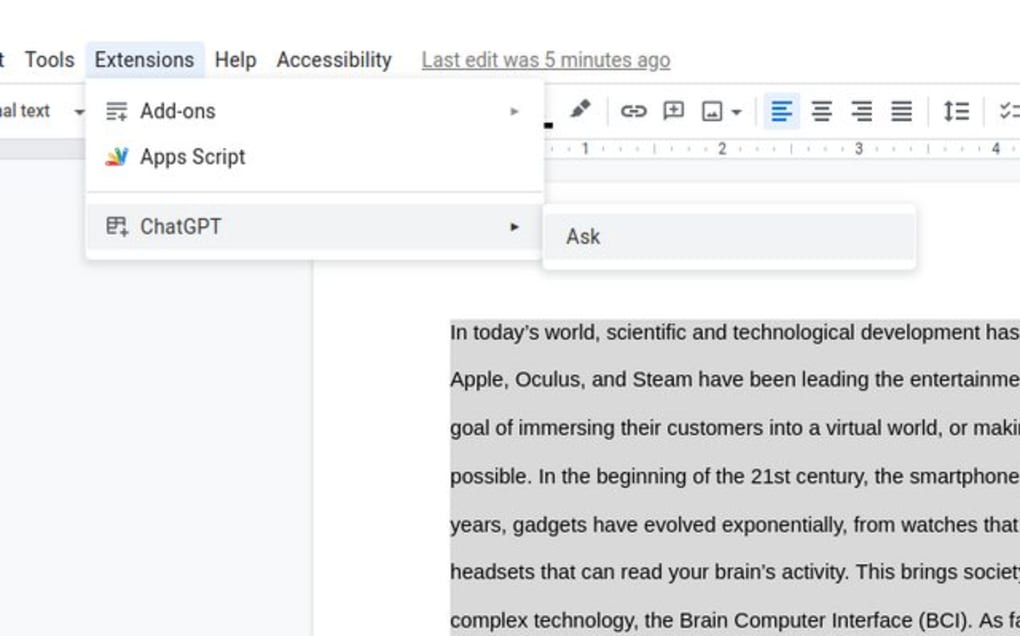
- Open a Google Doc and navigate to Extensions > Add‑ons > Get add‑ons.
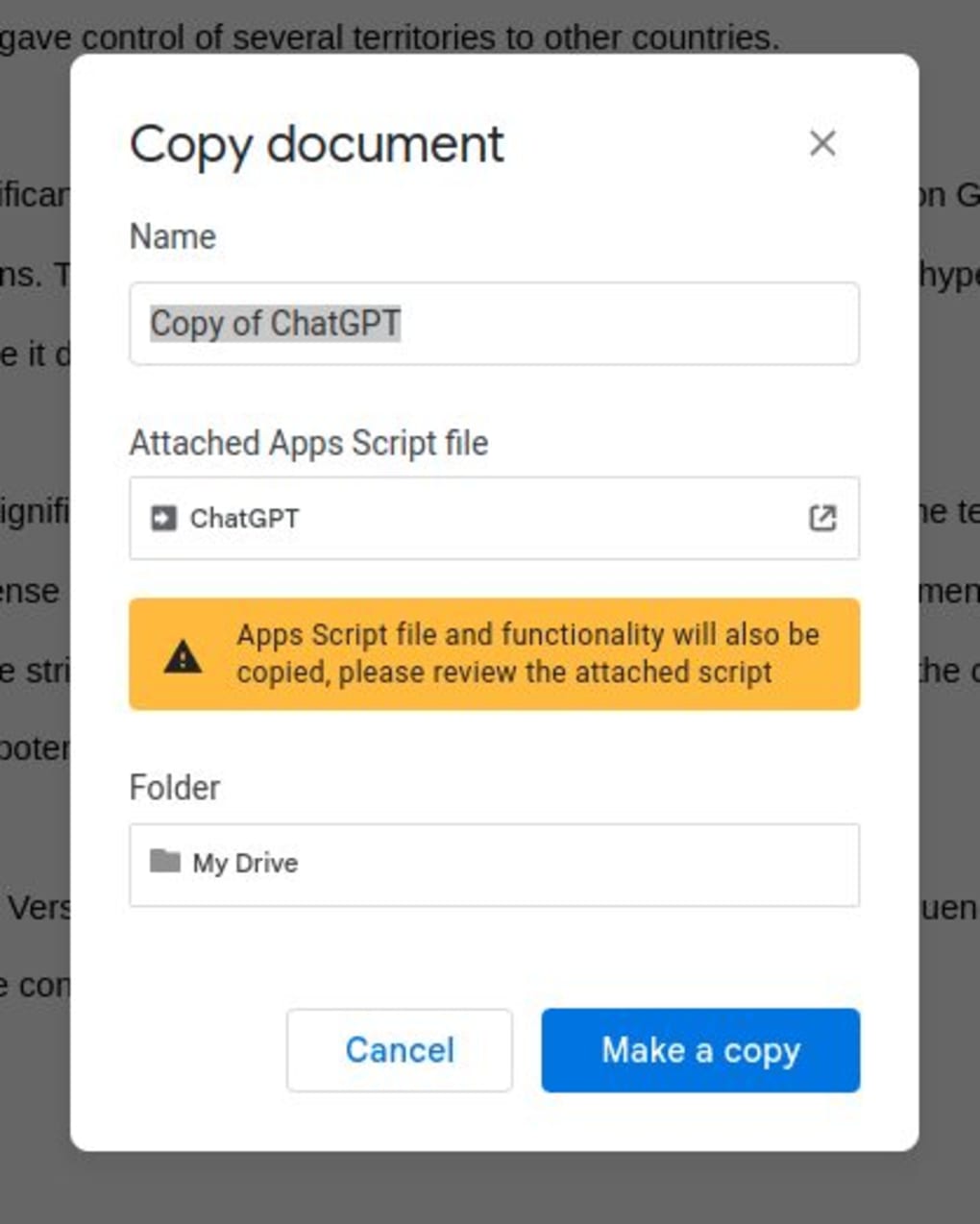
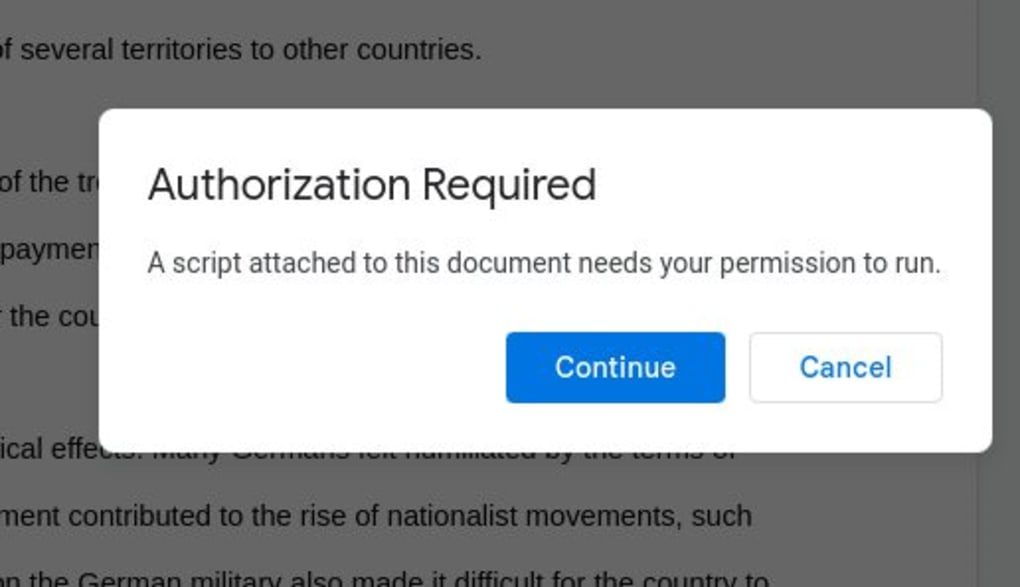
- Search for “docGPT” and click Install. You will be prompted to grant the add‑on permission to access your document and external services.
- After installation, a new docGPT menu appears in the toolbar. Click Authorize and follow the OAuth flow to link your OpenAI API key.
- Once authorized, select docGPT > Settings to configure response length, temperature, and default language.
- To generate text, place your cursor where you want the AI output, open the docGPT sidebar, type your prompt, and click Generate. The result appears instantly in the document.
Microsoft Word Installation
- Open Word and go to File > Options > Trust Center > Trust Center Settings. Enable Macros and check Allow all macros (or “Disable all except digitally signed macros” if you prefer stricter security).
- Download the docGPT VBA script from the developer’s GitHub repository (a direct link is provided on the official website).
- Press Alt+F11 to open the VBA editor, then import the downloaded module via File > Import File….
- Close the VBA editor and restart Word. You’ll see a new docGPT tab on the ribbon.
- Click Configure API Key and paste your OpenAI key. Save the settings.
- To use, select a paragraph, click Generate with docGPT, and the AI response replaces the selection or inserts below, depending on your preferences.
Compatibility: docGPT works on any operating system that can run Google Docs (any web‑enabled device) or Microsoft Word (Windows 10/11, macOS 10.14+). The extension does not require additional software, but a stable internet connection is mandatory for real‑time AI responses.
Troubleshooting tips: If you encounter a “502 Bad Gateway” error, verify your network connection and try again after a few minutes. For macro‑related warnings in Word, double‑check that the developer macro signature is trusted or adjust your security settings accordingly. Regularly updating the script from the official repo helps avoid compatibility issues after OpenAI API changes.
Pros, Cons & Frequently Asked Questions
Pros
- Eliminates the need to switch between a browser and a word processor.
- Free to use with no hidden subscription fees.
- Fast, on‑the‑fly generation that matches the speed of the official ChatGPT website.
- Seamless integration with existing document styles and formatting.
- Works on both cloud‑based (Google Docs) and desktop (Microsoft Word) environments.
- Open‑source script allows community contributions and transparency.
Cons
- Requires an active internet connection for every query.
- Initial macro setup in Microsoft Word can be intimidating for non‑technical users.
- Only compatible with Google Docs and Microsoft Word; other word processors are unsupported.
- Occasional network‑related errors (e.g., 502 Bad Gateway) may interrupt workflow.
- Users must supply their own OpenAI API key, which may involve usage costs beyond the free tier.
FAQ
Do I need an OpenAI account to use docGPT?
Yes. docGPT acts as a thin client that sends your prompts to the OpenAI API. You must have a valid OpenAI account and an API key, which you can generate in the OpenAI dashboard. The extension does not store or share your key.
Is docGPT safe for confidential documents?
The extension only transmits the prompt text you explicitly send to the API. OpenAI’s data policy states that prompts may be used for service improvement unless you opt out. For highly sensitive content, consider disabling data logging in your OpenAI account settings or use an on‑premise LLM solution.
Can I customize the tone or style of the AI output?
Yes. docGPT inherits the same parameters as the standard ChatGPT API, including temperature, max tokens, and system messages. You can set a “system prompt” in the extension’s settings to guide tone, formality, or domain‑specific language.
What should I do if I see a “502 Bad Gateway” error?
A 502 error usually indicates a temporary routing problem between your device and OpenAI’s servers. Refresh the document, verify your internet connection, and try again after a short pause. If the issue persists, check OpenAI’s status page for service outages.
Does docGPT work on mobile devices?
On mobile browsers, Google Docs’ web interface supports the docGPT add‑on, but the UI may be cramped. Microsoft Word’s mobile app does not currently allow custom macros, so docGPT is unavailable on iOS/Android Word apps.
Conclusion & Call to Action
docGPT bridges the gap between AI‑powered content creation and everyday writing tools, delivering a frictionless experience that can dramatically cut down research and drafting time. While the initial setup may require a few minutes of configuration—especially for macro permissions in Word—the payoff is a consistently fast, secure, and free AI companion that lives inside the documents you already use. Whether you’re a student drafting essays, a marketer crafting copy, or a novelist brainstorming chapters, docGPT offers a convenient shortcut to high‑quality text without leaving your editor. Ready to boost your productivity? Download docGPT now, authorize the extension, and start generating smarter content today.
After a brief setup, docGPT proved to be a reliable sidekick for my daily writing tasks. The integration feels native, the response speed matches the official ChatGPT site, and the free price tag makes it accessible for everyone. Minor hiccups like occasional network errors are outweighed by the time saved.








