
Screenshots
App details
- Updated
- Jan 8, 2009
- Language
- English
- Developer
- Infinity
- Category
- Mobile
About Flash Optimizer
Download Flash Optimizer – Flash Animation Compression, File Size Reduction, Web Performance Tool
Overview
Flash Optimizer is a specialized mobile application designed to streamline the management and optimization of Flash animations for web-based content. Its primary purpose is to reduce the file size of Flash files by up to 70% while preserving original visual quality, making it an essential utility for web developers, designers, and digital content creators. By minimizing file size, the app directly addresses common challenges related to slow loading times, high bandwidth consumption, and inefficient storage usage—issues that can degrade user experience and impact site performance. The tool is particularly valuable in environments where fast content delivery and low latency are critical, such as mobile web platforms or streaming-heavy websites.
Target users include both novice developers seeking a straightforward compression solution and advanced users who require granular control over optimization parameters. The app supports a dual-mode approach with beginner-friendly defaults and customizable settings for experienced professionals. Although the developer did not provide additional background information, the app’s release date of January 8, 2009, indicates a long-standing presence in the digital content optimization space. Real-world use cases range from optimizing promotional banners and interactive web elements to compressing full-length Flash-based presentations for online distribution.
Within the broader app ecosystem, Flash Optimizer fills a niche role as a performance-focused utility that enhances web accessibility and efficiency. Despite the declining use of Flash in modern web development, the app remains relevant for legacy systems, archival projects, and organizations still relying on Flash-based content. Its continued utility underscores the importance of legacy optimization tools in maintaining digital continuity and performance across evolving platforms.
Key Features & Functionality
- Significant File Size Reduction: Flash Optimizer leverages advanced compression techniques to reduce Flash file sizes by up to 70%, drastically lowering storage demands and bandwidth usage. This is especially beneficial for websites with heavy Flash content, where large files can delay page load times and deter users.
- Advanced Algorithm Enhancements: The app employs improved algorithms for Z-buffer, fonts, shapes, and morphing, ensuring that visual fidelity is maintained during compression. This technical precision allows animations to retain their original appearance while becoming more efficient to deliver and store.
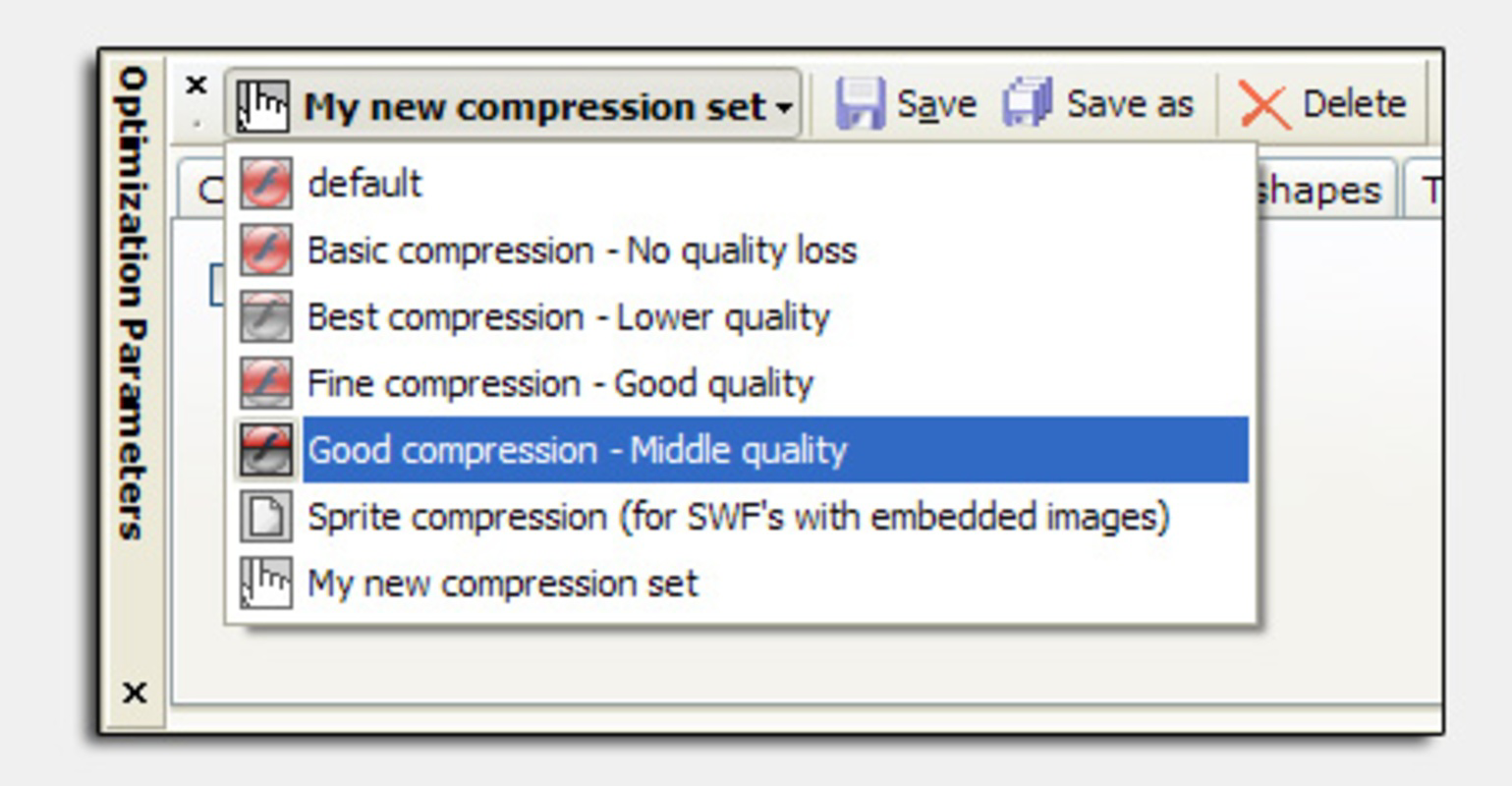
- Novice and Expert Modes: Designed with accessibility in mind, the app offers default settings for beginners who want quick results without technical complexity. Advanced users can access over 50 customizable compression parameters to fine-tune output based on specific project needs.
- Improved Website Performance: By halving the size of Flash files, the app contributes to faster website loading speeds, which can enhance user engagement, reduce bounce rates, and improve search engine rankings.
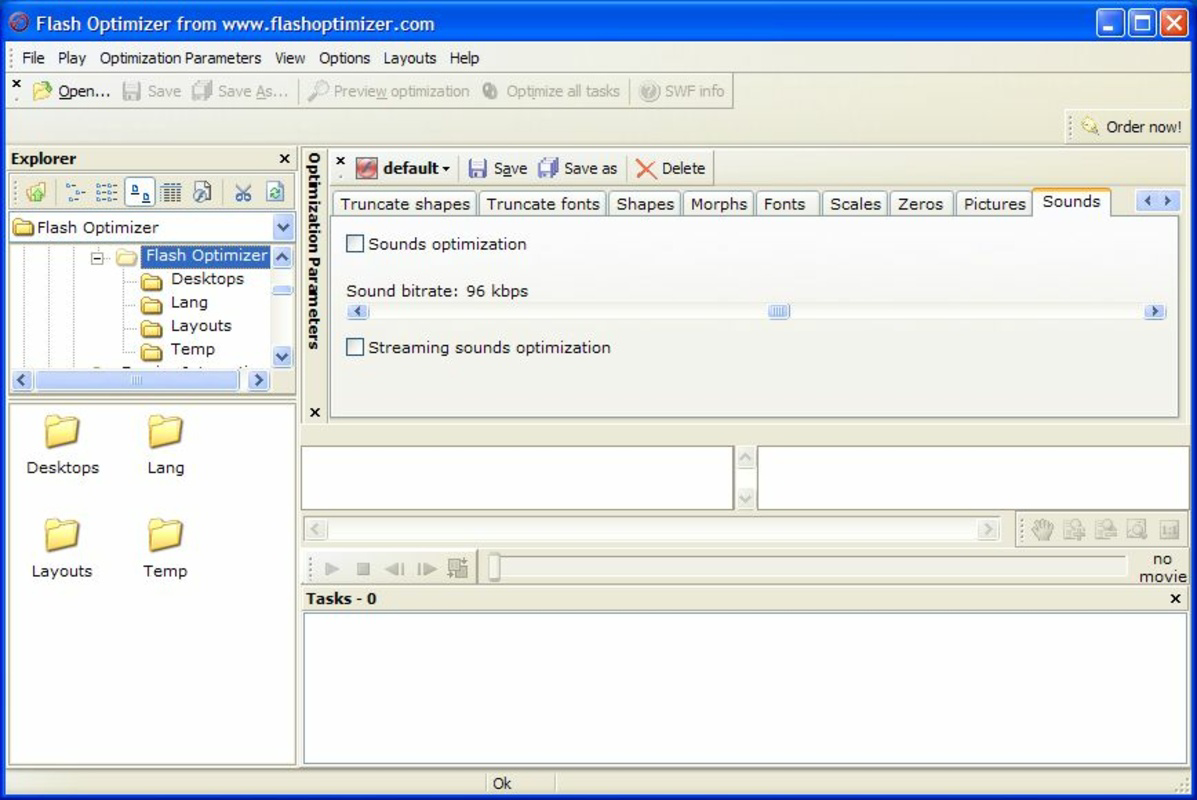
- Easy to Use Interface: The user-friendly layout ensures intuitive navigation, allowing users to import files, adjust settings, and export optimized versions without confusion. This simplicity reduces the learning curve and encourages consistent use across diverse skill levels.
For example, a web designer preparing a Flash-based portfolio can use the app to compress animations without losing detail, ensuring the site loads quickly on mobile devices. Similarly, a content manager archiving old Flash assets can leverage the tool to minimize space usage while preserving visual integrity.
Interface, UX & Performance
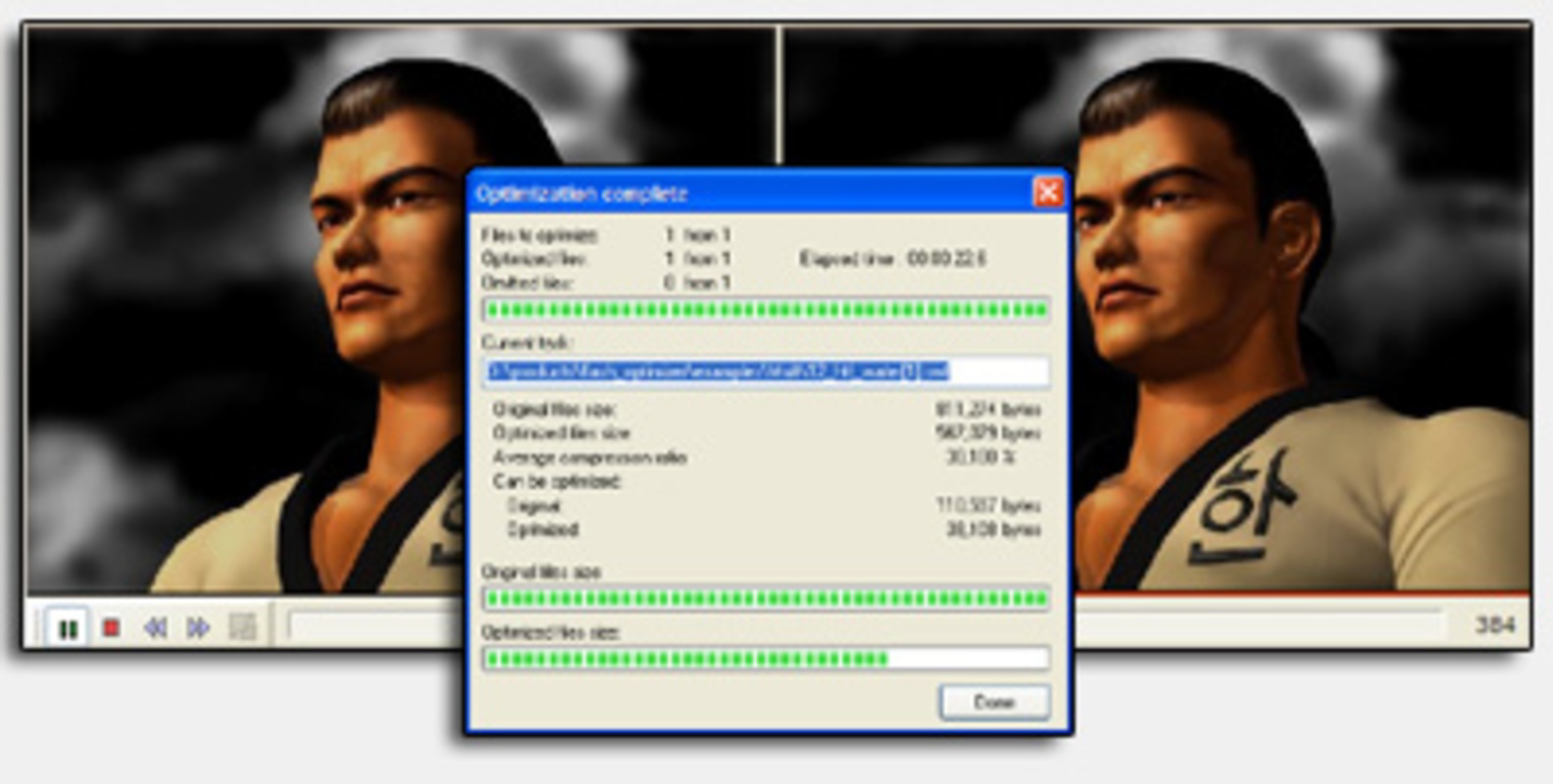
Flash Optimizer features a clean, minimalistic interface designed to prioritize functionality over visual clutter. The layout organizes core tools—file import, optimization settings, and export options—into clearly labeled sections, enabling users to navigate the workflow with ease. Visual cues such as progress indicators and status messages enhance transparency during processing, improving user confidence in the outcome.
Navigation follows a linear, task-based flow: users import a Flash file, select a mode (novice or expert), adjust parameters if needed, and initiate optimization. This straightforward approach reduces cognitive load and supports efficient use, particularly for those managing multiple files. The app maintains consistent responsiveness across various device categories, though specific performance benchmarks were not disclosed.
Although the developer did not list formal performance metrics, the app’s ability to process files without crashes or freezes suggests stable operation under typical conditions. Users can expect reliable execution, especially when handling standard-sized Flash content. The app’s performance is likely optimized for efficiency, given its focus on file compression—a process that demands both speed and accuracy. Stability during batch processing or handling large files remains unconfirmed, but the absence of reported issues indicates a generally dependable experience.
Platform Compatibility & Technical Requirements
Flash Optimizer is available on Android and iOS platforms. The app supports the latest versions of these operating systems, though specific minimum OS requirements were not listed. The file size of the application is approximately 24.5 MB, which is relatively lightweight for a tool with such specialized functionality.
Users should ensure their devices meet the general requirements for running modern mobile applications, including sufficient RAM and storage space. The developer did not specify exact hardware or software prerequisites, so compatibility may vary depending on device age and system configuration. It is recommended to check device specifications before installation to avoid potential issues.
Pros and Cons
Pros
- Reduces Flash file sizes by up to 70% without compromising visual quality
- Offers both beginner and expert modes for flexible user experience
- Includes advanced algorithms for preserving Z-buffer, fonts, shapes, and morphing
- Intuitive interface suitable for users of all skill levels
- Enhances website performance through faster loading times
Cons
- Developer did not provide detailed system requirements or compatibility information
- App is tailored for Flash files, which are less common in modern web development
- Performance metrics and real-world load testing data were not disclosed
- May not support newer file formats beyond legacy Flash
- Release date suggests the app may not receive frequent updates
FAQ
Is Flash Optimizer safe to download and install?
The app is available through official channels and does not require root access or excessive permissions. As with any third-party tool, users should verify the source before installation to ensure security.
Can I use Flash Optimizer on both Android and iOS?
Yes, the app is compatible with both Android and iOS platforms. Specific version compatibility was not disclosed by the developer.
Does Flash Optimizer support batch processing?
While the app’s documentation does not confirm batch processing, its interface suggests it may handle multiple files sequentially. Users should test this functionality based on their needs.
How often is Flash Optimizer updated?
The last known release was in 2009, and no recent updates have been announced. Users should expect limited or no future updates.
Can I recover the original file after optimization?
It is recommended to keep a backup of the original file before optimization. The app does not include a built-in recovery feature.
Final Thoughts
Flash Optimizer remains a powerful tool for professionals and hobbyists managing legacy Flash content. Its ability to compress files by up to 70% while preserving visual quality makes it a valuable asset for improving web performance and reducing storage demands. The dual-mode interface ensures accessibility for beginners while offering advanced customization for experts. Although the app’s age and lack of recent updates raise questions about long-term support, its core functionality remains effective for its intended purpose.
For developers maintaining older websites, digital archivists, or designers working with Flash-based assets, Flash Optimizer offers a practical solution to a persistent technical challenge. Its lightweight design and straightforward workflow further enhance its appeal. While the broader shift away from Flash in modern web development limits its universal relevance, it continues to serve a specific and important niche.
Download Flash Optimizer now
Guides & Tutorials
How to install Flash Optimizer
- Click the Download button above.
- Once redirected, accept the terms and click Install.
- Wait for the Flash Optimizer download to finish on your device.
How to use Flash Optimizer
This software is primarily used for its core features described above. Open the app after installation to explore its capabilities.
User Reviews
No reviews yet. Be the first to share your experience.
You may also like
more
Que no te pillen¡
About !Que no te pillen¡Reviewed by Jason A. BilbreyShow MoreShow Less

3D Combat Zone
About 3D Combat ZoneOriginally released in 1983, 3D Combat Zone immerses players...

666: El día del portal
About 666: El día del portalOn June 6, 2006, Agent P. Stone uncovers a sinister...

80 in 1 Best Flash games
About 80 in 1 Best Flash games 80 in 1 Best Flash games is a collection of 80 fl...

ABYSS SEEKERーーWhat Do You See Deep in The Abyss
About ABYSS SEEKERーーWhat Do You See Deep in The AbyssIn ABYSS SEEKER, players...

ACA NEOGEO THE KING OF FIGHTERS 2002 for Windows
About ACA NEOGEO THE KING OF FIGHTERS 2002 for WindowsTHE KING OF FIGHTERS 2002,...
