Issue Type: Bug
Reopening of #62329
steps
- In the intergrated terminal.
- Run a command that generates more than one screen of content:
ls -alF /dev/
- Scroll to bottom
- Now run emacs and then close emacs using ctrl+c ctrl+x
Bug
Terminal scroll position is sometimes reset to top of buffer
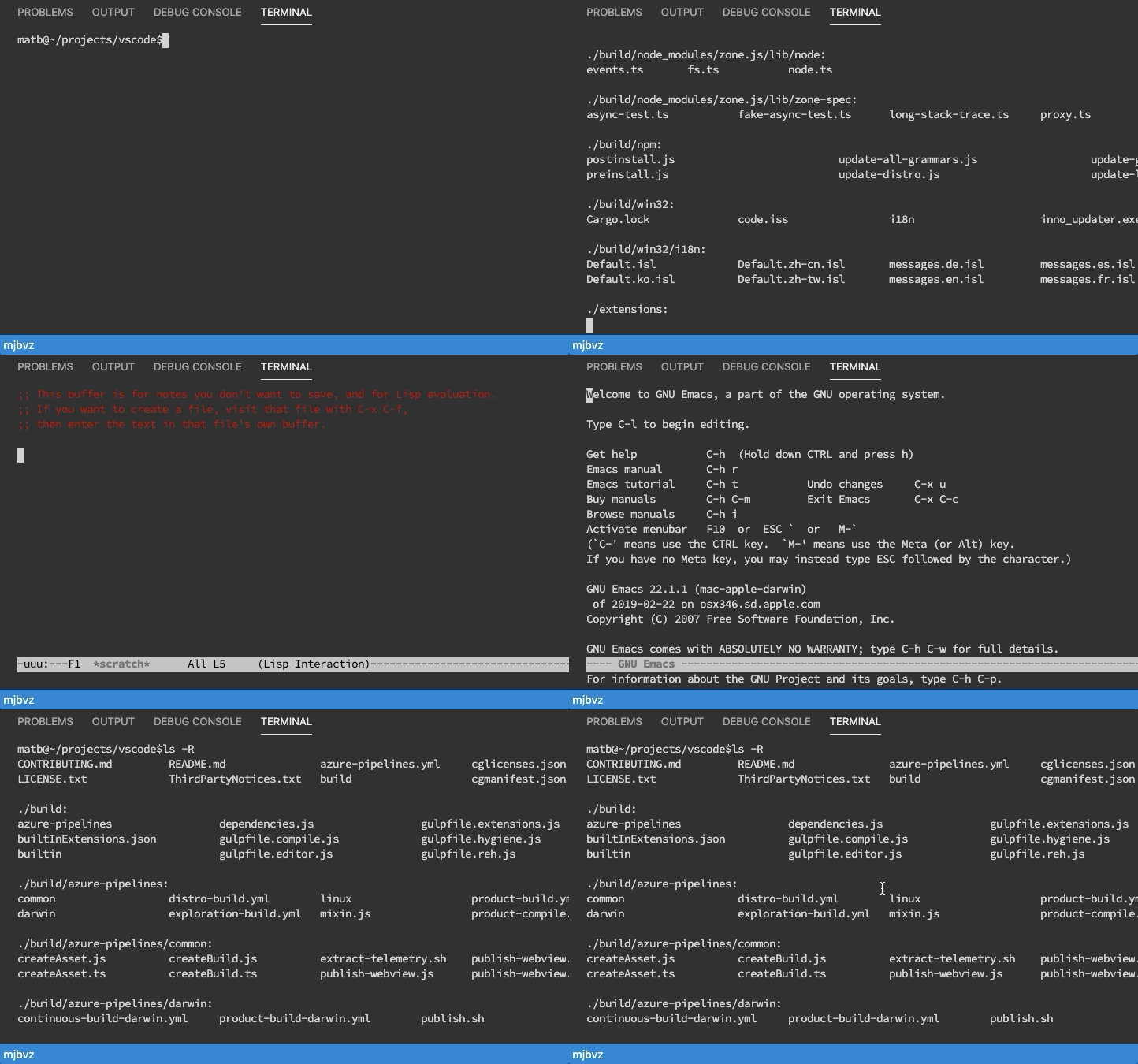
VS Code version: Code - Insiders 1.40.0-insider (86405ea, 2019-11-06T16:56:25.487Z)
OS version: Darwin x64 18.7.0
System Info
| Item |
Value |
| CPUs |
Intel(R) Core(TM) i7-4770HQ CPU @ 2.20GHz (8 x 2200) |
| GPU Status |
2d_canvas: enabled
flash_3d: enabled
flash_stage3d: enabled
flash_stage3d_baseline: enabled
gpu_compositing: enabled
metal: disabled_off
multiple_raster_threads: enabled_on
oop_rasterization: disabled_off
protected_video_decode: unavailable_off
rasterization: enabled
skia_renderer: disabled_off
surface_control: disabled_off
surface_synchronization: enabled_on
video_decode: enabled
viz_display_compositor: enabled_on
viz_hit_test_surface_layer: disabled_off
webgl: enabled
webgl2: enabled |
| Load (avg) |
2, 2, 2 |
| Memory (System) |
16.00GB (0.02GB free) |
| Process Argv |
-psn_0_1614218 |
| Screen Reader |
no |
| VM |
22% |


Issue Type: Bug
Reopening of #62329
steps
ls -alF /dev/Bug
Terminal scroll position is sometimes reset to top of buffer
VS Code version: Code - Insiders 1.40.0-insider (86405ea, 2019-11-06T16:56:25.487Z)
OS version: Darwin x64 18.7.0
System Info
flash_3d: enabled
flash_stage3d: enabled
flash_stage3d_baseline: enabled
gpu_compositing: enabled
metal: disabled_off
multiple_raster_threads: enabled_on
oop_rasterization: disabled_off
protected_video_decode: unavailable_off
rasterization: enabled
skia_renderer: disabled_off
surface_control: disabled_off
surface_synchronization: enabled_on
video_decode: enabled
viz_display_compositor: enabled_on
viz_hit_test_surface_layer: disabled_off
webgl: enabled
webgl2: enabled