



Go to Windows platform Display platforms icon
Go to Windows platform Go to Mac platform Go to Android platform Go to iOS platform
GitHub Desktop icon

GitHub Desktop

3.5.8
Image 4.7 3 reviews
158.1 k downloads
security security

Develop on Windows, share on GitHub

Advertisement
Remove ads and more with Turbo
Advertisement
Remove ads and more with Turbo
Andrés López icon
Reviewed by
Andrés López
Content Editor
Andrés López is part of Uptodown's in-house Editorial Team. Translated by Uptodown Localization Team

GitHub Desktop is the official client of this popular platform for developers that allows you to create, store, manage and share code. The goal of this desktop version is to enjoy all the benefits of the Git version control system, without any of the drawbacks. Thanks to this, you'll be able to speed up the code management of any project from your PC desktop.

Log in with your GitHub account

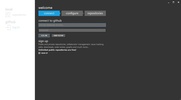
To work smoothly with GitHub Desktop, you'll need a GitHub user account. If you already have a GitHub account, all you have to do is log in through your browser, and if you don't have one, you can create one for free within the app itself. It's very simple: all you have to do is enter an email address and a secure password, and in less than a minute, you'll be able to access your account.

Advertisement
Remove ads and more with Turbo

Several settings options

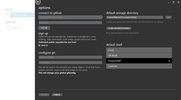
It's a good idea to take a look at the Settings before starting to work seriously with GitHub Desktop. First, you'll have to choose whether you want to perform integrations using an internal or external shell. You'll also be able to manually edit the Git setup, and, of course, there are several options to customize the program's interface itself, such as light and dark themes.

The most convenient and flexible way to maintain your code

One of the great advantages of using GitHub Desktop is that it allows you to make quick adjustments within any branch, incorporate new changes or revert to previous states in mere seconds. You can also make changes to the history of any project with a few simple adjustments. Thanks to this Windows client, working with your code is made much easier.

Manage your repositories easily

Download GitHub Desktop if you manage one or more GitHub repositories and want to do so more quickly and easily. With this client, you'll be able to manage all your code locally, review any changes before publishing, compare versions easily and, of course, share it with the other users in your project. This is a very useful tool for anyone who works regularly with GitHub.

Information about GitHub Desktop 3.5.8

Basic information

Image Developer GitHub
Image License Free
Image Category IDE
Image Rating All ages
Image Languages English

Security and privacy

Image Required permissions Not applicable
Image Advertising Not specified
Image
See security and antivirus report
Image Why is this app published on Uptodown? (More information)

Download info

Image Downloads 158,149
Image Date Apr 15, 2026
Image File type EXE
Image Size 181.16 MB
Image SHA256 782bfc0d239258339499c40579ec2b9c9a2c1b93c1f57751f1a492d1d54a94a5
Advertisement
Remove ads and more with Turbo

Older versions

See more
exe 3.5.7 Apr 1, 2026
exe 3.5.6 Mar 11, 2026
exe 3.5.5 Feb 18, 2026
exe 3.5.4 Nov 7, 2025
exe 3.5.3 Oct 10, 2025
exe 3.5.2 Sep 19, 2025
Available for other platforms

Rate this App

Review the app
GitHub Desktop icon
Image Image Image Image Image

Rating

4.7
5
4
3
2
1
Image 3 reviews

Comments

minime icon
minime
Image Image Image Image Image
in 2013

It's more similar to the Mac version, simpler and faster. You can keep your repositories local or directly on GitHub. Perfect for collaboratively developing web projects.

Image 13
Image Reply
Advertisement
Remove ads and more with Turbo
PkgEditor icon
Edit PS4 files in PKG, SFO or PFS format
Visual Studio Code icon
Microsoft's cross-platform code editor
Anaconda icon
All the features you need to work on data science projects
XAMPP icon
Set up a web server with Apache, PHP and MySQL in 5 minutes
Thonny icon
Learn Python the easy way
TortoiseSVN icon
Control the versions of your files
Free Pascal icon
Open source compiler for Pascal
x64dbg icon
A 32-bit and 64-bit debugger for PC
Psiphon icon
Much more than just a VPN
FormatFactory icon
Conversion between video, sound and image formats
VLC Media Player icon
A powerful media player and streaming server
Tor Browser icon
Surf the Internet anonymously
OP Auto Clicker icon
Automate mouse clicks on your computer
SISR icon
Use your Steam Controller however you want
Lockbook icon
A safe to store your notes
Visual Pinball FX icon
Create your own pinball machines
Python icon
Accessible multi-paradigmatic programming language
Android Studio icon
The best environment for developing Android apps
PkgEditor icon
Edit PS4 files in PKG, SFO or PFS format
Microsoft Visual C++ Redistributable icon
Component required to run Visual C++ applications
M.U.G.E.N icon
The basis to create your own fighting games
Algodoo icon
Have fun creating, inventing and playing with physics
Simplewall icon
Advanced control and security over Internet connections on Windows
Microsoft Visio icon
Transform data into visual diagrams