
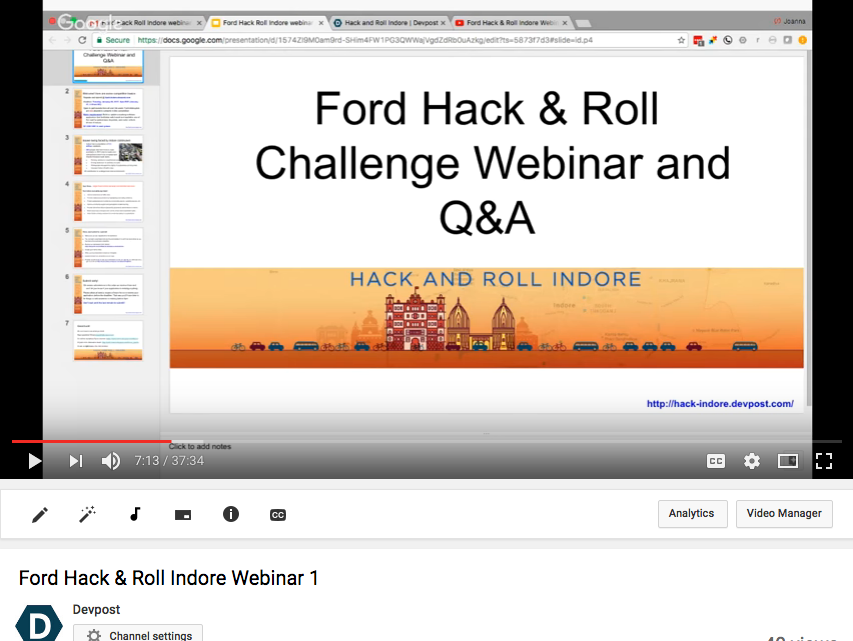
NEW! Take a look at our webinar to learn more about the submission requirements and see what other registrants asked about data, existing apps, testing access for Android apps, and more.
Resources and background
Located in central India, Indore has a population of 3.2 million residents and is the most populous city in the state of Madhya Pradesh. Roads and intersections tend to be crowded and chaotic, with car, taxi, motorbike, and auto-rickshaw drivers parking and driving their vehicles in unauthorized areas. In addition, a widespread disregard for traffic rules and the rights of pedestrians and bicyclists contributes to a dangerous road environment. A recent editorial in the Free Press Journal took issue with the laissez faire approach of many Indore residents to traffic safety rules. According to the Times of India, Indore is now the fourth most traffic accident-prone city in the country after Mumbai, Delhi and Chennai, with 444 people losing their lives in road accidents in 2015.
Coming up with solutions to an ingrained transit culture can be daunting–which is why we’ve brainstormed a few ways you might want to approach the problem. This list is by no means exhaustive–we’re excited to see your ideas and solutions!
Your Indore road safety app might:
- Improve awareness of traffic rules (i.e., encourage cyclists to adhere to bicycle lanes, pedestrians to stay on sidewalks, and drivers to park in designated parking areas).
- Promote safety best practices by mapping bicycle lanes, reviewing rules of the road, and highlighting local safety initiatives for cyclists and motor vehicle operators.
- Protect cyclists and pedestrians by incorporating alarms, signaling devices, and audio/video recordings.
- Improve community support and perceptions of safe bicycling and walking through gamification, photo sharing, or social networking applications.
- Provide instructions about legal parking procedures and locations in Indore.
- Raise awareness amongst motor vehicle drivers about pedestrian rights, road crossings, signal rules, etc.
- Help bicyclists and pedestrians identify the safest routes to their destination based on current traffic flow, accident rates, weather, etc.
- Encourage stronger local enforcement of road safety and sharing laws.
- Allow friends or family members to monitor the safety of a pedestrian, driver, or bicyclist while they are in transit.
- Incentivize drivers to avoid roads frequently used by bicyclists during rush hours.
Here are some additional resources to help you get started:
Reports
WRI report on bike sharing in Indore
WRI report on Indore’s paratransit system
Basic Road Statistics of India, 2008 - 2011
WRI Public Health and Road Safety Study for BRTS Indore (2012)
Municipal and transit data
iBike (Indore’s bike share program)
Government of India Transport data
Government of India main data portal
Indore Traffic Police traffic accident data 2007 - 2015
2011 Census data – including demographics and transit assets like bikes, cars, scooters
Indore walkability rating, statistics, and summary
India Environment Portal – articles and data on transport
National Highways Authority of India Indore accident data
Indore Traffic Police – traffic rules
Background articles
Indore Pedals On with Public Bicycling Scheme
Dangerous roads in India require new policies
After Delhi’s odd-even rule, Indore’s green bid with rent-a-cycle scheme
Bad roads claimed 10,727 lives in 2015
Choose another route or you may get stuck in jams due to water logging
Rasoma junction: Water logging hits commuters, patients hard
BRTS buses win battle with cars in Indore
Safety concerns keep parking lots empty
Maps
Indore road map and street view
Existing apps
- http://gizmodo.com/this-app-lets-friends-track-your-bike-rides-to-make-sur-1570849137
- http://www.bikecitizens.net/app/
- iBus Indore
- http://www.citizencop.org/
APIs
OpenXC
OpenXC is an API that offers drivers more insight into how their cars run. Using the OpenXC platform, you can access the OpenXC data and start making vehicle-aware applications, even if you don’t own a Ford or even a car.
Using the OpenXC vehicle interface, you can read vehicle data in real-time — like the steering wheel angle, GPS position, and vehicle speed. Currently, OpenXC supports over a dozen different measurements on a growing list of Ford vehicles. To get started, review the OpenXC site to get access to OpenXC-formatted vehicle data, important documentation, and OpenXC FAQs.
Resources for native Android apps
For Android app development, make sure you check out the Android Library Setup and App Tutorial pages on the OpenXC site.
Please note that if you want to use OpenXC to interact directly with a Ford vehicle, you’ll need to download the closed source CAN translator firmware directly from Ford and sign a developer agreement.
Resources for web apps and testing
- Drive traces: For web app integration and testing, you can use replayed trace data from previously recorded drives. You can find several driving datasets on the OpenXC site. Please visit: http://openxcplatform.com/resources/traces.html
- Crash simulation library: This set of Android code provides crash notifications to the registered applications. You can use this code to trigger crash scenarios and have your application respond to them. Check out the Git repository to view the documentation and learn more.
And more…
- OpenXC data outputs and dataset
- An example of a Web app that can receive OpenXC data, record it to a disk, and visualize it.
SYNC® AppLink™
SYNC AppLink is a suite of APIs that provides the capability for mobile developers to AppLink-enable their mobile applications. Developers have the ability to extend the command and control of the mobile application’s features to the vehicle occupants in a responsible, non-distracting way through the use of familiar in-vehicle Human Machine Interfaces (HMI) such as SYNC Voice Command, Steering wheel and radio buttons.
The applications run on the mobile device without the need to install any third party software on the vehicle head unit. The AppLink APIs exchange program data as well as command and control information over a known transport layer, allowing SYNC to exchange messages with an AppLink-enabled application in a pre-determined format. This technology is similar to how Bluetooth phones and digital media are integrated and used on the SYNC production platform.
Using the recently released SYNC 3 AppLink Emulator, developers can now test how their AppLink-enabled apps will look and work on a SYNC 3 interface – without access to an actual vehicle. The emulator allows a smartphone to connect to a computer – just like it would normally connect to SYNC 3. The software platform then mimics SYNC 3 by connecting to the app running from the phone. You can set certain conditions – such as vehicle speed, location, temperature and mileage – to test how your app responds to each.
You can download the emulator at https://developer.ford.com/pages/ale — you’ll need a Ford Developer account for access (create a developer account here).
Non-distracting in-vehicle interfaces
If your application is intended for use while driving, the Application must conform to In-Vehicle Approval Criteria from Ford for safe and non-distracting in-vehicle interfaces. (Note that a free Ford Developer Account is required to access these criteria. You can create a free Ford Developer Account at https://developer.ford.com/register.) For more information, see the national generally accepted principles for in-vehicle interfaces.
