




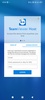
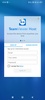
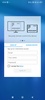
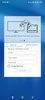

TeamViewer Host is a TeamViewer tool designed to help you share the content of any Android device with your computer. After linking your smartphone to your PC and completing the configuration process, in just a few seconds, you will be able to control your device remotely even if you're far away from it.
Control your Android remotely from your PC
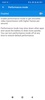
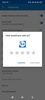
Thanks to TeamViewer Host , controlling an Android device through a computer with Windows has never been easier. Basically, this tool gives you the option of sharing your smartphone's screen in real time with a PC to, for example, solve technical problems or share tutorials with ease. You can even review important information related to the device and manage its files without complications.
Manage networks remotely
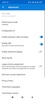
On the other hand, the Wi-Fi "push and pull" feature allows you to manage the connection via LAN and activate or deactivate it, and you will also be able to manage remote access permissions without needing to monitor them from your device.
Keep your data safe
When sharing data between your smartphone and PC, security is an essential part of protecting your privacy. This is why TeamViewer Host allows you to copy data to the computer clipboard with total convenience and 256-bit AES encryption. Like this, your data will be protected at all times with the best security measures.
Download TeamViewer Host 's APK for Android to take advantage of this free app's many features, including the ability to share content from your smartphone on your PC screen in real time.
Requirements (Latest version)
- Android 7.0 or higher required


 4 reviews









Comments
There are no opinions about TeamViewer Host yet. Be the first! Comment