KeyMapper is a free utility software for PC from indie developer Stuart Dunkeld. It is an open-source remapping tool that lets users change and re-assign specific keys and functions on their keyboard. It boasts a simple and intuitive user interface, and it can also be used to create macros to perform specific tasks like launching an app or triggering an action.
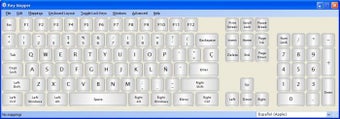
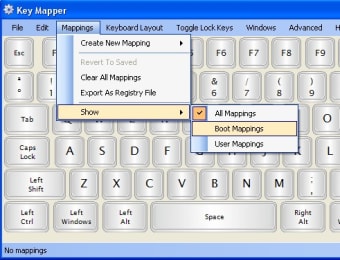
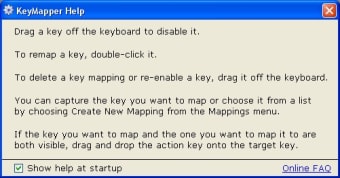
When you open the KeyMapper utility tool, you will be presented with a virtual keyboard interface wherein you can start making changes to keys. Change one, you can double-click on in and you will be shown a prompt with a list of functions grouped into different categories like Media, Modifiers, and Commonly Used.
You can also create custom actions, such as launching a program or performing a combination of keystrokes in productivity applications. Once you have everything set up, you will need to restart your PC to apply the changes you made. Overall, it works as intended and is very intuitive to use. The only minor thing that could be noted is it could have a nicer UI design, but it's not a big deal.
No-frills remapping solution
To sum up, if you're looking for an easy and simple way to remap your keyboard keys, KeyMapper is a no-nonsense solution that can fill that need. It's intuitive to use and even lets you create macros and custom actions as you need. Give it a try now and experience it for yourself.
Kristina Schulz
Kristina has professional experience in Europe, the United States, and Asia, specializing in communication and languages. She values adaptability in multicultural settings and brings this perspective to her writing. Her content reflects clarity, cross-cultural awareness, and practical expertise in connecting ideas through language.
Laws concerning the use of this software vary from country to country. We do not encourage or condone the use of this program if it is in violation of these laws. Softonic may receive a referral fee if you click or buy any of the products featured here.