






















Line is a free instant messaging and calling app. With the Windows version, you have full synchronization with the smartphone app, allowing you to conveniently write messages, send files, and make video calls while you work or browse on your PC.
Free chat messages and cloud synchronization
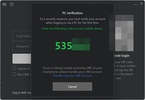
After logging in and syncing the desktop app with your smartphone via a QR code, the first thing Line shows you when you open it are all your chats. All your messages are automatically synchronized with the mobile app, so you can chat on either device interchangeably. You can send photos, videos, documents, and write long messages without having to overwork your thumbs, all from the comfort of your keyboard and mouse.
Voice calls and group video calls
Aside from text, the app also supports high-quality audiovisual communications. You can make free voice calls to friends who have the platform installed, regardless of their location, using only your internet connection. If you are looking to organize a work meeting or talk to your entire family at once, the software allows you to create massive group video conferences. A tremendously useful feature for work calls is the option to share your screen, allowing the other participants to view your presentations or documents while you speak.
Stickers, personal notes and timeline
One of Line's most characteristic hallmarks is its immense collection of animated stickers. Instead of using simple emoticons, you can express your feelings using detailed animations and fun characters that bring your chats to life. In addition to social interactions, there is a private space called "Keep Memo" which functions as a personal notepad where you can send yourself messages, links, or reminders so you don't forget anything. It also features a timeline, similar to a social media wall, where you can post status updates and check out the photos your contacts share.
My experience with Line
Using my Line account on PC, I found the interface very simple and lightweight, running fast both on my laptop and on my desktop PC. The desktop app helps me save time when writing out messages, and I was able to log in on my PC by simply scanning the QR code. Beyond messaging, one of the most useful features is the ability to take notes that sync across my devices. Thanks to this, I can save links or to-do lists, and have them at hand later. I also tested out the video calls, and they were very smooth with good quality. I even had the chat window open on the second monitor, and was doing other things on the main one.
What I liked most about Line and what could be improved
· What I liked the most: The perfect synchronization with the smartphone version and how practical the "Keep Memo" space is for sending files to yourself.
· What could be improved: The interface can feel a little cluttered at first due to the large number of stickers in place of the normal emojis that most messaging apps have.
Download the Line app and enjoy free calls, synchronized chats, and group video conferences comfortably from your PC desktop without having to resort to Line web.
Line is for you if
✓ You are looking for seamless messaging with phone contacts directly from your desktop computer
✓ You value syncing chats across mobile and desktop so conversations continue wherever you are
✓ You enjoy expressing yourself with a rich collection of stickers and icons for visual conversations


 19 reviews
















Comments
Yes
Wonderful
Like Whatsapp, but on your computer's desktop
Hello! When registering on the phone, everything works great, but I really want to use both the phone and the tablet simultaneously (to have it quickly at hand). Unfortunately, currently, activating o...See more
Very good application like WhatsApp but a little better, it's still very good!!!!
Sending messages from the PC to your contacts on the mobile is great. It's a bit slow to start up and gives the feeling that we're stepping back to the rough days of MSN, but it's very useful.