




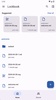
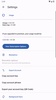
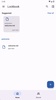


Lockbook is a completely free and open-source app for taking notes and saving text documents securely on your Android device. What's more, as it's a cross-platform app, you can start writing a document on your smartphone, save it encrypted in the cloud, and access it later from your tablet, computer, or any other device while always maintaining your privacy.
Create an account in seconds
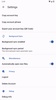
You'll need to create a user account to start using Lockbook. Luckily, this process barely takes a minute. You just need to choose a username and save your account access keys. You must keep these keys in a safe place because you won't be able to recover your profile if you lose them. They can be viewed from the Settings, but it's still recommended you write them down manually or save them by taking a screenshot or photo.
Write easily in Markdown
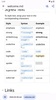
Lockbook uses standard Markdown syntax, which is very easy to learn, even if you have never used it before. In no time at all, you'll be able to easily write text in italics and bold, add links, and create lists. You'll also be able to insert images into your documents. In addition to this, the app lets you create blank canvases and draw directly on the screen, keeping those sketches protected with the same level of encryption as your text files.
Free and Premium options
The free version of Lockbook offers up to 25 MB of cloud storage. This may seem modest, but it's enough to store a good number of notes and text documents. If you need more space, the Premium version increases that limit to 30 GB, allowing you to store virtually any important file on the platform.
My experience with Lockbook
I find Lockbook especially useful for easily and securely sharing text documents online. This feature greatly facilitates collaborative work, as several people can edit the same file without worrying about privacy. All changes made remain protected, and only those working on a particular document can access its content.
The best and the worst of Lockbook
• What I like most about Lockbook is its strong commitment to privacy. Everything you write and store is protected so that only you and authorized people can access it.
• What I like least about Lockbook is that the Android version of the app takes up significantly more space than the Windows and Mac versions.
A really secure writing tool
Download Lockbook if you're looking for a reliable app to write documents and take notes privately on Android. Thanks to this app, you can keep your texts, images, and notes perfectly organized, protected, and encrypted in a secure space in the cloud.
Lockbook is for you if
✓ You prioritize keeping notes and documents encrypted, private, and synced across all your devices
✓ You enjoy writing in simple Markdown, inserting images and sketches within well-organized documents
✓ You want flexible cloud storage, from free basic space to generous capacity for important files
Requirements (Latest version)
- Android 7.0 or higher required




















Comments
There are no opinions about Lockbook yet. Be the first! Comment