Aprašymas
Demo: https://pdf.add-ons.org/
Download Pro Version: https://add-ons.org/plugin/eforms-pdf-customizer/
Documents: https://pdf.add-ons.org/document/
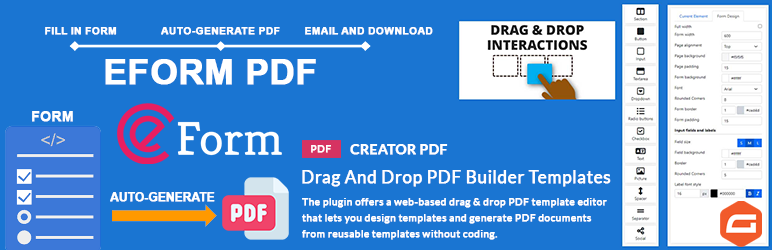
eForms PDF helps you create custom PDF documents from eForms submissions using a powerful drag-and-drop template builder.
Generate certificates, quotes, contracts, reports, invoices, tickets, and other PDF documents without coding.
Automatically attach generated PDFs to email notifications, allow users to download PDFs after submission, and fully customize your PDF layouts using dynamic form data.
Why Choose eForms PDF?
- Drag-and-drop PDF builder
- No coding required
- Dynamic Forminator field data
- Attach PDFs to email notifications
- Download PDFs after form submission
- Conditional logic support
- QR codes and barcodes
- Multiple PDF templates per form
- Multilingual and RTL ready
Key Features
Drag and Drop PDF Builder
Design custom PDF templates using an intuitive drag-and-drop editor.
Dynamic Form Data
Insert eForms field values dynamically into your PDF documents.
Email PDF Attachments
Automatically attach generated PDF documents to email notifications.
Download PDF Files
Provide downloadable PDF documents after form submission.
Conditional Logic
Show or hide PDF content and control when PDF documents are generated.
Multiple PDFs Per Form
Generate multiple PDF documents from a single submission.
QR Codes & Barcodes
Generate dynamic QR codes and barcodes using form submission data.
Shortcodes and Merge Tags
Generate PDF download links using shortcodes and merge tags.
Smart Real-Time Preview
Preview your PDF templates instantly while editing.
Page Break Support
Insert page breaks and organize content across multiple PDF pages.
Custom PDF Paper Sizes
Create PDF templates using custom paper sizes.
Additional Fonts
Upload and use custom fonts to match your brand identity.
Multilingual Support
Generate PDFs in multiple languages, including RTL languages.
Privacy and Security
PDF documents are generated directly on your server without third-party services.
Unlimited Use, No Restrictions
Create and generate as many PDF documents as needed without usage limits.
PRO VERSION
- QRcode Supports
- Barcode Supports
- Watermarks Supports
- Header Supports
- Footer Supports
- Conditional logics Supports
- 30-day money-back guarantee
- 1-year support
Ekrano nuotraukos


Diegimas
Normal installation
- Download the pdf-for–eForm.zip file to your computer.
- Unzip the file.
- Upload the
pdf-for-eForm.zipdirectory to your/wp-content/plugins/directory. - Activate the plugin through the ‘Plugins’ menu in WordPress. Document include in plugin
DUK
-
Does this plugin require eForms?
-
Yes. This plugin extends eForms and requires eForms to be installed and activated.
-
Can I attach PDFs to email notifications?
-
Yes. Generated PDF documents can be automatically attached to email notifications.
-
Can users download PDFs after submission?
-
Yes. You can provide PDF download links immediately after successful form submission.
-
Can I generate multiple PDF documents from one submission?
-
Yes. You can generate multiple PDF documents from a single submission using different templates and settings.
Atsiliepimai


Programuotojai ir komandos nariai
“PDF for eForm + Drag And Drop Template Builder” yra atviro kodo programa. Prie jos sukūrimo prisidėję žmonės surašyti toliau.
Autoriai
Išverskite “PDF for eForm + Drag And Drop Template Builder” į savo kalbą.
Domina programavimas?
Peržiūrėkite kodą, naršykite SVN repozitorijoje, arba užsiprenumeruokite kodo pakeitimų žurnalą per RSS.
Pakeitimų istorija
3.3.0
- Fixed: Important
3.2.6
- Added: 5 + 6 columns
- Added: Mask conditions logics
- Fixed: Admin icon
3.2.5
- Compatible with WordPress 6.5
3.2.2
- Big Update
