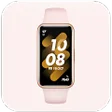
MActive Pro is a free fitness application for mobile devices from developer Shenzhen Horn Big Data Software Co., Ltd. It's the official companion app for smartwatches and band trackers made by consumer electronics manufacturer, Microwear. With it, users can connect them to their smartphones to access and configure additional features and options.
Similar to Zepp Life (Mi Fit) or Huawei Health, MActive Pro is a health-centric app that helps users assess their fitness through the company's smart wearables. Users will see a detailed breakdown of tracking statistics relating to heart rate, sleeping, steps, and other essential body readings.
Activity tracking
Smart health-tracking devices, such as smartwatches and fitness bands help keep track of essential metrics and statistics on a daily basis to adjust your lifestyle accordingly. There are various manufacturers of such wearables, and one of them is Microwear. If you own and use one of the company's products, the MActive Pro app can help you make the most of your experience.
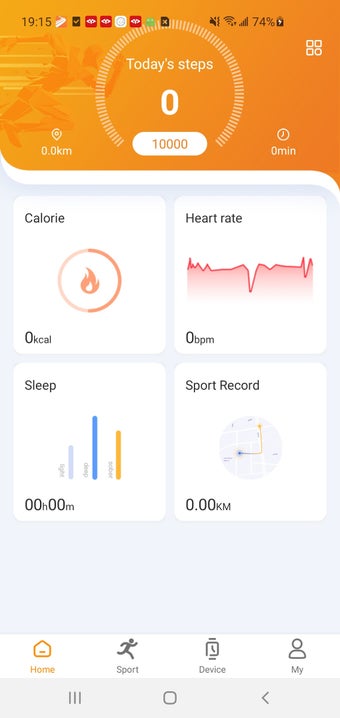
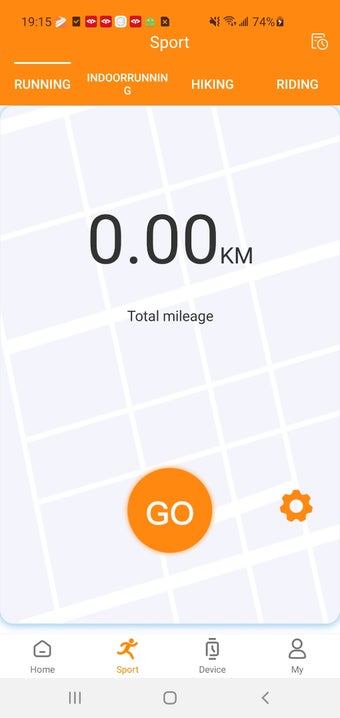
Pairing your device with this app is a simple and easy process. There are multiple tabs to navigate through, with the first being the Home page where you can see step count, and records for calories burned and past sports activities. Next is the Sports tab and here, you can start tracking exercise routines, such as running, cycling, and others.
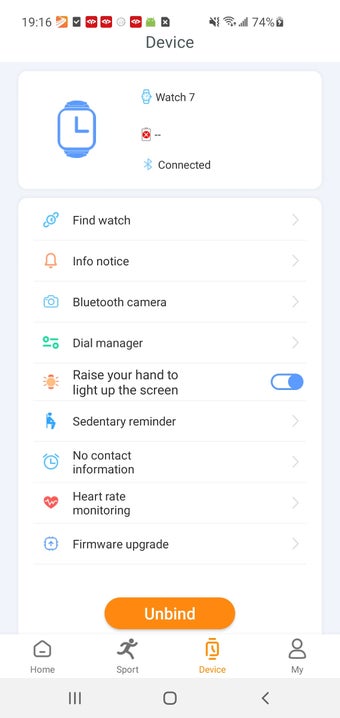
On the Device tab, you can configure various extra options and features as you want. Some of them include enabling push notifications, displaying weather reports, turning the “raise to wake” functionality on, and so many more. Having said that, the experience of using the app is less than ideal as it has problems with delays in updating information and sending notifications from apps.
Decent but needs improvements
All in all, if you own a compatible smart wearable from Microwear, then the MActive Pro app is worth trying out to maximize your use of them and improve your overall experience. Pairing is easy and you get access to plenty of features and options that only it can provide. It's not without its issues, but hopefully, they will get addressed in future updates.
Before downloading, you can take a quick look at the permissions this app may request on your device. App permissions allow certain features to work properly, such as accessing your camera to take photos, your location for maps, or your storage to save files.
In this section, you’ll find a clear and simple overview of the types of permissions the app uses, grouped by their level of sensitivity, along with a visual breakdown to help you understand them at a glance. This way, you can see how the app interacts with your device and decide to download with confidence.
Permissions types
Standard
30%
Non-standard
27%
Sensitive
43%
Permissions distribution
Privacy
27%
Data collected
41%
Data shared
32%
Data safety info
Privacy
12 permissions
Permissions that allow the app to access personal or sensitive information stored on your device, such as location, contacts, camera, or microphone.
This report summarises the permissions declared by the app at the time of scanning and groups them into Privacy, Data collected and Data shared. A declared permission shows what the app can access, it does not necessarily mean personal data is collected or transmitted. For full details check the app’s privacy policy and the developer’s clarifications shown below. Softonic generates this report automatically from the package metadata; it is informational and not a substitute for a full security or privacy audit.
Laws concerning the use of this software vary from country to country. We do not encourage or condone the use of this program if it is in violation of these laws. Softonic may receive a referral fee if you click or buy any of the products featured here.