


Go to Mac platform Display platforms icon
Go to Mac platform Go to Windows platform Go to Android platform Go to iOS platform
Mailspring icon

Mailspring

1.21.0
Image 4 1 reviews
2.5 k downloads
security security

A comfortable, simple and comprehensive email client

Advertisement
Remove ads and more with Turbo
Advertisement
Remove ads and more with Turbo
Merche Contreras icon
Reviewed by
Merche Contreras
Content Editor
Merche Contreras is part of Uptodown's in-house Editorial Team. Translated by Uptodown Localization Team

Mailspring is a multiplatform email client that lets you work with your email accounts easily and visually. Suppose you are looking for a quick and comfortable option that takes up little space. In that case, this tool is perfect for checking your emails, sending them, categorizing them at any time, and, really, doing anything you need to, quickly and efficiently.

The first thing you have to do after downloading Mailspring is sign in to your email account. One of the app's advantages is that it has a long list of services you can sign into, from Outlook, Yahoo, and iCloud to Gmail, GMX, Office 365, Yandex, or FastMail, among others. If you can't find a valid option, you can add your account manually in just a few seconds.

Advertisement
Remove ads and more with Turbo

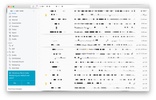
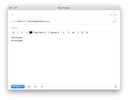
Once you've signed in, you will find a very simple interface designed so that you don't get lost while completing a common everyday task like checking your emails. Create folders, delete and edit emails and, in short, work with your inboxes fully, thanks to Mailspring's large number of options.

This tool is a good email manager, designed so you can naturally use your email accounts. What's more, as it is multiplatform, you can enjoy its advantages on both Windows and Mac, meaning that you can manage your emails in real-time and avoid getting confused between all your inboxes.

Information about Mailspring 1.21.0

Basic information

Image Developer Foundry 376, LLC.
Image License Free
Image Category Communication
Image Rating All ages
Image Languages English
1 more

Security and privacy

Image Required permissions Not applicable
Image Advertising Not specified
Image
See security and antivirus report
Image Why is this app published on Uptodown? (More information)

Download info

Image Downloads 2,540
Image Date May 7, 2026
Image File type ZIP
Image Size 161.16 MB
Image SHA256 d96b2cfaca8df20d895985d70e0f62da6413175bdde3241c6691a1da817c6f81

Technical details

Image Package Name mailspring
Advertisement
Remove ads and more with Turbo

Older versions

See more
zip 1.20.1 Apr 20, 2026
zip 1.19.1 Apr 19, 2026
zip 1.19.0 Mar 10, 2026
zip 1.18.0 Feb 23, 2026
zip 1.17.3 Feb 2, 2026
zip 1.17.2 Jan 26, 2026
Available for other platforms

Rate this App

Review the app
Mailspring icon
Image Image Image Image Image

Rating

4.0
5
4
3
2
1
Image 1 reviews

Comments

There are no opinions about Mailspring yet. Be the first! Comment

Advertisement
Remove ads and more with Turbo
Discord icon
The leading VoIP platform for online communities
Telegram Desktop icon
Chat with your Telegram contacts from your Mac
Zoom Workplace icon
Video calling and remote conferencing for Mac
WhatsApp Desktop icon
Chat with your WhatsApp contacts from your Mac
WeChat icon
Enjoy this popular messaging tool on your Mac
AnyDesk icon
Remotely access your devices
Mumble icon
Voice chat software, specially for gamers
eM Client icon
An excellent email client
balenaEtcher icon
Create self-booting external disks on Mac
Citra icon
The best Nintendo 3DS emulator for Mac
Suyu icon
Emulate Nintendo Switch games on Mac
Tor Browser icon
Anonymous and secure browsing for Mac
LibreOffice icon
One of the best alternatives to Microsoft Office
Open Design icon
An open source alternative to Claude Design for Mac
Lockbook icon
A safe for your text files
Open Generative AI icon
Create images and videos with AI by choosing from hundreds of models
Google Chrome icon
Browse any website with Chrome for Mac
Discord icon
The leading VoIP platform for online communities
Telegram Desktop icon
Chat with your Telegram contacts from your Mac
Tor Browser icon
Anonymous and secure browsing for Mac
Zoom Workplace icon
Video calling and remote conferencing for Mac
WhatsApp Desktop icon
Chat with your WhatsApp contacts from your Mac
NordVPN icon
Safe and private browsing on Mac
Microsoft Edge icon
Microsoft's most comprehensive browser