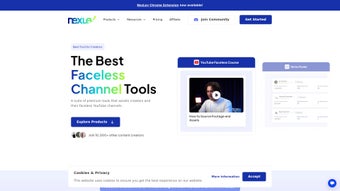

Скачать NexLev – AI‑Powered поиск ниш на YouTube
Обзор
NexLev — это платформа на основе ИИ, разработанная специально для создателей контента на YouTube, которые хотят находить прибыльные ниши, отслеживать высокоэффективные каналы и определять ценные ключевые слова без бесконечного пролистывания результатов поиска. Используя огромную базу данных более чем 150 000 YouTube‑каналов, NexLev предоставляет предложения в реальном времени и практические инсайты, помогающие создателям принимать решения, основанные на данных, о том, какой контент создавать дальше. Ключевая сила инструмента заключается в способности показывать метрики, которые наиболее важны для доходов автора: среднее количество просмотров в месяц, общая оценочная выручка и доход на тысячу показов (RPM). С 21 гранулярным фильтром пользователи могут сузить поиск по языку, количеству подписчиков, категории ниши, уровню вовлечённости и даже среднему CPM, обеспечивая точечное исследование, соответствующее их бренду.
Помимо сырых данных, NexLev создает совместную среду, где создатели могут сохранять любимые каналы или ключевые слова, создавать пользовательские списки наблюдения и делиться находками с членами команды. Встроенный форум сообщества поощряет обмен знаниями, а команда поддержки быстро решает любые технические проблемы. Независимо от того, являетесь ли вы новичком‑ютубером, ищущим нишу с низкой конкуренцией, или уже состоявшимся каналом, желающим получить новые идеи для увеличения рекламных доходов, NexLev предлагает безопасное облачное решение, устраняющее догадки и ускоряющее рост. Платформа постоянно обновляется в соответствии с последними изменениями алгоритма YouTube, гарантируя актуальность и будущую надёжность получаемых инсайтов.
Ключевые функции
- AI‑Powered Niche Discovery: Uses machine learning to recommend high‑potential niches based on current market trends.
- Extensive Channel Database: Access data from over 150,000 YouTube channels across every major category.
- 21 Advanced Filters: Filter by subscriber range, average views, language, CPM, RPM, engagement rate, and more.
- Revenue Metrics: View estimated monthly revenue, total earnings, and RPM for each channel.
- Keyword Insights: Identify high‑search‑volume keywords with low competition, complete with suggested tags.
- Save & Organize: Create personal watchlists, bookmark channels, and store keyword sets for future reference.
- Real‑Time Updates: Data refreshes daily, ensuring you always work with the latest statistics.
- Community Hub: Connect with other creators, share strategies, and ask questions in a moderated forum.
- Responsive Support: Dedicated help desk available 24/7 via chat and email.
- Secure Cloud Architecture: All data is encrypted in transit and at rest, complying with GDPR and CCPA standards.
Installation & Usage Guide
How to Install
NexLev is delivered as a web‑based SaaS application, which means there is no traditional “installation” process on your desktop. To get started, simply visit the official NexLev website and click the Sign Up button. You’ll be prompted to create an account using an email address or your Google credentials. After confirming your email, you can log in and instantly access the dashboard. For users who prefer a desktop shortcut, most browsers allow you to “Add to Home Screen” (Chrome, Edge) or create a site‑specific browser window (Safari). This creates a pseudo‑app experience that opens NexLev in a dedicated window, mimicking a native application.
Operating System Compatibility
Поскольку NexLev работает полностью в облаке, он совместим с любой операционной системой, поддерживающей современный веб‑браузер. Это включает Windows 10/11, macOS Ventura и новее, дистрибутивы Linux, Android 8.0+ (через Chrome или Firefox) и iOS 13+ (через Safari или Chrome). Адаптивный дизайн автоматически подстраивается под разные размеры экранов, так что вы можете проводить исследование ниш на ноутбуке, планшете или смартфоне без потери функциональности.
First‑Time Workflow
Once logged in, you’ll land on the “Dashboard” where a quick tutorial pop‑up guides you through the main sections: Explore Niches, Channel Analyzer, and Keyword Planner. Begin by selecting a broad category (e.g., “Technology” or “Lifestyle”) and apply filters such as “Subscriber Count: 10K‑100K” and “Average RPM > $3”. NexLev will instantly generate a list of channels that match your criteria, complete with visual thumbnails, recent video performance, and revenue estimates. Click any channel to view a deep‑dive report, then use the Save button to add it to your personal watchlist. For keyword research, type a seed phrase into the search bar, and the AI engine will return related keywords, search volume, competition score, and suggested tags. Export options allow you to download CSV files of your findings, making it easy to import data into spreadsheet tools or video planning software.
Pros and Cons
Pros
- AI‑driven insights dramatically reduce research time.
- Comprehensive database of over 150,000 YouTube channels.
- 21 granular filters enable precise niche targeting.
- Real‑time data updates keep information current.
- Cross‑platform accessibility (Windows, macOS, Android, iOS).
- Secure cloud storage with encryption and GDPR compliance.
- Community forum encourages collaboration and learning.
- Responsive 24/7 customer support.
- Exportable reports for easy integration with other tools.
- Free trial available, with flexible pricing for individuals and agencies.
Cons
- Requires an internet connection; offline use is not supported.
- Advanced filters may have a learning curve for beginners.
- Revenue estimates are based on public data and may not reflect exact earnings.
- Higher‑tier plans are required for unlimited data exports.
- Some niche categories (e.g., highly localized content) have fewer data points.
Frequently Asked Questions
Is NexLev free to use?
NexLev offers a 7‑day free trial with full access to all features. After the trial, you can choose from monthly or annual subscription plans that suit individual creators or larger agencies.
How accurate are the revenue estimates?
Revenue figures are calculated using publicly available data such as view counts, CPM averages, and RPM trends. While they provide a reliable benchmark, they are estimates and may differ from a channel’s actual earnings.
Can I export my research data?
Yes. NexLev allows you to export channel lists, keyword reports, and watchlists in CSV or Excel format. Export limits depend on your subscription tier.
Is there a mobile app for NexLev?
Currently NexLev is a responsive web application. It works seamlessly on mobile browsers for Android and iOS, and you can add it to your home screen for an app‑like experience.
How does NexLev protect my personal data?
All user data is encrypted using TLS 1.3 during transmission and AES‑256 at rest. NexLev complies with GDPR, CCPA, and other international privacy regulations, ensuring that your information remains secure.
Conclusion & Call to Action
In the fast‑moving world of YouTube, staying ahead of the competition requires not just creativity but also data‑driven insight. NexLev delivers exactly that—a powerful AI engine, an expansive channel database, and a suite of filters that transform raw statistics into clear, actionable strategies. Whether you’re launching a new channel or looking to revitalize an existing one, the platform’s real‑time updates, secure cloud architecture, and supportive community give you the confidence to invest time where it matters most: creating compelling content.
Ready to discover profitable niches, boost your ad revenue, and accelerate subscriber growth? Download NexLev today and start your free trial. Experience a faster, smarter way to research YouTube trends and watch your channel thrive.
Pros: AI‑driven insights, extensive database, granular filters, real‑time updates, cross‑platform access.
Cons: No offline mode, revenue figures are estimates, higher‑tier pricing for unlimited exports.



.png)




