
Go to Mac platform Display platforms icon
Go to Mac platform Go to Windows platform Go to Android platform Go to iOS platform
Opera icon

Opera

131.0.5877.24
Dev Onboard
Image 4.2 27 reviews
398.3 k downloads
security security

Much more than just a web browser

Advertisement
Remove ads and more with Turbo

What's next?

The download will be done via an external website. If you experience any problems downloading, please visit our Help Center

Advertisement
Remove ads and more with Turbo
Alberto García icon
Reviewed by
Alberto García
Developer’s Operations and Support
Alberto García is part of Uptodown's in-house Editorial Team. Translated by Uptodown Localization Team

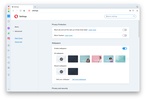
Opera is a free web browser developed by Opera Software for macOS. Launched in 1995, this browser is one of the most widely used browsers in the world, thanks to its many features. Opera focuses on speed, privacy, security, and productivity. Opera is based on the Chromium engine, just like Google Chrome and Microsoft Edge, so it's compatible with many of their extensions and offers an excellent online browsing experience.

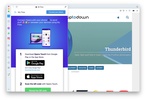
Like other web browsers, Opera allows you to open websites in tabs, save bookmarks, add extensions, and much more. It's also possible to integrate apps natively with shortcuts, such as WhatsApp, Messenger, and TikTok, from an accessible panel on the left side of the app.

Advertisement
Remove ads and more with Turbo

Speed Dial

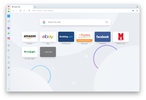
Opera displays the Speed Dial screen whenever you open it, which is basically a home screen where you can add shortcuts to all your favorite websites. Popular websites are automatically added to this screen, but you can customize it by adding and removing whatever you want.

Integrated VPN

Opera also offers a built-in VPN service. To use it, click the "VPN" button next to the address bar and then the activation one. After that, you can surf the Internet with an external IP address, allowing you to access websites that are blocked in your country, as well as browse with better privacy. Using this VPN is free and has zero limitations.

Opera Turbo: save data while browsing the Internet

Another interesting feature offered by Opera is "Opera Turbo." If you activate it, the browser compresses website data before loading them on your device. Thanks to this, the loading time is reduced if you have a slow connection, and you can also save data if you don't have an unlimited plan.

Smartphone and desktop browsers sync

If you use Opera on other devices, the "My Flow" feature allows you to send files, notes, and links between the Opera apps you've installed, as well as sync your history. This makes the transition between devices much easier and faster.

Aria: Opera's AI for everyday use

Opera also offers integrated AI with Aria, its AI-powered assistant. This tool is free to use and can answer all kinds of questions related to your searches. It can also help you write emails, make presentations, or even optimize your social media posts.

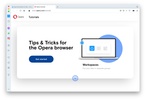
Workspaces: keep your tabs organized

Finally, Opera has a feature called "Workspaces" that allows you to organize tabs into different workspaces. Thanks to this, you can manage several tasks or projects at once and speed up your workflow.

Download Opera to enjoy one of the most comprehensive web browsers out there on your Mac.

Information about Opera 131.0.5877.24

Basic information

Image Developer Opera Software ASA.
Image License Free
Image Category Navigation
Image Rating Not specified
Image Languages English
18 more

Security and privacy

Image Required permissions Not applicable
Image Advertising Not specified
Image
See security and antivirus report
Image Why is this app published on Uptodown? (More information)

Download info

Image Downloads 398,294
Image Date May 7, 2026
Image File type ZIP
Image Size 2.91 MB
Image SHA256 734b9775d2fe282b9727bf70a86aefee155b542730f999e6fc24f5b24f56bcc6

Technical details

Image Package Name opera
Advertisement
Remove ads and more with Turbo
Available for other platforms

Rate this App

Review the app
Opera icon
Image Image Image Image Image

Rating

4.2
5
4
3
2
1
Image 27 reviews

Comments

See more
beautifulgreenrhino72546 icon
beautifulgreenrhino72546
Image Image Image Image Image
2 months ago

Why aren't there any older versions?

Image Like
Image Reply
fancywhitecrane91678 icon
fancywhitecrane91678
Image Image Image Image Image
in 2024

A very good app

Image 1
Image Reply
hotredostrich90949 icon
hotredostrich90949
Image Image Image Image Image
in 2023

Update the program

Image 1
Image Reply
pepe_test_3 icon
pepe_test_3
Image Image Image Image Image
in 2023

A very good alternative to safari web browser

Image 1
Image Reply
dvillodres icon
dvillodres
Image Image Image Image Image
in 2021

I love that it includes a native VPN, although it gets a bit slow with the VPN active.

Image 2
Image Reply
ime04 icon
ime04
Image Image Image Image Image
in 2019

Good browser

Image 5
Image Reply
See more
Advertisement
Remove ads and more with Turbo
Google Chrome icon
Browse any website with Chrome for Mac
Chromium icon
The open-source version of Google Chrome
Cốc Cốc Browser - Adblock and Multitask icon
Cốc Cốc Browser - Adblock and Multitask
Mozilla Firefox icon
Cross-platform open-source web browser
Surfshark icon
Surf the Internet securely with this VPN
Brave Browser icon
A user-friendly and secure ad-free browser based on Chromium
OpenVPN icon
Get a secure connection with a VPN
Opera GX icon
A browser designed for gamers
Google Chrome icon
Browse any website with Chrome for Mac
Discord icon
The leading VoIP platform for online communities
Telegram Desktop icon
Chat with your Telegram contacts from your Mac
Tor Browser icon
Anonymous and secure browsing for Mac
Zoom Workplace icon
Video calling and remote conferencing for Mac
WhatsApp Desktop icon
Chat with your WhatsApp contacts from your Mac
NordVPN icon
Safe and private browsing on Mac
Microsoft Edge icon
Microsoft's most comprehensive browser